



























Watch one short ad and play ad-free for 30 minutes.
Armed Forces Io
VariousLock and load, soldier! Armed Forces Io drops you into fast multiplayer firefights you can play free in your browser. There’s no download needed to join an online deathmatch within seconds. You’ll pick a loadout, dive into the arena, and battle real players from around the world. Each match runs on a tight timer, so every shot counts.
This first-person shooter packs five different game modes and a big arsenal of weapons. You can earn coins during fights and spend them on better gear. If you love tactical aiming and squad battles, you’re in the right place. 🎯
- Free online FPS with no sign-up required
- Five modes including Capture the Flag and Gun Game
- Earn coins to buy weapons and upgrade armor
- Play solo, team-based, or against everyone
What Is Armed Forces Io?
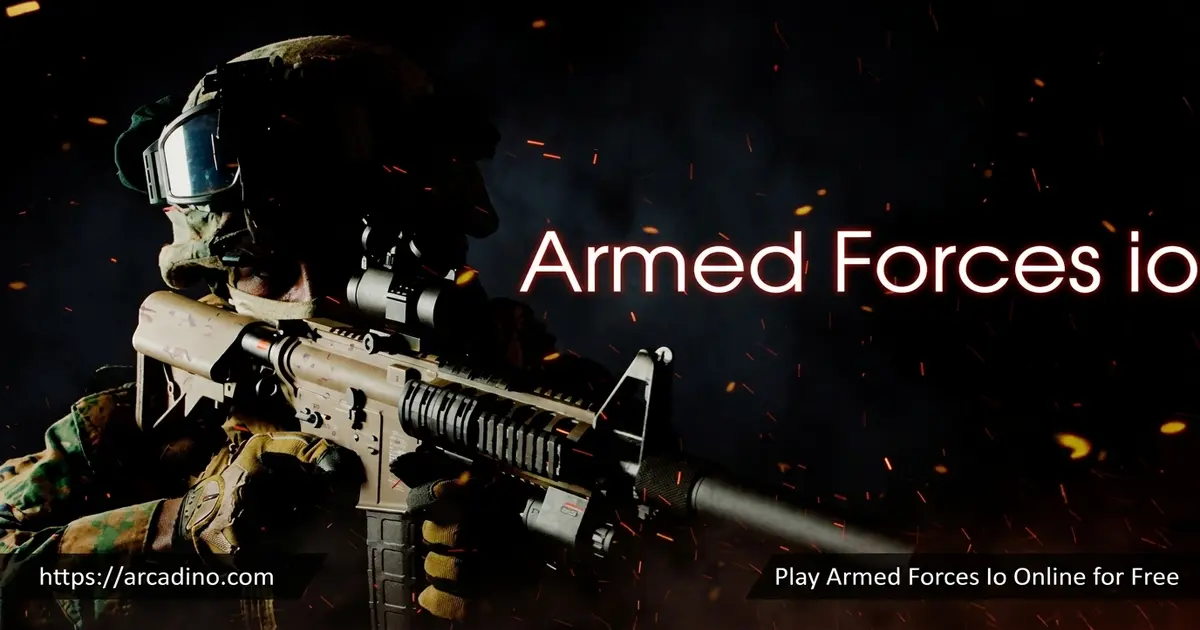
Armed Forces Io is a fast-paced multiplayer first-person shooter built by JulGames. You step into the boots of an elite soldier dropped into tactical warfare. The goal is simple: outshoot and outsmart your opponents before the clock runs out. Battles take place across urban streets and rugged outdoor maps.
What makes this shooter stand out is the variety of ways to fight. You can join a team, go rogue against everyone, or chase objectives like flags and bombs. From my testing, the game loads quickly in Chrome and the aiming feels responsive with a mouse. Movement stays smooth even during crowded firefights, which keeps the action fair.
Armed Forces Io Gameplay
The core loop is all about quick, intense rounds. You pick a mode, customize your loadout, and jump into the arena. Each match gives you ten minutes to rack up kills and complete the objective. If you get taken out, you respawn fast and rejoin the fight.
Weapons range from machine guns to frag grenades, and you’ve always got a combat knife as backup. Keep an eye on your armor before charging into close combat. You can grab medkits to heal and dynamite to clear out enemy clusters. Smart players mix shooting, sliding, and crouching to stay alive longer.
Weapons and Loadouts in Armed Forces Io
This FPS gives you a solid arsenal to match your playstyle. The lineup includes ten weapons: the MP5, Micro Mac-10, R840, AKM, SG554, Minimi, SKS, M40A3 sniper rifle, P226 pistol, and a trusty combat knife. On top of those, you carry three pieces of support gear: Basic Armor, a Frag Grenade, and a Syringe to heal up. So that’s ten weapons plus three gear items in total.
Coins you earn during and after each battle let you buy better equipment. Trade them in for stronger weapons, upgraded armor, or supply drops. Those drops can hand you a real edge in a tight match. Picking the right loadout for each mode is half the strategy.
Best Loadouts for Each Mode
Matching your weapons to the mode makes a huge difference. Knowing what to equip helps you spend coins wisely too. Here’s a quick breakdown of what works best where.
- Bomb Defuse: Fights happen up close, so grab fast SMGs like the MP5 or Micro Mac-10. The SG554 also shines in tight rooms.
- Capture the Flag: Maps are open, so a long-range hitter like the M40A3 sniper or the SKS lets you cover teammates.
- Team Deathmatch: The AKM or Minimi gives you steady firepower for mixed-range fights.
- Free for All: Stay mobile with the MP5 and keep a Frag Grenade ready for clustered enemies.
- Gun Game: You can’t pick here, so just focus on landing clean shots to climb the gun ladder.
Keep your combat knife handy in every mode as a last-ditch backup. Try a few setups and see what fits your aim.
Smart Ways to Spend Your Coins
Coins are limited early on, so spend them in the right order. Your first priority should be an armor upgrade, since staying alive longer means more kills and more coins. After that, save up for one solid all-rounder weapon like the AKM instead of buying several cheap ones. Supply drops are fun but risky, so leave them until you’ve got coins to spare. You usually earn enough for your first big purchase after a couple of full matches. From there, each strong match speeds up your savings. Spending steadily beats blowing everything at once on a single drop.
Game Modes in Armed Forces Io
One of the best parts of this title is the five distinct modes. Each one changes how you approach the fight. You can play with friends in a squad or test yourself solo. Switching between modes keeps every session fresh.
- Team Deathmatch: Team up and eliminate the enemy squad.
- Free for All: Everyone fights for themselves in a chaotic scramble.
- Capture the Flag: Grab the enemy flag and bring it home to win.
- Bomb Defuse: A classic plant-and-defuse mode for tactical teams.
- Gun Game: Start with a pistol and upgrade your gun with each kill.
How to Play Armed Forces Io
Getting into a match is quick and easy. Pick a game mode, then choose and customize your loadout before entering the arena. Remember that each mode has its own objective, so plan your gear to match. You’ll have ten minutes to fight, and respawning fast keeps you in the action.
Can You Play Armed Forces Io Offline?
Some versions of Armed Forces Io let you play offline against bots and pick your own stage. That’s handy when your internet is shaky or you just want to practice. Offline play helps you learn the maps without real players hunting you down. Keep in mind the browser version on most sites focuses on live multiplayer matches. If you want guaranteed offline play, check that the version you’re using lists that option first.
Armed Forces Io Controls
- Move: WASD or arrow keys
- Fire: Left mouse click
- Aim: Right mouse click
- Reload: R
- Slide while moving: Space
- Run: Left Shift
- Change weapons: 1, 2, 3
- Interact / pick up weapon: E or F
- Throw dynamite: G
- Use medkit: H
- Chat: T
- Crouch: C
- Show scoreboard: N
- Pause: Escape
Tips and Tricks for Armed Forces Io
- Right-click to aim before firing at distant enemies for tighter accuracy.
- Keep your armor topped up before rushing into close-range knife fights.
- Use Space to slide around corners and dodge incoming bullets.
- Save your frag grenades for tight spots where enemies group together.
- Spend coins on upgraded weapons early so you out-gun fresh recruits.
- Tap R to reload during a lull, not in the middle of a firefight.
Key Features of Armed Forces Io
- Five game modes including Bomb Defuse and Gun Game
- A deep weapon lineup from SMGs to sniper rifles and a combat knife
- Coin rewards you spend on gear, weapons, and supply drops
- Solo and team-based battles across urban and rugged maps
- Fast ten-minute matches with quick respawns
Where to Play Armed Forces Io
You can play Armed Forces Io right here in your browser, free and instantly, with no download or registration. It works in Chrome, Firefox, Safari, and Edge on both desktop and laptop. Searches like “armed forces io unblocked” show that many students look for it on school-friendly portals. Playing it directly on our site means you skip the wait and jump straight into a match.
The game is best enjoyed on a PC with a mouse and keyboard for precise aiming. If you ever find an APK floating around, stick to trusted sources to stay safe. For most players, the browser version is the simplest and quickest way in.
For Parents
Armed Forces Io is a cartoon-style military shooter aimed at players who enjoy team-based action. The combat is fast but stylized rather than graphic, so there’s no blood or gore on screen. Enemies simply drop when they’re hit, much like in many other cartoon shooters. The game has no official age rating, so we’d suggest using your own judgment based on how your child handles shooter games.
There is an in-game chat feature, and you can simply choose not to type or read it during matches. It’s worth a quick reminder about never sharing personal details like your name, school, or where you live online. If chat ever feels uncomfortable, your child can ignore it and focus on the fight. Short ten-minute matches also make it easy to set sensible play-time limits.
Similar Games to Armed Forces Io
If you love multiplayer FPS battles like this one, here are a few other online shooters worth trying.
- Bullet Force – A 3D multiplayer shooter with team modes and weapon unlocks.
- Subway Clash 3D – Fast gun battles set in tight underground arenas.
- Airport Clash 3D – Team firefights across an airport battlefield.
- Gunz.io – A top-down shooter where you blast rivals and grab loot.
- Kirka.io – A blocky multiplayer FPS with quick, chaotic rounds.
Explore more in our Shooting category.
FAQs About Armed Forces Io
Is Armed Forces Io free to play?
Yes, Armed Forces Io is completely free in your browser. You don’t need to pay or sign up to start a match. Just load the page and pick a mode.
How do you aim in Armed Forces Io?
Right-click your mouse to aim down sights. Aiming tightens your accuracy for longer-range shots. Move the mouse to look around and left-click to fire.
Who developed Armed Forces Io?
Armed Forces Io was created by JulGames. The studio built it as a fast-paced multiplayer FPS. It runs entirely in HTML5 in your browser.
How many game modes does Armed Forces Io have?
Armed Forces Io has five game modes. They are Team Deathmatch, Free for All, Capture the Flag, Bomb Defuse, and Gun Game. Each mode has its own objective.
Can you play Armed Forces Io unblocked?
Yes, you can play Armed Forces Io unblocked in most browsers. It loads directly without a download, so it works on many devices. Aiming feels best with a mouse and keyboard.
How long does a match in Armed Forces Io last?
Each match lasts about ten minutes. You fight, score kills, and chase objectives within that timer. Respawning quickly keeps you in the battle until time runs out.
Conclusion
Armed Forces Io packs five action-loaded modes, a big weapon arsenal, and quick coin-fueled upgrades into one free browser shooter. The fast matches and responsive aiming make it easy to pick up and hard to put down. Whether you’re capturing flags or climbing the Gun Game ladder, there’s always a fresh fight waiting. Grab a gun, pick your mode, and see how many enemies you can take down before the clock hits zero.
