


















Watch one short ad and play ad-free for 30 minutes.
Ducky Race
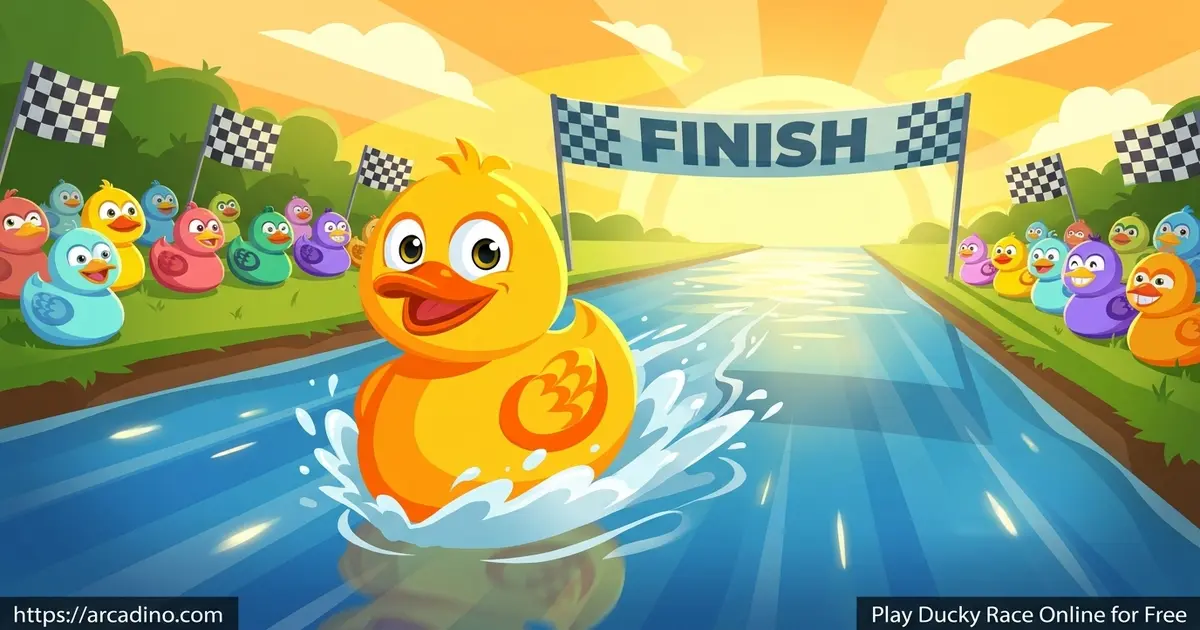
GameTornadoEver wanted to settle a fair contest with a splash? Ducky Race lets you line up rubber ducks and watch them paddle to the finish, free in your browser. You can add names or just pick a number of ducks, hit start, and cheer for a random winner. It’s a favorite for classrooms, parties, and quick decisions where you need a fun random name picker. The ducks bob along until one crosses first, and the leaderboard shows everyone’s spot. 🦆
- Race anywhere from 2 to 100 ducks at once
- Add custom names or set a plain duck count
- Choose how long each race lasts
- See a full finish leaderboard, not just the winner
What Is Ducky Race?
Ducky Race is a simple racing and random-picker game where rubber ducks swim toward a finish line. You set up the racers, press start, and the ducks paddle across the screen. Whichever duck touches the line first wins, and the rest fill out the results. It works great as a classroom timer or a party tool for picking names.
The whole thing runs in your browser, so there’s nothing to install. The ducks start moving right after you press start, with no long wait. The motion is smooth and the bright ducks are easy to follow even with a big crowd of them. That fast, no-fuss start is a big reason teachers reach for this title.
Are Duck Races a Real Thing?
Yes, duck races are very real, and they come in two fun forms! The online version is a digital tool that picks a fair winner on your screen. The other kind is a real-world charity event called a “duck derby,” like the famous Chicago Ducky Derby. In those events, people buy a numbered rubber duck, and thousands of them float down a river for a good cause. The duck that reaches the finish line first wins a real prize, and the money helps a charity. The big difference is simple: the online tool is instant and free, while a derby needs a real river and a ticket. So whether you want a quick draw or a giant splashy fundraiser, ducks have you covered.
Ducky Race Gameplay
The core loop is short and sweet. You decide how many ducks race, add names if you want them, and choose a race length. Then you hit start and watch the paddling unfold.
Each race ends with a clear winner and a full leaderboard underneath. That makes it perfect for picking one name fairly or ranking a whole group. You can run it again instantly with the same list, which is handy for back-to-back rounds. The randomness keeps every race feeling fresh and fair.
Customizing Your Ducky Race
Setup is where this game shines. You can race a small group of two ducks or fill the water with up to 100 of them. Adding names turns the race into a true random name picker for your class or team.
You also control the race time, so you can keep it quick or stretch the suspense. Many versions let you reuse the same group of names for round after round. These small touches make the tool feel built for repeat use in real classrooms and gatherings.
Why Players Love Ducky Race
The appeal is the mix of fairness and fun. Nobody argues with a random duck, so it settles “who goes first” without drama. Kids love cheering for their named duck as it paddles ahead.
It also doubles as a friendly icebreaker at parties and team events. The bright, bobbing ducks make even a simple draw feel like a real event. That’s why this little racer keeps showing up in classrooms around the world.
How to Play Ducky Race
Getting started takes only a few clicks and no account. First, set up your ducks by adding names or choosing how many you want. Next, pick a race time and press the start button. Then watch the ducks compete and check the leaderboard for the full result.
Controls for Ducky Race
Use your mouse to set up the race and click start. There aren’t tricky controls to learn since the ducks paddle on their own. On mobile, tap the screen to add ducks, set options, and launch the race. That simple setup means even young players can run a race solo.
Classroom Workflows for Teachers
Ducky Race is a drama-free way to make daily choices feel fair and fun. Because it’s random, no kid can say the teacher “picked favorites,” which keeps the mood calm. Here are a few ready-to-use workflows for common teaching moments. To set reading order, type each student’s name, run one race, then read in the finish order shown on the leaderboard. To assign presentation slots, race the names and give slot one to the winner, slot two to second place, and so on. To choose a line leader, race just the names on duty that day and let the winning duck decide. For a quick group split, race the class and send the top half to one team and the rest to another. Each of these takes under a minute, so you can lean on it every single day.
Tips and Tricks for Ducky Race
- Add real names instead of plain numbers so everyone has a duck to cheer for.
- Reuse the same name list for back-to-back rounds without retyping.
- Use a longer race time when you want more suspense before the winner appears.
- Race just two ducks for a fast yes-or-no decision between two choices.
- Check the full leaderboard, not just first place, to rank your whole group fairly.
Key Features of Ducky Race
- Race between 2 and 100 rubber ducks in a single round
- Custom name entry that turns it into a fair random picker
- Adjustable race length so you control the suspense
- A complete finish leaderboard after every race
- Instant browser play with no account or sign-up needed
Want Even More Ducks? Premium Tiers
The free version handles up to 100 ducks, which is plenty for most classes and parties. But some duck race tools offer a paid or premium upgrade for much bigger crowds. With those upgrades, you can race 1,000 ducks or even tens of thousands at once. That’s handy for huge events, big charity draws, or a whole school assembly. If you only need a normal class or team draw, the free 100-duck limit works great. Just remember that giant races may need the paid tier on certain versions.
Where to Play Ducky Race
You can play Ducky Race free in any browser on a laptop, desktop, or Chromebook. It loads fast and works in Chrome, Firefox, Safari, and Edge. There’s nothing to download for the online version, so it’s easy to open during class or at a party.
If you prefer it on a phone or tablet, a mobile version is available too. You can grab it on the Google Play Store or the App Store. Stick to those official stores rather than random APK sites, which can be unsafe. The browser version remains the quickest way to start a race right now.
For Parents
Ducky Race is a calm, friendly game with no scary content, so it suits kids ages 8 and up. It can support light learning, like fair group selection and counting racers. Teachers often use it as a classroom timer or name picker for activities. Since rounds are short, it’s easy to keep play time reasonable and tied to a specific task.
Similar Games to Ducky Race
If you like quick, fair picking games and casual racing tools, these are worth a try.
- Wheel of Names – a spinning random name picker for classrooms and draws.
- Duck Race Simulator – another rubber duck racing tool for picking a random winner.
- Spin the Wheel – a colorful spinner that lands on a random name or choice.
Browse more in our Racing category.
FAQs About Ducky Race
Is Ducky Race free to play?
Yes, Ducky Race is free to play in your browser. You can run races without an account or any download. Mobile versions are available on the app stores too.
How many ducks can race in Ducky Race?
You can race between 2 and 100 ducks for free. That’s plenty for a small choice or a full classroom. Some premium versions let you race 1,000 or more ducks for big events.
Is Ducky Race the same as duck math games?
No, but they’re easy to mix up. Many people search “duck math” expecting a math game like Ducky Race Subtraction. Plain Ducky Race is a racing and random-picker tool, not a math practice game.
Can I use Ducky Race to pick a random name?
Yes, Ducky Race works great as a random name picker. Add everyone’s names, then each name gets its own duck. The winning duck picks the name fairly.
Do I need an account to play Ducky Race?
No account is needed to play Ducky Race. You just open it and set up your race. On many versions you can also reuse name lists for future rounds.
Can I play Ducky Race on mobile?
Yes, Ducky Race is available on Android and iOS. Download it from the Google Play Store or the App Store. The browser version also works on phones and tablets.
How long does a Ducky Race last?
You choose the race length yourself. Pick a short time for a quick draw or a longer one for suspense. The race ends the moment the first duck crosses the line.
Are duck races a real thing?
Yes! There are online duck races like this picker tool, plus real charity “duck derbies.” In a derby, thousands of numbered rubber ducks float down a real river for a cause. The online version just does the same fun race instantly on your screen.
Conclusion
Ducky Race turns any decision into a cheerful little contest. With up to 100 named ducks, adjustable race times, and a full leaderboard, it’s a flexible pick for classrooms and parties. Best of all, it loads instantly in your browser with no setup hassle. Line up your ducks, hit start, and let the paddling decide the winner.
Gameplay Video