

























Watch one short ad and play ad-free for 30 minutes.
Deadshot.io
Tree GamesIf you love quick-trigger shooters where one clean headshot decides the round, Deadshot.io was built for you. It’s a free browser-based FPS that drops you into tight arenas against real players from around the world. Sometimes searched simply as “deadshot,” this first person shooter focuses on sharp aim, fast sliding, and instant respawns instead of long loading screens. No download is needed, no installer, just click and shoot.
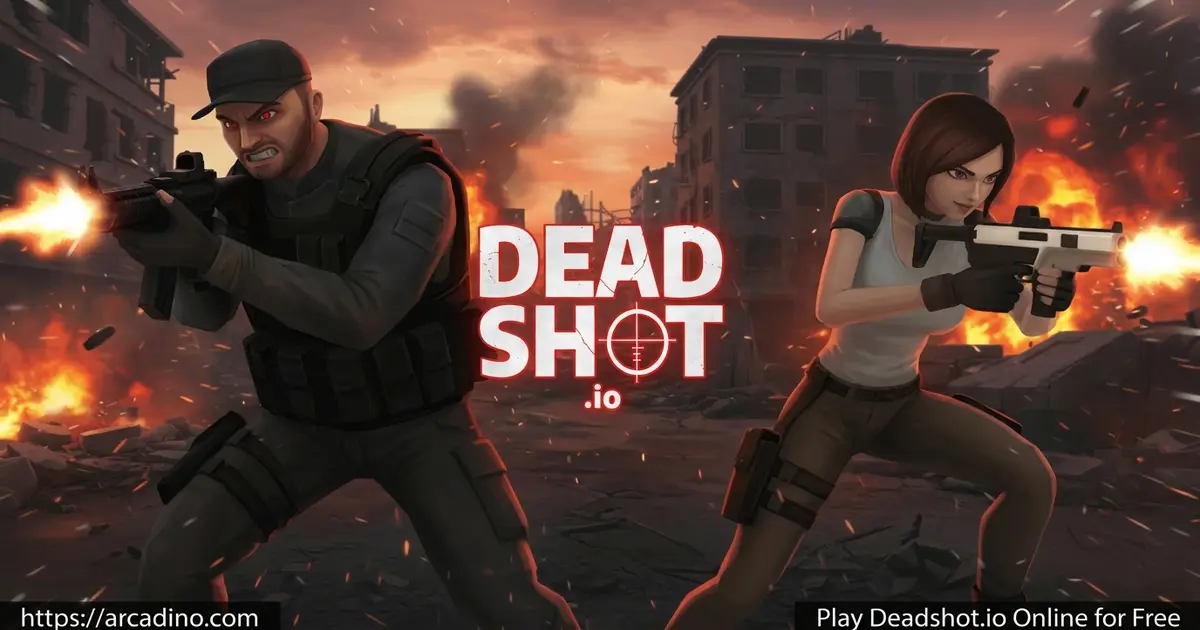
Quick highlights before we dive in:
- Free browser FPS with no downloads or installs
- A handful of arena maps and 4 weapon classes covering close, medium, and long range
- Sliding movement system for fast flanks and dodges
- Ranked tiers including Silver, Gold, Platinum, Diamond, and Champ
What Is Deadshot.io?
Deadshot.io is a competitive first-person shooter that runs directly in your web browser. It takes clear inspiration from games like CS:GO, but trims the heavy parts so matches stay fast. You pick a weapon class, hop into an arena, and start fragging. Rounds are short, respawns are instant, and the focus stays on pure gunplay.
The visuals are clean rather than flashy, which actually helps performance. In my testing the game loaded in seconds on Chrome and stayed smooth during firefights, even with several players sliding around the map. That responsive feel is a big reason why fans keep coming back to this title. 🎯
Gameplay in Deadshot.io
Each match in Deadshot.io is about reading the map and reacting faster than the other player. You move with WASD, aim with the mouse, and slide using shift to slip around corners. The sliding mechanic is the heart of the movement system. Smart players use it to confuse enemies and break clean lines of sight.
You can choose between weapon classes built for different ranges. Snipers reward patience and long sightlines, while SMGs and shotguns shine in close-quarters chaos. Assault rifles cover the middle ground for balanced play. Mixing classes between matches keeps the fps experience fresh.
Game Modes and Battle Types
The game ships with several modes so you’re never stuck in one style of fight. Each one rewards a slightly different approach to aim and teamwork.
- Free For All (FFA): Every player fights solo, and the highest kill count wins.
- Team Deathmatch (TDM): Two teams race to the top of the score sheet.
- Hardpoint: Hold a moving control zone to rack up points.
- Kill Confirmed: Drop enemies, then grab their tags to lock in the score.
- Domination: Capture and defend objectives as a coordinated team.
Best Loadouts for Each Game Mode
Picking the right weapon for the mode is half the battle. Here’s a quick cheat sheet so you walk in prepared.
- FFA: Run an SMG or shotgun. Fights happen everywhere, and quick reloads beat long aim time.
- Team Deathmatch: Assault rifles are king. They handle every range your squad pushes.
- Hardpoint: Shotguns rule the rotation routes since zones are tight and indoors.
- Kill Confirmed: Pair an assault rifle with smart slides so you can dash in for tags.
- Domination: Snipers shine here, holding angles on captured points while teammates push.
Maps in Deadshot.io
Deadshot.io rotates through a small set of arena maps designed for tight, fast combat. Each one has its own flavor, mixing close indoor corridors with open sightlines for snipers. Some lean industrial with crates and catwalks, while others use desert or warehouse themes with longer power lanes. The compact size means you’ll memorize callouts fast, which is huge for ranked matches. Learning where slides land cleanly and which corners hide head-glitch spots is a real edge. Try every map in casual modes first so you don’t get caught off guard during a Champ push.
Ranked Progression in Deadshot.io
The ranked system gives this first person shooter long-term depth. As you win matches, you climb tiers like Silver, Gold, Platinum, Diamond, and Champ. Each rank groups you with players of similar skill, so matches feel competitive instead of one-sided. It’s a great hook for kids who love measurable progress.
Rank-Up Roadmap: Silver to Champ
Each rank rewards a different skill set, and knowing what to practice helps you climb faster. Use this roadmap as a checklist for your next session.
- Silver: Focus on basic aim and learning every weapon’s recoil pattern. Stop spraying at long range.
- Gold: Lock in crosshair placement at head level. Always pre-aim corners before you turn them.
- Platinum: Add slide cancels and map awareness. Know where enemies spawn after each death.
- Diamond: Master recoil control under pressure and start counting enemy reloads.
- Champ: Read team rotations, call out positions, and outplay opponents with movement, not just aim.
Why Players Love This FPS
Fans stick with Deadshot.io because the skill ceiling feels real. You can tell when you’re improving, whether it’s faster flick shots or smarter slide angles. Short rounds also mean a bad match is over in minutes. That low-pressure structure makes it easy to jump in for a quick session and leave on a win.
How to Play Deadshot.io
Getting started is simple. Open the game in your browser, type a username, and pick a region close to you for low ping. Then choose a weapon class and a game mode from the lobby. You’ll be in your first firefight within seconds.
Controls for Deadshot.io
- W, A, S, D: Move
- Mouse: Aim
- Left Click: Shoot
- Right Click: Aim down sights
- Space: Jump
- Shift: Crouch / Slide
- R: Reload
- Enter: Open chat
- Esc or ~: Pause the game
Settings and Customization
Deadshot.io has a deep settings menu that helps you tune the game to your style. Spending two minutes here can boost your aim more than an hour of practice.
- Master Volume: Drop it slightly so footsteps stand out clearly.
- Raw Mouse Input: Turn this on for the most accurate aim possible.
- Sensitivity: Start low and raise it only if you can’t turn fast enough.
- Zoom Sens Multiplier: Lower this for steadier sniper shots.
- Anti-Aliasing & Resolution: Lower both on weak laptops to gain more FPS.
- Colorblind Mode: Switch enemy outlines to colors you can spot fast.
- Toggle ADS: Tap once to aim instead of holding right-click.
- Static Crosshair: Keep your dot still even while moving for cleaner shots.
- Left-Handed: Swap the gun to the left side if it suits your eye dominance.
Mastering the Slide Mechanic
Sliding is the trick that separates good Deadshot.io players from great ones. The basic rhythm is sprint, tap shift to slide, then tap space mid-slide to slide-jump. That combo throws off enemy tracking because your hitbox moves in a curve, not a straight line. SMGs and shotguns benefit most from slide cancels since their hipfire stays accurate while you move. Snipers should slide into cover, then stop to shoot, never during the trigger pull. Try sliding at sharp angles around corners so enemies can’t pre-aim where you land. Practice slide-jumps in FFA matches until the rhythm feels automatic, and your kill streaks will jump fast.
Playing on Chromebooks and School Laptops
Deadshot.io is one of the smoothest browser FPS games for school hardware. On a basic Chromebook you can expect a steady 45 to 60 FPS with low settings, and modern ones easily hit 60+. Chrome usually performs best, with Edge a close second, while Firefox can feel slightly heavier during firefights. To reduce input lag, close extra tabs, turn off browser extensions, and lower the resolution in the settings menu. Many school networks block game sites, but Deadshot.io often loads because it’s a lightweight web app, not a download. If your school blocks it, ask your teacher rather than using sketchy workarounds.
Tips and Tricks for Deadshot.io
- Slide into fights, not away from them. A well-timed slide throws off enemy aim and gives you a free first shot.
- Match your weapon class to the map. Tight maps favor SMGs and shotguns, while open ones reward snipers.
- Aim down sights at range. Right-click before engaging far targets to tighten your spread.
- Pre-aim common corners. Keep your crosshair at head level so you don’t have to flick up mid-fight.
- Use sound to your advantage. Footsteps and reloads give away enemy positions, so play with headphones on.
Key Features of Deadshot.io
- Fast browser FPS with no install, no signup wall
- Sliding-based movement that rewards creative play
- Four weapon classes including snipers, rifles, SMGs, and shotguns
- Multiple game modes from FFA to objective-based Hardpoint and Domination
- Ranked progression with visible tiers to chase
Where to Play Deadshot.io
The easiest place to play Deadshot.io is right here in your browser on Arcadino. No downloads, no account, no waiting. The game loads quickly on Chrome, Firefox, Edge, and Safari, and runs well on most school-friendly laptops and Chromebooks.
The official Deadshot.io is a browser-only game, built for keyboard and mouse. Any “mobile port” or APK you find online is a third-party fork, not the real thing. Stick to the browser version on a trusted site to stay safe.
For Parents
Deadshot.io is a multiplayer shooter with cartoon-style violence and no blood-heavy gore. It’s generally fine for kids 10 and up who already play shooters like Roblox FPS titles. There’s a chat feature that’s open to other players, so a quick reminder about online safety is smart. Sessions are naturally short thanks to fast rounds, making 20–30 minute play limits easy to enforce.
Similar Games to Deadshot.io
If you enjoy this fast browser shooter, a few other titles scratch the same itch with skill-based gunplay and quick matches.
- Venge.io – A 3D arena shooter with hero classes and matches that play a lot like this one.
- 1v1 LOL – Combines shooting with building mechanics for solo duels.
- Vortex 9 – A colorful sci-fi FPS with tight maps and fast respawns.
- Pixel Warfare – A blocky Minecraft-style shooter with classic FPS modes.
- Minefun.io – A casual block-themed shooter for relaxed rounds.
- Pixel Blast – A fast-action skill-based shooter with crisp aim and quick rounds.
For more picks, browse the full Shooting games category.
FAQs About Deadshot.io
What is Deadshot.io?
Deadshot.io is a free browser-based first-person shooter. You join online arenas, pick a weapon class, and fight other players across modes like FFA, Team Deathmatch, and Hardpoint. It focuses on aim, sliding movement, and fast rounds.
Is Deadshot.io the same as Deadshot?
No, “Deadshot” usually refers to the DC Comics character, not the game. Deadshot.io is a separate browser FPS that just shares a similar name. Some players also spell it “deadshotio” or “deadshot.oi” when searching.
Is Deadshot.io safe to play?
Yes, Deadshot.io is safe to play in your browser. There are no downloads or installs needed when you play through a trusted site like Arcadino. Just avoid shady APK downloads from unknown sources.
Can you play Deadshot.io with a controller?
The main browser version is designed for keyboard and mouse. Controller support isn’t a core feature, so a gamepad may not map cleanly to the controls. Mouse aim also gives you a real edge over enemies.
Can I play Deadshot.io on mobile?
The official Deadshot.io is browser-only and built for PC. Any mobile port or APK you find is an unofficial third-party fork, so stick to the browser version for the real experience.
How do I change my name in Deadshot.io?
You can change your name from the main menu before joining a match. Look for the username field at the top of the lobby screen and type whatever you want. Your new name will show up to other players next round.
How do I rank up in Deadshot.io?
You climb the ranks by winning matches and getting eliminations. The ladder runs through Silver, Gold, Platinum, Diamond, and Champ. Consistent aim and smart movement matter more than playing for hours.
Final Thoughts on Deadshot.io
Deadshot.io nails the things that matter in a browser FPS: tight aim, smooth sliding, real ranked stakes, and zero install time. The mix of weapon classes and modes means every session feels a little different. Whether you’re chasing a Champ badge or just want a 10-minute match between classes, this shooter delivers. Load it up, pick your class, and see how fast your reflexes really are.
