























Watch one short ad and play ad-free for 30 minutes.
Storm The House
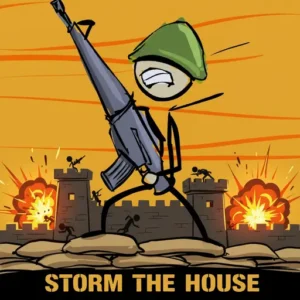
Ivory DriveStickmen are charging across the desert, and only your mouse cursor stands between them and a tiny wooden house. That’s the wild setup of Storm The House, a free browser defense shooter you can jump into right now with no download needed. You play a lone sniper picking off wave after wave of attackers while saving coins to beef up your defenses. It’s tense, it’s funny, and the upgrade loop is seriously addictive. 🎯
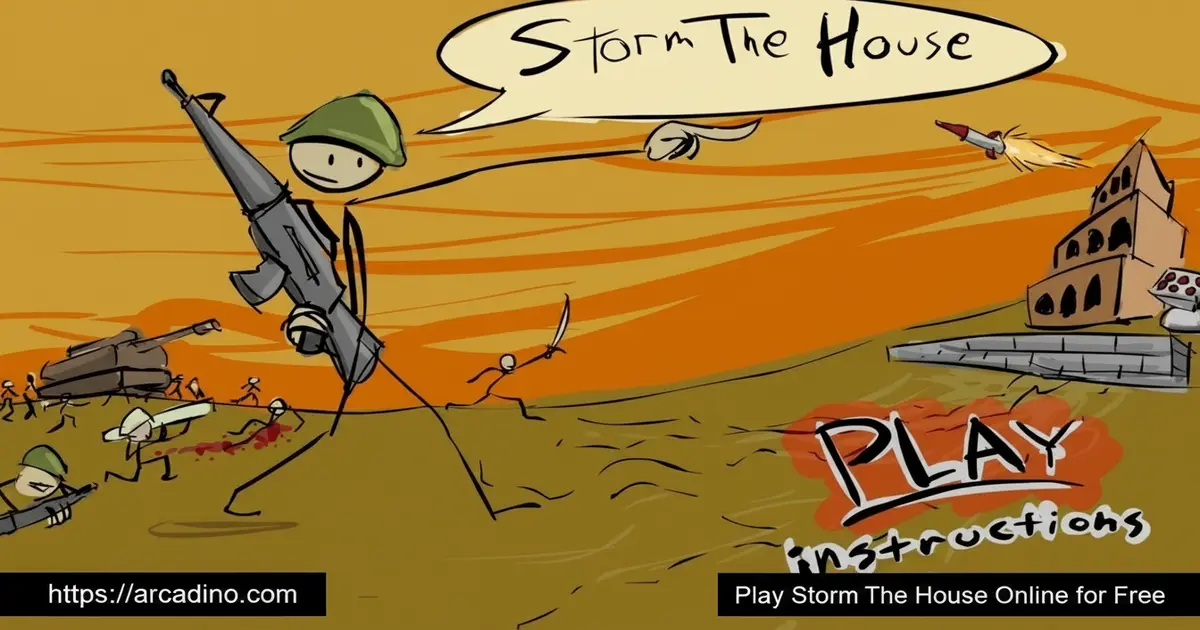
- Aim-and-shoot defense game with simple mouse controls
- Earn coins each day to buy gunmen, repair crews, and rockets
- Stickman enemies arrive in bigger, sneakier waves over time
- House has a health bar – protect it or the game ends
What Is Storm The House?
Storm The House is a fixed-position defense shooter where you guard a single house from waves of stickman attackers. The genre is part shooter, part strategy, since you have to balance shooting with smart spending between days. It’s one of those classic Flash-era titles that found a second life in modern browsers, now playable without any plugin.
The game was made by indie developer Ivory and first launched back in 2005. A second entry followed in 2006, and the bigger sequel Storm The House 3 arrived in 2008. That trilogy helped define the stickman defense genre on the early web. Knowing the history makes it feel like you’re playing a tiny piece of browser game history.
What stood out to me on a first run was how snappy the aiming feels in a browser tab. There’s no lag between mouse movement and the crosshair, which matters when three stickmen are sprinting at your front door. The game loads fast, the screen layout is clean, and your ammo counter and house health bar sit right where you need them.
Storm The House Gameplay
The core loop is simple but sticky. Stickmen rush toward your house from the right side of the screen, and you click to fire your rifle. After seven shots your gun runs dry, so you tap spacebar to reload before the next group reaches the wall. Every stickman you drop pays out coins.
When the sun sets, the day ends and the upgrade screen opens. This is where Storm The House becomes a real strategy puzzle. Do you save up for a sniper rifle, or hire two extra gunmen now? The next day’s stickmen hit harder, so every coin matters.
Upgrades and Defense Options
The shop is the heart of this defend-the-house experience. You can hire gunmen who shoot enemies on their own, which is huge once waves get crowded. Craftsmen run out and repair damage to your house between attacks.
There’s also a silo that launches rockets, but it needs workers to actually operate. Wall fortifying boosts your maximum health, and the sniper rifle doubles your shooting power. Mixing these upgrades smartly is what separates a quick loss from a long, glorious survival run.
Enemy Waves and Daily Pressure
Each new day in Storm The House cranks up the difficulty. Early waves are mostly basic stickmen jogging toward you in small groups. Later you’ll face faster runners, tougher attackers, and bigger crowds that test your reload timing.
The game uses a day-counter, so survival becomes its own scoreboard. Watching the house health bar tick down while you frantically reload is the kind of pressure that keeps you clicking “play again” after a defeat.
If you jump into Storm The House 3’s Campaign mode, the goal is to survive a full 40 days of escalating attacks. The original game has no fixed end-day, so you just push for the highest day count you can. Either way, that 40-day target gives sequel players a clear finish line to chase.
Day-By-Day Spending Plan For New Players
Most guides just tell you to “save coins,” but here’s an actual playbook to follow on your first runs. Stick to it and you’ll feel the difference by day ten. Adjust the numbers a bit based on how many stickmen you actually hit.
- Day 1-3: Save everything. Don’t buy anything yet – bank around 300-400 coins.
- Day 4: Hire your first gunman so you’ve got backup fire while you aim.
- Day 5: Buy one craftsman to start patching up wall damage.
- Day 6-7: Save again, then grab the sniper rifle to double your damage.
- Day 8: Add a second gunman and start fortifying the wall.
- Day 9+: Stack craftsmen and rocket silo workers as waves get brutal.
This order keeps your house standing while your firepower grows steadily. Skip the silo until you can afford workers too, or it’ll just sit there doing nothing.
How To Play Storm The House
Getting started takes about ten seconds. Open the game in your browser, wait for it to load, and you’ll see your house on the right with the desert stretching left. Stickmen begin marching almost immediately, so keep your finger near the spacebar.
Storm The House Controls
- Mouse cursor: aim where you want to shoot
- Mouse click: fire your weapon
- Spacebar: reload after seven shots
That’s the entire control scheme for the original. It’s a mouse-only game at heart, which makes it easy to pick up but tricky to master once stickmen start swarming.
HUD And Screen Layout
Take a second to learn the screen before the action heats up. Your ammo counter sits in the top-left corner and shows how many bullets you have left out of seven. Your house health bar sits in the top-right corner and ticks down whenever a stickman reaches the wall. Glancing at these two spots between shots tells you exactly when to reload and when to panic-spend on craftsmen. The day counter usually appears nearby so you can track your progress too.
Tips And Tricks For Storm The House
- Save coins early: the first few days are easy, so bank money for stronger upgrades when the waves spike.
- Reload between groups: never let a wave hit your wall while your gun is empty – tap spacebar the second the screen clears.
- Hire gunmen first: extra shooters give you breathing room to aim carefully instead of panic-clicking.
- Watch the house health bar: it sits in the top-right corner and tells you when to prioritize craftsmen for repairs.
- Target the closest stickmen: the ones nearest your wall do damage first, so drop them before reaching for far-away targets.
Key Features Of Storm The House
- Classic stickman-versus-sniper defense gameplay with a clean 2D look
- Coin-based upgrade shop between days for strategic depth
- Multiple defense options: gunmen, craftsmen, silo rockets, wall fortifying
- Escalating wave difficulty that pushes longer and longer survival runs
- Instant browser play with mouse-and-spacebar controls anyone can learn
Storm The House 1 vs 2 vs 3: Which Should You Play?
Each game in the trilogy has its own flavor, and picking the right one depends on what you want. Here’s a quick side-by-side to help you choose your starting point.
- Storm The House (2005): The original. One survival mode, basic rifle plus sniper upgrade, simple stickman enemies, and the cleanest learning curve. Best if you want pure classic gameplay.
- Storm The House 2 (2006): The middle entry. More weapons, tougher enemy variety, and a longer upgrade tree. A solid step up if you’ve already beaten the first.
- Storm The House 3 (2008): The huge sequel. Five modes including Campaign (40 days), Capture the Flag, This is Sparta, Zombocalypse, and Sandbox. Loads of weapons, new enemy types, and tower-defense style options. Best for players who want the most content.
If you’re brand new, start with the original to learn the loop. Then jump straight to part 3 for the full experience.
Where To Play Storm The House
The easiest way to play Storm The House is right here in your browser, free and with no signup. The game runs on modern HTML5, so it works in Chrome, Firefox, Safari, and Edge without any old Flash plugin. Load times are quick, and you can jump into a session during a short break.
For mobile players, the original was built around mouse aiming, so it plays best on a desktop or laptop. If you’re on a Chromebook or school computer that allows browser games, this title runs smoothly on lower-end hardware. There’s no official app store version, so stick to trusted browser portals to avoid sketchy APK downloads.
Performance On Chromebooks, Trackpads, And Older Laptops
Storm The House is super light on hardware, which makes it perfect for school Chromebooks and older laptops. Most Chromebooks hit a smooth 60 frames per second since the 2D art barely stresses the GPU. School networks usually allow it because it’s a simple HTML5 page with no big downloads. A real mouse will always feel best, but trackpads work fine once you get used to the slower aim. Try bumping up your trackpad sensitivity in settings if stickmen feel too quick to track. Older laptops with integrated graphics handle the game without fan noise or slowdown, even during the busiest waves.
Storm The House For Parents
Storm The House is a cartoon-style shooter, but the violence is very mild – stickmen simply fall over when hit, with no blood or gore. It’s a good fit for kids around 8 and up who enjoy strategy and quick reflex challenges. The upgrade system actually teaches some basic resource management, which is a nice bonus.
There’s no chat, no multiplayer, and no in-app purchases in the browser version, so it’s a self-contained experience. Sessions last anywhere from five to twenty minutes depending on how long you survive, making it easy to set a play timer.
Similar Games To Storm The House
If you love the defend-the-base loop in this stickman shooter, these browser titles scratch the same itch:
- Storm The House 3 – the biggest sequel, packed with five game modes including Capture the Flag and Zombocalypse.
- Storm The House 2 – the middle entry with more weapons and tougher enemy waves.
- Stick War – another stickman strategy game with army building and base defense.
Browse more in Action games for similar fast-paced challenges.
FAQs About Storm The House
Is Storm The House free to play?
Yes, Storm The House is completely free in any modern browser. There are no signups, no paywalls, and no in-game purchases needed to access the full defense experience. Just load the page and start shooting stickmen.
How do you reload in Storm The House?
You reload by pressing the spacebar. Your rifle holds seven bullets before running empty, and the ammo counter sits in the top-left corner. Always reload during a quiet moment between waves.
What’s the difference between Storm The House 1, 2, and 3?
Each sequel adds more weapons, upgrades, and enemy variety. The original is the simplest version with the core sniper-defense loop. Storm The House 3 is the most feature-packed, with multiple game modes and tower defenses.
Can I play Storm The House on mobile?
The game was built for mouse controls, so desktop is the best experience. Some browser portals offer touch-adapted versions, but aiming feels much more precise with a real cursor.
Does Storm The House have multiple game modes?
The original is a single survival mode focused on lasting as many days as possible. The third game in the series adds modes like Campaign, Capture the Flag, This is Sparta, Zombocalypse, and Sandbox.
How long does a game of Storm The House take?
A single run usually lasts five to twenty minutes. Early days fly by quickly, but later waves slow the pace as you carefully manage reloads and upgrades. Skilled players can stretch sessions much longer.
Is Storm The House safe for kids?
Yes, it’s safe for kids around 8 and up. The cartoon stickman style keeps the action goofy rather than graphic, and there’s no chat or online interaction with strangers.
Final Thoughts On Storm The House
Storm The House nails the magic formula of a great browser defense game: dead-simple controls, a satisfying upgrade shop, and waves that just keep ramping up. The mix of quick clicking and slow strategic spending makes every day feel meaningful. Few stickman shooters have aged this well.
Grab your mouse, load up the page, and see how many days you can hold the line before the stickmen finally break through.
