



























Watch one short ad and play ad-free for 30 minutes.
Sprunki 2
NyankoBfLolIf you’ve ever wished you could build a song just by dragging cartoon characters onto a stage, Sprunki 2 is your kind of game. It’s a free, browser-based music creation game inspired by the Incredibox style, and you can jump in without any downloads. You pick performers, drop them into slots, and watch a track come to life beat by beat. 🎵
Fans often confuse it with the original Sprunki mod, but Sprunki 2 is a sequel-style remix with refreshed characters, new sounds, and a slicker stage. Whether you’re a total beginner or already love rhythm games, this one’s easy to pick up and surprisingly hard to put down.
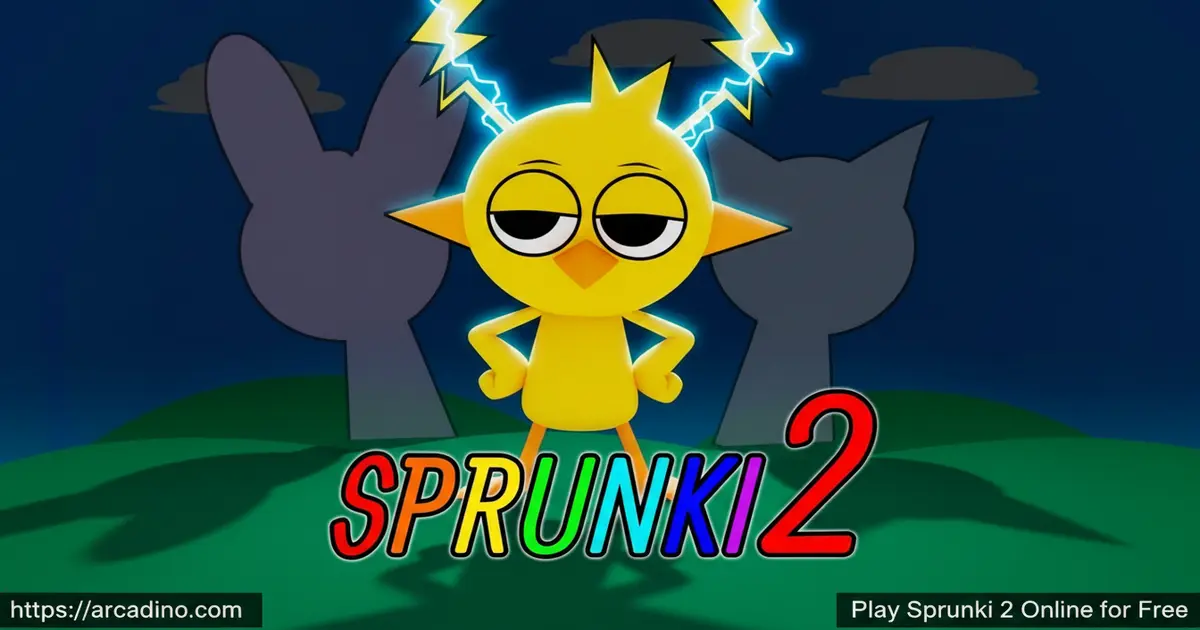
- Free to play in any modern browser, no sign-up needed
- Drag-and-drop music making with quirky animated characters
- Layer beats, vocals, and melodies into full tracks
- Hidden combos that unlock special animations and bonus sounds
What Is Sprunki 2?
Sprunki 2 is a music creation game in the Incredibox-inspired family of mods. Instead of playing levels or fighting enemies, you become the producer. Each character on the roster carries one looped sound — a bassline, a vocal hook, a beatbox rhythm — and your job is to mix them into something that actually grooves.
Loading the game in Chrome was quick for me, and the drag controls felt snappy without any audio lag. That matters a lot here, because even a tiny delay can throw off how a beat lines up. The art is colorful and a bit cartoonish, with characters that bounce in time with whatever loop they’re holding. It feels less like a strict rhythm game and more like a musical sandbox.
What’s New Compared to the Original Sprunki
Sprunki 2 keeps the same drag-and-drop heart but swaps in a bigger, brighter cast. The roster expands past the original lineup with extra performers covering more vocal styles, deeper bass loops, and punchier percussion hits. The stage itself looks cleaner, with smoother character animations and crisper outlines than the first mod. You’ll also notice extra hidden combos that weren’t in the original Sprunki, so even longtime fans get fresh secrets to hunt. Audio mixing feels tighter too, with less muddiness when the stage is full.
How to Play Sprunki 2
Getting started takes about ten seconds. Open the game page, wait for the stage to load, and you’ll see the empty slots up top with a row of characters underneath. Pick one that looks fun and drag them up. From there, just keep adding, removing, and rearranging until your track sounds the way you want it.
There’s no fail state, so don’t worry about “messing up.” The best way to learn the game is to throw stuff together and listen.
Sprunki 2 Gameplay
The core loop is simple but addictive. You drag a character onto an empty slot on the stage, and their sound starts looping in sync with everyone else already up there. Add another performer, and the track gets thicker. Pull one off, and that layer drops out instantly.
The fun comes from experimenting. Some character combos sound chaotic, others suddenly click into a real-feeling song. You can swap characters in and out mid-track, mute slots to build tension, and then bring everyone back for a big drop. There’s no timer pushing you, so you can tinker for as long as you want.
Sprunki 2 Characters and Sounds
Each performer in the lineup has a distinct look and a distinct sound. One might lay down a deep bass thump, another a high vocal “ooh,” and another a quick percussion shake. The variety is what makes the mixing feel rewarding.
As you experiment, you’ll notice certain combinations trigger special animations or unlock bonus content. Hunting for those hidden moments is half the appeal. It rewards curiosity instead of skill, which is great for younger players who just want to mess around and discover stuff.
A Starter Recipe: Build Your First Track in 4 Drops
Want a combo that sounds good right away? Try this four-character recipe and tweak from there. First, drag a bass performer onto a slot — pick one with a steady, low thump. Next, add a kick drum character to lock in the tempo underneath the bass. Now bring in a vocal hook performer, ideally one with a short repeating phrase like “yeah” or “ooh.” Finally, top it off with a melody character carrying a bright synth or whistle line. The result is a clean four-layer groove that already sounds like a real song. From there, swap the melody for a different one, or pull the kick mid-track to create a quiet break before dropping it back in.
Visuals and Audio in Sprunki 2
The art style leans cartoony with bold outlines and smooth animation. When a character is performing, they sway, bounce, or pulse with their loop, so the stage doubles as a visualizer. It’s satisfying to watch and helps you “see” the rhythm.
Audio quality is the real star, though. The loops are clean, the layering doesn’t get muddy even with a full stage, and the BPM stays locked tight. That’s why tracks made in this game can sound surprisingly polished for something built in a browser.
Sprunki 2 Controls
On desktop, you use the mouse to click and drag characters between the lineup and the performance slots. Click a performer on stage to remove them. On mobile and tablets, the same actions work with touch — tap and drag with your finger. No keyboard shortcuts are needed for the basics.
Tips and Tricks for Sprunki 2
- Start with one bass and one drum loop before adding melodies — it gives your track a foundation to build on.
- Try removing a character mid-song to create a quiet moment, then drop them back in for a beat-drop effect.
- Mix performers from different sound types (bass, vocals, percussion, melody) instead of stacking similar ones.
- Drag the same character on and off rapidly to test how their loop fits the rhythm.
- Experiment with weird combos you’d never expect — some of them trigger hidden animations and bonus sounds.
Key Features of Sprunki 2
- Drag-and-drop music creation that anyone can pick up in seconds
- A roster of animated performers, each with their own loop and dance
- Hidden combos that unlock secret animations
- Smooth in-browser audio with no noticeable lag
- Sandbox-style play with no timers, scores, or fail states
Where to Play Sprunki 2
The easiest way to play Sprunki 2 is right in your browser on a desktop, laptop, Chromebook, or phone — it’s free and loads instantly with no install. It runs well on Chrome, Firefox, Edge, and Safari, and works fine on school Chromebooks as long as the site isn’t blocked.
If you’d rather play on the go, there’s an Android version on the Google Play Store. Stick to the official store listing rather than random APK sites — sideloaded files can carry malware. The browser version is the safest and quickest way to start mixing.
Saving, Recording, and Sharing Your Tracks
Sprunki 2 doesn’t have a built-in “save file” system like a regular game, so your mix lives on the stage while you play. To keep a track, the easiest path is to use a screen recorder that captures both video and audio. On Windows, the Xbox Game Bar (Win + G) works well, and on Mac you can use the built-in screen recorder (Shift + Cmd + 5). Chromebook users can grab the screen recorder from the quick settings panel. Once you’ve got a clip, you can share it on YouTube Shorts, TikTok, or in Sprunki community Discord servers where fans post their best mixes. Always ask a parent before posting anything online, and never include your real name or face in the video.
Performance Tips for Low-End Devices and Chromebooks
Sprunki 2 is built in HTML5 and runs lightweight, but older laptops and budget Chromebooks can still stutter. If audio crackles or loops fall out of sync, close other browser tabs first — each open tab steals memory. Aim for at least 4 GB of RAM free and keep just one or two tabs running. Disabling browser extensions like ad blockers and screen recorders can also smooth things out, since they sometimes fight with the game’s audio engine. If the stage feels laggy, try Chrome or Edge over Firefox, and lower your screen resolution a notch. School Chromebook blocking the site? Don’t try to bypass filters — that can get you in real trouble. Instead, ask your teacher about a library or computer-lab whitelist, or save your mixing sessions for home.
Sprunki 2 for Parents
Sprunki 2 is a great fit for kids ages 7 and up. There’s no violence, no chat with strangers, and no scary content — it’s a creative music sandbox at heart. The game can actually help kids develop a basic sense of rhythm, layering, and song structure without feeling like a lesson.
Sessions tend to be short and self-contained, so 15 to 30 minutes makes a comfortable play window. Browser play is free with no purchases required, which makes it easy to try before considering the mobile version.
Sprunki 2 in the Music Classroom
Teachers, this one’s a sneaky-good classroom tool. Sprunki 2 makes abstract music ideas — layering, BPM, song structure, call-and-response — instantly visible and hearable. A 45-minute class period fits perfectly: spend 10 minutes demoing the stage, give students 25 minutes to build a track in pairs, and use the last 10 minutes for quick listening sessions. Try assignments like “build a track with only three layers” to teach restraint, or “create a song with a verse, chorus, and drop” to explore structure. Because there’s no scoreboard, shy students take more risks. It also pairs nicely with lessons on loops, sampling, and how modern pop songs are produced. The browser version means no school-installed software is needed — just a working internet connection and headphones.
Games Similar to Sprunki 2
If you love mixing loops and building tracks in Sprunki 2, these music and rhythm games scratch the same itch:
- Sprunki – The original mod that started it all, with the classic character lineup most fans know.
- Sprunki Retake 2 – A sequel-style remix with refined character designs and an expanded sound library.
- Sprunki Phase 3 – A darker, moodier take on the formula with new performers and tones.
- Incredibox – The original drag-and-drop beatbox game that inspired the entire Sprunki modding scene.
Want more? Browse the full Music games category for similar drag-and-drop mixers and rhythm titles.
FAQs About Sprunki 2
How do I get Sprunki 2?
Just open the game page in any browser to play Sprunki 2 free. There’s no download or account needed for the web version. If you prefer mobile, grab the Android app from the Google Play Store using the link above.
Who made Sprunki 2?
Sprunki 2 was built by an independent developer in the Incredibox-inspired modding scene. It’s part of a wider community of fan-made remixes that build on the original Incredibox formula. The mobile version is published under SLN Games on Google Play.
Is Sprunki 2 the same as the original Sprunki?
No, Sprunki 2 is a separate sequel-style game with new characters and sounds. The original Sprunki is the most-searched version, but Sprunki 2 expands on it with a refreshed roster and visuals. Both share the same drag-and-drop music style.
Is Sprunki 2 free to play?
Yes, Sprunki 2 is completely free in the browser. You don’t need to pay, sign up, or watch long ads to start mixing tracks. The mobile version is also listed as free on the Play Store.
Can I save my Sprunki 2 tracks?
The browser version focuses on live mixing and experimenting in the moment. Sharing options vary depending on which Sprunki 2 host site you’re using. Some versions let you record or screen-capture your session to share online.
Does Sprunki 2 work on Chromebooks?
Yes, Sprunki 2 runs smoothly on Chromebooks through the browser. It’s a lightweight HTML5 game, so it doesn’t need powerful hardware. Just make sure the site isn’t blocked on your school network.
Is Sprunki 2 safe for kids?
Yes, Sprunki 2 is kid-friendly with no chat, violence, or scary content. It’s a creative music sandbox that works well for ages 7 and up. Parents can let kids play without worrying about strangers or in-game purchases on the browser version.
Ready to Mix Your First Sprunki 2 Track?
What makes Sprunki 2 stick is the combination of three things: a roster of characters with real personality, clean layered audio that actually sounds good, and hidden combos that reward you for being curious. It’s a sandbox where messing around is the gameplay.
Open the stage, drag a couple of performers up, and see what kind of beat you can build in the next five minutes. Odds are you’ll keep going way longer than that.
Gameplay Video

