




























Watch one short ad and play ad-free for 30 minutes.
Hexa
BitMango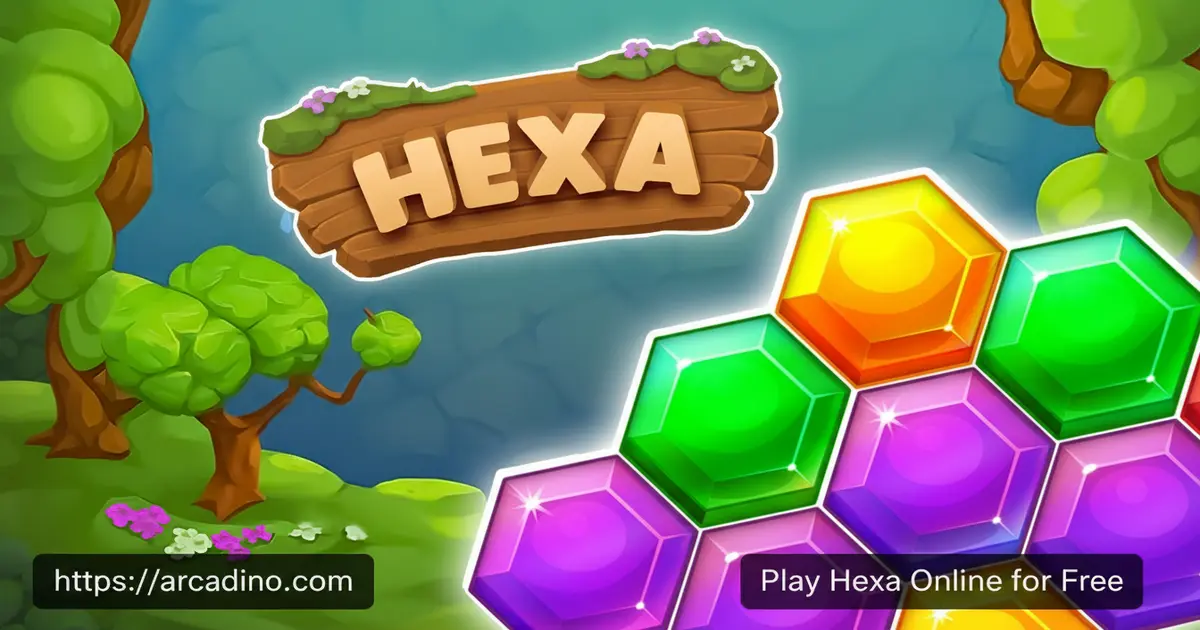
What if sorting colorful hexagons could actually be this satisfying? Hexa is a free browser puzzle game that hooks you in seconds — tap tiles, stack them by color, and clear the board before space runs out. It’s the kind of brain workout that feels more like play than practice. If you’ve ever wondered whether hexa means six, well, in this game six sides of strategy make every move count. 🧩
You can jump into Hexa online right now at arcadino.com — no download, no account needed. The puzzle challenge ramps up gradually, making it perfect for quick sessions or deep sorting marathons.
- Free hexagon tile sorting puzzle — playable instantly in your browser
- Color-matching tile stacking — guide tiles with arrows into the right order
- Unlockable skins — collect hexas to customize your tiles
- Special limited-time challenges — fresh events keep gameplay exciting
What Is Hexa?
Hexa is an addictive hexagon tile sorting puzzle game designed around color-matching, strategic stacking, and satisfying board clearing. The goal is straightforward — tap hexagon tiles, guide them in the right direction using their arrows, and stack same-colored tiles together until the board is clear. It blends quick thinking with careful planning in a way that genuinely rewards clever moves.
What sets Hexa apart from other browser puzzles is how the board pressure builds. As tiles pile up and space shrinks, every tap counts more than the last. The controls feel snappy and responsive in-browser — tapping tiles registers immediately without any noticeable input lag, which matters a lot when the board fills up fast. This title sits squarely in the sorting puzzle genre, but the hexagon shape adds a layer of spatial thinking you don’t get from square-grid games.
Hexa is developed and published by Gurugame, the studio behind the official browser version at hexa.gurugame.ai. Gurugame built Hexa with a clean, accessible design that works great for all ages. Knowing the developer is handy if you’re searching for updates, new events, or want to make sure you’re playing the real thing.
Hexa Gameplay — The Core Loop That Keeps You Hooked
The main loop in Hexa is deceptively simple: tap a hexagon tile, follow its directional arrow, and stack it with tiles of the same color. When enough matching tiles stack together, they merge and clear from the board. That satisfying pop of a completed stack is what keeps players coming back level after level.
Strategy matters more than speed here. The game rewards players who think two or three taps ahead rather than reacting blindly. Conserving board space becomes a critical skill as levels grow more demanding. You’ll start planning your moves like a chess player — every tile placement either opens up options or closes them down fast.
Levels and Progression in Hexa
Each level in Hexa introduces new tile arrangements and tighter board conditions. The difficulty curve is well-paced — early stages teach the core mechanics gently, while later levels stack multiple colors in trickier configurations. Levels become increasingly challenging as you advance, pushing your sorting strategy to its limit.
As you clear levels, you collect hexas that contribute to building your own planets inside the game. This progression layer gives you a satisfying long-term goal beyond just finishing each puzzle. The sense of building something with your earned rewards makes each cleared board feel doubly worthwhile.
Achievements and Rewards in Hexa
Hexa keeps rewards flowing as you play. Collecting hexas unlocks a variety of colorful skins for your hexagon tiles, letting you personalize how the board looks. On the free browser version at Arcadino, skins are tied directly to gameplay progress — you earn them by clearing boards rather than spending money. Mobile versions of similar hexa-style games may offer additional cosmetic purchases, so it’s worth checking your device’s purchase settings if you’re playing on a phone or tablet.
Special limited-time challenges also appear during events, offering extra rewards for players who show up and compete. These timed events add urgency and variety, stopping the core puzzle loop from ever feeling stale. Seasonal updates, like the Easter event featuring spring-themed puzzles and special rewards, roll out regularly to keep things fresh.
Graphics and Audio in Hexa
The visual style in Hexa is bright, clean, and colorful — exactly what you want when tracking multiple tile colors across a busy board. Each hexagon pops against the background, making it easy to spot matches at a glance even when the board gets crowded. The color-coded tile system is intuitive enough that new players grasp it within the first few taps.
The overall presentation feels polished for a browser puzzle game. Animations for merging and clearing tiles are smooth and satisfying, giving every successful stack a little visual reward. That visual feedback loop is a big part of why this sorting game feels so good to play.
How to Play Hexa
Getting started with Hexa takes about thirty seconds. Load the game in your browser, pick a level, and the board appears filled with colorful hexagon tile stacks. Your job is to tap tiles and use their directional arrows to guide them onto matching-color stacks.
Stack enough same-colored tiles together and they merge, clearing space on the board. Run out of space before clearing the board and the level ends. Power-ups and boosters are available in tougher spots to help you recover when things go sideways.
What Happens When the Board Fills Up?
When every slot on the board is occupied and you can’t place any more tiles, the game recognizes the board-full state and stops your run on that level. A failure screen appears showing you didn’t clear the board in time. From there, Hexa typically gives you two choices — use a booster to buy yourself a few extra moves and keep playing, or exit back to the level select screen and try again from scratch. That booster prompt is actually a great moment to use any power-ups you’ve been saving, since one well-timed extra move can sometimes chain into a full board clear. New players often don’t realize the level restarts completely if they decline the booster offer, so it’s worth knowing before you tap the wrong button in a panic.
Hexa Controls
On browser, you control Hexa entirely with mouse clicks — tap a tile to select it and follow the on-screen arrows to direct its movement. On mobile, the controls shift to touch taps, which feel natural given the hexagonal tile layout. The game is designed for single-handed play, so you can sort tiles comfortably on a phone screen.
Tips and Tricks for Hexa
- Plan your stack order before tapping. Look at all the arrows on the board first. Moving a tile to the wrong stack early can block your access to matches you need later.
- Prioritize clearing full stacks fast. The moment you can complete a color merge, do it. Leaving partial stacks sitting around eats up precious board space quickly.
- Guard your open spaces. Empty spots on the board are your most valuable resource. Don’t fill them casually — save open spaces for tiles that have nowhere else to go.
- Use boosters on levels that feel impossible. Power-ups and boosters exist for a reason. Don’t hoard them forever — use them on the levels where one extra move could clear the whole board. Common booster types include a Shuffle that randomly rearranges tiles to open new matches, an Undo that reverses your last tap so you can try a different move, and an Extra Slot that temporarily adds a free holding space on the board when every spot is taken. Each one shines in a different situation — Undo is great for fixing one bad move, while Extra Slot is a lifesaver when the board is nearly full and you just need one more gap to chain a clear.
- Chase the limited-time event rewards. Special challenges often unlock exclusive skins you can’t earn any other way. Logging in during event windows gives your tile collection a real edge.
Key Features of Hexa
- Hexagon tile sorting with directional arrows — a unique mechanic that adds navigation strategy to the color-matching puzzle formula
- Planet-building progression system — collect hexas from cleared levels to construct your own in-game planets
- Colorful tile skin unlocks — customize the look of your hexagon tiles as you advance through the game
- Power-ups and boosters for tough levels — tools available when board conditions become too tight to solve cleanly
- Seasonal events and limited-time challenges — regularly updated content that gives returning players new goals to chase
Where to Play Hexa
Hexa is available free in your browser at arcadino.com. There’s nothing to install — the game loads directly and plays smoothly on desktop and laptop browsers. Students and kids can access the game without restrictions on Arcadino, making it a great option for a quick brain-break.
If you prefer playing on a phone or tablet, the browser version at Arcadino works on mobile browsers without any download needed. Be aware that searching for “Hexa” on the Google Play Store or Apple App Store can surface several different games with very similar names — including titles from different developers that are not the Gurugame version described in this article. The most reliable way to make sure you’re playing the right Hexa is to visit the official page at hexa.gurugame.ai or play directly through Arcadino. If you do download a mobile app, always confirm the developer name is Gurugame before installing, and avoid APK files from third-party sites, as unofficial versions can carry security risks.
Hexa vs. Hexa Sort — Which One Are You Looking For?
If you searched for “Hexa” and aren’t sure whether you landed on the right game, here’s a quick breakdown. Hexa by Gurugame is a board-clearing puzzle where you tap tiles, follow directional arrows, and race to merge colors before space runs out — it also features a planet-building reward system that gives you a long-term goal. Hexa Sort, on the other hand, is a separate game focused on dropping and stacking colored hexagon tiles into growing towers, with a more relaxed pace and no directional arrow mechanic. Both games share the hexagon color-sorting theme, but they feel quite different in play. Hexa rewards fast strategic thinking under board pressure, while Hexa Sort leans toward a calm, satisfying flow. If you want the board-clearing challenge with arrows and planets, you’re in the right place — if you want the tower-stacking version, check out Hexa Sort in the similar games list below.
For Parents
Hexa is a color-sorting puzzle game with no violence, no chat features, and no player-versus-player interaction. The core mechanics — sorting, matching, and planning tile stacks — build spatial reasoning and short-term planning skills in a genuinely fun way. It’s well-suited for kids aged 8 and up, and the colorful visuals keep younger players engaged without being overwhelming.
The game may include in-app purchases for boosters or cosmetic items on mobile versions, so parents may want to check purchase settings before handing over a device. Browser play on Arcadino is free to access. Fifteen to twenty minutes is a natural stopping point between levels, making it easy to set reasonable play-time limits.
Similar Games You Might Enjoy
If Hexa’s hexagon tile sorting has you hooked, these other color-matching and sorting puzzle games are worth trying next.
- Hexa Sort — a relaxing tile sorting game where you merge hexagon stacks by color across increasingly tricky layouts
- Hexa Puzzle — a free logic puzzle game where you slide and merge hexa blocks to clear the board
- Block! Hexa Puzzle — a classic hexagon block-fitting puzzle by Bitmango where you drag pieces onto the board to fill rows and clear lines, great for fans of shape-based hexa challenges
- Happy Glass — a creative puzzle game from the same studio family that challenges you to fill a glass using clever thinking
- Cake Sort Puzzle 3D — a colorful 3D sorting puzzle with layered stacking challenges and a sweet visual theme
Browse more games in the Sorting category to find your next puzzle obsession.
FAQs About Hexa
Is Hexa free to play?
Yes, Hexa is completely free to play in your browser. You can access it anytime at arcadino.com without creating an account. Mobile versions of similar hexa-branded games are generally free to download too, though optional in-app purchases may be available depending on the app.
What is the goal in Hexa?
The goal is to clear the board by stacking hexagon tiles of the same color together. When matching tiles stack up, they merge and disappear. You win the level by clearing all tiles before the board runs out of space.
Does Hexa need Wi-Fi to play?
Browser play requires an internet connection, but the mobile app can work offline. If you’re away from Wi-Fi, downloading the app is the best way to keep sorting puzzles going on the go.
What does hexa mean in the game’s name?
Hexa means six — referring to the six-sided hexagon shape at the center of every puzzle. All the tiles you sort, stack, and merge in the game are hexagonal, which is where the name comes from.
How do you unlock skins in Hexa?
Skins are unlocked by collecting hexas as you clear levels. The more boards you complete, the more customization options open up. On the browser version, you earn colorful tile designs through gameplay progress rather than purchases.
Are there events and updates in Hexa?
Yes, Hexa features regular seasonal events with special challenges and exclusive rewards. Past events have included spring and Easter-themed puzzle runs. Checking the game regularly ensures you don’t miss limited-time skin unlocks and event prizes.
Is Hexa good for kids?
Yes, Hexa is a great fit for kids aged 8 and up. The color-sorting mechanics build planning and spatial reasoning skills. There’s no chat, no violence, and the puzzle difficulty scales in a way that keeps younger players from getting frustrated too quickly.
Who made Hexa?
Hexa is developed by Gurugame, and the official browser version is hosted at hexa.gurugame.ai. You can also play it for free on Arcadino without needing to visit any other site. Knowing the developer helps you spot the real game among the many hexa-themed titles that share similar names.
Ready to Sort Your Way to the Top?
Hexa delivers a genuinely clever twist on the sorting puzzle formula — the hexagonal tile layout, directional arrows, and merging mechanic combine into something that feels fresh even if you’ve played dozens of color-match games before. The planet-building reward system and rotating seasonal events give you reasons to keep coming back long after the early levels are done.
Head to arcadino.com, load up the game for free, and find out how many tiles you can clear before the board fights back. Your first stack is just a tap away.
Gameplay Video


