





















Watch one short ad and play ad-free for 30 minutes.
Geometry Dash Clicker
ZombieDragon09If you love the spiky chaos of Geometry Dash but want something calmer, Geometry Dash Clicker is the perfect detour. It’s a free browser clicker where you smack a Giant Block instead of dodging saws. Every tap drops a Mana Orb, and you slowly build a wild upgrade chain. Think Cookie Clicker energy with that familiar neon cube vibe. 🎮
Geometry Dash Clicker is sometimes just called “geometry dash clicker” by fans searching for the original rhythm platformer. They’re different games, but this one borrows the look and music style. It’s also a great pick if you want clicker games that don’t need a download.
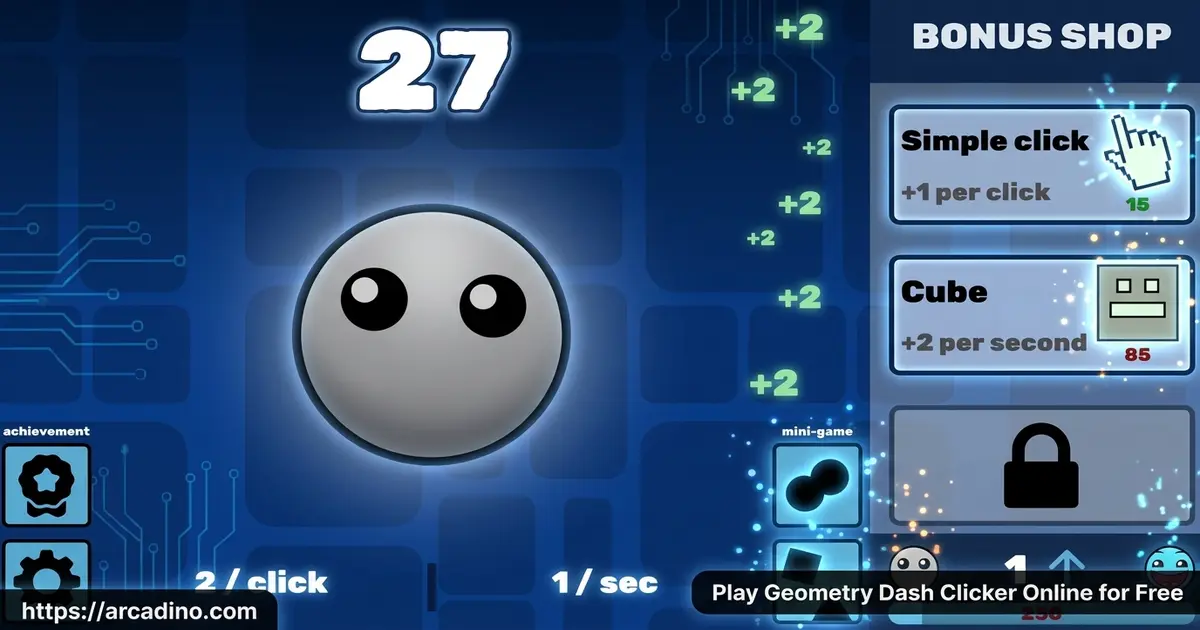
- Click a Giant Block to earn Mana Orbs with a rare 5% chance to drop 10 at once
- Long upgrade tree from Cursor all the way to Antimatter Condenser
- Garden system with plants like Bazinga and Crystal Tree
- Free to play in any modern browser, no install needed
What Is Geometry Dash Clicker?
Geometry Dash Clicker is an idle clicker game inspired by the Geometry Dash universe. Instead of jumping through deadly levels, you tap one giant cube in the middle of the screen. Each click gives you 1 Mana Orb, with a small chance to pop out 10 at once. That orb stream is the heartbeat of the whole game.
The original Geometry Dash was created by Robert Topala, often known online as RobTop. His studio, RobTop Games, built the neon cube world that this clicker borrows its style from. Fans made this idle spin-off as a love letter to that look. So while RobTop didn’t code the clicker himself, the whole vibe comes from his art.
The first thing I noticed loading it in Chrome was how fast it pops up. No long splash screen, no account wall, just the block waiting for your cursor. The art keeps that crisp Geometry Dash flavor without the heart-pounding music pressure. It’s the kind of tab you leave open while doing homework.
Gameplay in Geometry Dash Clicker
The core loop is dead simple. You click the Giant Block, watch Mana Orbs pile up, then spend them on helpers that click for you. Cursors handle the basics, but soon you’re stacking Factories, Temples, and Alchemy Labs that print orbs while you sit back.
Once you climb higher, weirder upgrades unlock. There’s a Rocket Ship, a Portal, a Time Machine, a JavaScript Console, and even a Mana Nucleus at the top end. Each one multiplies your output in a different way. The fun is figuring out which combo snowballs the fastest.
Upgrades and Shops in Geometry Dash Clicker
The Shop is where serious progress happens. You can buy items like the Plastic Mouse to boost click power and Bone Meal to feed your garden. These small purchases stack up and change how quickly your orb count explodes.
The upgrade list is long and gets goofy in the best way. Chancemaker, Fractal Engine, Item Modification, and Antimatter Condenser all join the lineup later. Saving for the expensive ones feels rewarding, but smaller upgrades early keep momentum strong. Balance is the trick.
The Full Upgrade List
The upgrade tree is way bigger than it first looks. After the Cursor, you unlock Delivery, then Farm, Mine, Factory, and Bank. Higher tiers add Temple, Wizard Tower, Shipment, Alchemy Lab, Portal, Time Machine, and Laboratory. End-game picks include the JavaScript Console, Chancemaker, Fractal Engine, Item Modification, Antimatter Condenser, and the Mana Nucleus. Each one costs more but pumps out way more orbs per second.
Best Opening Strategy: Your First 10 Minutes
The early game shapes your whole run, so here’s a clean order to follow. Click the Giant Block until you can afford your first Cursor at 15 orbs, then buy four more Cursors fast. Next, save up around 100 orbs for your first Delivery, which boosts passive income a ton. After that, grab a Farm near 1,100 orbs and a Mine around 12,000 orbs. Once your Mine is rolling, push for your first Factory near 130,000 orbs — that’s when the snowball really starts. Drop in a Plastic Mouse from the Shop whenever you can afford it for a solid click boost. After that, alternate between buying more Cursors and saving for the next big building.
The Garden and Plants
Past the basic clicker stuff, there’s a Garden tucked into the game. You grow strange plants with names like Crystal Thyme, Gearsite Rose, Warped Nylium, Weird Flower, Sugon Shroom, and Bazinga. Each one offers a small boost or unlocks something new.
The full plant list is wild and goofy. Beyond the starter seeds, you’ll find Crimson Nylium, Ligon Shroom, Gulpon Shroom, Slurbon Shroom, and Milkrite Lichen. Rarer plants like Mandrake, Devil’s Laugh, and Arachnid Lily take longer to grow. There’s also a Pandemonium Vault that holds extras for late-game players. The Garden gives the clicker grind a side hobby, which is honestly addicting.
Garden Synergy: Pairing Plants With Upgrades
The Garden gets way more powerful when you match plants to your build. If you’re a click-heavy player with lots of Cursors, plant Bazinga to multiply your click power. Running a passive setup full of Factories and Temples? Try Crystal Thyme and Gearsite Rose, which boost building output. The shroom family (Sugon, Ligon, Gulpon, Slurbon) works great with Alchemy Lab runs because they stack chemistry-themed bonuses. Milkrite Lichen pairs well with the Farm and Mine for extra orb drops. Save Mandrake and Devil’s Laugh for late-game when you can afford their long grow times. Mixing two or three matching plants is way stronger than planting random seeds.
Visual Style and Sound
Geometry Dash Clicker leans hard on the look fans already love. Bright neon blocks, glowing orbs, and that simple geometric shape language fill the screen. It feels like the menu of the main game stretched into a full experience.
Sound effects are punchy without being annoying. Each click gives a satisfying little pop, and the upgrade purchase sound is rewarding. It’s not a rhythm game, but the audio still keeps you tapping.
How to Play Geometry Dash Clicker
Getting started takes about five seconds. Open the game in your browser, wait for the Giant Block to load, then start clicking. There’s no tutorial wall — the game trusts you to figure it out. Buy a Cursor as soon as you can afford it and the snowball begins.
Controls for Geometry Dash Clicker
The controls couldn’t be simpler. Use your mouse to click the Giant Block and to buy upgrades from the side menu. On mobile, tap the block with your finger and tap the upgrade icons the same way. That’s it — no keyboard combos to memorize.
Offline Progress and Saving
Idle players always wonder what happens when they close the tab. Geometry Dash Clicker saves your progress automatically to your browser’s localStorage, so your orbs stick around. When you reopen the game, you’ll usually get a small chunk of offline earnings based on your buildings. The catch is that progress saves per browser — clearing cookies or switching browsers can wipe your run. To stay safe, use the same browser on the same device each time. Some versions also include a manual export save button, which is worth using for big runs.
Playing on Chromebooks and School Devices
Lots of kids play this during free time on school Chromebooks, and the good news is it runs smoothly. The art is simple 2D, so even older low-end Chromebooks hold a steady frame rate. Browsers do throttle background tabs to save battery, so your orb income slows when you switch away. Keeping the game tab in the front gives you the full click speed. If the page feels laggy, close extra tabs and turn off any heavy extensions. The game uses very little memory compared to 3D browser games.
Tips and Tricks for Geometry Dash Clicker
- Grab a few Cursors early so passive orbs start flowing before your finger gets tired.
- Don’t hoard Mana Orbs — spending regularly is faster than waiting for one giant upgrade.
- Mix building upgrades like Factory and Temple with click multipliers from the Shop.
- Plant cheap garden seeds first to unlock rare plants like Bazinga and Mandrake later.
- Keep the game tab in the foreground for full click speed, since background tabs slow down.
Key Features of Geometry Dash Clicker
- Giant Block clicking with a 5% chance to drop 10 Mana Orbs at once
- Deep upgrade tree including Time Machine, Portal, and Antimatter Condenser
- Garden system with over a dozen unique plants to grow
- Shop items like Plastic Mouse and Bone Meal for extra boosts
- Runs instantly in any browser with no signup required
Where to Play Geometry Dash Clicker
The easiest way to play Geometry Dash Clicker is right here in your browser. It loads in seconds on Chrome, Firefox, Safari, or Edge, and it works on Chromebooks too. There’s nothing to download and no account needed, so you can jump in during a study break.
If you’d rather play on your phone, there’s also a mobile version on the Google Play Store. Stick with the official store rather than random APK sites — those can hide unsafe files. The browser version stays the simplest pick for most kids.
For Parents
Geometry Dash Clicker is a chill, low-stress game suitable for kids around 8 and up. There’s no chat, no violence, and no scary content — just clicking and number growth. The game actually slips in real math practice: kids read large-number notation like 1.2M, 4.5B, or even scientific notation (1.2e9) as their orb count grows. They also work with exponents when upgrade prices scale, and compare cost-per-orb-per-second ratios to pick the best buy.
Sessions can be short or long since the game keeps progressing in the background. Twenty to thirty minutes is a reasonable cap before swapping to another activity. The browser version asks for no signup, which keeps personal info out of the picture.
Similar Games to Geometry Dash Clicker
If this idle clicker scratches the itch, these picks deliver the same satisfying tap-and-upgrade loop.
- Cookie Clicker – The classic that inspired the whole genre, packed with upgrades and achievements.
- 67 Clicker – A clean indie clicker where you tap the number 67 and stack auto upgrades.
- Geometry Dash Lite – The rhythm-based platformer this clicker borrows its style from.
- Geometry Dash Spam – A test of pure clicking speed and reflexes set in the GD world.
- Geometry Dash World – More platforming levels with new soundtracks and challenges.
Browse more in Clicker Games for the full collection.
FAQs About Geometry Dash Clicker
Is Geometry Dash Clicker free to play?
Yes, Geometry Dash Clicker is completely free in any browser. You don’t need to sign up, pay, or watch a long ad to start. Just open the page and click the Giant Block to begin earning Mana Orbs.
Is Geometry Dash Clicker the same as Geometry Dash?
No, they’re two different games with a shared art style. The original Geometry Dash is a rhythm-based platformer where you jump over spikes. This clicker version swaps that action for tapping a block and buying upgrades.
What is the Giant Block in Geometry Dash Clicker?
The Giant Block is the main button you click for Mana Orbs. Each click gives 1 orb, and there’s a 5% chance to drop 10 at once. It sits in the middle of the screen the whole game.
Can I play Geometry Dash Clicker unblocked at school?
Yes, the browser version usually works on school networks. Since there’s no download or login, most filters let it through. If your school blocks it, try a different network at home.
Does Geometry Dash Clicker work on mobile?
Yes, the game runs fine on phones and tablets through a browser. There’s also a Google Play version for Android users who want an app. Tap controls replace the mouse and feel just as smooth.
Does Geometry Dash Clicker save my progress?
Yes, the game saves to your browser’s localStorage automatically. Closing the tab won’t wipe your run, but clearing cookies or switching browsers will. Stick with the same browser to keep your orbs safe.
What are the best early upgrades in Geometry Dash Clicker?
Start with Cursor and Delivery for steady orb income. After that, save up for Factory and Alchemy Lab, which boost passive earnings nicely. Avoid blowing all your orbs on one expensive upgrade too early.
What is the Garden in Geometry Dash Clicker?
The Garden is a side area where you grow special plants. Seeds like Crystal Thyme, Bazinga, and Mandrake give boosts when grown. Bone Meal from the Shop helps them grow faster.
Geometry Dash Clicker takes the look of one of the biggest indie games and turns it into a relaxed clicker. Between the Giant Block, the long upgrade chain, and the weird Garden plants, there’s plenty to chase. Open a tab, smack that cube a few times, and see how big your Mana Orb empire can get.
Gameplay Video