
























Watch one short ad and play ad-free for 30 minutes.
Fnf Mods
The Funkin’ Crew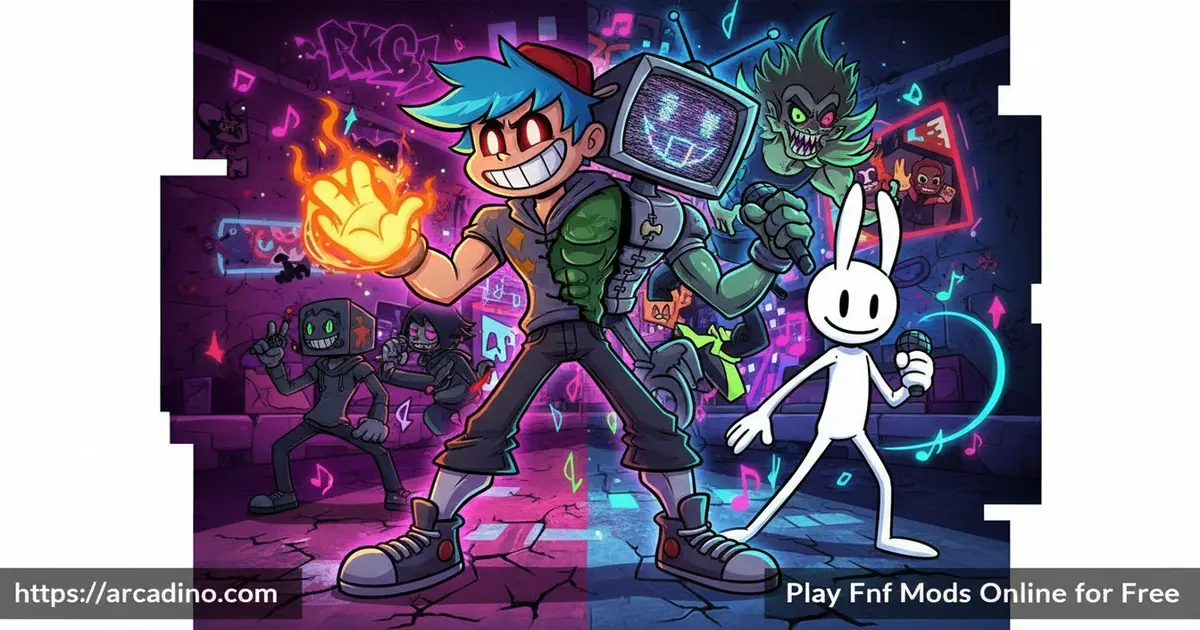
Friday Night Funkin’ changed rhythm gaming forever — and FNF Mods take it even further. 🎵 This collection of fan-made games is playable free on Arcadino right in your browser, with no setup needed. Each mod brings fresh characters, original songs, and new storylines that the base game never included. If you love rhythm battles and want endless variety, this is exactly where to look.
- Hundreds of fan-created mods — each with unique characters, music, and stories
- Three difficulty levels — Easy, Normal, and Hard suit beginners and pros alike
- Two major game modes — Story Mode and Free Play keep sessions fresh
- Free browser play — works on Chrome, Safari, Microsoft Edge, and more
What Are FNF Mods?
FNF Mods are fan-made modifications of the original Friday Night Funkin’ game. The base game was created during Ludum Dare 47 in October 2020 by a four-person team: ninjamuffin99 (programmer), Kawai Sprite (musician), PhantomArcade3K, and Evilsk8r (art) — then publicly released in November 2020. It launched as a rhythm game built around rap battles, catchy songs, and a surprisingly charming story. Its open-source nature made it a modding dream almost immediately after release.
In every mod, you play as Boyfriend — a character trying to impress his Girlfriend by beating opponents in musical battles. The core loop stays the same, but each mod wraps it in a completely different world. Some mods introduce darker storylines, others go full comedy, and a few add entirely new gameplay mechanics on top of the base engine. The variety across the FNF Mods library is genuinely staggering.
Why Play FNF Mods in Your Browser?
Playing FNF Mods online is way simpler than running them offline. With offline mod runners, you have to download each mod separately, manage folders, and deal with version conflicts that can break everything. Browser play skips all of that — just open the page and you’re in. There’s no risk of a bad install messing up another mod you already have working. You also don’t need a powerful PC, since the game runs in the browser tab itself. For most players, especially beginners, browser play is simply the faster and less frustrating way to explore the mod library.
Playing these mods in-browser on Arcadino feels remarkably smooth — the arrow inputs register cleanly even at Hard difficulty, where note patterns come fast. That responsiveness matters a lot in a game where a split-second mistimed press can cost you a full song. The browser version handles the audio sync well, which is critical for a rhythm game to feel fair.
FNF Mods Gameplay — The Rhythm Battle Loop
The core idea is simple but deeply satisfying. Arrows scroll up the screen, and you hit the matching keys exactly as they reach the target zone. Hit enough notes and you push your opponent’s health bar down. Miss too many and Girlfriend walks away — game over.
What makes FNF Mods so addictive is that every mod remixes this loop with new songs and different arrow patterns. A mod like Whitty throws aggressive, fast-paced patterns that feel totally different from the original game’s tracks. The difficulty shift between Easy, Normal, and Hard isn’t just about speed — the actual arrow patterns change, so Hard mode genuinely tests your rhythm reading, not just your reaction time.
Game Modes and Challenges in FNF Mods
Story Mode lets you play through a mod’s narrative from start to finish. You follow Boyfriend through a sequence of songs, and the story unfolds between each track. It’s the best way to experience a mod the way its creators intended it.
Free Play mode lets you jump into any unlocked song directly. This is perfect for practicing a specific track that keeps beating you, or for replaying your favorite song from a mod. Both modes support all three difficulty settings, so you can tackle Story Mode on Easy first, then revisit every track on Hard once you’ve learned the patterns.
Graphics and Audio in FNF Mods
The original Friday Night Funkin’ is known for its vibrant pixel-art visuals and infectious soundtracks. Fan mod creators carry that spirit forward — often adding their own original music composed specifically for each character. Whitty, for example, has a full set of original songs that match his explosive personality perfectly.
Every mod has its own visual identity too. Characters like Hex bring a neon robot aesthetic, while mods like the Shaggy Mod lean into pop culture with recognizable designs. The art quality varies between mods — some are incredibly polished, others have that raw fan-made charm — but the music consistently slaps.
Browser Audio Latency — What to Do If Notes Feel Off
One thing that surprises new players is that browser-based rhythm games can sometimes feel slightly out of sync. You press the key at exactly the right moment, but the game registers it as a miss — that’s audio buffer lag, and it’s a real thing. It happens because your browser has to process the audio a fraction of a second before it reaches your speakers, which can throw off the timing feedback. Chrome tends to handle audio latency the best for most players, followed by Microsoft Edge. Safari on older devices can introduce more noticeable delay. If notes consistently feel off even when your timing seems right, try disabling hardware acceleration in your browser settings — this forces the browser to handle audio through a different path and often reduces the lag noticeably. You can find that option under your browser’s advanced settings menu.
Which FNF Mod Should You Start With?
With hundreds of mods available, picking your first one can feel overwhelming. Here’s a simple way to decide based on what you enjoy. If you want emotional storytelling and a slower, more thoughtful vibe, start with Garcello — it has a genuinely moving story and mellow tracks that ease you in. If you want high-energy challenge and fast songs that push your skills, go straight to Whitty — it’s intense but incredibly satisfying when you nail it. If you want the most polished production quality, Hex is the benchmark — its animations, music, and overall feel are as close to professional as fan mods get. If you love pop culture references and meme energy, The Shaggy Mod delivers that in spades. Start with whichever sounds most like your music taste, and you’ll find the whole library much easier to explore from there.
How to Play FNF Mods
Open the game on Arcadino and pick a mod from the available list. Once you’ve chosen one, select your game mode — Story or Free Play — and then pick your difficulty. The song will start automatically, and arrows will begin scrolling up the screen.
Your job is to hit the right keys as each arrow reaches the top of its column. Keep your health bar above zero for the entire song to win the battle. If you’re new, always start on Easy to learn a mod’s song structure before bumping up the difficulty.
Controls for FNF Mods
The controls are the same across every mod in the collection. Learning them once means you’re ready for any mod you pick.
- Arrow Keys or WASD — press the matching key when the arrow reaches the target zone
- Left / A — hit the left arrow note
- Down / S — hit the down arrow note
- Up / W — hit the up arrow note
- Right / D — hit the right arrow note
- Enter — confirm menu selections
- Escape — pause or return to the menu
Tips and Tricks for FNF Mods
- Start every new mod on Easy. Each mod has unique arrow patterns — even veterans get caught off guard. Learn the song structure first, then move to Hard.
- Use WASD instead of arrow keys if your keyboard ghosts. Some keyboards can’t register multiple arrow keys at once. WASD is often more reliable during fast pattern sections.
- Watch the opponent, not just your arrows. In Story Mode, tracking the opponent’s animation can help you anticipate rhythm changes before the arrows even appear.
- Use Free Play to grind a specific song. If a track in Story Mode keeps ending your run, jump into Free Play and practice it on Easy until the pattern feels natural.
- Don’t panic on Hard difficulty’s double-tap sections. When two arrows come simultaneously, stay calm and press both keys at once — rushing early causes more misses than the pattern itself.
Key Features of FNF Mods
- Massive mod library with distinct characters — fan favorites like Whitty, Hex, Sky, Garcello, and Carol each bring entirely different song sets and visual styles
- Three difficulty settings that actually change patterns — Hard mode reshapes arrow sequences, not just speed, giving serious players a real challenge
- Story Mode with mod-specific narratives — each mod tells its own story between songs, adding context and personality to every battle
- Original fan-composed music per mod — every major mod ships with custom tracks written specifically for its characters, not recycled from the base game
- Browser-compatible across major platforms — Chrome, Safari, and Microsoft Edge all run FNF Mods without plugins or additional software
Where to Play FNF Mods
You can play FNF Mods free in your browser on Arcadino. The game loads directly in-browser without any download or account required. Arcadino’s version is also accessible without content restrictions, so you can jump into the action immediately.
If you prefer playing on your phone, the official Friday Night Funkin’ Mobile app is available on both Android and iOS. Grab it from the Google Play Store or the Apple App Store. If you’re looking for FNF mods on PC or mobile outside of official channels, stick to trusted sources — unofficial APK downloads from unknown sites can carry malware risks.
For Parents
FNF Mods is generally appropriate for kids aged 8 and up, with most mods centering on musical competition rather than violence. The core game involves stylized cartoon characters competing in rap battles — nothing graphic. However, some community-made mods do feature darker themes or mildly edgy humor, so it’s worth checking which specific mod your child is playing.
There’s no in-game chat system in the browser version, so younger players aren’t exposed to online strangers during gameplay. The rhythm-based mechanics offer real developmental benefits worth knowing about. Research on rhythm game play shows it can measurably improve auditory processing and bilateral coordination in children — the brain has to coordinate both hands while tracking a beat, which is more cognitively demanding than it looks. FNF’s arrow-matching mechanic specifically trains working memory under time pressure, because players must hold an incoming pattern in mind while physically responding to the current one. That’s a meaningfully different workout from passively listening to music. A session of 20–30 minutes is a natural and sensible stopping point — each song typically runs 2–4 minutes, so that’s roughly 6–10 songs before fatigue from sustained focus and repeated key-pressing starts to set in, especially at harder difficulty levels.
Similar Games to FNF Mods
If the rhythm-battle format hooked you, these fan-made and browser-based games share that same energy.
- Friday Night Funkin’ — the original rhythm battle game that started it all, essential for any FNF Mods fan who wants to master the core experience.
- FNF Garcello — an emotional fan-made FNF mod with memorable music and deep storytelling, one of the most beloved mods in the entire community.
- Friday Night Funkin’ vs Whitty — a legendary FNF mod featuring the Whitty character and intense tracks, perfect for players wanting more challenging rhythm battles.
- Incredibox — a creative beat-making game where you layer sounds to build tracks, sharing FNF Mods’ core appeal of music-driven gameplay.
- Sprunki — a spiritual successor to Incredibox with unique characters and sound mixing, perfect for FNF Mods fans who love creative music games.
- Sprunki Clicker — an idle spin-off from the Sprunki music universe, delivering the same music-driven charm in a different gameplay style.
- Geometry Dash — a rhythm-based platformer where timing jumps to the beat is everything, capturing FNF Mods’ musical synchronization core.
- Space Waves — a wave-dodging rhythm game with tight musical timing, perfect for FNF Mods fans who enjoy beat-synchronized gameplay.
Explore more titles in the Rhythm category on Arcadino.
FAQs About FNF Mods
What are FNF Mods?
FNF Mods are fan-made versions of Friday Night Funkin’ with new characters, songs, and stories. They use the same core rhythm gameplay as the original but wrap it in completely fresh content. Each mod is created independently by community developers, which is why the library spans hundreds of unique experiences.
Are FNF Mods free to play online?
Yes, FNF Mods are completely free to play in your browser. No account, download, or payment is ever required to access them on Arcadino. You simply open the page, pick a mod, and start your rhythm battle.
Can I play FNF Mods on mobile?
Yes, the official Friday Night Funkin’ Mobile app is available on Android and iOS. You can download it from the Google Play Store or Apple App Store. The browser version on Arcadino also works on mobile browsers, though a keyboard is strongly recommended. The reason touch controls struggle on mobile browsers comes down to multi-note presses — when two arrows arrive at the same time, most touchscreen browsers can’t reliably register two simultaneous taps in different screen zones. This causes misses that feel unfair, because the input simply didn’t register rather than your timing being wrong. A Bluetooth keyboard connected to your phone or tablet resolves this completely and makes the browser version fully playable on mobile.
What controls do FNF Mods use?
You use the arrow keys or WASD keys to hit notes as they scroll up the screen. Each key corresponds to one of the four arrow directions. Both control schemes work identically — use whichever feels more comfortable for you.
How many difficulty levels are there in FNF Mods?
There are three difficulty levels: Easy, Normal, and Hard. These settings change both the speed of incoming arrows and the complexity of the patterns. Hard mode rearranges sequences significantly, making it a genuine test of rhythm skill rather than just faster reflexes.
Who made the original Friday Night Funkin’ game?
The original game was made by four developers: ninjamuffin99, Kawai Sprite, PhantomArcade3K, and Evilsk8r. It was first created during Ludum Dare 47 in October 2020, then publicly released in November 2020. The game’s open-source release is what allowed the massive modding community to grow so quickly afterward. The original team also ran a successful Kickstarter campaign to fund a larger, expanded version of the game — a full commercial release is currently in development, which means the official Friday Night Funkin’ story is far from over even as the mod community continues to grow around it.
What is the difference between Story Mode and Free Play in FNF Mods?
Story Mode plays through a mod’s full narrative in sequence, while Free Play lets you pick any individual song. Story Mode is ideal for experiencing a mod as intended. Free Play is better for practicing a specific track or replaying your favorite songs without replaying the full campaign.
Conclusion
FNF Mods deliver something the original game simply can’t — an endless stream of fresh content built by a passionate community. The combination of fan-composed original music, mod-specific storylines, and characters like Whitty, Hex, and Garcello gives this collection a depth that keeps rhythm game fans coming back week after week.
The three-difficulty system means there’s a real progression path, not just a single challenge. Whether you’re tapping along on Easy or mastering Hard-mode note patterns, every session feels earned. Head to Arcadino, pick a mod that catches your eye, and find out which fan-created battle becomes your new favorite track.
Gameplay Video


