



























Watch one short ad and play ad-free for 30 minutes.
Agar.io
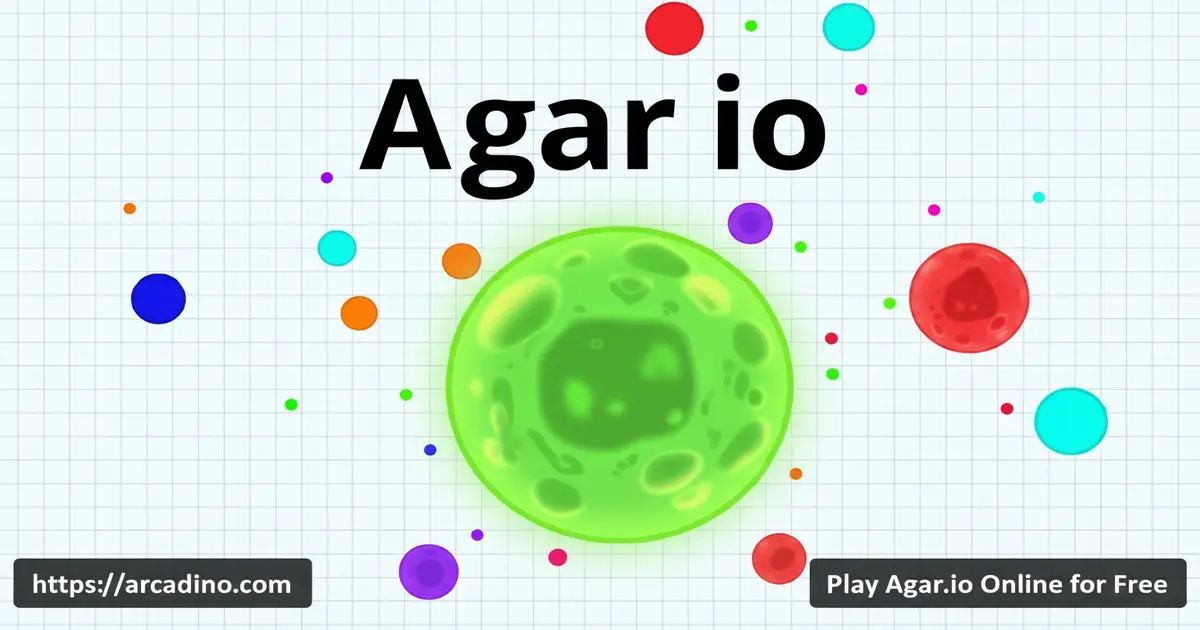
Matheus Valadares / MiniclipAgar.io drops you into a giant petri dish where one tiny blob has to outgrow hundreds of others. You start as a dot, swallow pellets, and slowly turn into a wobbling giant that bullies the whole map. It’s free to play in your browser, no download, no account required. The whole thing is built on one rule: eat anything smaller, run from anything bigger. 🦠
This is the original .io grow game, and it still pulls in huge crowds because every match feels different. One round you’re hiding behind a virus, the next you’re splitting across the screen to snatch a careless rival.
- Free multiplayer cell-eating action in your browser
- Four modes: FFA, Teams, Battle Royale, Experimental
- Simple mouse controls with split (Space) and eject (W)
- Skins unlock through specific usernames like “doge” or country names
What Is Agar.io?
Agar.io is a massively multiplayer online game where you steer a single colorful cell around an arena packed with food pellets and other players. The goal is straightforward: eat enough to become the biggest blob on the leaderboard. It launched in 2015 and was created by Brazilian developer Matheus Valadares, who reportedly built it in just a few days using JavaScript and C++.
Loading is quick on a normal home connection, and the controls feel responsive once you settle into mouse-only steering. Many people just search “game” or “io game” and end up here, since Agar.io basically defined the whole .io genre. If you’ve heard friends talk about “the cell game,” this is the one.
Why Agar.io Still Matters
Agar.io is more than just another browser game — it kickstarted a whole genre. After its 2015 launch, it became one of Google’s most-searched games of the year. Its simple “.io” web address was so catchy that dozens of copycats grabbed the same suffix, and now “.io games” is a label everyone uses. The game even popped up on TV in a Season 4 episode of House of Cards, where Frank Underwood played it on his tablet. So when you boot up Agar.io today, you’re playing the title that named an entire corner of the internet. That’s a pretty cool piece of gaming history for a blob.
Agar.io Gameplay
Every match starts the same way. You’re a tiny cell, and the map is dotted with little colored pellets. You glide your cell with the mouse and absorb pellets to slowly grow your mass. Once you’re a bit bigger, you can start hunting smaller players directly.
The catch is that growth makes you slower. A giant cell is powerful but clumsy, so smaller players will dart around you and try to bait splits. That tension between size and speed is what keeps Agar.io so addictive after almost a decade.
One thing newer players miss is mass decay. Every cell slowly loses a tiny bit of mass over time — roughly 10% per minute once you’re big. That means you can’t just sit in a corner and stay huge forever. To hold the top spot, you have to keep eating pellets and rivals, which is why leaderboard kings are always on the move.
Game Modes in Agar.io
There are four main modes, and each one changes the pace a lot. Free-For-All is the classic everyone-versus-everyone chaos. Teams splits the lobby into red, green, and blue squads who can feed each other mass.
Battle Royale puts everyone at the same starting size in a shrinking arena, and the last cell alive wins. Experimental mode tweaks the rules with weird mechanics like donating mass to pellets for bonus bits. Party Mode lets you set up a private match with friends.
Skins and Usernames
Agar.io has a hidden-skin system tied to your username. Type something like “doge,” a country name, or a meme word, and your cell loads with a matching design instead of a plain color. There’s no shop or unlock grind for these — the username is the unlock.
You can also toggle skins and player names off in the menu if you want a cleaner view. Some players turn them off to reduce visual noise during big fights.
How to Play Agar.io
Getting into a match takes about 10 seconds. Open the game in your browser, type a username, pick a mode, and you’re dropped into the arena. There’s no tutorial, but the rules click within your first round.
Focus on pellets early, keep your distance from giants, and don’t split until you actually need to. New players almost always lose their first few cells by splitting too soon and getting gobbled.
Agar.io Controls
- Mouse – move your cell in any direction
- Spacebar – split your cell to lunge at prey
- W – eject a small bit of mass (feed teammates or viruses)
- Enter – open chat
- Mouse scroll – zoom in and out (browser only)
- Touch – drag your finger on mobile to steer
Tips and Tricks for Agar.io
- Hoard pellets first. The split button only works once you hit at least 35 mass, and you really want 90+ before risking it. Build up quietly before picking fights.
- Use viruses as shields. If you’re small, hide near the spiky green viruses — bigger cells can’t safely chase you there.
- Split with a plan. A split doubles your cells but halves their size, leaving you fragile. Only do it when the kill is guaranteed.
- Feed viruses to pop giants. Five W-ejects into a virus will push it in the direction you ejected from. Aim carefully — it’s not a homing shot, but a well-lined-up virus can explode a big rival into up to 16 pieces.
- Watch the merge timer. Split cells take about 30 seconds to recombine, so don’t pick a fight while still scattered.
Understanding Viruses
Viruses are the spiky green blobs scattered around the map, and they’re one of Agar.io’s most important mechanics. If you’re bigger than a virus and bump into it, you instantly explode into many smaller cells — up to the 16-cell limit. That’s why huge players carefully avoid them. You can only eat a virus if you’re already split into 16 pieces and one of those pieces is bigger than the virus itself. Smaller players love hugging viruses because giants literally can’t safely follow.
Mass Threshold Cheat Sheet
Players search for these exact numbers all the time, so here’s the quick reference in one place:
- 35 mass – minimum size needed before the split button works at all
- 90+ mass – the practical split threshold most players aim for
- ~10% mass per minute – how fast big cells decay if you stop eating
- 16 cells – the maximum number of pieces you can be split into
- ~30 seconds – how long split cells take to merge back together
- 5 W-ejects – how many mass shots it takes to launch a virus
Memorize these and you’ll already play smarter than half the lobby.
Accessibility and Low-Spec Performance
Agar.io runs on almost anything, but it can still chug on older laptops or school Chromebooks during crowded matches. The biggest fix is in the menu: turn off Skins and Names. That single toggle drops a lot of CPU work because the game stops drawing custom images and text on every cell. Closing extra browser tabs and using full-screen mode also helps your frame rate stay smooth. For colorblind players, Teams mode can be tricky since the squads are red, green, and blue — if you have red-green colorblindness, FFA or Battle Royale is usually easier to read. Zooming out with the mouse scroll also makes it simpler to spot threats at a glance.
Key Features of Agar.io
- The original .io grow game with millions of returning players
- Four distinct modes including Battle Royale and Party
- Hidden skin system unlocked through usernames
- Cross-play between browser and mobile lobbies
- Real-time multiplayer with no install required
Where to Play Agar.io
The fastest way is right in your browser — Agar.io is built in HTML5, so it runs on Chrome, Firefox, Safari, and Edge without any plugins. There’s nothing to install and no account to make. Just type a name and jump into a lobby.
If you prefer phones or tablets, Miniclip publishes official mobile versions. Grab them here: Google Play or App Store. Stick to those official stores — random APK files floating around the web can carry malware. On a PC, the browser version usually feels smoother than mobile because of the wider view and zoom control.
For Parents
Agar.io is generally fine for kids around 8 and up. The gameplay is non-violent in a realistic sense — you’re literally a blob eating other blobs, and there’s no blood or scary content. The mobile version includes optional in-app purchases and a VIP subscription, so it’s worth turning on purchase confirmation on your child’s device.
There’s a chat feature, which means kids may see messages from strangers in public lobbies. For younger players, Party Mode with friends-only servers is the safer option. Sessions are short and easy to stop after a couple of rounds.
Similar Games to Agar.io
If you enjoy the eat-and-grow loop, plenty of other .io titles scratch the same itch.
- Paper.io – Capture territory by painting it, with the same risky-greedy tension as Agar.io.
- Slither.io – Snake-style growth game where you eat orbs and trap rivals.
- Diep.io – Tank shooter with upgrades, very similar arena vibe.
- Idle Breakout – Different pace but the same satisfying “numbers go up” feel.
- 2048 – Casual puzzle for when you want a calmer match.
- Bubble Shooter – Classic match-three arcade fun where you pop colorful bubble clusters.
- Word Search – Chill puzzle game for hunting hidden words on a letter grid.
Browse more titles in IO Games.
FAQs About Agar.io
How do you play Agar.io?
You move a cell with your mouse and eat smaller cells and pellets to grow. Avoid bigger players, because they can swallow you in one bite. Use Space to split and W to eject mass when you want to attack or help a teammate.
How do you split in Agar.io?
Press the Spacebar to split your cell in two. The minimum mass needed for split is 35, but most players wait until 90+ before using it because the smaller halves are easier to eat. Splitting launches half your cell forward, which is great for catching prey just out of range.
What is Agar.io?
Agar.io is a free online multiplayer game about growing a cell. You start tiny in a shared arena, eat pellets and rivals, and try to reach the top of the leaderboard. It’s the title that kicked off the whole .io games genre back in 2015.
Is Agar.io free?
Yes, Agar.io is free to play in any modern browser. The mobile app is also free, though it offers optional in-app purchases and a VIP subscription. You can enjoy every core mode without paying.
How do you shoot in Agar.io?
Press W to eject a small amount of your mass forward. There’s no real “gun” in Agar.io, but ejecting is used to feed teammates, bait greedy enemies, or push viruses toward big targets. Five ejects in the same direction can fire a virus across the map.
How do cells merge in Agar.io?
Split cells automatically merge back together after about 30 seconds. There’s no button — you just have to wait while staying near your other halves. Try to avoid fights during the merge window because you’re at your most vulnerable.
Can you play Agar.io with friends?
Yes, Party Mode lets you create a private arena and share the link. Pick Party Mode from the menu, choose your server region (US or EU), and the game generates a link you can copy. Send that link to your friends and make sure everyone selects the same server, or the link won’t work. Teams mode is also fun if you want to coordinate with strangers wearing your color.
Is Agar.io the same as “the cell game” people search for?
Yes, when people search for “the cell game” or just “io game,” they almost always mean Agar.io. It’s the original blob-growing multiplayer that inspired dozens of clones. If your friends mentioned a petri-dish browser game, this is it.
Final Thoughts on Agar.io
Agar.io still holds up because the core idea is so clean. Eat, grow, dodge, repeat — but with enough split-second decisions and sneaky strategy to keep adults hooked too. The hidden skin trick, the Battle Royale shrink, and the team-up moments are what turn a quick match into a one-more-round spiral.
Pick a clever username, grab some pellets, and see how big you can get before someone bigger notices you.
Gameplay Video


