


























Watch one short ad and play ad-free for 30 minutes.
Miniblox.io
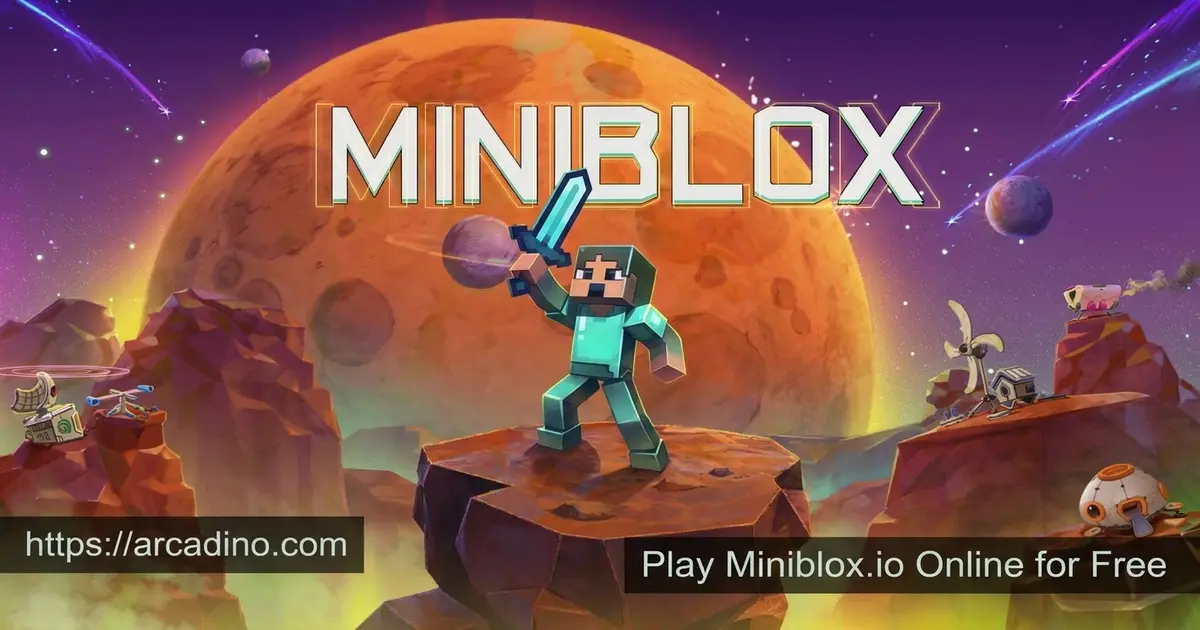
MinibloxLove building blocky worlds and battling other players online? Miniblox.io lets you do both, completely free in your browser. This voxel sandbox mixes peaceful building with fast PvP minigames like Eggwars and Skywars. You can mine, craft, and survive, or jump straight into a parkour course. Many fans just call it miniblox, but it’s the same multiplayer game. 🧱 It feels a lot like Minecraft, except you never download a thing.
- Survival and Creative modes for building and exploring
- PvP minigames like Eggwars, Skywars, and KitPvP
- Custom worlds with seeds and your own settings
- Free to play online with no download needed
What Is Miniblox.io?
Miniblox.io is a multiplayer voxel game played right in your browser. It’s inspired by sandbox classics like Minecraft, but built for instant online play. You explore open worlds, gather resources, and craft items to advance. Then you can switch gears and jump into competitive minigames with players worldwide.
The game is often credited to HV Studios, though the developer is tricky to confirm. Some sources only point to GitHub contributors named Victor Wei and Howard. Its low-resolution voxel graphics keep things simple on purpose. That simple look is actually a big plus during gameplay. The lightweight visuals help Miniblox.io load fast, since there’s no heavy download or install.
There’s a lot packed into one game here. You can build a dream house in peace or fight rivals on floating islands. Whether you’re an aspiring architect or a parkour fan, this voxel world has a spot for you. That mix of creativity and combat is what makes it stick.
Why Miniblox.io Is a Great Minecraft Alternative
So why do so many Minecraft fans love Miniblox.io? The biggest reason is that you never download anything. You just open a browser tab and play in seconds. It captures the core fun of mining, crafting, and building blocky worlds. Best of all, it’s completely free, so you can try it without spending a penny.
How Miniblox.io Compares to Minecraft
Lots of sites call Miniblox.io a “simplified Minecraft,” but what does that really mean? The two games share the same voxel building, mining, and crafting fun. Still, there are some clear differences worth knowing before you dive in. Here’s a quick side-by-side to set your expectations.
- Download: Minecraft needs an install. Miniblox.io plays instantly in your browser.
- Cost: Minecraft costs money. Miniblox.io is free with no login.
- Saving worlds: Minecraft saves big worlds easily. Miniblox.io has tighter browser save limits.
- Multiplayer: Minecraft uses servers. Miniblox.io drops you onto islands and into custom rooms.
- Content depth: Minecraft has tons of mobs and items. Miniblox.io keeps things lighter and simpler.
If you want endless depth, Minecraft still wins. But for quick, free building with friends, Miniblox.io is hard to beat.
Miniblox.io Gameplay
Your experience changes completely based on how you choose to play. Survival mode starts you with nothing and a clear goal: stay alive. You chop wood, mine stone, craft tools, and fend off enemies and the environment. It’s the classic survivalist loop that Minecraft fans know well.
Creative mode flips the script entirely. You get unlimited resources and total freedom to build whatever you imagine. There are no restrictions, so you can focus purely on design. Between these two modes, the game covers both the calm and the chaotic sides of voxel play.
Minigames and PvP in Miniblox.io
The minigames are where the action heats up. Eggwars and Skywars drop you onto islands where the last player standing wins. KitPvP and Classic PvP are direct combat tests of your fighting skill. Bridge Duels challenge you to knock rivals off narrow bridges.
There’s plenty more to explore beyond those. Spleef, One in the Quiver, and parkour courses keep things fresh between battles. The parkour maps test your timing and precision instead of your combat. With this many modes, every session feels a little different.
World Creation and Custom Seeds
Building isn’t limited to a single map in this voxel sandbox. You can create and load worlds with their own terrains and characteristics. Custom seeds let you generate worlds with the exact settings you want. That gives builders a ton of control over their projects.
You harvest resources, mine deep, and craft items to keep advancing. Every block you place adds to a world that’s truly yours. Saving your progress means you can come back and keep building later. It’s a creative playground with real staying power.
Block Types for Bigger, Better Builds
Want your builds to really pop? Miniblox.io gives you a wide range of block types to work with. You’ll find stone, wood, glass, colorful wool, and many more materials. Mixing different textures helps your houses and castles look detailed and unique. Creative mode hands you all these blocks for free, so you can experiment freely. The more block types you learn, the more impressive your creations become.
Online Features and Custom Rooms
Miniblox.io shines as a social game. You can add friends and send them requests right inside the game. Custom rooms let you set your own criteria and invite others to join you. The browse menu shows active games packed with real players.
You also earn coins as you play and through a daily login bonus. Those coins go toward buying new skins to show off your style. There’s even an in-game chat for talking with other players. These features turn each match into something unpredictable and fun.
How to Play Miniblox.io
Getting started is quick and beginner-friendly. Open the game in your browser, pick a username, and jump into a world. From there, you choose your mode and start mining, building, or battling. New players can use the in-game tutorial to learn the basics.
Miniblox.io Controls
- WASD – Move around
- Spacebar – Jump
- Shift – Sprint
- Alt or Ctrl – Crouch or sneak
- Left click – Mine and attack
- Right click – Place blocks
- E – Open your inventory
- Double tap Space – Fly in Creative mode
- Enter – Chat
- P – Pause the game
On mobile, touch controls replace the keyboard and mouse. The game runs smoothly on phones and PCs alike. That means you can play almost anywhere with a screen.
Handy Miniblox.io Commands
Want to speed up your creative builds or run a custom room like a pro? In-game commands are your secret weapon. You type them into the chat box, starting with a slash. They let you grab items, switch modes, or teleport in a snap. Just remember that commands often need Creative mode or room-host permission.
Most-Used Commands Quick Reference
- /gamemode – Switch between Survival and Creative modes.
- /give – Hand yourself items or blocks instantly.
- /tp – Teleport to a player or a spot you choose.
- /seed – Show the seed of your current world.
- /effect – Add effects like speed or jump boost.
- /summon – Spawn a creature or object into the world.
These commands save tons of time on big builds. They also help room hosts keep matches fun and fair.
Tips and Tricks for Miniblox.io
- Collect resources early in survival to gain a strong head start.
- Stay mobile during PvP so enemies can’t land easy hits.
- Learn map layouts in Eggwars and Skywars for better positioning.
- Practice parkour maps to sharpen your jump timing and control.
- Use Creative mode to test builds before you make them in survival.
Key Features of Miniblox.io
- Two core modes: Survival for crafting and Creative for free building.
- A long list of minigames, from Eggwars to Bridge Duels and parkour.
- Custom worlds with unique terrain and your own seeds.
- Social tools like friends, custom rooms, and in-game chat.
- Earn coins and a daily login bonus to unlock new skins.
Where to Play Miniblox.io
You can play Miniblox.io free in any modern browser. It works in Chrome, Firefox, Safari, and Edge with no download or login. The lightweight voxel graphics keep load times short and lag low. That makes it easy to hop in for a quick match or a long building session.
The game also runs on mobile through your phone’s browser using touch controls. On PC, the keyboard and mouse give you the most precise control for PvP. Many players first find the game by searching for mini blox or block io. However you reach it, the experience is the same vibrant voxel world.
About Scripts and Add-Ons
You might see players talking about Miniblox.io scripts and browser add-ons. Some show your FPS, add custom UI themes, or help with parkour timing. Cosmetic tweaks like UI themes are usually harmless and just change how things look. But scripts that give an unfair edge in PvP can get you banned. The safest choice is to stick with the game’s built-in features. That way you keep your account safe and play fair with everyone.
For Parents
Miniblox.io is a creative building game that many parents find suitable for kids around ages 8 and up. There’s no official age rating, so use your own judgment for your child. The combat is blocky and cartoonish, with no realistic violence. It encourages problem-solving, spatial thinking, and creativity through building and crafting. Those are genuinely useful skills wrapped in a fun package.
The game does include in-game chat and lets players buy skins with earned coins. Because of the open chat, it’s worth keeping an eye on younger kids’ sessions. A play limit of around 30 to 45 minutes is a reasonable guideline, but you know your child best. Overall, it’s a friendly intro to sandbox games for Minecraft-curious kids.
Similar Games to Miniblox.io
If you enjoy this voxel sandbox and its mix of building and PvP, these games hit the same notes.
- Bloxd.io – A multiplayer voxel game with many modes, very close to this one.
- Voxiom.io – A more combat-focused voxel shooter for players who love action.
- Paper Minecraft – A 2D take on the Minecraft formula with crafting and survival.
- Block Craft 3D – A relaxed building game focused purely on creative construction.
- Minecraft: Creative Mode Online – A browser way to build freely with unlimited blocks and no survival pressure.
- Pixel Craft – A pixel-style sandbox where you mine, craft, and build your own world.
- Minicraft – A bite-sized Minecraft-like game packed with crafting and exploration.
- IO Games
FAQs About Miniblox.io
Is Miniblox.io free to play?
Yes, Miniblox.io is completely free in your browser. There’s no download and no login required to start. You just open the page, pick a username, and play.
Is miniblox the same as Miniblox.io?
Yes, miniblox and Miniblox.io are the same game. Most players just shorten the name when they search for it. Either spelling takes you to the same voxel sandbox.
Is Miniblox.io a PvP game?
Yes, many of its modes are PvP. Eggwars, KitPvP, and Classic PvP all feature direct combat. You can also play peacefully in Creative mode if you prefer building.
Which mode is best for Minecraft fans?
Survival and Creative modes feel closest to Minecraft. Survival makes you gather resources and craft to stay alive. Creative gives you unlimited blocks to build freely.
Who made Miniblox.io?
Miniblox.io is often credited to HV Studios, but the developer is hard to confirm. Some sources only list GitHub contributors Victor Wei and Howard. Either way, it’s a Minecraft-style voxel game built for online browser play.
Can I play Miniblox.io with friends?
Yes, you can play with friends in custom rooms. You add friends, invite them, and set your own room rules. The browse menu also shows active games full of players.
Does Miniblox.io work on mobile?
Yes, Miniblox.io runs on mobile browsers with touch controls. It plays smoothly on both phones and PCs. The simple graphics keep it fast on most devices.
Conclusion
Miniblox.io blends calm voxel building with fast, competitive minigames in one free package. The combo of Survival, Creative, and modes like Eggwars gives it real variety. Add custom worlds, friends, and unlockable skins, and there’s always a reason to return. Pick a username and start mining, building, or battling your way through this blocky world today.
