























Watch one short ad and play ad-free for 30 minutes.
Escape Drive
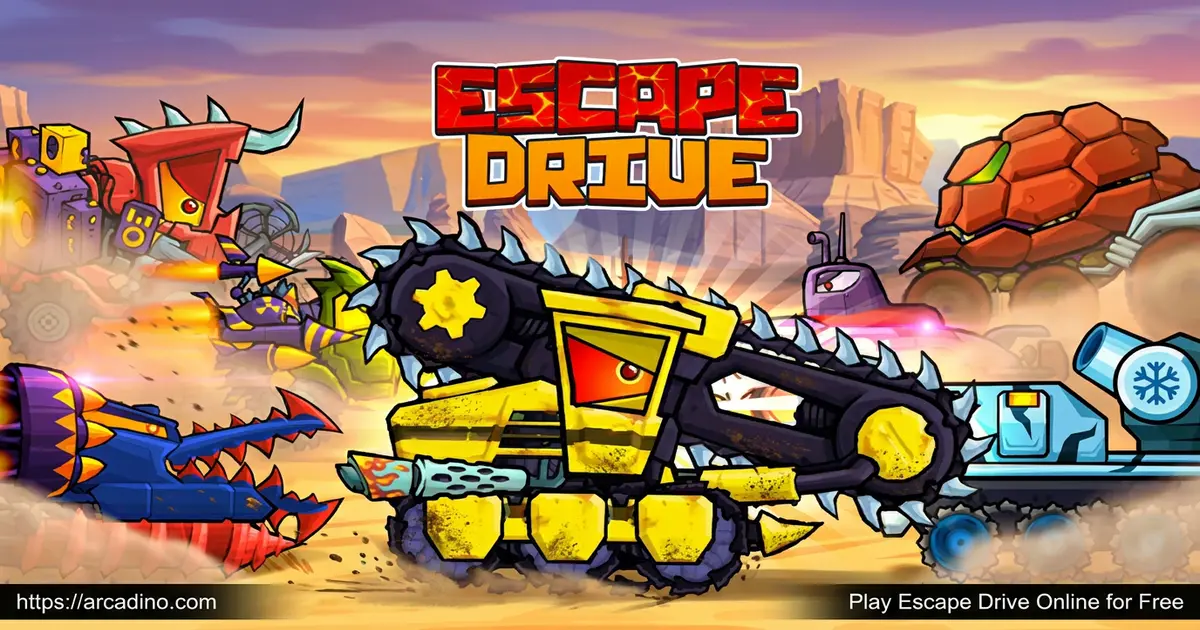
TapinatorImagine driving a cartoon car with sharp teeth while cops, drones, and explosive bosses chase you down. That’s Escape Drive, a free 2D combat racing game you play right in your browser. You accelerate over ramps, dodge saw blades, and bite or bomb enemy cars to survive. It’s a wild mix of physics driving and tactical fighting, and every level cranks up the danger. 🦷
This action racer rewards quick reflexes and smart upgrades over raw speed. You rescue captured friends, collect gems, and build your machine piece by piece. Curious how far you can push your turbo-boosted ride?
- Drive toothy monster cars across hills, deserts, and neon cities
- Bite, bomb, and outrun cop cars and end bosses
- Upgrade armor, turbo, speed, and weapons in the Garage
- Unlock new vehicles by beating missions and bosses
What Is Escape Drive?
Escape Drive is a survival racing and combat game where you pilot armed cartoon cars built for chaos. Your goal isn’t just to finish first. You have to stay alive while police vehicles, drones, and bosses try to wreck you. The car moves forward on its own, so you focus on balance, timing, and weapons.
People often confuse this title with Escape Road, a separate police-getaway game with a similar name. They’re not the same. This one leans into hill-climb physics, monster machines, and tactical car combat across vivid worlds.
From my time testing it, the physics-based control feels surprisingly responsive in a browser. Tilting back to keep balance on steep climbs takes a few tries, but it clicks fast. The 2D art is bright and cartoony, and the action loads quickly without any install.
Escape Drive vs Escape Road: What’s the Difference?
Lots of players mix up these two games because the names sound alike. But they’re really different, so here’s a quick breakdown. Escape Drive is a 2D hill-climb combat racer with toothy cars, bombs, and bouncy physics. You tilt your car back and forth and fight enemies as you climb. Escape Road, on the other hand, is a 3D city getaway game where you outrun the police. They come from different developers and play in totally different ways. The controls differ too, since Escape Drive uses tilt-and-attack buttons while Escape Road is all about steering and dodging. If you want car combat, pick Escape Drive. If you want a pure police chase, try Escape Road instead.
Escape Drive Gameplay
Each level drops you onto a dangerous track packed with rival drivers and traps. Your car auto-accelerates, so you tilt it back and forth to stay steady on ramps and hills. Saw blades, spikes, and wide gaps wait around every corner, ready to flip your ride. One bad landing can end your run instantly.
The fun comes from the combat layer on top of driving. You bite enemies with your car’s teeth, drop bombs, and make cop cars crash into each other. Collecting gems, shields, and turbo boosts keeps you fueled for the chaos. Beating each stage feels earned because the pursuit only gets fiercer.
Customization and Upgrades in Escape Drive
Upgrading your machine is the heart of long-term progress. Head to the in-game Garage and spend the gems you collect during races. You can boost armor, turbo, speed, and damage to handle tougher levels ahead.
Vehicle parts each serve a purpose. A stronger engine raises top speed and climbing power, while armor lets you take more hits. Better wheels and suspension keep you stable during big jumps. Smart players upgrade turbo and front armor first, then focus on weapons and engine for boss fights.
Bombs aren’t your only weapon either. Some versions of Escape Drive let you unlock cooler tools as you progress. You might fire electromagnetic pulses to stun chasing cars or freeze blasts to lock enemies in place. Other rides can launch homing missiles or call in helpful support drones. Mixing these weapons keeps boss fights fresh and gives you new ways to survive.
Gem-Spending Plan: Which Upgrades Come First
Spending gems in the right order makes a huge difference in Escape Drive. Use this simple stage-by-stage plan to climb faster and crush bosses.
- Early game: Pour gems into turbo and front armor first. A balanced starter car like the Beetlee survives long enough to learn the physics.
- Mid game: Upgrade your weapons and engine before tougher missions. Switch to a heavier ride like the Harvester for more punch.
- Late game: Max out armor and weapons for boss battles, then bring a tanky machine like the Tankominator to soak up hits.
- Rough terrain: Invest in wheels and suspension when levels get bumpy and full of wide gaps.
Match the car to the mission and your gems go a lot further. Save your strongest vehicles for the hardest fights ahead.
Unlocking New Cars in Escape Drive
You start with a basic starter car, but plenty more wait to be unlocked. To grab new vehicles, you complete missions like defeating bosses or finding keys in the arena. Each car has its own feel, from balanced starters to heavy combat machines that crush opponents.
The roster has some memorable rides with their own personalities. The Beetlee is a friendly starter car that’s perfect for learning the ropes. The Harvester is a mid-tier machine with extra muscle for tougher tracks. Heavy hitters like the Tankominator are built to soak up damage during brutal boss fights. As you unlock more cars, you’ll find one that fits your playstyle.
Choosing the right vehicle for each level matters a lot. A tanky, armored ride suits brutal boss battles, while a faster car helps you outrun packs of cops. Matching your machine to the challenge is half the strategy in this combat racer.
How to Play Escape Drive
Getting started is quick and beginner-friendly. The game begins the moment a level loads, and your car rolls forward automatically. Your job is to control speed, keep your balance, and use weapons at the right moment. Rescue captured friends and push toward the finish line while danger closes in.
Spend your first few runs learning how the car tilts on hills. Once you understand the physics, dodging traps and landing jumps gets much smoother.
Escape Drive Controls
Use A/D or the arrow keys to tilt the vehicle back and forth. Press J to fire your turbo boost and get a burst of speed. Hit K to drop bombs on enemy cars chasing you. On mobile, tap the on-screen buttons to tilt, boost, and attack.
Keep in mind that controls can change between versions and platforms. Some releases use the spacebar for nitro, E or left-click to fire, and R to reset. If your keys feel different, check the in-game menu to see the current layout.
Tips and Tricks for Escape Drive
- Tilt back when climbing steep hills so your car doesn’t flip over backward.
- Save your turbo boost for outrunning cops or clearing wide gaps between ramps.
- Drop bombs right when an enemy car is close behind to make it crash.
- Grab every gem, shield, and turbo pickup to fuel your Garage upgrades.
- Upgrade armor and turbo first, since survival matters more than raw speed early on.
Key Features of Escape Drive
- Toothy cartoon cars that bite and ram enemy vehicles during chases
- Physics-based hill-climb driving mixed with tactical car combat
- A deep Garage system for armor, turbo, speed, and damage upgrades
- Multiple unlockable vehicles earned by beating bosses and missions
- Vivid worlds with traps, ramps, drones, and explosive end bosses
Where to Play Escape Drive
You can play Escape Drive free in your browser with no download or sign-up needed. It runs in Chrome, Firefox, Safari, and Edge, and loads fast on most computers and Chromebooks. Just open the page and your turbo engine is ready to go.
Want it on your phone? Grab the mobile version from the Google Play Store or the App Store. Stick to these official stores and avoid random APK sites, which can be unsafe. The browser version is the easiest way to jump straight into the action on any device.
For Parents
Escape Drive is a cartoony action game built around car chases and silly combat. The action is goofy and explosive rather than realistic, with bouncy physics and toothy cars. Short levels make it easy to set a clear stopping point whenever you want to take a break. You can decide together how long each play session should last.
The game teaches timing, planning, and resource management through its upgrade system. Kids learn to save gems and pick the right car for each challenge. Check the mobile version for ads or in-app purchases before letting younger players spend.
Similar Games to Escape Drive
If you love the mix of hill-climb driving and car combat in this title, these picks deliver the same chaotic thrills.
- Hill Climb Race – A physics-based uphill driving game all about balance and big jumps.
- Mad Racers – A wild racing brawl where you battle rivals on dangerous tracks.
- Survival Race – A high-speed chase game packed with obstacles and action.
- Doom Rider – A fast, fiery driving challenge with nonstop hazards.
- Escape Road – A getaway driving game where you outrun the police through a city.
- Escape Road City – A city chase game where you dodge cops through busy streets.
- Moto X3M – A stunt bike racer full of ramps, flips, and tricky timed obstacles.
- Polytrack – A fast low-poly track racer where you chase the perfect lap time.
Browse more high-octane picks in our Racing category.
FAQs About Escape Drive
Is Escape Drive free to play?
Yes, Escape Drive is completely free in your browser. There’s no download or sign-up to start playing. You can also grab the mobile app from the Play Store and App Store.
Is Escape Drive the same as Escape Road?
No, they are two different games with similar names. Escape Drive is a 2D hill-climb combat racer with toothy cars and bombs. Escape Road is a getaway game where you flee police through a city.
How do you upgrade cars in Escape Drive?
You upgrade cars in the Garage using gems collected during races. You can boost armor, turbo, speed, and damage. Stronger upgrades let you survive tougher levels and boss fights.
What are the controls in Escape Drive?
Use A/D or the arrow keys to tilt your car. Press J for turbo boost and K to drop bombs. On mobile, tap the on-screen buttons instead. Some versions may use different keys, so check the in-game menu.
How do you beat bosses in Escape Drive?
Beat bosses by upgrading weapons and armor before the fight. Drop bombs and bite enemies while dodging their attacks. Bringing a tanky, well-armored car like the Tankominator makes the battle much easier.
Can you play Escape Drive on mobile?
Yes, Escape Drive is available on Android and iOS. Download it from the Google Play Store or App Store. Touch controls let you tilt, boost, and attack with on-screen buttons.
What is the goal in Escape Drive?
The goal is to survive each level while being chased. You complete missions, rescue captured friends, and defeat bosses. Surviving longer and upgrading your car lets you tackle tougher races.
Ready to Rev Up?
Escape Drive blends bouncy hill-climb physics, toothy combat cars, and a satisfying Garage upgrade system into one chaotic ride. Every level pushes your timing and strategy as bosses and cops swarm in. Pick the right machine, stack your upgrades, and see how many friends you can rescue. Fire up your turbo engine and start the chase right now in your browser. 🏁
Gameplay Video