












Watch one short ad and play ad-free for 30 minutes.
Bloons
Ninja KiwiReady to help a sharpshooting monkey pop a screen full of balloons? Bloons is a free arcade puzzle game you play right in your browser. You aim the monkey’s darts, plan your bounces, and pop as many balloons as you can. It sounds simple, but each Bloons level hides a clever angle you’ll need to figure out. 🐵

There’s no download and no sign-up to start popping. Bloons online loads fast as an HTML5 game on almost any computer or phone. If you searched for “Bloons monkey” or “Bloons game,” this is the classic dart-throwing fun you’re after.
- Aim and shoot darts with a single mouse click
- Limited darts mean every shot counts
- Bouncy walls and ricochets reward smart angles
- Plays free in any browser, no install needed
What Is Bloons?
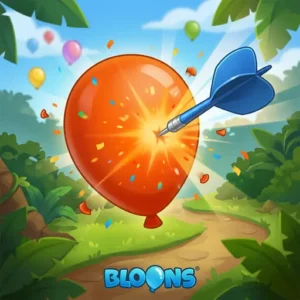
Bloons is an arcade balloon-popping game where you control a monkey throwing darts. Your goal is to pop enough balloons in each level using a set number of darts. Some balloons explode, some send darts bouncing, and some boost your throw farther. Lining up chain reactions is the real heart of this title.
When I loaded Bloons in Chrome, it opened in just a couple of seconds with no waiting. The aiming line feels responsive, so you can fine-tune each shot before you let go. The colorful balloons and cheerful monkey give it a bright, friendly look. It’s an easy game to pick up but surprisingly tricky to master.
You might know Bloons from the huge tower defense games, but this one is different. This is the original dart-throwing puzzle, not the Bloons TD series. In the TD games, you build monkey towers to stop waves of balloons. Here, you throw darts yourself and aim for the perfect bounce. Both share the monkeys-versus-balloons idea, but they play in totally different ways.
The Story Behind Bloons: Where It All Began
This dart game is the original that started everything! Ninja Kiwi first made Bloons back in 2007 as a simple Flash game. Players loved throwing darts and popping balloons with clever bounces. It became so popular that Ninja Kiwi built a whole franchise around it. Soon came the Bloons Tower Defense games, where monkeys guard a track instead. Those tower defense versions grew into massive hits on phones and computers. But it all began right here, with one monkey and a handful of darts. Playing this classic browser version means trying the game that launched the whole series.
Bloons Gameplay and the Popping Loop
Each Bloons stage gives you a cluster of balloons and a handful of darts. You hold the mouse to aim, then release to fire a dart across the screen. Darts bounce off walls, so you can hit balloons you can’t reach directly. Pop the required number before you run out of darts to clear the level.
The fun comes from planning. Special balloons change everything, like ones that pop their neighbors in a chain. Hitting one well-placed shot can clear half the screen at once. That “big combo” feeling keeps you replaying levels to do better.
Special Balloon Types You’ll Want to Know
Spotting the special balloons by color helps you plan smarter shots. Here’s a quick reference to the ones you’ll meet most:
- Explosive balloons (red/black with a bomb) – These blow up and pop every balloon around them. Hit one to clear a whole cluster fast.
- Ricochet balloons – When popped, these send your dart bouncing off in a new direction. Use them to reach tricky spots.
- Boost balloons – These give your dart extra speed and distance. They help your throw fly farther across the screen.
Learn these colors and you’ll start seeing combos everywhere. Aiming at the right special balloon first can turn one dart into a huge chain.
A Worked Example: Clearing an Early Level
Let’s walk through a typical early stage so you can see the strategy. Imagine a tight cluster of balloons in the top-right corner with one explosive balloon in the middle. First, aim your dart at the left wall so it ricochets toward that explosive balloon. The bounce angle lets you reach balloons you couldn’t hit straight on. When the explosive pops, it sets off the balloons all around it in a chain. That single shot can clear half the cluster at once! Save your next dart for any stragglers that survived the blast. Hitting the explosive first, not last, is the trick to big combos.
Levels and Progression in Bloons
The game moves you through a series of stages that slowly get harder. Early levels teach the basics with open layouts and plenty of darts. Later ones squeeze your dart count and add tougher balloon arrangements. You’ll need careful aim and clever ricochets to win.
Because each level is a small puzzle, progress feels rewarding. You’ll often retry a stage a few times before you crack it. That trial-and-error loop is what makes this dart game stick. There’s always a smarter shot to discover.
Graphics and Feel
Bloons keeps a clean, cartoony art style that’s easy on the eyes. The balloons come in bright colors so you can spot special ones quickly. The monkey animations are simple but charming. Everything runs smoothly in the browser without stutters on most devices.
How to Play Bloons
Getting started with Bloons takes about ten seconds. Open the game in your browser and wait for it to load. The monkey appears on one side, ready to throw. Aim across the balloons and start popping.
Bloons Controls
Hold the left mouse button to aim your dart, then release to shoot. A guide line shows your throwing direction so you can adjust before firing. On mobile, tap and drag to aim, then lift your finger to throw. That single-control setup makes it friendly for younger players.
Tips and Tricks for Bloons
- Watch the aim line before releasing to predict where your dart lands.
- Use wall bounces to reach balloons stuck in tight corners.
- Pop chain-reaction balloons first to clear big clusters fast.
- Save a dart or two in case your combo misses.
- Restart a level early if a key shot goes wrong, rather than wasting darts.
Key Features of Bloons
- One-click dart aiming that’s easy to learn but tricky to master
- Ricochet physics that reward smart angle shots
- Special balloons that trigger satisfying chain reactions
- A steady ramp of harder, more puzzle-like levels
- Instant browser play with no download or account
Bloons fits right into a bunch of fun game categories you might love. It’s a 1 Player game starring a Monkey, so it’s perfect for solo fun. The dart-throwing action puts it in the Shooting category too. And since you’re popping balloons, it sits close to Bubble Shooter and Balloon games. If you like any of those tags, Bloons is an easy game to enjoy.
Where to Play Bloons
You can play Bloons free online right here in your browser. It loads instantly as an HTML5 game, so there’s no install and no sign-up. It works in Chrome, Firefox, Safari, and Edge on PC, Mac, and Chromebook. Many players also search “Bloons unblocked” to play at school.
If you’re after the bigger tower defense versions, those live on mobile app stores. You can grab the well-known Ninja Kiwi tower defense game on the Google Play Store and the App Store. Stick to official store links and avoid random APK downloads, which can be unsafe. The browser dart game, though, needs nothing but this page.
For Parents
Bloons is a gentle arcade puzzle game with simple, friendly gameplay. There’s no violence beyond popping cartoon balloons, and no in-game chat in the browser version. It quietly builds planning and angle-thinking skills as kids work out each shot. Short levels make it easy to set a 20 to 30 minute play limit.
Similar Games to Bloons
If you love popping balloons and aiming clever shots, these arcade games are a great next stop.
- Bloons TD 5 – The tower defense spin-off where monkeys defend a track from balloon waves.
- Bloons Tower Defense – Place monkey towers and upgrade them to stop bloons from escaping.
- Bubble Shooter – Match and pop colored bubbles in a classic aim-and-shoot puzzle.
- Monkey Go Happy – A cheerful click puzzle series starring playful monkeys.
- Bloons TD 6 – The biggest tower defense game where you build and upgrade monkey towers against tough balloon waves.
Want more? Browse the full Arcade collection.
FAQs About Bloons
Is Bloons free to play?
Yes, Bloons is completely free to play online. You can open it in your browser with no download and no account. Just load the page and start popping balloons right away.
Where can I play Bloons online?
You can play Bloons online free right here in your browser. It runs as an HTML5 game on PC, Mac, Chromebook, and phones. There’s nothing to install before you start.
How do you control the monkey in Bloons?
You hold the left mouse button to aim, then release to throw a dart. A guide line shows the direction before you shoot. On mobile, tap and drag to aim instead.
What’s the goal in Bloons?
The goal is to pop enough balloons in each level using limited darts. Some balloons trigger chains that pop nearby ones. Clear the target number to move to the next stage.
Is Bloons the same as Bloons TD 6?
No, this Bloons is the simpler dart-throwing arcade game. Bloons TD 6 is the bigger tower defense game from Ninja Kiwi. Both share the monkeys-versus-balloons theme but play very differently.
Can I play Bloons on mobile?
Yes, the browser version of Bloons works on phones and tablets. You aim by tapping and dragging on the screen. No app download is needed for this dart game.
Is Bloons unblocked at school?
Because Bloons is an HTML5 game with no download, it can load on most computers. Whether it works at school depends on your school’s network filters. Always ask a teacher and check that your school allows it first.
Conclusion
Bloons turns one simple idea into hours of clever fun. You aim the monkey’s darts, bounce them off walls, and chase those big chain-reaction pops. Each level is a fresh little puzzle that rewards a smarter angle. Sharpen your aim, line up that perfect shot, and start popping Bloons right now.
Gameplay Video