















Watch one short ad and play ad-free for 30 minutes.
Block Craft 3D
Fun Games For FreeEver dreamed of building your own village block by block, then selling your creations for gems? Block Craft 3D hands you an unlimited open world and lets you do exactly that. This free 3D building game lets you focus on crafting houses, castles, and even the Eiffel Tower. You start with a small village and a pre-placed well and hut, then grow it into a city. It’s a relaxing sandbox where creativity rules. 🧱
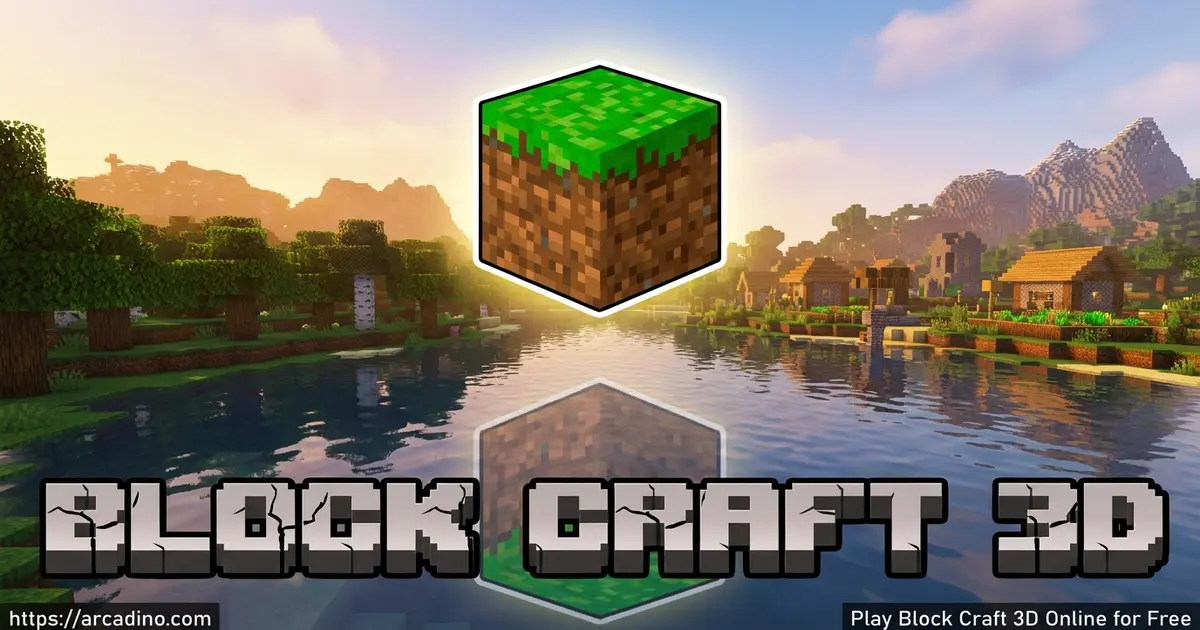
- Build freely in a huge open world with plenty of room to create.
- Adopt pets like dogs, cats, and even elephants.
- Craft custom blocks and furniture, then sell them for gems.
- Visit your friends’ cities and help finish their buildings.
What Is Block Craft 3D?
Block Craft 3D is a sandbox building game where you craft, place, and shape a world made of blocks. It belongs to the simulation and city-building genre, and it’s often compared to popular block sandbox titles. The big difference here used to be the friendly, no-combat vibe. Thanks to a 2026 update, you can now pick a calm Creative mode or a tougher Survival mode.
The game was made by Fun Games For Free, the same studio behind massive hits like Sniper 3D and Flight Pilot Simulator. From an editorial view, the pixel-style 3D graphics load fast and stay smooth, even on older phones. The simple joystick-and-tap controls feel natural within seconds. That low barrier is a big reason this Minecraft-like game keeps players coming back.
Block Craft 3D Gameplay
The core loop is wonderfully simple. You collect materials, place blocks, and complete buildings using a guide bar that tracks your progress. When you start a structure, faint “ghost blocks” show where each piece should go. Fill them in, and a celebration screen rewards you when the build is done.
Your village is your base, and it grows as you complete more buildings. You can craft a market, an inn, a hospital, or design something totally your own. In the classic Creative mode, the focus stays on building bigger and better. That mix of guided projects and total freedom keeps the game fresh for hours.
One thing to know: your village has invisible borders you can’t cross or break. The map is huge, so most players never feel boxed in. Older versions also had a block limit at Level 3, around 150 to 200 blocks. That cap has since been removed, so newer builds let you place way more.
Want big, jaw-dropping builds? You can craft famous landmarks that show off your skills. Try the Eiffel Tower, a towering castle, or a football stadium full of seats. Some players even build a spaceship or dig a deep mine for materials. These projects are perfect goals when you want a real challenge.
Block Craft 3D Game Modes, Seeds, and Ores
The game used to be a pure no-monster sandbox, but that changed with the June 2026 Rainbow Update. Now you choose between two game modes when you play. Creative mode keeps things relaxing, with unlimited blocks and zero danger. Survival mode is the new twist, adding ores you must mine and challenges that make building harder. The update also brought seeds, so you can start fresh worlds using special codes. Block Craft 3D is no longer just a relaxing sandbox, and that’s exciting news for builders who want more depth.
Block Craft 3D Blocks, Pets, and Crafting
There’s a deep collection of blocks, items, and packs to unlock as you level up. You can craft walls, floors, roofs, windows, doors, furniture, and decorative pieces. The sandbox even includes custom blocks you design yourself. Once made, you can sell those creations in the shop for gems.
Blocks come grouped into named packs that you unlock over time. You’ll find the Base Pack, Rare Items, Tech Pack, Nature Pack, Special Pack, Builder Pack, and Fun Pack. Some open up as you level your village, while others need gems or coins. If a pack is still locked, you can usually preview it before you buy. Mixing packs gives your builds way more style and variety.
Pets add a lot of charm to this building game. You can adopt dogs, cats, elephants, and other animals to bring your village to life. They wander around while you build, making the world feel alive. It’s a small touch that makes long building sessions more fun.
Block Craft 3D Coins and Gems
The game uses two currencies, so don’t mix them up. Coins are the everyday cash you earn for finishing buildings and tasks. You spend coins on common blocks and basic upgrades for your village. Gems are the premium currency, and they’re harder to earn. You use gems for rare packs, special items, and fancy custom pieces. Knowing the difference helps you save up for the stuff you really want.
How to Earn Gems Fast in Block Craft 3D
Earning gems takes patience, but a few smart tricks speed things up a lot. Crafting and selling custom furniture is one of the best ways to stack gems. Detailed, fancy pieces sell for more than plain blocks, so put effort into your designs. Completing whole buildings also pays out nicely, so finish your projects. When a pack is locked, you can often watch an ad to unlock it, usually up to five tries. Don’t forget to log in every day, since daily rewards drop free coins and gems. Combine these habits and your gem stash will grow fast.
Block Craft 3D Multiplayer and Sharing
One of the coolest features is visiting other players’ cities. You can explore the worlds built by your friends and help finish their constructions. If you’re short on ideas, touring someone else’s village is great inspiration. Following their blueprints makes ambitious builds much easier.
This social side gives the game serious replay value. Sharing creations and earning gems creates a friendly building community. There’s no pressure to compete, just a steady flow of new ideas. That cooperative spirit sets this title apart from harsher sandbox games.
How to Play Block Craft 3D
Getting started is quick and beginner-friendly. When you first open the game, a model village teaches you the basics step by step. You’ll learn to move, look around, place blocks, and remove them. After the tutorial, you’re sent to your own village to complete the well and hut.
Block Craft 3D Controls
On mobile, touch and drag the joystick to move your character. Tap the joystick to jump, and use the right side of the screen to control the camera. Tap a highlighted spot to place a block, and tap-and-hold to remove one. Open the inventory with a tap to pick which block you want. The controls are designed for touch, so phones and tablets feel the most natural.
Block Craft 3D Fly Mode and Day/Night Cycle
Building tall towers is way easier once you unlock the fly ability. Flying lets you float up to reach high spots without stacking blocks to climb. It’s a huge help when you’re working on castles, spaceships, or skyscrapers. The world also has a day and night cycle that changes the look of your builds. Bright daytime makes colors pop, while night is perfect for testing glowing blocks and lamps. Plan your lighting so your village looks great at any hour.
Tips and Tricks for Block Craft 3D
- Finish the well and hut first to unlock the Build tab and the Workshop.
- Watch for the ghost blocks when building structures, they show exactly where each piece goes.
- Craft custom blocks and furniture, then sell them in the shop to stack up gems.
- Adopt pets early so your village feels lively while you keep expanding.
- Visit friends’ cities and follow their blueprints when you need fresh building ideas.
- Watch ads to unlock locked packs and log in daily for free coin and gem rewards.
- Use the fly ability to build tall landmarks without stacking blocks to climb.
Key Features of Block Craft 3D
- A huge open world with tons of room to build your dream village.
- Creative and Survival modes added in the 2026 Rainbow Update.
- Hundreds of blocks and named item packs that unlock as you level up.
- Pets like dogs, cats, and elephants to adopt and enjoy.
- Multiplayer city visits and a shop where you sell custom creations for gems.
Where to Play Block Craft 3D
Block Craft 3D is built as a mobile game, and that’s where it shines best. You can grab it free on the Google Play Store for Android devices. iPhone and iPad players can download it from the App Store. Both versions are free to start, with optional in-app purchases.
Is There a Block Craft 3D PC Version?
Many players search for a Block Craft 3D PC, online, or Windows 10 version to build on a bigger screen. Here’s the honest answer: there is no official PC version of the game. The only legit way to play is through the Android and iOS apps. Some people run it on a computer using an Android emulator like BlueStacks. A few websites also offer limited online portals, but these often differ from the real mobile app. For the smoothest, safest experience, stick with the official phone and tablet versions.
Always download from the official app stores rather than random APK sites, which can carry unsafe files. The touch controls make phones and tablets the smoothest way to craft. Stick to the trusted stores and you’re set.
For Parents
Block Craft 3D is a calm, creative game that’s well suited for kids around ages 8 and up. With a peaceful Creative mode, the focus stays on building, crafting, and imagination. The 2026 update added a Survival mode with mining, but there are still no scary monsters. There are in-app purchases for gems and packs, plus ads, so parents may want to set up purchase controls. The multiplayer visiting feature lets kids explore friends’ cities, which is mostly low-risk and social.
The game can build planning and design skills as kids work toward bigger projects. Short sessions of 20 to 30 minutes work well for younger players. Because it’s so relaxing, it makes a nice screen-time choice over more intense games.
Similar Games to Block Craft 3D
If you love the freedom of stacking blocks and shaping your own world, these sandbox building games are worth a try.
- WorldCraft – A block sandbox where you build and explore an open pixel world.
- Block Craft World – Another village-building game with crafting and free construction.
- Box Craft – A creative block builder focused on designing structures freely.
- BlockCraft – A Minecraft-like game centered on mining and building blocks.
- Minecraft – The famous block sandbox with crafting, mining, and survival adventures.
Want more like this? Browse our Simulation games category for more building and crafting fun.
FAQs About Block Craft 3D
How do you play Block Craft 3D?
You collect materials and place blocks to build structures. Start by completing your well and hut, then unlock the Build tab. Use ghost blocks as guides and grow your village over time.
Can you play Block Craft 3D with friends?
Yes, you can visit your friends’ cities and help finish their builds. The multiplayer feature lets you explore worlds others have made. It’s a great way to share ideas and find inspiration.
How do you earn gems in Block Craft 3D?
You earn gems by selling custom blocks and creations in the shop. Crafting special furniture and completing buildings also helps. You can also watch ads to unlock packs and log in daily for free gems. Just remember the game also uses coins, a separate everyday currency.
How do you get animals in Block Craft 3D?
You adopt animals as pets inside the game. Dogs, cats, elephants, and other creatures are available. They roam your village while you build.
What is the Block Craft 3D Rainbow Update?
The Rainbow Update arrived in June 2026 and was a big change. It added Creative and Survival modes, plus seeds and ores to mine. Survival mode makes building tougher, so the game isn’t just a calm sandbox anymore.
Who created Block Craft 3D?
Block Craft 3D was developed by Fun Games For Free. The studio also made Sniper 3D and Flight Pilot Simulator. Those games have over 100 million downloads combined.
Is Block Craft 3D free to play?
Yes, Block Craft 3D is free to download and play. It includes optional in-app purchases for gems and block packs. There are also ads during gameplay.
What platforms is Block Craft 3D available on?
Block Craft 3D is available on Android and iOS devices. There is no official PC version, though some people use emulators. The touch controls work best on phones and tablets.
Conclusion
Block Craft 3D turns a simple stack of blocks into your own thriving village. With friendly pets, both Creative and Survival modes, and a shop where you sell custom creations for gems, it’s a build for any imagination. Visiting friends’ cities keeps the ideas flowing long after your first build. Grab it on Android or iOS and start shaping your block world today. 🏰
Gameplay Video