
























Watch one short ad and play ad-free for 30 minutes.
Checkout Frenzy
VariousEver wondered what cashiers actually do behind that beeping screen? Checkout Frenzy hands you the register and lets you find out. This free store simulation runs right in your browser, no download needed. You start with an empty room and turn it into a busy little mini-mart. You’ll stock shelves, set prices, scan groceries, and count out exact change for every shopper. It’s a fun mix of cashier work and store management rolled into one. If you’ve ever pictured running your own shop, this is your chance. 🛒
- Build a store from an empty room with shelves, fridges, and freezers.
- Scan items and give correct change at the register.
- Set your own prices to balance profit and happy customers.
- Hire cashiers and cleaners when business gets busy.
What Is Checkout Frenzy?
Checkout Frenzy is a first-person store simulation game published by FreezeNova. You play as both the cashier and the manager of your own convenience store. The goal is simple but addictive: keep customers happy while making as much profit as you can. You handle everything from ordering stock to ringing up shoppers.
What makes this title stand out is how hands-on it feels. You physically walk around, grab boxes, and place each product where it belongs. The click-to-scan controls are quick to learn, so you’ll feel comfortable fast. The 3D store looks clean and easy to read, even during a busy rush.
Checkout Frenzy Gameplay
The game loop in Checkout Frenzy keeps you moving the whole time. You order furniture and products from the computer in the corner. Boxes drop outside your store, so you run out, grab them, and bring them in. Then you stock everything onto the right shelves.
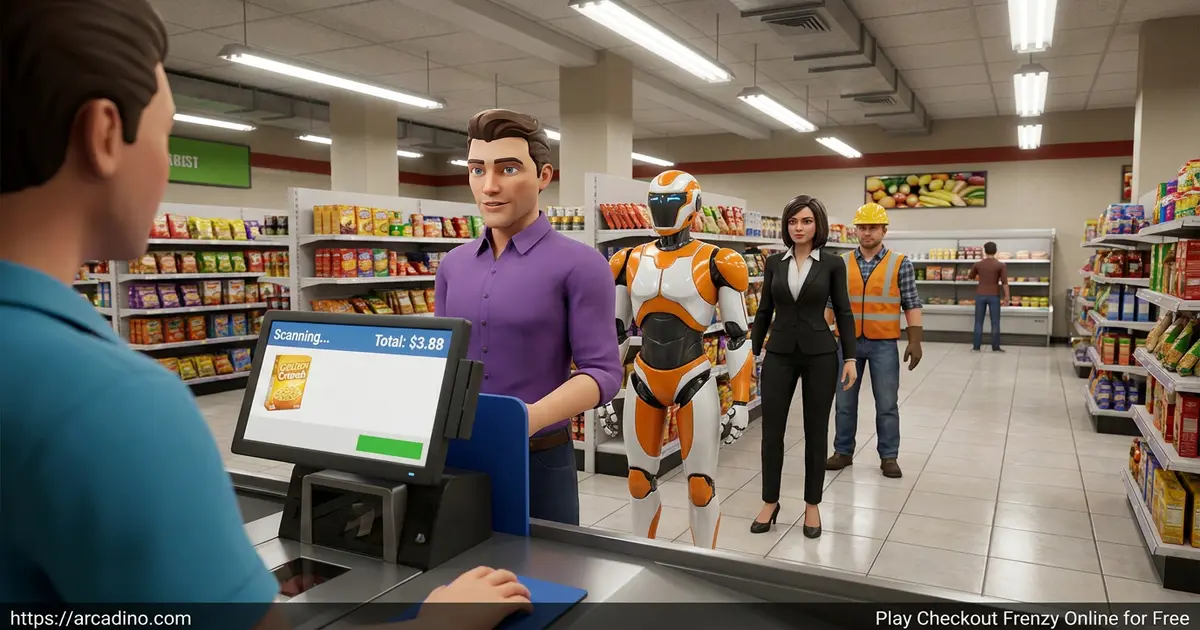
Once you flip the sign to “Open,” customers stroll in with shopping carts. They line up at your register and you scan each item one by one. You listen for that classic beep, take their payment, and hand back the right change. The rush builds fast, and juggling it all is what keeps you hooked.
Handling Card and Cash Payments
Every shopper pays in one of two ways, and each works a little differently. For card payments, you punch the exact total amount into the POS screen. Get the number right and the payment goes through smoothly. For cash, you click the correct bills and coins to make their change. Count carefully, because handing back the wrong amount eats into your profit. Knowing both methods keeps your checkout line moving fast.
Setting Prices and Stocking in Checkout Frenzy
Smart stocking is half the battle in this store simulator. Dry goods like chips and candy go on regular shelves. Cold items like milk and eggs belong in the fridge. Frozen pizza and ice cream go in the freezer, and fresh produce sits on the grocery shelves.
Pricing is where the strategy kicks in. Every product has a base price, but you decide the final tag. Raise prices to earn more, but push too far above the market price and shoppers walk out. Finding that sweet spot between profit and happy customers is the real challenge.
Using the Set Price Menu
Setting a price is easy once you know where to look. Hover over any product’s price tag and click the “set price” button in the top right. A little panel pops up showing the current price, the market price, and your profit. Drag the slider to move your price up or down. Watch the profit number change as you slide, so you always know your margin. This menu is your main tool for tuning every shelf in the store.
Profit-Optimization Strategy
Want to squeeze the most money out of your mini-mart? Aim to set most prices about 5% to 10% under the market price. That keeps shoppers happy and your profit number nicely positive. For popular items like snacks and drinks, you can creep right up to market price. Watch the profit display in the set price menu and back off if it looks too steep. Push past 15% over market and you’ll start seeing customers walk out. During a rush, use a stock-first routine: fully stock shelves before opening, then focus only on serving. That way you scan and take payments without running back and forth for boxes. Once lines slow down, restock the empty spots and repeat the cycle.
Upgrades and Hiring in Checkout Frenzy
As your shop grows busier, you can’t do everything alone. Head to the computer and hire a cashier to handle the register. You can also bring in a cleaner to keep the floor tidy. Keep in mind these helpers are hired for just one day.
Extra cash lets you expand your store too. Buy more floor space to fit additional shelves and fridges. A bigger store attracts more customers, which means more sales. It’s a satisfying cycle of grow, earn, and grow again.
How to Play Checkout Frenzy
Getting started is quick and beginner-friendly. Walk up to the computer and order your first shelves and products. Grab the delivery boxes from outside, stock your shelves, and set your prices. Then flip the sign to open and start serving customers.
Checkout Frenzy Controls
- WASD keys: Move around the store.
- Drag left click: Hold and move the mouse to look around.
- Left click: Pick up boxes, scan items, place goods, rotate furniture, and confirm purchases.
Tips and Tricks for Checkout Frenzy
- Rotate shelves to leave walking room so customers can browse without getting stuck.
- Keep prices just under the market price to earn more without scaring shoppers away.
- Sort products correctly: cold goes in the fridge, frozen in the freezer, dry on shelves.
- Double-check change before you hand it over, since wrong change costs you money.
- Hire a cashier once lines get long so you can restock without losing sales.
Key Features of Checkout Frenzy
- First-person store management where you walk, grab, and scan everything yourself.
- A pricing system that lets you balance profit against customer happiness.
- Realistic checkout with card and cash payments plus change-counting.
- Store expansion to add floor space, shelves, and chilled storage.
- One-day hires for cashiers and cleaners to handle the busy rush.
Where to Play Checkout Frenzy
You can play Checkout Frenzy free in any browser like Chrome, Firefox, Safari, or Edge. There’s no sign-up and nothing to install, so a run starts in seconds. It works great on desktop and laptops, where WASD plus mouse controls feel natural.
There’s a mobile version too if you’d rather play on a phone or tablet. You can grab it on Android from the Google Play Store. Stick to the official store rather than random APK files, which can be unsafe. The browser version remains the easiest way to jump straight in.
For Parents
Checkout Frenzy is a friendly simulation suitable for kids around ages 8 and up. There’s no violence, and it quietly teaches money skills like making change, pricing, and managing a budget. The store-running theme rewards planning and organization rather than fast reflexes alone. Short sessions of 20 to 30 minutes work well, and the calm pace makes it easy to stop after a busy shift.
The learning value lines up nicely with school-style skills. Counting out exact change builds real mental-math practice, just like classroom money lessons. Setting prices against a market price introduces simple supply-and-demand ideas in a hands-on way. Tracking profit and spending teaches the basics of budgeting and planning ahead. Because the pace is calm and there are no scary or violent moments, it’s a relaxed fit for younger players. Parents and teachers can even sit alongside and chat about the math behind each decision.
Similar Games to Checkout Frenzy
If you love running a shop and serving customers, these store and tycoon games are worth a try.
- Supermarket Simulator – Manage a larger store with more products and deeper systems.
- Shopping Frenzy – A fast-paced retail game packed with customers to serve.
- Cashier Frenzy – Focuses on the register rush and quick scanning.
- Store Frenzy – Another shop-running challenge built around stocking and sales.
Browse more games like these in our Simulation category.
FAQs About Checkout Frenzy
How do you play Checkout Frenzy?
Use the computer to order shelves and products, then stock them. Grab delivery boxes from outside and place goods correctly. Set your prices, open the store, and scan items at the register to serve customers.
How do you get customers in Checkout Frenzy?
Flip the door sign from “Closed” to “Open” to let shoppers in. Stocking more products and keeping prices fair brings in more customers. Expanding your floor space attracts even bigger crowds.
Is Checkout Frenzy free to play?
Yes, Checkout Frenzy is completely free in your browser. There’s no download or sign-up needed to start. An Android version is also available on the Google Play Store.
Who made Checkout Frenzy?
Checkout Frenzy was published by FreezeNova. They’re a studio known for fun, creative online games. The store simulation is one of their hands-on management titles.
What are the controls in Checkout Frenzy?
You move with the WASD keys and look around by dragging with left click. Left click also picks up boxes, scans items, places goods, and confirms purchases. On mobile, you tap and drag to interact.
Can you play Checkout Frenzy unblocked?
Yes, Checkout Frenzy is playable on many unblocked game sites. Since it runs in the browser with no install, it loads easily on school devices. Just open the page and your store is ready.
Is Checkout Frenzy good for kids?
Yes, Checkout Frenzy is family-friendly and suits ages 8 and up. It teaches money math like making change and setting prices. There’s no violence, just calm store management.
Start Your Checkout Frenzy Shift
Checkout Frenzy turns a simple cashier job into a satisfying little empire. Between stocking shelves, setting smart prices, and racing through the checkout rush, there’s always something to do. Hiring helpers and expanding your floor keep the progress rolling. Open up the register, listen for that first beep, and see how big your mini-mart can grow.
Gameplay Video