


























Watch one short ad and play ad-free for 30 minutes.
Jumping Shell
Robert AlvarezImagine a tiny red cube that can dive inside a snail shell, then launch itself skyward like a spring. That’s the wonderfully weird hook behind Jumping Shell, a free puzzle platformer you can play right in your browser. Created by Robert Alvarez, this title turns a single jump mechanic into 24 brain-bending levels. You won’t need downloads, accounts, or coins to get started. 🐌
Some players land here after searching for scallops or shell jump tricks from Mario games, but Jumping Shell is its own thing – a calm, clever puzzle adventure about thinking three moves ahead.
- 24 hand-crafted puzzle levels with rising difficulty
- Unique nest-and-launch mechanic using snail shells
- Built-in video hints when a stage stumps you
- Free to play on desktop, tablet, and phone browsers
What Is Jumping Shell?
Jumping Shell is a 2D puzzle platformer built by Robert Alvarez, the same designer behind logic favorites like Chessformer, Resizer, and Big Tall Small. You control a small red cube with eyes that can hop into empty shells scattered around each stage. Once inside, you can launch the cube upward, leaving the shell behind as a stepping stone or a button-presser. It’s simple to grasp but surprisingly deep.
Loading the game in Chrome took just a couple of seconds for me, and the minimalist art keeps things running smoothly even on older laptops. The controls feel snappy, which matters a lot when a puzzle asks you to chain three precise jumps in a row. There’s no clutter on screen – just you, the shells, and the puzzle.
Gameplay in Jumping Shell
The core loop is short and addictive. You enter a level, study the layout of platforms, shells, and switches, then plan a route to the exit. Hopping into a shell costs you a jump, but launching out of it gives you a powerful boost – and you can chain these launches if shells are stacked smartly.
Each stage introduces a new wrinkle. Some levels hide buttons that only a dropped shell can press, opening doors elsewhere. Others ask you to time double-jumps perfectly to clear wide gaps. The puzzles never feel cheap – if you fail, it’s usually because you missed a clue, not because the controls let you down.
Levels and Progression
The game packs 24 levels, and they’re paced beautifully. The first few teach you the shell-launch trick gently. By level ten, you’re juggling multiple shells, switches, and tight platform gaps. The final stretch combines everything you’ve learned into multi-step puzzles that feel genuinely rewarding to crack.
If a level locks you out, there’s a hint system that plays a short video walkthrough. It’s a kind touch that keeps younger players from rage-quitting. You’ll still feel proud of your wins, since the hint is optional and tucked away.
Graphics and Audio
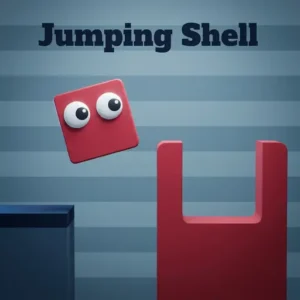
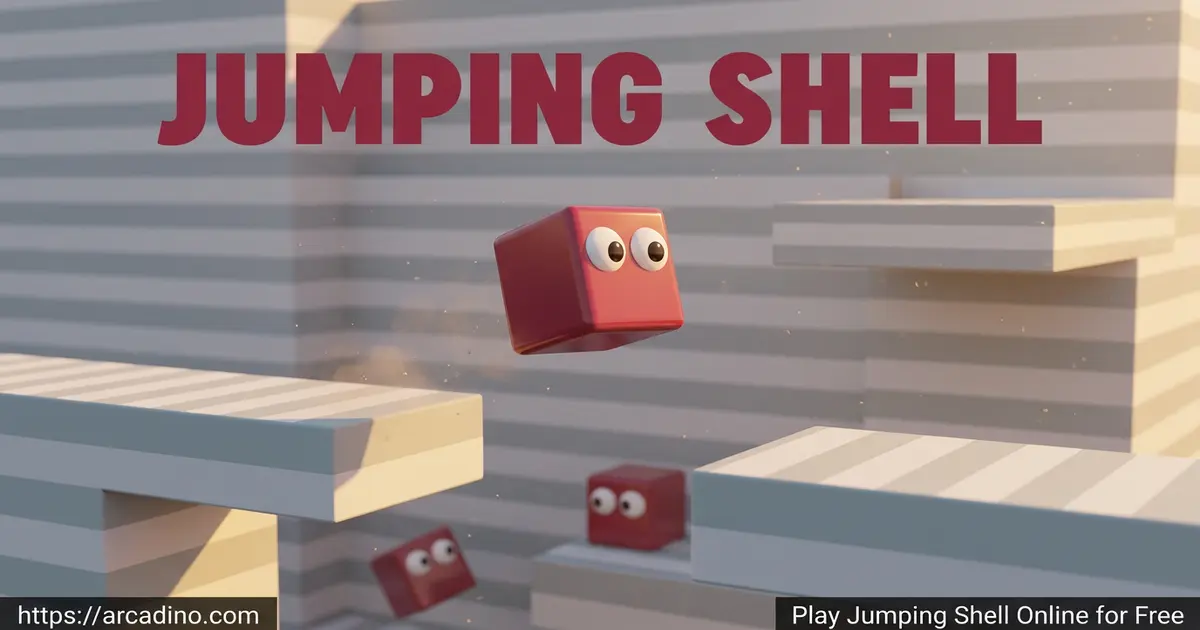
Visuals here are clean and friendly – flat colors, soft outlines, and a red cube with two little eyes that’s instantly likeable. Backgrounds stay minimal so your eyes can track shells and platforms without distraction. It’s the kind of art style that ages well and runs on basically any device.
Sound design is gentle, with soft jump cues and shell pops that give each action a satisfying snap. Nothing here is loud or jarring, which makes Jumping Shell great for quiet play sessions.
The Secret Logic Behind Every Shell Puzzle
Once you’ve played a few stages, you start spotting a hidden rulebook. Every shell in Jumping Shell does double duty – it’s a launchpad first, then a weight or platform after you leave it. The trick is deciding which role each shell should play before you commit. Smart players count their shells, then count the doors and buttons in the level. If the numbers match, you know exactly how many shells you can “spend” on extra height. If there are more buttons than shells, you’ll need to reuse one cleverly. This kind of resource math turns each level into a tiny logic puzzle, almost like a mini escape room. Once you train your brain to spot the pattern, even the toughest stages start to crack open.
How to Play Jumping Shell
Getting started takes about ten seconds. Open the game page, wait for the level to load, and you’re moving. There’s no tutorial wall of text – the first stage teaches you everything by example. If you get stuck, just hit R to restart and try a new approach.
Controls for Jumping Shell
- Move: A/D or Left/Right arrow keys
- Jump: W or Up arrow
- Double-jump / launch from shell: Press W or Up arrow again mid-air
- Restart level: R
- Back to menu: B or ESC
- Mobile: On-screen touch buttons for movement and jumping
Tips and Tricks for Jumping Shell
- Scout before you leap. Each level fits on one screen – look at every shell and switch before making your first move.
- Save your shell for height. Don’t drop into a shell unless you need the extra launch power later in the route.
- Use shells as weights. Dropping an empty shell on a button is often the only way to open certain doors.
- Chain double-jumps. Press the jump key right at the peak of your launch for maximum air time.
- Restart freely. Hitting R is faster than backtracking – the puzzles are short, so resets cost you nothing.
Level-by-Level Difficulty Guide
If you want to know what’s coming, here’s a rough roadmap of the 24 stages. Levels 1-6 are the warm-up – you learn to hop, launch, and drop shells on buttons. Levels 7-12 add timing puzzles where you’ll need to chain two launches in a row. Levels 13-18 mix in moving platforms and trickier shell placements, so planning becomes essential. The final stretch, levels 19-24, asks you to combine every trick at once, often with just one shell to spare. Most players finish the whole game in about 90 minutes, but a few brain-busters near the end can take 10 minutes each on their own. Don’t worry if you stall – that’s exactly when the hint videos become handy.
Key Features of Jumping Shell
- A fresh shell-nesting mechanic you won’t find in other platformers
- 24 escalating levels designed by puzzle veteran Robert Alvarez
- Optional video hints for tricky stages
- Tight, responsive keyboard and touch controls
- Zero ads inside gameplay – just a quick intro break
Why Players Love Jumping Shell
What makes this title click is how it respects your time. Levels are bite-sized, so you can solve one during a break and come back later for another. The aha-moments hit often, especially when you realize a shell can be used as both a launcher and a button-presser in the same puzzle.
It’s also gentle. There’s no timer, no lives, no leaderboard pressure. Jumping Shell is a thinking game, and it trusts you to enjoy it at your own pace.
What Makes Robert Alvarez’s Puzzles Special
Robert Alvarez has quietly become one of the best browser puzzle designers around. His games all share a clean look, a single bold mechanic, and levels you can finish in a minute or two. Instead of stretching a game out with filler stages, he packs every level with one fresh idea. That means you never grind – you’re always learning. Jumping Shell follows that same recipe, and fans of Chessformer or Big Tall Small will instantly recognize the style. If you finish all 24 stages and want more, his back catalog gives you dozens of hours of similar brain workouts. He even reads player feedback and tweaks tricky levels, which is rare for free browser titles.
Where to Play Jumping Shell
The fastest way is right in your browser – desktop, laptop, tablet, or phone all work since the game is built in HTML5. No installs, no sign-ups. Jumping Shell is also widely featured on Poki, which is where many puzzle fans first discover Robert Alvarez’s catalog.
Prefer your phone? There’s an official Android version on the Google Play Store. Stick to that link rather than random APK sites – third-party downloads can carry malware. The browser version is identical in content, so you’re not missing anything by playing online.
For Parents
Jumping Shell is a great pick for kids ages 7 and up. The puzzles build logical thinking, spatial reasoning, and planning skills without any violence, scary imagery, or chat features. There’s no in-game store, no account creation, and no way for strangers to contact your child.
Short levels make it easy to set a 20-minute play limit – kids can finish a stage or two and step away without losing progress. It’s a quiet, focused game that works well during downtime or as a screen-time reward.
Skills Kids Build While Playing
Jumping Shell sneaks in real learning under the fun. Planning a route teaches forward thinking, since kids must picture three or four moves before they jump. Counting shells and buttons sharpens basic math and resource skills. Restarting after a failed try builds patience and grit, two habits that help with homework too. The spatial reasoning needed to chain launches is the same skill used in geometry class. Best of all, the hint videos teach kids that asking for help is okay – they show a solution, then let the player try again on their own.
Similar Games to Jumping Shell
If the clever-cube puzzle vibe of Jumping Shell hooks you, these picks scratch the same itch:
- Chessformer – Another Robert Alvarez puzzler where chess pieces move like platformer characters.
- Big Tall Small – Resize three cubes to solve cooperative platform puzzles.
- Bottle Jump 3D – Flip a bottle onto tricky surfaces in a casual physics challenge.
- Geometry Jump – Time your hops past spikes in a fast-paced rhythm platformer.
Want more brain teasers? Browse the full Puzzle category for hundreds of similar games.
FAQs About Jumping Shell
Is Jumping Shell free to play?
Yes, Jumping Shell is completely free in your browser. You don’t need to register, download anything, or pay for levels. The whole 24-level adventure is available from the moment the page loads.
Who made Jumping Shell?
Jumping Shell was created by indie developer Robert Alvarez. He’s also behind other clever puzzle games like Chessformer, Resizer, Block Toggle, and Big Tall Small. His games are known for tight mechanics and short, satisfying levels.
How many levels does Jumping Shell have?
Jumping Shell has 24 unique levels. Each one introduces a new twist on the shell-launching mechanic. Difficulty ramps up gradually, so beginners and puzzle veterans both get a fair challenge.
How do you beat tough levels in Jumping Shell?
Use the built-in hint feature to watch a short video solution. The game lets you view a walkthrough for any stage you’re stuck on. You can also press R to restart instantly and try a different approach.
Is Jumping Shell the same as scallops or a Mario shell jump?
No, Jumping Shell is a standalone browser puzzle game, not related to scallops or Mario. Some searchers land here looking for Super Mario shell-jump tricks, but this title features a red cube and snail shells in original puzzle levels.
Can I play Jumping Shell on mobile?
Yes, Jumping Shell works on phones and tablets through any modern browser. There’s also an official Android app on Google Play. Touch controls replace the keyboard automatically on mobile devices.
Does Jumping Shell have ads or in-app purchases?
The browser version shows a brief ad before play, but gameplay itself is clean. There are no in-app purchases, no premium levels, and no paywalls blocking content. Everything in the game is unlocked from the start.
Ready to Launch?
With 24 carefully built levels, a hint system that respects your patience, and a one-of-a-kind shell-launching twist, Jumping Shell stands out in the crowded puzzle-platformer space. It’s calm, clever, and quietly addictive – the kind of game you’ll keep open in a tab between homework breaks. Grab a shell, plan your hop, and see how far that little red cube can fly.
Gameplay Video

