



























Watch one short ad and play ad-free for 30 minutes.
Polytrack
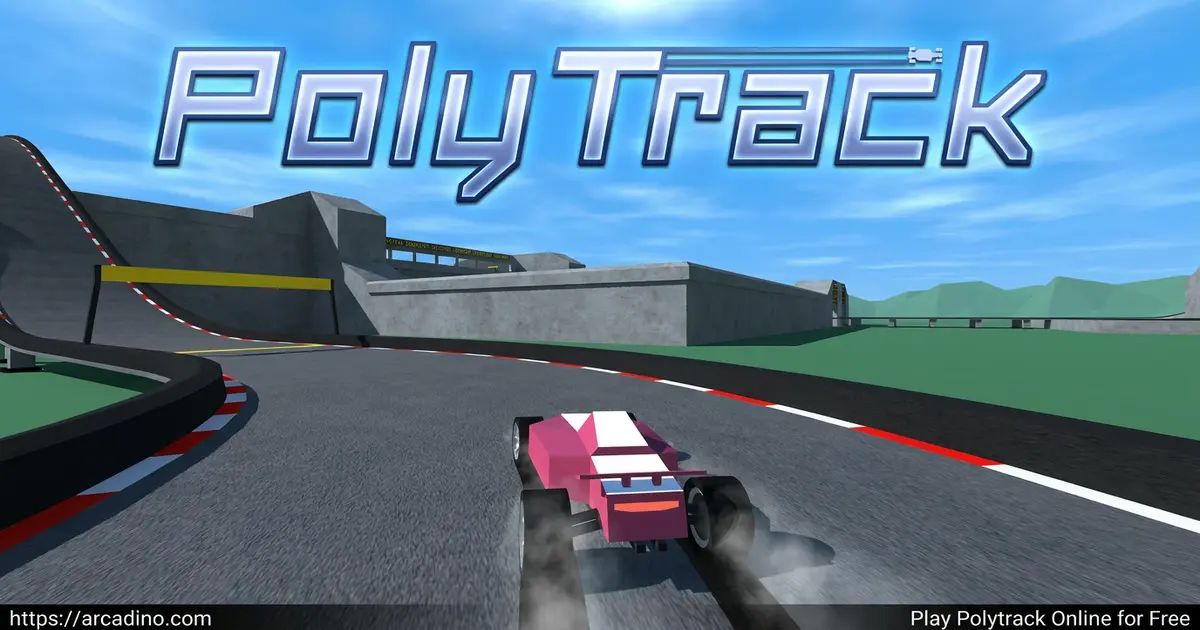
KodubPicture a chunky little car ripping through a loopy blue track, chasing a ghost of your own best run by mere hundredths of a second. That’s Polytrack, a free low-poly racing game you can play instantly in your browser. It’s built around one simple idea: drive a short track, spot your mistakes, restart, and shave off time. Add a full track editor and a community sharing custom maps, and you’ve got a racer that’s tiny in file size but huge in replay value. 🏁
- Low-poly time-trial racer inspired by TrackMania
- Race against ghost replays of top leaderboard players
- Built-in editor for designing and sharing your own tracks
- Summer, Winter, and Desert themed official maps
What Is Polytrack?
Polytrack is a 3D racing game made by Kodub, where you race a customizable blocky car against the clock. Instead of bumping into rival cars, you’re chasing tenths of a second on twisty tracks packed with loops, ramps, and big jumps. The whole vibe is bright, blocky, and super clean, with chunky shapes that make every corner easy to read at speed.
The first thing I noticed playing this little racer in Chrome is how fast it loads. The blocky art style keeps file sizes tiny, so even on a slow school laptop the game pops open in seconds. Steering feels tight with arrow keys, and the restart button works almost instantly, which is exactly what a time-trial game needs.
Polytrack Gameplay and the Time-Trial Loop
Every run in Polytrack is short, sometimes under a minute. You drive, you mess up a corner, you hit restart, and you try again with one tiny change. Maybe you brake a hair earlier, or take a tighter line, or land a jump pointing straight instead of sideways.
That loop is what makes the game so sticky. You’re not really racing the track, you’re racing your past self. Each retry feels like a fresh chance to find a smoother line. Ghost replays from the leaderboard show you exactly where faster drivers gained speed, so you’ve always got a target to chase.
Your First 30 Minutes: A Realistic Improvement Roadmap
New players almost always follow the same progress curve, and knowing it helps you stay patient. On your first attempt, just finishing a track without flying off is a win, even if your time looks slow. Across your next 10 attempts, you’ll usually drop 3 to 5 whole seconds just by braking earlier and keeping your car on the track. After about 20 attempts, the big mistakes are gone and you’re hunting for cleaner lines. From there, every improvement shrinks down to tenths and hundredths of a second. That’s the moment ghost replays become your best friend, because raw practice stops being enough. Most players hit a personal “good” time within 30 minutes per track, then keep chipping at it for days.
Polytrack Maps: Summer, Winter, and Desert
The game ships with a solid lineup of official tracks split across three themes. Summer maps roll through grassy fields and beach scenery. Winter levels swap in snowy hills and icy backdrops. Desert tracks add sandy dunes and warm orange tones.
In total, Polytrack includes 13 official tracks across the three themes. There are 7 Summer maps, 5 Winter maps, and 5 Desert maps to work through. Each set ramps up in difficulty, so early tracks teach the basics while later ones throw in tighter corners and trickier jumps.
The driving physics stay the same across themes, so the scenery is what changes. Some tracks demand silky steering through long sweeping corners. Others punish you for entering too hot, forcing precise braking. A few throw in tricky jumps where bad landings cost you serious time.
The Polytrack Editor and Community Tracks
The built-in level editor is where this racer really stands out. You pick parts from a build menu, place ramps, loops, and stunt pieces, then drop in checkpoints and a finish line. You can test your creation any time, tweak the tough sections, and then export a code to share with friends.
On top of the official maps, there’s a growing pile of community-made tracks. Just paste a shared code into the Custom Tracks tab and it shows up ready to race. Players post designs on Reddit and other forums, so you’ll never run out of fresh challenges.
Track Editor Design Tips for Beginners
Building a track that actually feels fun to race is trickier than it looks. Start by spacing checkpoints every 10 to 15 seconds of driving, so a small mistake doesn’t force a full restart. Put a long straight before any big jump, giving racers room to line up and hit it head-on. Avoid stacking loops back-to-back, since they bleed speed and leave drivers crawling out the other side. Always add a flat landing runway after jumps, because a wall or sharp turn right after a launch feels unfair. Rookie tracks often have surprise corners hidden behind hills, which just frustrates players who can’t see them coming. Test your own track at full speed before sharing it. If you keep crashing in the same spot, your design probably needs a fix, not your driving.
Leaderboards and Ghost Racing
Polytrack handles competition in a clever way. Instead of racing live opponents, you pick a player from the leaderboard before a run and watch their car appear as a transparent ghost. You can see exactly where they brake, where they cut, and where they hold full throttle.
You can also race your own personal best as a ghost, which is great for chipping away at your time. Beat your ghost by 0.20 seconds and suddenly a new ghost replaces it. That feedback loop is what turns a quick race into a one-more-try session.
Polytrack vs TrackMania: What’s Borrowed, What’s Stripped Away
Polytrack wears its TrackMania inspiration proudly, but it’s not a clone. From TrackMania, it borrows the medal-style time chasing, the instant restart button, the ghost replay system, and the built-in track editor with shareable creations. The core loop of “drive, fail, restart, improve” feels almost identical. What Kodub stripped away is just as important. There are no different track surfaces like dirt or ice that change grip, no car tuning, and no campaign with unlocks. You also won’t find multiple car classes or live multiplayer races. The result is a lighter, simpler game that loads in seconds and lets kids focus on one skill: shaving time. If you’ve ever wondered “is Polytrack like TrackMania,” the honest answer is yes in spirit, but smaller in every dimension.
How to Play Polytrack
Getting into Polytrack takes about ten seconds. Open the game in your browser, pick a track from the Summer, Winter, or Desert lists, and hit start. Your blocky car spawns at the line, the timer begins, and you go.
If you crash or take a corner badly, tap restart and try again. Most players spend more time restarting than actually finishing, and that’s the point. Before you race, you can also customize your car’s primary and secondary colors so it looks the way you want.
Polytrack Controls
The control scheme is simple and stays out of your way:
- Drive: WASD or arrow keys
- Restart run: T (Enter also works on most builds)
- Restart from last checkpoint: R
- First-person view: C
- Pause: Space bar
In the editor, left-click builds a piece, right-click pans the camera, and the mouse wheel zooms. Shift plus scroll changes height, R rotates an item, X deletes, and T lets you test drive your track on the spot.
Tips and Tricks for Polytrack
- Brake earlier than feels right. Late braking sends your car sliding wide, which kills your exit speed on the next straight.
- Land jumps pointing straight ahead. Sideways landings force you to correct, and every correction costs time.
- Hug the inside line through turns. Less distance traveled means a faster lap, especially on long sweeping corners.
- Watch a ghost replay before grinding. Picking a fast leaderboard ghost shows you the racing line you’re missing.
- Restart fast, restart often. Don’t finish a bad run. Tap T the moment you know a corner cost you the time.
- Stay low on wall rides. Hugging the bottom of the wall keeps your car stable and stops it from flying off the top edge.
- Approach platforms head-on. Hitting a raised platform at an angle catches your wheels and flips you. Square up before you land.
Key Features of Polytrack
- Clean low-poly 3D visuals that load fast on almost any device
- Time-trial racing with instant restarts after every mistake
- Ghost replays from leaderboards for asynchronous competition
- Full track editor with export codes for sharing creations
- Three official environments plus a growing community track library
Where to Play Polytrack
The easiest way to enjoy Polytrack is right in your browser, free, with no download, no sign-up, and no installer. It runs well on Chrome, Firefox, Edge, and Safari on Windows, macOS, Linux, and ChromeOS laptops. Because the game is so lightweight, it also works on many school Chromebooks, which is why searches like “polytrack unblocked” and “polytrack google sites” are so common.
You can also find Polytrack featured on Poki, and Kodub has shared development info that the game’s community keeps an eye on through GitHub-related searches. Mobile browsers can run it too, though touch controls feel less precise than a keyboard. If you ever see an APK download from an unknown site, skip it. The browser version is the safe one.
System Requirements: What You Actually Need
Polytrack is one of the most forgiving browser games when it comes to hardware. You need a modern browser, ideally Chrome 90+, Firefox 88+, Edge 90+, or Safari 14+. Around 2 GB of RAM is plenty, and you don’t need a fancy graphics card since the low-poly art is super light. A basic internet connection of 1 Mbps or higher is enough to load the game and sync leaderboard times. Older Chromebooks, budget laptops, and even some tablets handle it without breaking a sweat. If your device can play YouTube smoothly, it can run Polytrack.
For Parents
Polytrack is a great pick for kids around 8 and up. There’s no violence, no chat system, and no in-game purchases to worry about. The racing is bright and friendly, and the short run length makes it easy to set time limits, like “three more attempts and we’re done.”
The track editor also has a quiet educational side. Designing a course that flows well teaches kids about cause and effect, planning, and iteration. Twenty to thirty minutes is a comfortable session length for most players.
Similar Games to Polytrack
If you like time-trial racing where small improvements matter, these games hit a similar nerve:
- Moto X3M – High-octane motocross with stunt-heavy levels where timing and balance decide your finishing time.
- Drift Hunters – A car-control playground focused on perfecting drifts across a roster of tunable cars.
- Drift Boss – One-button drifting around sharp bends that rewards the same patient precision Polytrack does.
- Madalin Stunt Cars – A 3D stunt sandbox if you want big jumps without the strict timer.
- More Racing Games
FAQs About Polytrack
What is Polytrack?
Polytrack is a free low-poly time-trial racing game by Kodub. You drive a customizable blocky car through tracks full of loops and jumps, restart often, and try to beat your best time. It’s inspired by TrackMania and includes a built-in track editor.
Is Polytrack free to play online?
Yes, Polytrack is completely free to play in your browser. There are no sign-ups, no paywalls, and no in-game purchases. You just open the page, pick a track, and start racing.
How many official tracks does Polytrack have?
Polytrack ships with 13 official tracks. They’re split into 7 Summer maps, 5 Winter maps, and 5 Desert maps. On top of that, the community shares thousands of custom tracks through export codes.
Why is Polytrack laggy sometimes?
Lag usually comes from an overloaded browser tab or weak internet. Close extra tabs, update your browser, and check your connection. The game itself is lightweight, so most slowdowns come from outside it.
How do I share my custom Polytrack tracks?
You export your finished track as a code from the editor. Share that code with a friend, and they paste it into their Custom Tracks tab to load your map. Players also swap codes on Reddit and community forums.
Can I play Polytrack on a Chromebook or at school?
Yes, Polytrack runs smoothly on Chromebooks and most school laptops. Since it’s a browser game with tiny file sizes, it loads quickly even on modest hardware. Access depends on your school’s filter settings.
What is Polytrack 2?
Polytrack 2 isn’t an official sequel from Kodub at the time of writing. The name often pops up in fan searches and community discussions about new features or remakes. For now, the original Polytrack is the game to play.
Does Polytrack have a leaderboard?
Yes, every official track has a leaderboard with top times from verified players. You can pick a player’s ghost replay and race against it directly. Beating ghosts is the main way you measure progress.
Final Lap
Polytrack proves you don’t need flashy graphics or huge maps to make a brilliant racing game. The mix of tight time-trial driving, ghost competition, and a creative track editor keeps every session feeling fresh. Whether you’re chasing a leaderboard time or sketching out your wildest loop-the-loop course, there’s always one more thing to try. Boot it up, pick a Summer track, and see how many tenths you can shave off your first run.
