


















Watch one short ad and play ad-free for 30 minutes.
Rolling Ball 3D
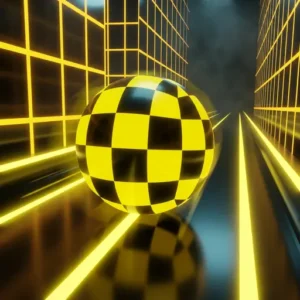
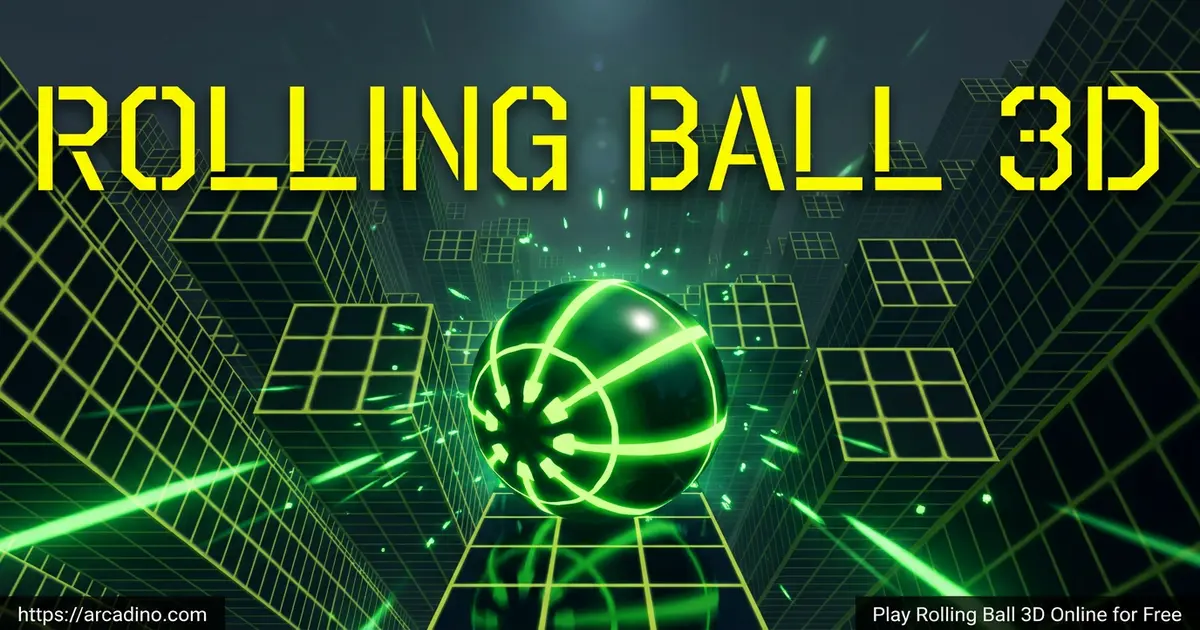
Sunjit41Picture a glowing ball zooming down a twisting 3D track while red blocks try to knock you off. That’s Rolling Ball 3D, a free arcade runner you can play right in your browser with zero downloads. It’s often confused with Slope because the speed-and-steer feel is similar, but this one has its own pace and challenges. If you love quick reflex games where one tiny tap decides your run, you’ll click with it fast. 🎯
- Endless 3D slope runner with auto-acceleration
- Steer a rolling ball past red obstacles and gaps
- Collect gems and grab power-ups mid-run
- Plays instantly in any modern browser, no install
What Is Rolling Ball 3D?
Rolling Ball 3D is an arcade ball-roller where you guide a sphere down a never-ending series of sloped platforms. The track twists, narrows, and throws sudden drops at you. Your only job is to stay on the path and react before the next red block clips you. It belongs to the same family of slope-style runners that kids and casual gamers love.
I ran it on a basic laptop in Chrome and the ball stayed buttery smooth even when the speed ramped up. The controls feel tight, with no laggy delay between key press and turn. That snappy response is what makes the game click – sloppy steering would ruin a runner like this. The load time is short enough that you can squeeze a run in between homework problems.
Gameplay in Rolling Ball 3D
The loop is simple: roll forward, steer side to side, survive. Your ball builds speed automatically the longer you stay alive, so each second gets harder than the last. Red obstacles will end your run instantly if you clip them. Falling off the edge of the slope does the same.
What keeps players hooked is the rhythm. You’re not just dodging – you’re reading patterns three seconds ahead, lining up gem pickups, and timing power-ups. The track shifts shape with waving platforms and narrow bridges, so memorizing one stretch never works for long. Every run feels a little different.
Difficulty Tiers and Track Progression
The longer you survive, the more the track unlocks new tricks. Early on, you’ll see straight slopes with simple static red blocks. Push further and the game layers in waving platforms that bob up and down. Later tiers add moving blocks that slide across your lane and narrow bridges with no safety rails. Each new tier also bumps the ball’s base speed, so dodging gets harder even before the obstacles do. Think of it less as fixed levels and more as a difficulty ladder you climb just by staying alive.
Run Phase Milestone Guide
If you want a roadmap for high-score attempts, it helps to break the run into rough phases. In the opening stretch, the ball rolls at a gentle pace and obstacles sit far apart – this is your warm-up window to grab easy gems. As you press on, speed ticks up and the first waving platforms show up, so your steering needs to get lighter. Around the mid-run mark, expect moving blocks and tighter gem placement that forces real decisions. Push past that and narrow bridges start replacing wide slopes, with red blocks stacking in patterns. The deep late-game throws everything at once: max speed, twisting bridges, and almost no breathing room. Treat each phase as its own mini-goal and your distance records will climb faster.
Power-Ups and Gems
Scattered across the track you’ll find shields, magnets, and gem multipliers. A shield lets you tank one red block without dying. The magnet pulls nearby gems toward your ball so you don’t have to weave for them. The multiplier doubles the value of everything you grab while it’s active.
Gems are the in-game currency. Stack enough of them and you can unlock new ball skins or buy power-ups in the shop. Tricky power-ups are usually placed in risky spots, like right next to a drop or behind a moving block. Grabbing them feels like a mini-reward for taking a smart risk.
Power-Up Cooldowns and Timing
Each power-up has its own cooldown, so you can’t just spam them back to back. Once a shield, magnet, or multiplier runs out, there’s a short wait before the next one of the same type will trigger. That means timing matters as much as collecting. Pop a magnet right before a dense gem cluster, not while you’re rolling through an empty stretch. Save your multiplier for the magnet window so the two stack into a huge gem haul. And never burn a shield on an easy dodge – hold it for a moment when red blocks pile up and you’re forced to thread a tight gap.
Graphics and Audio
The visuals lean into a clean, colorful 3D look with bright tracks and a glowing ball. Backgrounds shift as you progress, keeping the long runs from feeling repetitive. The soundtrack is upbeat and rhythmic, which actually helps your timing – you start steering to the beat without realizing it.
Accessibility and Performance Tips
Rolling Ball 3D runs lightly, but a few tweaks make it smoother on older devices. On low-end Chromebooks, turn on hardware acceleration in your browser settings so the graphics card handles the 3D scene instead of the CPU. Closing extra tabs also helps keep the frame rate steady, which matters because dropped frames make dodging feel unfair. The classic red-on-bright-track look can be tough for players with red-green colorblindness, so playing in a dim room or using a browser color filter extension can boost contrast. On phones, drop the screen brightness to medium and the touch swipes feel more responsive. If steering feels too jumpy, try the arrow keys instead of A/D – some keyboards register them with less delay.
Rolling Ball 3D vs Slope vs Crazy Roll 3D
People often ask how these three stack up, so here’s a quick side-by-side. Controls: all three use A/D or arrow keys on desktop, but Crazy Roll 3D also supports a second key set for 2-player. Power-ups: Rolling Ball 3D has shields, magnets, and multipliers; Slope has none and runs on pure reflex; Crazy Roll 3D offers speed boosts and shields. Multiplayer: only Crazy Roll 3D includes a built-in 2-player split mode – the other two are single-player. Track style: Slope sticks to a sharp neon tunnel feel; Rolling Ball 3D mixes waving platforms and narrow bridges; Crazy Roll 3D throws in spinning and floating sections. If you want strategy, pick Rolling Ball 3D. If you want pure speed, Slope wins. If you want to race a friend, Crazy Roll 3D is the answer.
How to Play Rolling Ball 3D
Getting started takes about five seconds. Open the page, wait for the track to load, and your ball starts rolling on its own. From there it’s pure reaction. The first stretch feels easy, but speed creeps up faster than you’d expect, so don’t get comfy.
Controls
- A / D or Left and Right Arrow keys – steer the ball side to side
- Number keys 1, 2, 3 – activate power-ups you’ve picked up
- Mobile – swipe left or right on the screen to move the ball
There’s no jump button and no pause – the run only stops when you crash. That’s part of the tension. If you need a break, you have to deliberately lose.
Tips and Tricks for Rolling Ball 3D
- Make small steering taps. At high speed, hard turns send the ball sliding off the edge. Quick light presses keep you centered.
- Look ahead, not at your ball. Focus your eyes about a second up the track so your brain has time to plan the next dodge.
- Save your shield for the fast section. The opening stretch is usually slow enough to dodge cleanly. Hold the shield until obstacles start stacking up.
- Don’t chase every gem. Diving across the track for one gem usually ends with a red block crash. Grab the easy ones in your lane.
- Play short sessions. Many players find their reflexes sharper in shorter bursts than in long marathon runs. Quick breaks can help your scores more than nonstop play.
Key Features of Rolling Ball 3D
- Endless slope generation – the track never plays out exactly the same twice
- Auto-accelerating ball that gets faster the longer you survive
- Shield, magnet, and 2x gem power-ups you can stack mid-run
- Unlockable ball skins bought with collected gems
- Lightweight HTML5 build that loads in seconds on browsers and phones
Where to Play Rolling Ball 3D
The fastest way is right here in your browser – no downloads, no sign-in, no waiting. It runs on Chrome, Firefox, Safari, and Edge on basically any laptop or Chromebook. Many players also find it through school-friendly portals like Hooda Math and Cool Math Games, which is why it shows up so often during study breaks.
If you’d rather have it on your phone, there are official mobile versions: Google Play for Android and the App Store for iPhone and iPad. Stick to those official links – random APK sites can pack in malware or fake versions.
For Parents
Rolling Ball 3D is a clean pick for kids 8 and up. It’s a reflex game with no chat, no violence, and no scary content – just a ball, a slope, and obstacles. The browser version is free with no required purchases, though the mobile app versions may show ads or offer optional skins.
Short play sessions of around 15 to 20 minutes work well for most kids. The game can help train focus, spatial awareness, and quick decision-making, so it’s a fun reflex workout. There’s nothing to set up and no account to make.
Similar Games to Rolling Ball 3D
If the fast-slope, dodge-everything style clicks for you, these arcade runners scratch the same itch:
- Slope – the original neon ball runner that inspired the genre, with the same auto-acceleration twist.
- Slope 2 – the direct sequel that doubles down on the neon tunnel feel with trickier turns.
- Slope 3 – a sharper sequel with new track shapes and obstacles.
- Crazy Roll 3D – endless ball rolling with waving platforms and a 2-player mode.
- Ball Surfer 3D – roll through a futuristic skyline grabbing gems and dodging boxes.
- Snow Rider 3D – swap the ball for a sled and dodge snowy mountain obstacles.
- Drive Mad – a thrilling physics-based driving runner where you balance and dodge across wild obstacle courses.
For more reflex-based picks, browse the full Arcade category.
FAQs About Rolling Ball 3D
Is Rolling Ball 3D free to play?
Yes, Rolling Ball 3D is completely free in your browser. There’s no subscription, no signup, and no paywall blocking levels. The mobile app versions are also free to download, though they may include optional in-app extras.
Is Rolling Ball 3D the same as Slope?
No, but it’s heavily inspired by Slope. Both games use a glowing ball rolling down an endless 3D slope with red obstacles. Rolling Ball 3D has its own track style, ball skins, and power-up system that set it apart.
Can I play Rolling Ball 3D unblocked at school?
Yes, it runs in any browser with no plugins or downloads. That means it works fine on most school Chromebooks and through most classroom filters. Always check your school’s rules before playing during class time.
Does Rolling Ball 3D work on phones and tablets?
Yes, the game is optimized for touch screens. Swipe left or right anywhere on the screen to steer the ball. There are also official Android and iOS apps if you want a dedicated install.
How do I get a high score in Rolling Ball 3D?
Stay centered and use small steering taps. Big swerves at high speed are the number one reason runs end. Watch the track a second ahead instead of staring at the ball, and save your shield for the chaotic late-game sections.
Are there 2 player modes in Rolling Ball 3D?
No – the base browser version of Rolling Ball 3D is single-player only, with no split-screen or online mode. If you specifically want a 2-player ball runner, try Crazy Roll 3D, which added a built-in 2-player split mode and lets two kids share one keyboard. That’s the closest match in the same genre.
How many levels does Rolling Ball 3D have?
The main mode is endless rather than level-based. The track keeps generating as long as you stay alive, with difficulty climbing the longer you survive. Your real goal is beating your own distance record.
Final Thoughts on Rolling Ball 3D
Rolling Ball 3D nails the three things a slope runner needs: tight controls, escalating speed, and a track that surprises you. The power-up system adds a layer of strategy that pure reflex games skip, and unlockable ball skins give you a reason to keep collecting gems. It’s the kind of game you fire up for one run and look up 40 minutes later.
Grab a quiet five minutes, load it up, and see how far your reflexes can carry the ball before the slope wins. 🚀
Gameplay Video