























Watch one short ad and play ad-free for 30 minutes.
Sprunki Phase 5
Sprunki Fan CommunityIf you love mixing beats and a sprinkle of spooky vibes, Sprunki Phase 5 is calling your name. It’s a free, fan-made music game you can play right in your browser – no download, no signup. This phase trades the colorful classic look for shadowy characters, eerie sounds, and a darker stage. You drag creatures onto the lineup, layer their loops, and watch a horror-themed track come alive. 🎵
Sprunki Phase 5 sits in the middle of the numbered Sprunki series, between Phase 4 and Phase 6. It’s one of the most loved entries because the sounds feel haunting but the rhythm still grooves. Fans built it as a tribute to Incredibox, then added their own twist.
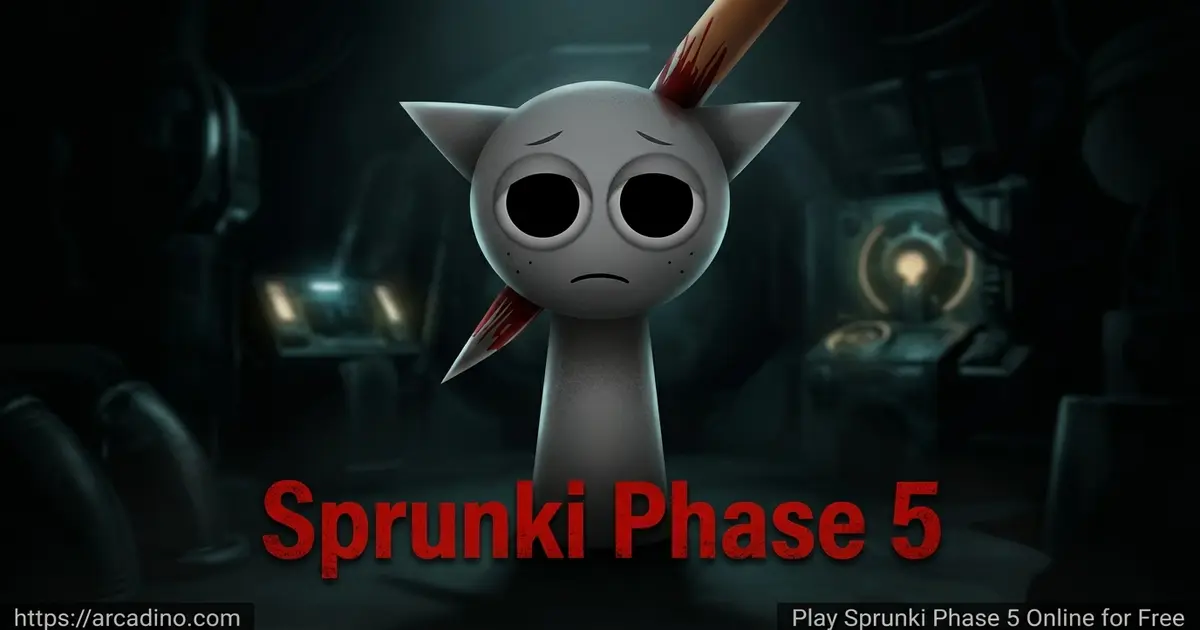
- Horror-themed music mixer with shadowy, redesigned characters
- Drag-and-drop beats, effects, melodies, and vocals
- Plays free in any modern browser, plus mobile support
- Part of the numbered Sprunki phase series – try Phase 4 or Phase 6 next
What Is Sprunki Phase 5?
Sprunki Phase 5 is a fan-made mod of the Incredibox-style game Sprunki. Instead of the bright original cast, this phase swaps in spooky versions of the characters. Each one has been “infected” in the lore, so their sounds twist into something darker. You still build music by stacking beats, but the mood is full-on horror movie.
The game runs on HTML5, so it loads straight in Chrome, Edge, Firefox, or Safari. From my own test runs, the lineup snaps into place quickly once the first load finishes, and dragging characters feels responsive even on a basic laptop. Give it about 30-45 seconds the first time – the audio samples are chunky and need a moment to cache.
Gameplay in Sprunki Phase 5
The core loop is simple but addictive. You pick a creepy character from the row at the bottom, then drag it onto one of the empty slots up top. The moment it lands, that character starts looping its sound – maybe a thumping bass, maybe a ghostly hum. Add more, and the loops sync into one full track.
What keeps you hooked is experimenting. Swap a beat character for a vocal one, or pull a melody off and drop a new effect in its place. The horror theme means you’ll hear groans, whispers, and metallic clangs blending with normal drums. Every combo creates a different spooky soundtrack.
Characters and Sounds in Phase 5
This phase splits its cast into four roles: Beats, Effects, Melodies, and Vocals. Familiar faces like Oren, Raddy, Clukr, Fun Bot, and Vineria handle the rhythm side. Brud, Garnold, OWAKCX, and Sky bring weird atmospheric effects.
On melodies, you’ll find Mr. Sun, Durple, Mr. Tree, Simon, and Tunner. The vocal team includes Mr. Fun Computer, Wenda, Pinki, and Jevin. Each one has been redrawn with darker designs – rotted textures, glowing eyes, that kind of thing. Mixing vocals with melodies is usually where the catchiest moments happen.
Fans love digging into where each sound came from. Several loops are slowed or sped variants of Phase 4 samples, twisted to fit the darker mood. A handful of redesigns trace back to Yubin Niiku’s fan art, which inspired the official Phase 5 look. Black’s haunting vocal pulls from the METAMORPHOSIS sound pack, a community favorite. Spotting these origins is part of what makes the Sprunki rabbit hole so deep.
Build Your First Spooky Track in 60 Seconds
Stuck staring at the empty stage? Here’s a quick recipe that gives you a solid haunted beat fast. Start with Oren on the first beat slot to lock in a steady thumping pulse. Next, drop Wenda on a vocal slot – her ghostly hum sets the creepy tone. Add Mr. Tree on melody for a gentle, eerie tune that floats over the beat. Finish with Sky on effects to layer in atmospheric whispers and clangs. That’s four characters, about a minute of dragging, and you’ve got a track that sounds way more polished than random clicking. From there, swap one piece at a time to find your own sound.
Graphics and Audio
The art style keeps the chunky Sprunki silhouettes but cranks up the spook factor. Backgrounds are murky, shadows are deep, and the characters bob to the beat with creepy little animations. It’s not jump-scare horror – more like a haunted music box.
Audio is the real star. The sound samples in Sprunki Phase 5 are crisp, layered, and surprisingly clean for a fan mod. Headphones make a big difference here because tiny details, like a whisper panning between ears, get lost on phone speakers.
Headphones vs. Speakers: What You’ll Hear
Phase 5 uses real stereo panning, which is rare for browser music games. On headphones, you’ll catch whispers sliding from the left ear to the right, metallic clangs ringing off to one side, and faint background hums layered behind the main beat. Phone and laptop speakers tend to mash all those channels into one flat sound, so the spooky details fade away. If you only have speakers, try turning the volume up a bit so the quiet textures still come through. For the full haunted-house experience, wired or Bluetooth headphones are the way to go.
Why Players Love Sprunki Phase 5
Phase 5 has become one of the most talked-about entries in the whole series. People love that it’s spooky without being scary, so younger players can still enjoy it. The creative freedom is huge too – there’s no score, no timer, just you and the mixer.
It’s also the version that sparked a ton of fan content. You’ll find remakes, remasters, and “definitive” editions floating around because creators keep building on the Phase 5 vibe. That community energy keeps the game feeling fresh.
How to Play Sprunki Phase 5
Getting started takes about ten seconds. Open the game page, wait for the loading bar, and the mixer screen appears. You’ll see your character roster at the bottom and a row of empty stage spots at the top. Drag, drop, listen, repeat.
There’s no tutorial pop-up, which is part of the charm. Just start dropping characters and you’ll figure out the rules by ear. If a track gets too messy, click a character on the stage to remove them and clean up the mix.
Controls for Sprunki Phase 5
Controls stay mouse-friendly the whole way through. Click and hold a character, drag them to a stage slot, and release. To remove one, click them on the stage. On mobile, the same actions work with your finger – tap, drag, drop, tap to remove.
Tips and Tricks for Sprunki Phase 5
- Start with one beat character before adding anything else – it sets the tempo for the whole track.
- Layer a vocal with a melody before piling on effects, so the song has a clear backbone.
- Mute or remove characters mid-song to create drops and build-ups, just like real DJs.
- Try unusual combos like two beat characters together – some Sprunki versions have hidden bonus animations, though Phase 5 itself mostly rewards you with cool sound layering.
- If a mix feels muddy, pull out one effect character. Less is often spookier than more.
Saving, Sharing, and Joining the Sprunki Community
Made a banger track you want to keep? Use your device’s built-in screen recorder to capture your mix in action. On Windows, press Win+G for Game Bar; on Mac, use QuickTime; on phones, the screen record button is in your control center. Many players share their recordings on TikTok, YouTube Shorts, and the Sprunki subreddit, where fans swap combos and remix ideas. There’s also a huge Sprunki Discord community where creators post new phase mods and Phase 5 variants. Showing off your mix is half the fun – and it might even inspire someone else’s next track.
Key Features of Sprunki Phase 5
- Horror-themed redesigns of the entire Sprunki character cast
- Four sound categories: Beats, Effects, Melodies, and Vocals to layer freely
- Drag-and-drop mixer that works with mouse or touchscreen
- Free-to-play in any modern browser with no account required
- Part of the numbered Sprunki phase series, with Phase 4 and Phase 6 as natural follow-ups
Different Versions of Sprunki Phase 5
One of the coolest things about Phase 5 is how many versions exist. Here’s a quick tour of the main ones you’ll bump into:
- Phase 5 Original – the first release, the version most fans mean when they say “Phase 5.”
- spu9nix Version – a fan edit by creator spu9nix with tweaked sounds and small visual changes.
- Yubin Niiku Redesigned – uses the popular fan art redesigns that later inspired the official look.
- Phase 5 Remade – a community polish pass with cleaner art and tighter audio loops.
- Phase 5 Re-Animated – focuses on smoother character animations and new bobbing motions.
- Version 2.6 – adds a background toggle and two new characters, expanding the roster.
If you’ve only played the Original, trying one of these variants is a fun way to hear familiar sounds in fresh ways.
Will It Work on a School Chromebook?
Phase 5 is a popular pick for classrooms and homework breaks because it runs on locked-down school Chromebooks in most cases. Since it’s pure HTML5, there’s no plugin to install and no admin password needed. You may need to click once anywhere on the page to unlock audio – that’s a browser autoplay rule, not a game bug. Some school networks block game sites by category, so if it won’t load, your IT filter is probably the issue rather than the game itself. The controls are mouse and touchscreen based, so full keyboard-only navigation is limited – kids who rely on assistive tech may need a mouse or trackpad. Teachers like using it as a low-pressure intro to rhythm, layering, and basic music theory, since there’s no score or fail state to stress anyone out.
Troubleshooting: Game Won’t Load or Audio Cuts Out
Most Phase 5 problems have quick fixes. Try these in order:
- Blank screen or stuck loading bar – clear your browser cache and refresh. The audio samples are big, and a half-downloaded cache can freeze the loader.
- No sound – click anywhere on the game screen first. Browsers block autoplay audio until you interact with the page.
- Opened from Instagram, TikTok, or Discord and nothing works – those in-app browsers are stripped down and often break HTML5 games. Tap the three-dot menu and choose “Open in Chrome” or “Open in Safari.”
- Audio crackles or cuts out – close other tabs playing media, and try switching browsers. Firefox sometimes handles long audio loops better than Chrome on older laptops.
- Still broken? Try a private/incognito window. A bad browser extension is often the culprit.
Where to Play Sprunki Phase 5
The easiest way to jump in is right here on Arcadino – the game loads in your browser with no install. It works on Chromebooks, school laptops, Windows PCs, and Macs. Many players also discover it through Scratch ports and Cocrea pages, since the Sprunki community shares versions across those platforms.
On phones and tablets, you can play in the mobile browser, which works great for most players. If you want a standalone app, search “Sprunki Phase” on the Google Play Store or the Apple App Store and stick to listings with lots of reviews. Avoid random APK files from unknown sites, since those can carry malware.
For Parents
Sprunki Phase 5 is generally considered okay for kids around 8 and up by community guides and fan wikis, but the horror theme matters and every kid is different. Expect shadowy characters, eerie sound design, and some unsettling visuals – nothing gory, but younger or sensitive kids might find it spooky. There’s no chat, no real-money purchases inside the browser version, and no account signup. We’d suggest previewing a minute of gameplay yourself before handing it to a younger child.
The game actually has educational upside: it teaches rhythm, layering, and basic music structure without any pressure. A 15-20 minute session is usually plenty before kids start cycling through the same combos.
Similar Games to Sprunki Phase 5
If the spooky beat-making in Phase 5 hooks you, these mixers and rhythm games will scratch the same itch.
- Sprunki Phase 4 – The direct predecessor, with a slightly less horror-heavy mood but the same drag-and-drop fun.
- Sprunki Phase 6 – The next entry in the numbered series, pushing the dark theme even further.
- Sprunki Retake – A popular fan rework of the original Sprunki with a creepy twist.
- Sprunki Phase 5 Remake – A polished version with smoother animations and remastered audio.
- Incredibox – The original beatbox-mixer that inspired the whole Sprunki universe.
- Sprunki OC – A community favorite where fans add their own original characters into the mixer for endless custom combos.
- Sprunki Mustard – A fan mod with a yellow-tinted Mustard theme and unique sound samples that influenced other phases.
Explore more rhythm and beat-making games in our Music games category.
FAQs About Sprunki Phase 5
How do you play Sprunki Phase 5?
You drag characters from the bottom row onto the stage slots at the top. Each character loops a beat, melody, effect, or vocal, and they sync automatically. Click a character on the stage to remove them. Mix and match to build your own spooky track.
Is Sprunki Phase 5 free to play?
Yes, Sprunki Phase 5 is completely free in your browser. There’s no signup, no paywall, and no time limit. You can play as long as you want and make unlimited mixes. App versions on iOS and Android may include extras but the core game is free.
Is Sprunki Phase 5 part of the numbered series?
Yes, it’s one of the main numbered phase pages. It sits between Phase 4 and Phase 6 in the official fan timeline. Each phase changes the characters, sounds, and theme while keeping the same drag-and-drop format.
How do you get Sprunki Phase 5?
Just open the game page in your browser – no download needed. The HTML5 version loads in seconds on Chrome, Edge, Firefox, and Safari. If you want it on your phone, search the Play Store or App Store for a trusted Sprunki Phase app.
Is Sprunki Phase 5 scary?
It’s spooky, not full-on scary. Expect shadowy characters, eerie sounds, and a horror-style background, but no jump scares or graphic content. Most kids 8 and up handle it fine, though very young or sensitive players might want to skip it.
Can I play Sprunki Phase 5 on mobile?
Yes, it works on phones and tablets through any modern mobile browser. The drag-and-drop controls translate perfectly to touch. There are also dedicated apps on iOS and Android if you prefer a standalone version.
What’s the difference between Sprunki Phase 5 and Phase 5 Remake?
The Remake is a polished version of the original Phase 5. It adds remastered audio, smoother animations, and performance tweaks while keeping the same horror theme and cast. The original is the version most fans grew up on, while the Remake feels more modern.
Wrap-Up
Sprunki Phase 5 nails the rare combo of spooky atmosphere and pure creative fun. The horror-flavored characters, layered sound design, and free browser access make it one of the most replayable entries in the whole Sprunki lineup. Whether you’re chasing a creepy beat drop or just messing around with weird combos, there’s always a new mix waiting.
Pop open the page, drag your first shadowy character onto the stage, and see what kind of haunted track you can build. Then send it to a friend and dare them to top it.
Gameplay Video