
























Watch one short ad and play ad-free for 30 minutes.
Ludo
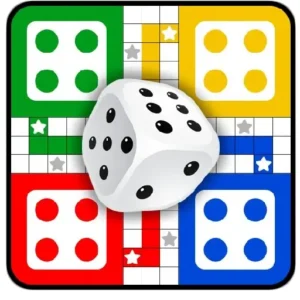
Various (public domain)Roll the dice, move your tokens, and chase that satisfying “home” moment – Ludo is the dice-and-strategy board game that’s been hooking families for generations. You can play Ludo online for free right in your browser, no download needed. This digital take on the ancient Indian game of Pachisi keeps the simple rules but adds online multiplayer, computer opponents, and colorful boards. 🎲
It’s a perfect mix of luck and smart moves. One lucky six can rescue your token from base, and one risky step can send an opponent’s piece all the way back. That tug-of-war is why Ludo still wins game night.

- Classic 2 or 4-player board game based on Pachisi
- Play against the computer or real people online
- Safe star squares and token blocks add real strategy
- Works instantly in any modern browser – no install
What Is Ludo?
Ludo is a classic board game, also known as Pachisi or Parcheesi in different parts of the world. Each player picks a color and gets four tokens that start in a home base. Your goal is simple: roll the dice, move your tokens around the board, and get all four to the center triangle before anyone else does.
The game traces back to ancient India, where kings and queens played a version called Pachisi in royal courts. Today’s digital Ludo keeps that old-school feel but speeds things up with smooth animations and quick matchmaking. On a basic laptop with home Wi-Fi, the board usually loads in just a few seconds, and dice rolls feel snappy. That makes it great for a quick match during a study break.
Ludo Around the World
Ludo goes by lots of fun names in different countries. In Sweden it’s called Fia, in France Petits Chevaux (“little horses”), and in Italy Non t’arrabbiare (“don’t get angry”). Vietnamese kids play Cờ cá ngựa, while families in the Middle East know it as Barjis. Hungary has Ki nevet a végén (“who laughs at the end”), and China has its own twist called Aeroplane Chess. You’ll also spot close cousins like Trouble, Sorry!, Chopat, and Chaupur. Same dice-and-token fun, just dressed up differently!
Ludo Gameplay and Core Loop
Every turn starts with a dice roll. To move a token out of your base and onto the starting square, you need to roll a 6. Roll any other number and your token in play moves that many spaces forward.
Rolling a 6 also gives you another turn, which can flip a whole match around. In Ludo King and many digital versions, rolling three 6s in a row makes you lose that turn as a fairness rule – though heads up, that rule isn’t used in every Ludo variant, so check the version you’re playing. Land on an opponent’s token and you send it back to base – one of the most satisfying moves in the game. Land on a star square, though, and you’re safe from being captured.
Ludo Rules You Need to Know
The rules are easy to pick up but take time to master. Two tokens of the same color on one square form a block that other players can’t pass through. Tokens can only enter the home triangle on an exact dice roll, so the last few spaces are often the trickiest.
You need all four tokens safely home to win. That means you can’t just rush one piece – you have to manage all four at once. It’s this balance of luck and planning that keeps people coming back for another round.
Game Modes in Ludo
This board game offers a few different ways to play. You can take on the computer in single-player mode when you just want a quick match. Online multiplayer lets you face real opponents, usually in 2-player or 4-player matches.
Some versions also include local multiplayer, where friends share one screen and pass the device between turns. Many apps now support 5 or 6 players, and Ludo King even runs 8-player tournament brackets. Social touches like friend challenges, preset chat messages, emojis, and “Adda” clubs let you team up with buddies between rolls. It’s a nice way to play with classmates without sharing personal info.
Snakes and Ladders Bonus Mode
Lots of Ludo apps pack in a Snakes and Ladders mode too, and it’s a blast. You race from square 1 to square 100, rolling the dice to move forward one number at a time. Land at the bottom of a ladder and you zoom up to a higher row – a sweet shortcut to the finish. Land on a snake’s head, though, and you slide all the way down to its tail. There’s no capturing or blocking here, just pure dice luck and reading the board for the best jumps. Matches are quick, so it’s perfect when you want a fast change of pace from Ludo.
Graphics, Themes, and Audio
The visuals stay true to the classic Ludo board but get a clean, colorful makeover. Tokens slide smoothly across the squares, and the dice has a nice tumbling animation. Many versions of the game also offer board themes – think nature, candy, or other fun skins – to keep the look fresh.
Sound design is simple but effective. Dice clatter, cheerful pings when you capture a piece, and soft background music make matches feel lively without being noisy. It’s the kind of audio that fits whether you’re playing alone or with a group.
How to Play Ludo
Getting started takes about 10 seconds. Open the game in your browser, pick a mode – computer or online – and choose your color. Then hit play and the board loads up with your four tokens lined up in their base.
From there, just click the dice to roll. If you get a 6, click one of your tokens to move it onto the starting square. After that, plan each move to push tokens forward, block opponents, or send their pieces back home.
Ludo Controls
Controls are as easy as it gets. Use the left mouse button to roll the dice and to choose which token you want to move. On mobile, just tap the dice and tap your token – same logic, finger instead of click. No keyboard needed.
Tips and Tricks for Ludo
- Spread your tokens out: Don’t push one piece all the way home before moving the others. You need all four to win.
- Use blocks wisely: Land two tokens on the same square to form a wall opponents can’t cross.
- Aim for star squares: Park vulnerable tokens on safe stars when you can’t make distance.
- Capture when it counts: Sending an opponent’s token back also earns you a bonus dice roll – chain that momentum.
- Plan for exact rolls: Tokens enter the home triangle only on exact numbers, so count spaces carefully near the finish.
The Math Behind Smart Ludo Play
Want to level up? Let’s talk numbers. A six-sided die gives you a 1 in 6 chance (about 17%) of rolling a 6 on any single turn. That means, on average, it takes about 6 rolls to release one token – and roughly 24 rolls to get all four out of base. Beginners often chase one token home fast, but that leaves three pieces stuck and wastes the bonus turn a 6 grants you. A smarter rule of thumb: if you can capture an opponent within 6 spaces, do it – the free roll plus sending them back 50+ squares is almost always worth more than racing ahead. Save risky solo runs for the last stretch, and form blocks early to slow down faster opponents. The more tokens you keep in play, the more choices each roll gives you.
Ludo vs Parcheesi vs Sorry! vs Trouble
Curious how Ludo stacks up against its cousins? Here’s a quick side-by-side:
- Ludo: 15×15 board, 4 tokens per player, one six-sided die, star squares are safe.
- Pachisi: Cross-shaped cloth board, 4 tokens, uses 6 or 7 cowrie shells instead of dice, castle squares are safe.
- Parcheesi: 68-space track, 4 tokens, two six-sided dice (more options per turn), safe squares marked with circles.
- Sorry!: 60-space track, 4 pawns, uses cards instead of dice, “Safety Zone” near home protects pawns.
- Trouble: 28-space track, 4 pegs, die sits in a Pop-O-Matic bubble, no safe squares at all.
Same family, different flavors – try them all and pick your favorite!
Accessibility and School-Friendly Play
Good news for school laptops and older devices: browser Ludo is super light. It usually loads in under 5 seconds on home Wi-Fi and runs fine on Chromebooks, which makes it a solid pick for indoor recess or computer lab free time. On slow connections, the board may take a bit longer, but once it’s loaded, gameplay stays smooth since most actions happen locally. Many versions offer high-contrast or colorblind-friendly token options – look in the settings for alternative color sets if red and green look similar to you. Some school networks block game sites, so check with a teacher first. Sound can be muted too, which keeps things classroom-quiet.
Key Features of Ludo
- Faithful digital version of the classic Pachisi board game
- Online multiplayer with 2, 4, 5, or 6 players, plus single-player vs computer
- Safe star squares, blocks, and capture rules for real strategy
- Snakes and Ladders bonus mode in many versions
- Friend challenges, club/Adda support, emojis, and preset chat messages
- Runs fully in browser – no install or sign-up required to start
Where to Play Ludo
The easiest way is right in your web browser. Just open the game page and the board loads in seconds – Chrome, Firefox, Safari, and Edge all handle it fine. There’s nothing to download, and you can jump into a match with the computer or with online players almost instantly.
If you want to play on the go, the popular Ludo King mobile app is available on both major stores. Grab it on Google Play for Android or the App Store for iPhone and iPad. Stick to those official stores – random APK files from other sites aren’t safe.
Who Made Ludo King?
Ludo King is made by Gametion Global, an Indian game studio based in Mumbai. They first launched the app in 2016 for Android and iOS, then expanded to Windows, macOS, and web browsers. It became one of India’s most downloaded games during the 2020 lockdowns, when families turned to digital board games to stay connected. The studio still updates the game with new themes, modes, and tournament features.
For Parents
Ludo is a great pick for kids around age 6 and up, based on common board game age suggestions – though kids who already know basic counting can usually jump in earlier. The rules are simple enough for younger players, but the strategy around blocks, captures, and exact rolls helps build basic math and planning skills. It’s also a perfect family game – everyone from grandparents to little siblings can join in.
Online modes may include chat features in some versions, so it’s worth checking settings if your child plays with strangers. Many apps limit chat to preset emojis and phrases, which is safer than open text. Sessions are naturally short, usually 10-20 minutes per match, which makes it easy to set healthy play limits.
Similar Games to Ludo
If you enjoy this classic dice-and-token board game, these similar titles are worth a roll:
- Snakes and Ladders – Another childhood favorite where dice rolls send you climbing ladders or sliding down snakes.
- Parchisi – The Spanish cousin of Ludo with very similar rules and four-token racing.
- 2048 – A different kind of brain teaser, but a popular pick on board game pages.
- Word Search – A relaxing family-friendly puzzle for between Ludo matches.
Browse more options on our Board Games category page.
FAQs About Ludo
How do you play Ludo?
Roll the dice, get a 6 to release a token, then move tokens around the board to home. Each player has four tokens, and the first to bring all four into the center triangle wins. You can capture opponents by landing on their square.
Is Ludo free to play online?
Yes, Ludo is free to play in your browser with no sign-up. You can jump straight into a match against the computer or join online multiplayer at no cost. Mobile apps are also free to download.
Can I play Ludo on mobile?
Yes, Ludo works on both Android and iOS phones and tablets. You can download the Ludo King app from Google Play or the App Store. Touch controls replace mouse clicks for tapping the dice and tokens.
How many players can play Ludo?
Most versions support 2 or 4 players online. Some local multiplayer modes allow up to 6 players sharing one device. You can also play solo against computer opponents.
What is the difference between Ludo and Pachisi?
Ludo is the modern version of the ancient Indian game Pachisi. The rules are very similar – four tokens, dice rolls, racing home. Ludo just uses a six-sided die and a simplified board layout.
How long does a Ludo game take?
A typical Ludo match lasts about 10 to 20 minutes. Quick modes can finish faster, while full 4-player games sometimes run longer. It depends on dice luck and how often pieces get captured.
Do I need an account to play Ludo online?
No account is needed to play the browser version. Just open the page, pick a mode, and start rolling. Some mobile features like friend invites may ask you to sign in.
Ready to Become the Ludo King?
Ludo is the kind of board game that never really gets old – simple dice rolls, smart token plays, and that rush when you knock an opponent back to base. With free browser play, computer opponents, online multiplayer, and a built-in Snakes and Ladders mode, there’s plenty here to keep you busy. Grab a color, roll that first dice, and see if you can get all four tokens home first.
Gameplay Video