



























Watch one short ad and play ad-free for 30 minutes.
Age of War
Max Games StudiosIf you’ve ever wanted to lead cavemen into battle and end up commanding laser-firing mechs, Age of War is your game. It’s a free browser strategy classic where two bases face off across one battlefield, and you evolve through five eras to win. The match starts with clubs and rocks and ends with futuristic weapons that wipe the screen. 🦖
What makes Age of War so addictive is the constant pressure. Every soldier you kill earns gold and XP, and you’ve got to choose between buying more troops or saving up to evolve. It’s a tug-of-war that rarely lasts more than 30 minutes per round.
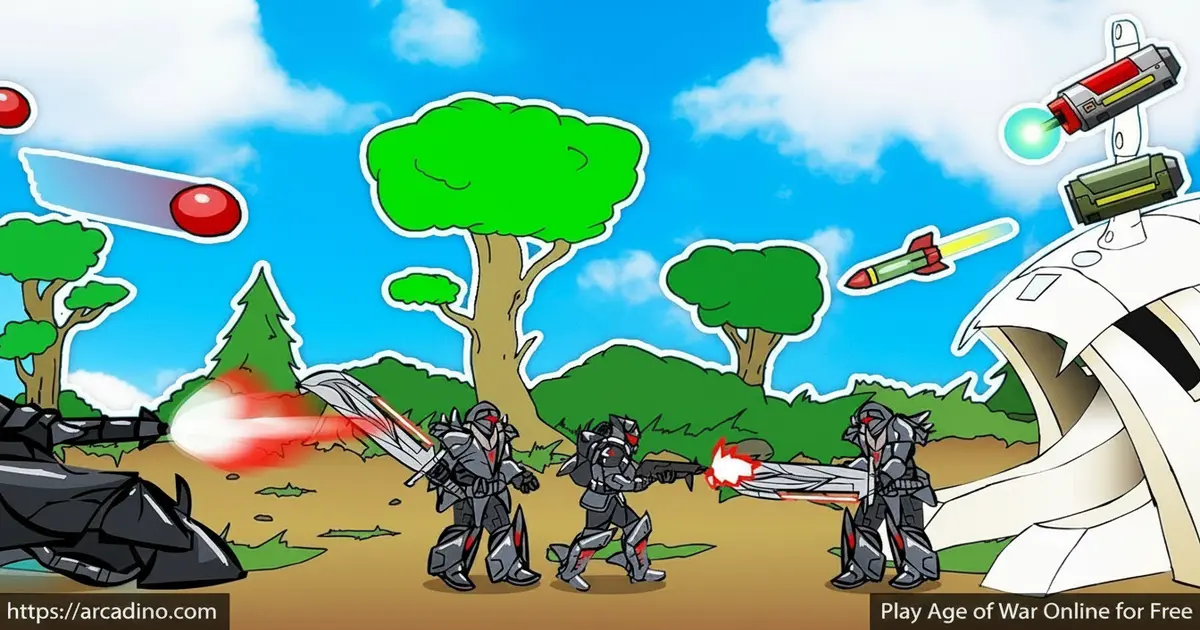
- Battle across 5 historical ages, from Stone Age to Future Age
- Command 16 different unit types (split across eras, with 3-4 units available per age) and build 15 unique turrets
- Unleash special attacks like meteor showers when things get rough
- Plays instantly in any modern browser, no download needed
What Is Age of War?
Age of War is a side-scrolling base defense and strategy game built around evolution. You spawn troops on the left side of the map, the enemy spawns on the right, and your armies clash in the middle. Earn enough experience and your whole civilization jumps forward an era, unlocking stronger units and tougher turrets.
The game was originally a Flash hit by developer Louissi, released back in 2007. Today it lives on as an HTML5 version, so it loads in seconds without any plugins. From my own testing, Age of War boots up almost instantly on Chrome and runs smoothly even on a school Chromebook.
When Flash was discontinued at the end of 2020, a lot of classic browser games went dark. Age of War survived thanks to two things: a clean HTML5 remake, and the Ruffle emulator that lets old Flash files run safely in modern browsers. That’s why you can still boot it up today on a Chromebook without any plugins or scary downloads. It’s become a small piece of internet history that refused to disappear.
One thing longtime fans always mention is the soundtrack. The looping battle music is “Glorious Morning” by Waterflame, and it’s basically the unofficial anthem of the game. That bouncy, slightly epic track is a huge part of why Age of War feels so memorable, and you’ll probably find yourself humming it after a few rounds.
The blend of tower defense, real-time tactics, and light economy management is what keeps Age of War on “best classic browser game” lists. It’s simple enough for kids to grasp in one match, yet deep enough to keep you replaying on harder difficulties.
Gameplay in Age of War
Each round of Age of War starts in the Stone Age. You’ve got cavemen with clubs, dinosaur riders, and a single base to protect. Defeating enemy units drops gold and XP, which you spend on more troops, turrets, or extra turret slots.
Once your XP bar fills, you can evolve. The catch? Old units disappear from your menu and new ones cost more gold. The enemy evolves right alongside you, so the arms race never stops.
There’s also a special attack on a cooldown timer. In early eras it rains rocks; in later eras it triggers artillery strikes or screen-wide laser barrages. Saving it for the right moment can flip an entire match.
The Five Ages of Age of War
The five eras give the game its identity. Each one looks completely different and changes how your army fights. Keep in mind only the units from your current age are available, so you’ll juggle 3-4 unit choices at a time, not all 16 at once:
- Stone Age – clubs, rocks, and dinosaur riders
- Castle Age – knights, archers, and catapults
- Renaissance Age – musketeers and cannons
- Modern Age – riflemen, tanks, and helicopters
- Future Age – mecha warriors and plasma turrets
Reaching the Future Age before your opponent is usually the path to victory. The Future units massively out-damage anything older.
Difficulty and Strategy in Age of War
Before each match you pick a difficulty: Easy, Normal, or Hard. Easy is great for learning the flow, while Hard makes the AI gain gold faster and pile on the pressure. Even confident players can sweat through a Hard match in the Future Age.
Smart play means picking one frontline tank and one ranged attacker per era instead of buying every unit. That keeps your XP bar climbing while still defending the base. The health bar above your headquarters is the only thing standing between you and a loss screen.
How to Play Age of War
Getting started is painless. Open the game in your browser, pick a difficulty, and watch the Stone Age battlefield load up. Your toolbar at the top lets you spawn units, build turrets, sell them, or unlock more turret spots.
The basic loop is: spawn cheap troops, defeat enemy units, collect gold and XP, build turrets, and evolve when ready. Don’t dump every coin on units – turrets do a ton of passive damage and free your gold for evolving.
Turret Slots and Upgrades
Your base comes with 4 turret slots total, but only one is unlocked at the start. You buy the other three over time, and once they’re all open, your defense really clicks into place. Each empty slot is wasted damage, so filling them is a top priority before you evolve.
Upgrading turrets is sneaky-simple: just left-click an existing turret and pick a new one to replace it. The old turret sells back at a small loss, and the new one drops in instantly. After every evolution, swing back and swap your old turrets for fresh era-appropriate versions to keep your firepower current.
An Era-by-Era Opening Build Order
Want a real playbook instead of vague advice? Here’s a tight opener that works on Normal or Hard difficulty:
- 0-15 seconds (Stone Age): Spawn 3 clubmen back-to-back. Don’t buy a turret yet – let them tank early hits and farm gold.
- 15-40 seconds: Once you hit around 150 gold, build one Stone Age turret (the slingshot) in your first slot. Keep spamming clubmen between turret purchases.
- 40-60 seconds: Save up roughly 600 gold to unlock a second turret slot, then drop another slingshot. Mix in one dino rider for ranged backup.
- 60-90 seconds: Stop buying clubmen the moment your XP bar is one kill from evolving. Bank gold instead so you can afford Castle Age units right after.
- Castle Age transition: Evolve, immediately swap both turrets to Castle-tier (left-click upgrade), then spawn a knight followed by an archer. Repeat the same farm-then-bank rhythm for the next evolution.
Stick to this rhythm and you’ll usually hit the Future Age a full evolution ahead of the AI.
Age of War Controls
Controls are about as simple as strategy games get. On desktop, you use the left mouse button for everything: clicking unit icons to spawn troops, clicking turret slots to build, and clicking the evolve button when your XP fills. Hovering over an icon shows its cost and stats.
On mobile, single taps replace clicks. The HTML5 version of Age of War resizes hit boxes for smaller screens, so phone play feels natural. Tap the skull icon to fire your special attack when the enemy swarms you.
Tips and Tricks for Age of War
- Spam Stone Age clubmen early. They’re the cheapest unit, and chaining them keeps gold flowing while you save XP to evolve.
- Fill turret slots before evolving. Turrets carry over visually but get upgraded each era, so empty slots are wasted defense.
- Time your special attack. Wait until the enemy clumps together near your base, then trigger the meteor or artillery for max damage.
- Don’t buy every new unit. Stick to one tank and one ranged unit per era – your economy will thank you.
- Race to the Future Age. Whoever evolves first usually wins, because Future units shred earlier troops fast.
Key Features of Age of War
- Five completely different eras with their own art, units, and turrets
- 16 unit types and 15 turret types in total (each era unlocks its own roster of 3-4)
- Era-specific special attacks that can clear waves of enemies
- Three difficulty levels for casual to hardcore play
- Iconic looping soundtrack featuring Waterflame’s “Glorious Morning”
- Quick matches that wrap up in 15 to 40 minutes
Age of War vs. Age of War 2 vs. Age of War 3
If you loved the original, the sequels are worth knowing about because each one feels pretty different:
- Age of War (2007): The classic, tightly tuned five-era format. Linear evolution, simple economy, and the cleanest learning curve. Best if you want the pure original experience.
- Age of War 2 (2008): Adds branching upgrade paths, more eras, and unit choices that actually change your strategy. Matches run longer and reward planning ahead. Best if you’ve mastered the first game and want depth.
- Age of War 3: Designed with mobile in mind, with bigger touch buttons, smoother pacing, and a more polished art style. Best if you mostly play on phones or tablets.
Short version: pick the original for tight classic play, the sequel for strategic depth, and the third game if you’re a phone-first player.
Where to Play Age of War
The fastest way to jump in is straight through your browser on Arcadino. Age of War runs in Chrome, Firefox, Edge, and Safari with no download, no signup, and no Flash plugin. The HTML5 build is light enough for school Chromebooks and budget tablets too.
If you want to play on the go, official mobile versions exist on both major app stores. Grab them here:
Stick to the official stores rather than random APK sites – those can hide malware. Fans also search for the game on castle defense unblocked portals at school, and the browser version usually works there since it doesn’t need installation.
Age of War in the Classroom and on School Chromebooks
Teachers, this one’s for you. Age of War usually slips through standard school content filters because it’s a browser-based HTML5 game with no chat, no logins, and no user-generated content. There’s no profanity or social features for filters to flag, and it loads from a single web page just like any educational site. Locked-down Chromebooks handle it well since HTML5 runs natively in Chrome – no plugins, no admin permissions, and no install required. The match length is the real win for class use: an Easy or Normal round fits cleanly inside a 20-30 minute period, leaving time for a quick discussion. It also doubles as a sneaky lesson in resource management, opportunity cost, and timing decisions, which ties nicely to math or social studies units. If your district blocks gaming domains by category, ask IT to whitelist the specific page rather than the whole site – that’s usually an easy approval.
For Parents
In my judgment, Age of War is a fine pick for kids around 8 and up – it doesn’t carry an official ESRB rating, but the content lines up with what Common Sense Media typically labels as light cartoon strategy. The combat is cartoony – tiny soldiers swing clubs or shoot lasers – with no blood or harsh language. There’s no chat, no sign-up, and the browser version doesn’t push in-app purchases.
The game actually builds useful skills. Kids practice resource management, planning ahead, and timing decisions under pressure. Matches cap at around 30 minutes, which makes it easy to set a one-or-two-round limit before homework.
Similar Games to Age of War
If the evolving-eras tug-of-war hooked you, these strategy and defense games scratch the same itch:
- Age of War 2 – the official sequel with a bigger unit roster and branching upgrades.
- Age of War 3 – the mobile-friendly third entry with smoother pacing and a polished art style.
- Stick War – another base-vs-base strategy game with stick-figure armies and resource gathering.
- Bloons Tower Defense – a classic tower defense where you stop balloons with monkey towers.
- Kingdom Rush – polished medieval tower defense with heroes and special abilities.
- Battleship – a simpler turn-based strategy game where you sink an enemy fleet.
- Rooftop Snipers – a quick two-player duel game where you knock rivals off rooftops.
- Getaway Shootout – a chaotic race-and-shoot party game with hilarious physics jumps.
Browse more picks in our Tower Defense collection.
FAQs About Age of War
Is Age of War free to play?
Yes, Age of War is completely free in the browser. The HTML5 version doesn’t ask for a download, account, or payment. Some portals show ads to cover hosting costs, but the gameplay itself stays free.
How many ages are in Age of War?
There are five ages in Age of War. They go from Stone Age to Castle, Renaissance, Modern, and finally Future Age. Each one swaps in new units, turrets, and a fresh background.
Who made Age of War?
Age of War was created by developer Louissi in 2007. It launched as a Flash game on Newgrounds and other portals before being remade in HTML5 so modern browsers can run it.
How do you beat Age of War on hard?
Save gold, rush turrets, and evolve as fast as possible. Spam basic infantry early to farm XP, then place strong turrets in every slot before each evolution. Time your special attack when enemy units pile up near your base.
Can you play Age of War on mobile?
Yes, Age of War works on phones and tablets. You can play the HTML5 browser version or grab the official app from the Google Play Store or App Store linked above.
Does Age of War have multiplayer?
No, Age of War is single-player only. You always battle against an AI opponent. Some fans have tried mods, but no official online or local multiplayer mode exists.
How long does an Age of War match last?
Most matches last between 15 and 30 minutes. Easy difficulty can wrap up in 10 to 15 minutes if you spam cheap units, while Hard mode can stretch close to 40 minutes.
Is Age of War the same as Age of War 2?
No, they’re separate games by the same developer. Age of War 2 came out in 2008 with more units, branching upgrades, and new eras, but the original remains the most-played entry.
Ready to Evolve?
Age of War packs five eras of warfare, screen-clearing specials, and a tight 30-minute loop into one of the most replayable browser strategy games ever made. Whether you’re slinging rocks in the Stone Age or melting enemies with plasma turrets in the Future, every match feels like a tiny civilization rising and falling. Pick your difficulty, click your first caveman, and see how far you can evolve before the enemy crashes your base.
Gameplay Video


