



























Watch one short ad and play ad-free for 30 minutes.
Justbuild.LOL
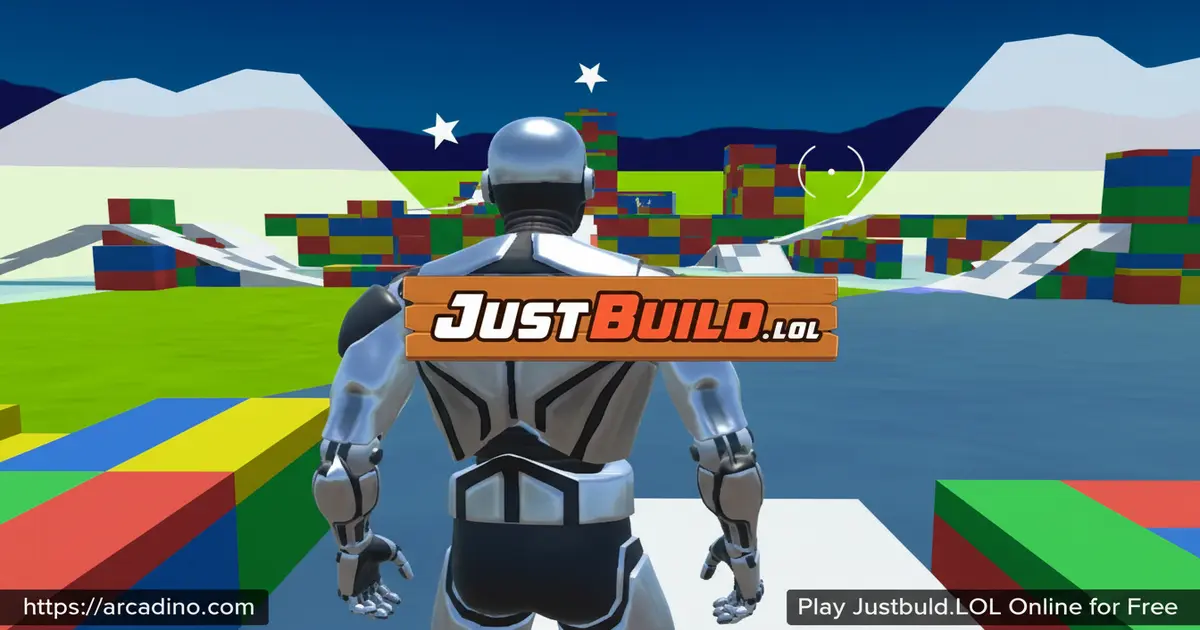
JustPlay.LOLIf you’ve ever watched a battle royale streamer throw up walls, ramps, and edits faster than you can blink, Justbuild.LOL is where that magic gets practiced. It’s a free browser-based building simulator with no enemies, no looting, and no countdown timer – just you, unlimited materials, and an empty map. Players often confuse it with 1v1.lol, since both focus on Fortnite-style construction skills. Justbuild.LOL strips things down even further, giving you a pure sandbox to drill ramps, walls, and 90-degree turns until they feel automatic.
- Free to play instantly in any modern browser
- Unlimited building materials with no resource grind
- Practice, 1v1, and Party modes for solo or social play
- Fully customizable keybinds to match your main shooter
What Is Justbuild.LOL?
Justbuild.LOL is a browser-based building simulator that copies the construction mechanics of popular battle royale shooters. Instead of fighting and looting, you focus only on placing walls, ramps, floors, and roofs as fast as possible. There’s no enemy AI breathing down your neck, which makes it feel more like a music practice room than a match.
The first thing I noticed loading it up was how fast inputs register – keys translate into pieces almost instantly, with no laggy delay between press and placement. That snappy feel is the whole point, since muscle memory only forms when the game responds the same way every time. Visuals are simple and clean, which keeps frame rates high even on school laptops.
Justbuild.LOL Gameplay
The core loop is build, edit, reset, repeat. You spawn into an open map with infinite wood, brick, and metal, then start chaining structures together. Most players use it to drill specific moves like the ramp rush, the 90-degree tower, or fast wall replaces.
Because you’re not under fire, you can slow down, study what you just built, and try the same combo five times in a row. That kind of repetition is hard to get inside a real match. The game rewards patience early so your hands can speed up later. 🔨
Game Modes in Justbuild.LOL
The simulator splits into a few clear modes so you can match your goal. Practice Mode is the free-build sandbox where most newcomers start. It’s interruption-free and ideal for testing edits without pressure.
1v1 Battles drop you against another player to test speed and adaptability head-to-head. Party Mode lets you train alongside friends in a shared space, which is great for trading tips. Each mode reuses the same controls, so jumping between them feels seamless.
Customizable Keybinds
One of the smartest features here is full keybind customization. If you already play a battle royale on PC, you can mirror those exact keys inside this trainer. That way the muscle memory you build carries straight over to your main game.
You can remap wall, ramp, floor, roof, edit, and weapon swap keys individually. Take a minute on your first session to copy your real layout – it makes every later session count double.
Why Players Love Justbuild.LOL
The appeal is honest: it makes you better at something measurable. Five focused minutes here will improve your tower-taking in any Fortnite-style shooter. There’s no grind, no skin shop, and no ranked anxiety pulling focus away from the skill itself.
It’s also short-session friendly. You can hop in, drill 90s for ten minutes before homework, and hop out feeling sharper. That’s why it’s stuck around in the build-trainer scene for so long.
Why Building Skill Wins Ranked Matches
In any Fortnite-style game, the player who builds faster usually wins the fight. Building gives you instant cover, instant high ground, and a way to escape bad trades. A skilled builder can survive a shot they should have lost just by slapping down a wall in time. That single reflex is what separates bronze players from champions.
Ranked matches also reward smart piece placement, not just speed. Knowing when to ramp rush, when to box up, and when to take height keeps you alive deeper into games. Justbuild.LOL trains those exact reflexes in a quiet room with no scoreboard. When you finally queue into ranked, your hands already know what to do while other players are still thinking.
How to Play Justbuild.LOL
Getting started takes seconds. Open the page in your browser, pick Practice Mode, and you’re spawned into the building sandbox immediately. There’s no account, no email, no install step.
Spend your first session just placing walls and ramps to feel the rhythm. Once that clicks, try chaining a wall-ramp-wall combo while moving forward. From there you can graduate to edits and 90s.
Justbuild.LOL Controls
The default controls follow standard PC shooter conventions. Use WASD to move, mouse to aim the camera, spacebar to jump, and Shift to crouch. By default, F1 places a wall, F2 places a ramp, F3 places a floor, and F4 places a roof. The edit key is G, and weapon swap sits on Q.
Left click places the selected piece, and right click or G reshapes structures with the edit grid. Most serious builders rebind walls to mouse side buttons or Q for faster reach. If anything feels off, open the settings menu and rebind it – that’s what the customization is there for.
Tips and Tricks for Justbuild.LOL
- Drill clean before fast – sloppy edits at high speed just teach your hands bad habits, so start slow and accurate.
- Practice the 90-degree turn – place a wall, ramp, and turn into a new wall to gain height in tight space.
- Mirror your shooter’s keybinds – copy them exactly so progress here transfers to your main game.
- Work on edits, not just placement – opening a window in your own wall to peek or shoot is half of high-level building.
- Use Party Mode with a friend – watching someone better build live teaches you patterns no tutorial covers.
Advanced Building Techniques Explained
Once basic placement feels easy, it’s time to drill the moves real ranked players use. The ramp rush means spamming ramps forward while dropping walls under each one. This builds a covered staircase that pushes you toward an enemy without exposing your body. Aim slightly upward and chain ramp-wall-ramp-wall in a smooth rhythm.
The 90-degree turn stacks height fast in a one-tile footprint. Place a wall, jump and lay a ramp under you, turn 90 degrees mid-jump, then slap a new wall and ramp. Each cycle gains one floor of height. Champions can chain ten 90s in under five seconds.
Wall replaces are how you stay alive when an enemy shoots your cover. The moment your wall takes damage, place a fresh wall right on top of it. Bind your wall key somewhere your thumb or pinky can mash without thinking.
Edits for angles and escapes turn your own builds into shooting windows. Cut a small square out of a wall to peek and shoot, then reset it to close the gap. A floor edit can drop you straight down to escape a tower. Practice every edit shape until you can open and reset without looking at the grid.
Cross-Game Sensitivity and DPI Matching
If your aim feels weird here compared to your main shooter, your sensitivity numbers don’t match. Most pro builders use 400 or 800 mouse DPI – lower DPI gives steadier aim. Pick one DPI in your mouse software and never change it again.
To match Fortnite to Justbuild.LOL, use a free online sens converter and plug in your Fortnite X and Y sensitivity. A common Fortnite setting is 8% / 8% at 800 DPI, which lands near 0.8 in most browser builders. Set the slider, then test by doing a full 360 turn over the same desk distance in both games.
If the 360s match, your muscle memory will carry over. If not, tweak the in-game slider by 0.05 at a time until they line up. This one fix is the biggest reason builders feel “off” when switching between trainer and ranked.
A 15-Minute Daily Warmup Routine
Use this short routine before queueing into ranked to wake your hands up:
- 3 minutes free build – just place walls and ramps in any pattern to warm up your fingers and check sensitivity.
- 5 minutes of 90s – aim for 30 clean 90-degree turns, focusing on accuracy over speed for the first half.
- 3 minutes of wall replaces – shoot or break your own wall, then replace it instantly. Aim for 50 reps total.
- 4 minutes of edits – drill window edits, cone resets, and floor drops. Aim for 40 clean edit-and-reset cycles.
Stick to this for one week and your build fights will already feel different. Bump up rep counts once the times feel too easy.
Key Features of Justbuild.LOL
- Pure building sandbox with no combat or loot distractions
- Infinite materials so practice never gets interrupted by resource caps
- Practice, 1v1, and Party modes covering solo and social training
- Full keybind remapping to match any battle royale layout
- Lightweight browser performance that runs on low-spec laptops
Where to Play Justbuild.LOL
Justbuild.LOL runs directly in your browser, so there’s nothing to download on PC, Chromebook, or Mac. Chrome, Firefox, Edge, and Safari all handle it fine. Because it uses WebGL, the building sandbox is best on a desktop or laptop with a real keyboard.
Mobile support is limited – WebGL builds don’t always run smoothly on phones, and you really need keys to practice properly anyway. If you find unofficial APK versions floating around, skip them; sideloaded files from random sites can carry malware. Stick with the browser version on arcadino.com to keep things safe and free.
Performance on Chromebooks and School Devices
Justbuild.LOL has very light system requirements. Any laptop made in the last six years with 4GB of RAM and an updated browser should run it at a steady 60 frames per second. Chromebooks handle it surprisingly well since the game is just WebGL and not a full download.
On school-issued laptops, performance depends mostly on how locked down the device is. If WebGL is disabled by your admin, the map will fail to load or show a blank screen. You can check by typing chrome://gpu into the address bar and looking for “WebGL: Hardware accelerated.”
If WebGL is blocked, there’s no safe workaround – school filters exist for a reason. On older Chromebooks expect 30-45 frames per second, which still feels fine for practice. Close other tabs first to free up memory and keep the build response snappy.
For Parents
Justbuild.LOL is appropriate for ages 8 and up. There’s no blood, no gore, and no enemy AI – it’s a construction sandbox, not a shooter. Combat only appears in optional 1v1 mode, and it’s bloodless and abstract.
The game has no in-app purchases and no required account, so kids can’t accidentally spend money. There’s no open chat system either. A 20-30 minute session is plenty, and the focused practice can actually sharpen reaction time and spatial awareness.
Similar Games to Justbuild.LOL
If the build-trainer style clicks with you, these browser games scratch the same itch:
- 1v1.LOL – The closest cousin, adding shooting and full 1v1 matches on top of the same building system.
- Shell Shockers – A browser FPS with egg characters that tests aim instead of building.
- Krunker.io – Fast-paced browser shooter with movement tech worth practicing.
- More Simulation Games
FAQs About Justbuild.LOL
Is Justbuild.LOL the same as 1v1.lol?
No, they’re separate games made for different purposes. Justbuild.LOL is a pure building trainer with no shooting, while 1v1.lol adds full combat and competitive matches. Many players use Justbuild.LOL to drill construction, then jump to 1v1.lol for actual fights.
Is Justbuild.LOL free to play?
Yes, Justbuild.LOL is completely free in your browser. There’s no registration, no paywall, and no in-app purchases. You just open the page and start building right away.
How do I edit on Justbuild.LOL?
Press the edit key (usually G or your remapped bind) while looking at one of your structures. A grid will appear letting you select tiles to remove or reshape. Confirm the edit, then reset the piece to start over – this is the same edit system used in major battle royale games.
How do I fix sensitivity on Justbuild.LOL?
Open the settings menu and adjust the mouse sensitivity slider to match your main shooter. If it still feels off, lower your in-game DPI or check your operating system’s mouse settings. Matching sensitivities across games is the fastest way to make muscle memory transfer.
How do I close Justbuild.LOL?
Just close the browser tab to exit the game. There’s no save file or session to worry about since everything runs locally in the browser. Your keybind settings should stick around thanks to browser storage.
Can I play Justbuild.LOL with friends?
Yes, Party Mode lets friends train together in a shared building space. You can also queue into 1v1 Battles to test skills head-to-head. It’s a great way to learn from someone faster than you in real time.
Does Justbuild.LOL work on school computers?
It usually does, since it runs in the browser without any install. Some school networks block gaming domains, so access depends on your filter. If your school allows arcadino.com, you can play during free periods.
Final Thoughts on Justbuild.LOL
Justbuild.LOL is one of the cleanest skill-trainers on the web because it doesn’t try to be anything else. Unlimited materials, snappy controls, full keybind freedom, and a no-pressure sandbox all point toward one outcome: faster, smarter building. The 1v1 and Party modes give the practice somewhere to land socially.
Pop it open before your next battle royale session, drill ramps and edits for fifteen minutes, and watch your build fights start feeling slower in the best way. The trainer is waiting in your browser – go put in some reps.
