


























Watch one short ad and play ad-free for 30 minutes.
Crazy Roll 3D
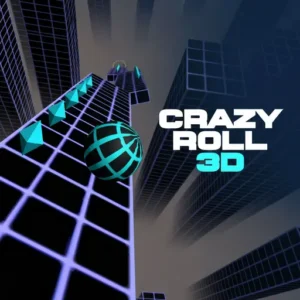
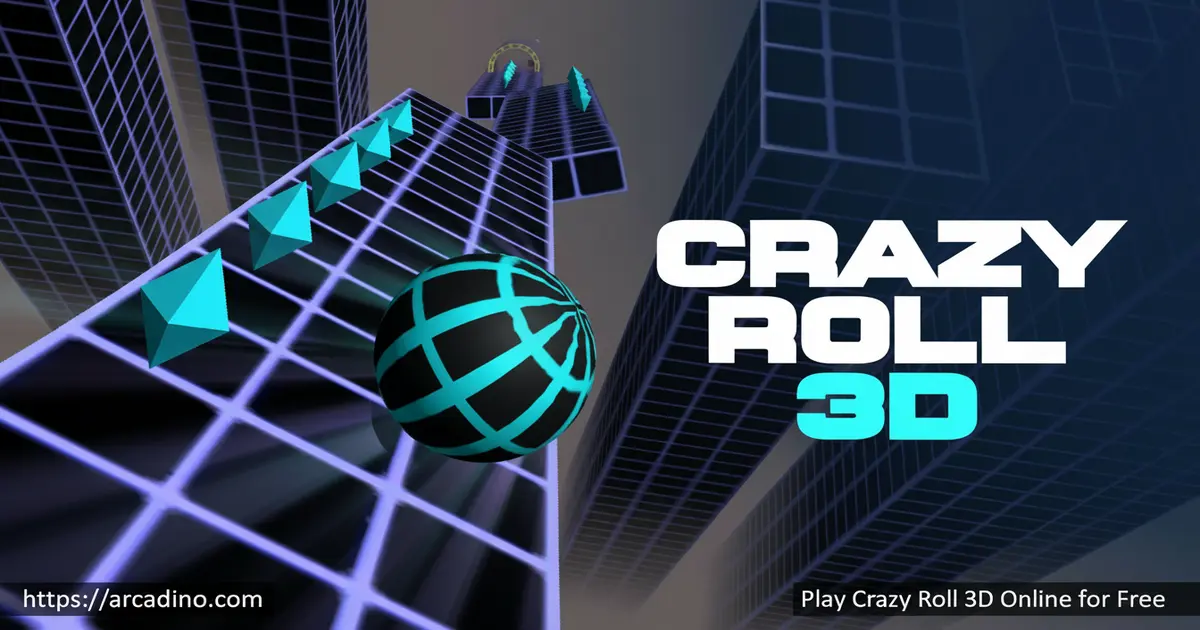
CrazyGamesPicture a glowing ball rocketing down a neon highway suspended in space, with no ground below and barriers flying at your face. That’s Crazy Roll 3D, a free browser arcade ride you can launch instantly online. It takes the classic slope-style ball rolling game and cranks the speed, the colors, and the chaos up to eleven. You’ll dodge moving walls, scoop up blue diamonds, and try not to scream when the track suddenly twists.
This isn’t a slow puzzle. Crazy Roll 3D is a reflex test wrapped in synthwave visuals, and one wrong tap sends your ball into the void. 🎯 Beginners often last only a few seconds on their first tries. Pros chase scores that climb forever.
- Endless 3D rolling ball action with progressive difficulty
- Shield, magnet, and 2x diamond power-ups
- Unlockable ball skins with different sizes and speeds
- 2-player mode for couch competition
What Is Crazy Roll 3D?
Crazy Roll 3D is a fast-paced endless runner inspired by the classic Slope. You guide a shiny rolling ball down a series of slanted, floating platforms packed with ramps and obstacles. The further you go, the faster the ball moves and the trickier the track becomes. Many players also search for it as a “ball game” or “rolling ball 3D” since the genre name often sticks better than the title.
What sets this 3D ball game apart is the neon look. Bright purples, blues, and pinks light up every platform, making the track feel like a sci-fi tunnel ride. Loading is quick on a regular laptop, and steering responds the instant you press a key. There’s no input lag to blame when you fall, which honestly makes the addiction worse.
When Was Crazy Roll 3D Released?
Crazy Roll 3D first launched on CrazyGames back in February 2019. It quickly became a hit thanks to its slick neon style and pick-up-and-play feel. A big update in March 2022 added the popular 2-player mode and full mobile support. That refresh is why the game still feels modern and runs smoothly on phones and tablets today.
Crazy Roll 3D Gameplay
Your ball starts at a calm pace, giving you a few seconds to settle in. Then you hit a booster, and suddenly you’re flying. The job stays simple: stay on the platforms and grab as many diamonds as you can.
Higher levels throw in waving platforms that bob up and down, plus moving walls that slide across your lane. Tighter passages and steeper slopes show up the longer you survive. Every run feels like a new high-score attempt because the layout keeps changing speed.
The movement is also physics-based, which means your ball has real momentum. It doesn’t stop on a dime or snap sideways instantly. You need to start your turns a beat early, especially at high speed, because the ball keeps drifting after you let go of the key. Once that click happens, anticipating curves becomes second nature.
Distance Milestones to Aim For
Having a target makes every run more fun, so here’s a rough roadmap based on typical play. Most new players plateau around the 1,500-meter mark before things really click. The first big speed jump kicks in around 800 meters, when the booster sections start chaining together. Waving platforms show up consistently after about 1,200 meters, and that’s where most runs end. Push past 2,500 meters and you’re in pro territory, where moving walls and tight gaps stack on top of each other. Hitting 5,000 meters in a single run is a serious bragging-rights goal. Try beating your personal best by 200 meters at a time instead of chasing huge jumps.
Power-Ups and Strategy
Three power-ups appear along the track and each one shifts how you play. The Shield gives you a single free hit, perfect for risky diamond grabs. The Magnet pulls nearby crystals toward your ball without any extra effort. The 2x Diamond Boost doubles every gem you pick up while it’s active.
Each power-up has a cooldown, so spamming them isn’t an option. Smart players save the shield for narrow waving sections where one wobble usually ends the run. Use the magnet during diamond-heavy stretches to maximize your shop currency.
Power-Up Timing Tricks
Each power-up lasts roughly 8 to 10 seconds, so squeezing the most out of every second matters. Pop the magnet right before you spot a tight diamond cluster, not after – it pulls gems you would’ve missed by a hair. Save the 2x Diamond Boost for long, straight stretches where you can grab gems without dodging much. Combining magnet plus 2x on the same straightaway is the fastest way to fill your shop wallet. Hold the shield for waving platforms or moving wall pairs, since those eat runs the quickest. Don’t stack all three at once unless the track ahead looks brutal – spreading them out keeps you safer overall.
Graphics and Audio in Crazy Roll 3D
The visuals lean hard into a futuristic neon aesthetic. Tracks glow against a dark background, and the ball reflects light as it spins. It genuinely looks like you’re inside a synthwave music video.
The soundtrack is funky and fast, syncing nicely with the speed boosters. Sound effects pop when you grab diamonds or trigger a power-up. Together they make every run feel hyped, even short ones.
Customization and Unlockable Balls
Diamonds aren’t just for show. They’re the in-game currency, and the shop lets you spend them on new ball designs. Different balls come in different sizes and speeds, so picking one actually changes how the game feels.
A smaller ball is harder to spot but easier to thread through tight gaps. A faster ball racks up distance quicker but punishes slow reflexes. You can also stock up on extra power-ups for future runs.
2-Player Mode
Crazy Roll 3D supports a 2-player mode where you and a friend share one keyboard. Whoever rolls the furthest wins bragging rights. It’s a chaotic, laughing-too-hard kind of mode that turns the game into a party challenge.
Crazy Roll 3D vs. Slope vs. Rolling Ball 3D
These three games look alike, but they feel pretty different once you play them. Slope, the original, has the steepest learning curve and the fastest acceleration – it punishes mistakes hard and uses a stripped-down green grid look. Crazy Roll 3D is friendlier, with a slower starting speed, brighter neon visuals, power-ups, and a shop full of unlockables. Rolling Ball 3D leans into balance and tilt physics, with chunkier obstacles and a calmer pace, so it feels more like a puzzle than a sprint. If you want pure reflex pain, pick Slope. If you want flashy fun with progression, Crazy Roll 3D wins. If you want something more relaxed, try Rolling Ball 3D first.
How to Play Crazy Roll 3D
Getting started takes about three seconds. Open the page, hit play, and your ball starts rolling automatically. Your only jobs are steering, dodging, and grabbing diamonds. The settings menu lets you adjust sensitivity if the ball feels too twitchy or too sluggish.
Don’t panic when the speed jumps after a booster. Keep small, steady movements and stay near the center of the track between obstacles. The early levels are basically a tutorial – the real test starts once moving platforms appear.
Crazy Roll 3D Controls
- A / D keys or Left / Right arrow keys – steer the ball
- 1, 2, 3 keys – activate collected power-ups
- Mobile swipe – swipe left or right to move (tap mode also available in settings)
- Settings menu – adjust steering sensitivity to your taste
Tips and Tricks for Crazy Roll 3D
- Look ahead, not at your ball. Keep your eyes a few platforms forward so you spot ramps and gaps early.
- Save the shield for waving platforms. Those bobbing sections cause more deaths than anything else – one free hit can rescue a long run.
- Skip risky diamonds. A single gem isn’t worth a 5,000-meter run. Only grab ones that sit on your safe path.
- Use small steering taps. Wide swerves overshoot at high speed. Gentle nudges keep the ball centered.
- Tune the sensitivity. Lower it if the ball feels jumpy, raise it if turns feel sluggish. The default isn’t perfect for everyone.
Key Features of Crazy Roll 3D
- Endless slope-style track with no finish line – only your high score
- Three stackable power-ups: shield, magnet, and 2x diamond boost
- Shop full of unlockable balls with unique sizes and speeds
- Dynamic obstacles including waving platforms, moving barriers, and speed boosters
- 2-player mode for head-to-head local matches
Where to Play Crazy Roll 3D
You can play Crazy Roll 3D right here in your browser, completely free, with no download or sign-up. It runs on Chrome, Firefox, Safari, and Edge, on both desktop and mobile. Tablets work great too thanks to the swipe controls.
There’s no official app version, so stick to browser play and avoid sketchy APK files claiming to offer the game. Anything you’d download outside an official store is a risk on a kid’s device. The web version has every feature anyway, including 2-player and the full shop.
For Parents
Crazy Roll 3D is a clean, age-appropriate arcade game suitable for kids from about 7 and up. There’s no chat, no ads inside the gameplay, and no real-money purchases – diamonds are earned by playing, not bought. The game actually trains reaction time, focus, and pattern recognition, which are useful skills wrapped in fun packaging.
Sessions are naturally short because each run ends quickly, making it easy to set a 15 or 20 minute limit. The neon visuals are bright but not violent. Nothing crashes or breaks dramatically – your ball just falls off the track.
Accessibility and Motion Sensitivity
The fast forward motion and bright flashing colors can be a lot for some players. Kids prone to motion sickness or photosensitivity should test the game in short bursts first. Lowering the steering sensitivity in the settings calms the visual chop, and turning down screen brightness helps with the neon strobe effect. Playing on a larger screen, like a laptop instead of a phone, can also reduce that tunnel-vision feeling. Take a break every 15 minutes – looking at something far away resets your eyes. There’s no built-in reduce-motion toggle, so parents may want to sit nearby the first session to check how their kid reacts.
Similar Games to Crazy Roll 3D
If the speedy slope feel hooks you, these reflex-based browser games scratch the same itch:
- Slope – the original neon ball roller that inspired Crazy Roll 3D, with a steeper learning curve
- Rolling Ball 3D – a similar 3D ball game focused on balance and slope angles
- Tiny Fishing – a chill arcade alternative when your reflexes need a break
- Getting Over It – a different kind of frustration if you like punishing physics
Browse more high-speed picks in our Arcade category.
FAQs About Crazy Roll 3D
Is Crazy Roll 3D free to play?
Yes, Crazy Roll 3D is completely free in your browser. There are no subscriptions, paywalls, or required accounts. Every ball skin and power-up is unlocked using diamonds you earn by playing.
How do you play Crazy Roll 3D?
Steer a rolling ball down endless slanted platforms while dodging obstacles. Use A/D or arrow keys on desktop, or swipe on mobile. Collect blue diamonds to spend in the shop and trigger power-ups with the 1, 2, 3 keys.
What is the 3D rolling ball game called?
The most popular one is Crazy Roll 3D, an endless runner inspired by Slope. You control a ball racing down sloped platforms, avoiding obstacles and collecting diamonds. It’s often searched simply as “ball game” or “rolling ball 3D.”
Can I play Crazy Roll 3D unblocked at school?
Yes, the browser version loads on most school networks that allow HTML5 games. No installation means no admin permissions are needed. If your network blocks it, the issue is the network filter, not the game itself.
Does Crazy Roll 3D have a 2-player mode?
Yes, Crazy Roll 3D includes a 2-player mode on the same keyboard. One player uses the left side, the other uses the right. It’s a fun way to compete head-to-head for the longest run.
Do I need to download anything to play Crazy Roll 3D?
No download is required at all. The game runs directly in any modern web browser on desktop, phone, or tablet. Just open the page and start rolling.
How do I unlock new balls in Crazy Roll 3D?
Collect diamonds during your runs and spend them in the in-game shop. Different balls come in different sizes and speeds. The more diamonds you save, the more designs you can pick from.
Is Crazy Roll 3D the same as Crazy Roll 2?
No, they’re separate games with different builds. Crazy Roll 3D is the neon endless runner from 2019 with power-ups, a shop, and a 2-player mode. Crazy Roll 2 is an older, simpler rolling ball title with flat-shaded graphics, no shop, and shorter level-based runs. If you want the full neon endless experience, Crazy Roll 3D is the one to pick.
Why Crazy Roll 3D Is Worth Your Next Break
Crazy Roll 3D nails the loop that makes endless runners impossible to put down: simple controls, escalating speed, and a shop that rewards every diamond you grab. The neon look, the funky soundtrack, and the 2-player mode push it past most slope clones. Even the power-up cooldowns add a layer of decision-making that feels rare in a game this quick to learn.
Pick a ball, find your sensitivity sweet spot, and see if you can beat your own distance three times in a row. Most players can’t – and that’s exactly why they keep clicking restart.
