



























Watch one short ad and play ad-free for 30 minutes.
Ball Jump
Yabado GmbH (published by Ketchapp)Tap once and your ball hops. Tap again and it flips to the other side, hopefully landing on a moving cube instead of empty air. That’s the entire trick behind Ball Jump, a one-tap arcade game you can play right now in your browser for free. It looks calm at first, but the cubes drift, the speed climbs, and your thumb starts second-guessing itself. 🎯
If you’ve been searching for a quick ball game to fill five minutes between homework and dinner, Ball Jump fits perfectly. It’s also sometimes confused with the basketball term “jump ball,” but this one is a reflex arcade title, not a sports sim.
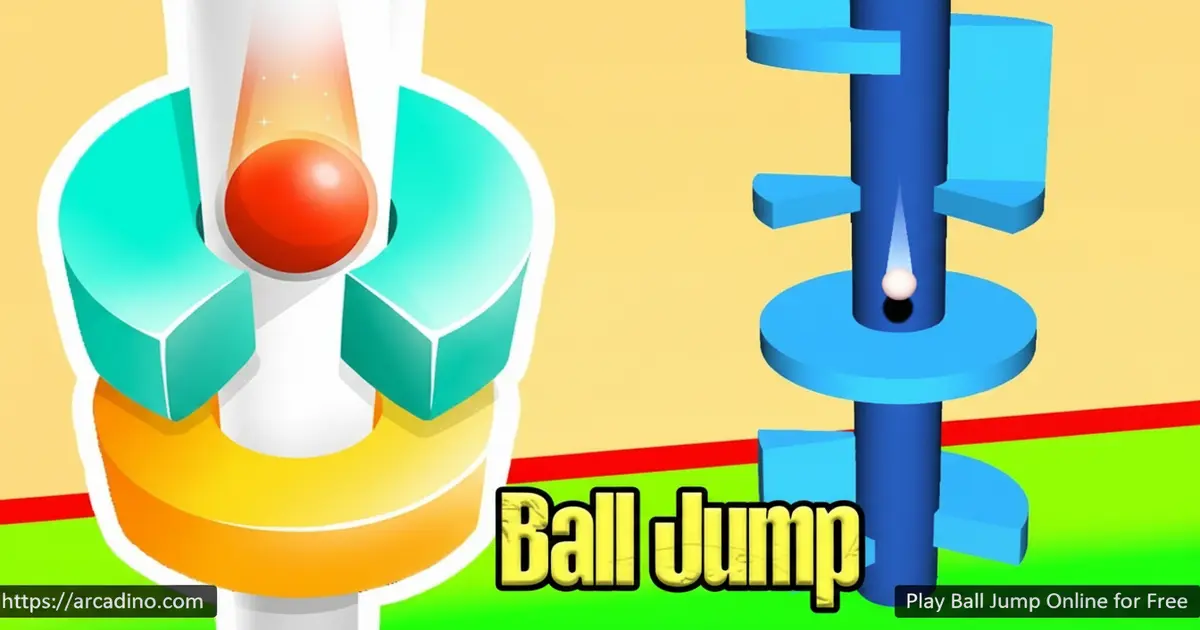
- One-tap controls anyone can pick up in seconds
- Moving cube platforms that shift while you jump
- Unlockable ball skins with different colors and patterns
- Endless levels that speed up the further you go
What Is Ball Jump?
Ball Jump is a minimalist arcade game where you guide a small bouncing ball across a track of living, moving cubes. Each tap flips the ball left or right, and your only job is to time those taps so you land on solid ground. Miss once, and the run ends. It sounds easy until the cubes start sliding around like they have minds of their own.
The game has been a huge hit on mobile, reaching the #1 spot in 56 countries on the App Store, and the browser version brings that same addictive loop to your laptop. Loading the page takes just a couple of seconds on a normal connection, and the ball reacts the instant you click. That snappy response is what makes this jump ball game feel fair even when you fail.
Gameplay in Ball Jump
The core loop is beautifully simple. Your ball auto-bounces forward, and every tap toggles its direction between two paths. Cubes line up in front of you, but they don’t sit still – some slide sideways, some shrink, and some only appear for a split second before vanishing.
That memory element is what hooks players. You’ll start treating each level like a tiny puzzle, watching the rhythm of the cubes before committing to a tap. As you climb higher, the ball speeds up, leaving less time to think. It rewards quick reflexes, but it rewards patience even more.
Levels and Progression in Ball Jump
There’s no fixed level cap here. Stages keep generating with fresh layouts, and the difficulty scales as you push deeper. Early stages teach you the timing on slow, friendly cubes. Later ones throw in disappearing platforms and faster speeds.
Stars sit on certain platforms, tempting you to take risky angles instead of safe ones. Collecting them feeds into unlocks, which is where the customization side of Ball Jump kicks in.
Expect a mix of obstacle types as you climb. You’ll meet sliding cubes that drift left and right, shrinking platforms that lose space mid-jump, and ghost cubes that flicker in and out of view. Some stages add spike traps along the edges, so a sloppy tap can end your run instantly. Moving platforms also speed up at higher levels, turning safe gaps into split-second decisions.
Your Skill Progression: What to Expect
Wondering if you’re getting better or just unlucky? Here’s a rough map of how most players grow with Ball Jump. It helps to know what “good” looks like before you judge your own runs.
- Runs 1-5: Most beginners flame out before cube #10. You’re still learning that one tap = one flip, and your timing is off. That’s totally normal.
- Runs 5-20: You’ll start clearing 20-30 cubes per run and grabbing your first stars. The rhythm clicks, and you stop panicking when speed bumps up.
- Runs 20+: Now you’re hunting high scores past 50 cubes, reading disappearing platforms, and unlocking skins. This is where the game becomes genuinely fun, not just a learning curve.
If you’re stuck below cube #10 after a dozen tries, slow down and watch one full cube cycle before tapping. Speed comes from confidence, not mashing.
Customization and Ball Skins
You’re not stuck with one boring sphere. The game lets you swap your ball for different designs – colorful balls, lined patterns, red and blue variants, and a toon-style ball among others. Each skin is purely cosmetic, so nobody gets a gameplay edge.
Unlocking new looks gives you a small reward goal between high-score attempts. It’s the kind of bonus that keeps younger players coming back even after a tough run.
Graphics and Audio
The art style is clean and modern. Bright cubes pop against a soft background, and the ball leaves a subtle trail as it bounces. Nothing on screen distracts from the timing, which matters in a game this twitchy.
Sound effects are minimal too – a soft thump on each landing, a sharper note when you grab a star. It’s the kind of audio you can leave on without driving anyone in the room crazy.
Accessibility and One-Handed Play
Ball Jump is one of the friendliest arcade games for players who need simple controls. The whole game runs on a single input, so you can play one-handed with a thumb, a finger, or even a single switch wired to the spacebar. There’s no double-tap, no swipe, and no combo to remember.
For colorblind players, the skin menu includes high-contrast options like the lined pattern and the toon ball, which stand out clearly against the pastel background. The cubes themselves use shape and motion as cues, not just color, so red-green colorblindness doesn’t block progress. Players with limited dexterity can also slow the game down naturally by waiting longer between taps in early levels.
If you use assistive tech, the browser version pairs well with switch controls mapped to spacebar. That’s a rare bonus in the arcade space.
Browser Performance and Battery
Ball Jump is a 2D game built with light web tech, so it runs smoothly on low-end laptops, school Chromebooks, and older tablets. It doesn’t need WebGL or a beefy graphics card like 3D ball runners do. That means almost any device made in the last five years can handle it without lag.
Battery use is gentle too. Because the game draws simple shapes instead of 3D worlds, your laptop fan stays quiet and your phone doesn’t get warm. Compared to 3D rollers like Fast Ball Jump or Going Balls, you’ll squeeze noticeably more play time out of one charge. That makes it a smart pick for long bus rides or classroom downtime.
Ball Jump vs 3D Ball Runners: Which One Do You Want?
Searches for “Ball Jump 3D” mix up two very different game styles, so here’s the quick split. Ball Jump is a 2D tap-flip game – your ball bounces forward on its own, and you tap to switch lanes. The camera stays steady, and your only job is timing.
3D ball runners like Going Balls and Fast Ball Jump are different beasts. You roll a ball through a tilting 3D track, dodging traps and steering left and right with arrow keys or swipes. They look flashier but demand more from your device and your reflexes.
Want pure timing puzzles you can play with one thumb? Stick with Ball Jump. Want a fast 3D rollercoaster? Try the 3D titles instead.
How to Play Ball Jump
Getting started takes about three seconds. Open the page, wait for the ball to drop in, and tap to start your first jump. There’s no tutorial wall and no sign-up screen. The game trusts you to learn by doing, which works because the rules are so simple.
Your first few runs will probably end fast. That’s normal. Once you feel the rhythm of the bounce, you’ll start chaining taps without thinking about them.
Ball Jump Controls
On desktop, click the left mouse button or tap the spacebar to jump. Some versions also accept the left and right arrow keys to nudge the ball’s direction. On mobile, just tap anywhere on the screen – the whole display works as your jump button.
Tips and Tricks for Ball Jump
- Watch the cubes for two full seconds before your first tap to learn their movement pattern.
- Don’t chase every star – grabbing a risky one usually costs you the run.
- Tap in short, controlled bursts rather than mashing; over-tapping flips you off course.
- When platforms vanish, memorize their last position and tap based on that mental picture.
- Watch out for spike traps near the edges – aim for the middle of moving cubes when you can.
Key Features of Ball Jump
- Single-tap controls that work identically on phone, tablet and desktop
- Moving and disappearing cube platforms that demand memory, not just reflex
- Unlockable ball skins including lined, colorful, and toon designs
- Endless level generation with progressively faster ball speed
- Star collectibles that add a risk-versus-reward layer to every stage
Where to Play Ball Jump
The fastest way is right here in your browser – no installs, no accounts, just an instant load and a tap to start. It runs well in Chrome, Firefox, Edge and Safari, and the mobile browser version handles touch input cleanly.
If you’d rather have it on your phone, the official mobile apps are listed on both major stores. Grab the Android version on Google Play or the iOS build on the App Store. Skip random APK sites – sticking with the official stores keeps your device safe.
For Parents
Ball Jump is a safe pick for kids aged 6 and up. There’s no chat, no player-to-player contact, and the visuals are abstract shapes – nothing scary or violent. Sessions are naturally short because runs end quickly, which makes it easy to set a 15 or 20-minute limit.
The game also gives a small workout to focus, timing and short-term memory, especially in the levels where cubes disappear. The browser version is fully free, while the mobile apps may include light ads typical of free arcade games.
Similar Games to Ball Jump
If the one-tap rhythm of Ball Jump clicks with you, these arcade titles play in the same lane:
- Going Balls – Roll, spin and jump along sky tracks while dodging traps at higher and higher speeds.
- Stickman Hook — a momentum-based swinging game where timing is everything, sharing Ball Jump’s “tap-to-fly” satisfaction and one-touch controls.
- Helix Jump — a ball-dropping arcade game where you bounce through a spiraling tower, capturing Ball Jump’s bouncing-ball formula in a downward direction.
- Tunnel Rush — a fast-paced obstacle dodger that tests your reflexes at breakneck speed, perfect for Ball Jump fans who love quick-reaction gameplay.
- Red Ball 4 — a physics-based ball platformer with charming levels, sharing Ball Jump’s satisfying ball-control gameplay.
- Jelly Run 2048 — a 3D runner where you collect numbered jellies and dodge obstacles, sharing Ball Jump’s quick-reflex arcade spirit.
- More Arcade Games
FAQs About Ball Jump
Is Ball Jump free to play online?
Yes, Ball Jump is completely free to play in your browser. You don’t need an account, a download, or a payment to start. Just open the page and tap to bounce.
Is Ball Jump the same as a basketball jump ball?
No, this Ball Jump is an arcade tap game, not a basketball move. The basketball term refers to a referee tossing the ball between two players. This game is about timing taps to land a bouncing ball on moving cubes.
What does “jump ball” mean in slang?
In slang, “jump ball” means a situation that’s totally up for grabs. People use it when something could go either way, like a close contest or an unclear decision. It comes from the basketball move, but it’s used way outside sports too. Our Ball Jump game has nothing to do with that meaning – it’s just a tap-and-bounce arcade title.
What are the controls for Ball Jump?
Click, tap the spacebar, or touch the screen to jump. That single input flips the ball’s direction each time. Some versions also support left and right arrow keys for movement.
How many levels does Ball Jump have?
Ball Jump offers an essentially unlimited stream of levels. Each stage is unique, with different cube layouts and obstacles. The game keeps generating new challenges as long as you keep landing your jumps.
Can I play Ball Jump on my phone?
Yes, Ball Jump works on phones through the browser or as a downloadable app. The official iOS and Android versions are linked above. Touch controls feel natural since the whole game uses a single tap.
Does Ball Jump have ball customization?
Yes, you can unlock different ball skins as you progress. Options include colorful, lined, red, blue and toon-style designs. The skins are cosmetic only and don’t change how the ball bounces.
Is Ball Jump good for younger kids?
Ball Jump is friendly for ages 6 and up. The visuals are simple shapes with no scary or violent content. The one-tap control scheme is easy enough for early readers.
Final Thoughts on Ball Jump
Ball Jump nails the formula that makes a great arcade game tick – one button, instant feedback, and a difficulty curve that always feels fair. The moving cubes, hidden platforms and unlockable skins give it just enough depth to keep you tapping past your bedtime. It’s not trying to be huge or flashy, and that’s exactly why it works.
Open it on a laptop during a quick break or load it on your phone for the bus ride home. Either way, your first run starts with one tap – so go beat your high score.
Gameplay Video


