


























Watch one short ad and play ad-free for 30 minutes.
Speed Racing Pro 2
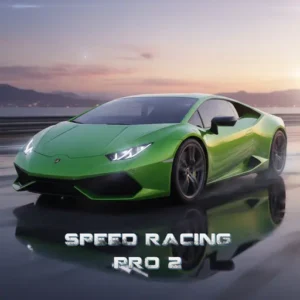
Smartline GamesIf you’ve ever stared at a Lamborghini Veneno and thought “I’d love to drift that around a circuit,” Speed Racing Pro 2 is your free pass. It’s a browser racing game from Madalin Games, the same studio behind the Madalin Stunt Cars series. You hop in, pick a supercar, and chase down AI rivals on real-feeling racetracks. No downloads, no sign-up, no grinding to unlock cars – they’re all sitting in the garage from the start. 🏁
It’s a circuit racer with arcade-style physics, three game modes, and tracks that punish messy driving. Some players bump into it while searching for go karts or other speed racing games online, but this one is its own thing.
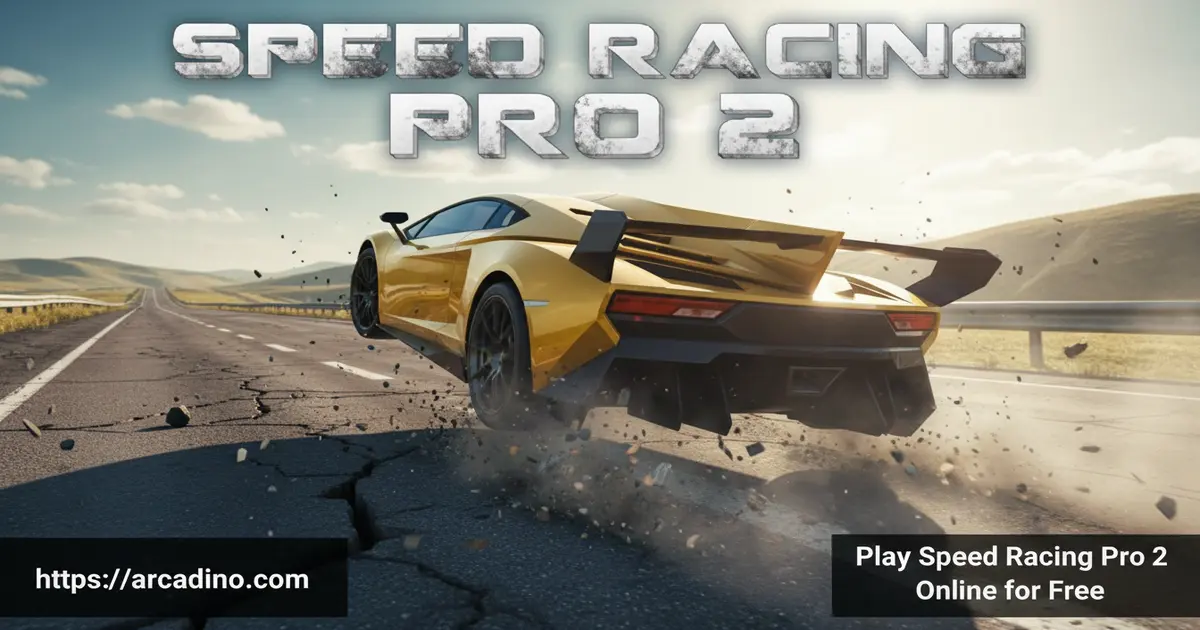
- 12 supercars unlocked from the very first race
- Three modes: Race, Elimination, and Time Attack
- Multiple camera angles, including in-car views
- Runs smoothly even on a budget Chromebook
What Is Speed Racing Pro 2?
Speed Racing Pro 2 is a 3D circuit racing game built by Madalin Stanciu and Madalin Games. It launched in June 2016 and has stuck around because it nails the basics. You pick a supercar, choose a track, and race against AI drivers who genuinely try to beat you. Think of it as the Madalin Stunt Cars formula tightened up for proper lap racing.
The first thing I noticed loading it up: the cars look surprisingly sharp for a game this old. Scenery stretches out for miles, and the frame rate stays smooth even on older laptops. It’s the kind of title that loads in your browser tab and just works, without juddering or random hitches mid-race.
Speed Racing Pro 2 Gameplay
The core loop is simple. Pick your car, pick your track, pick your mode, and try to finish first. The handling is floaty in that classic arcade way – tires don’t feel glued to the asphalt like in dedicated drifting games. You’ll bounce off a barrier or two early on while you find your braking points.
What keeps things interesting is how each car drives differently. The all-wheel-drive supercars let you charge into corners with confidence. Rear-wheel-drive options swing their tail out the moment you stab the throttle. Mastering the racing line and lift-off braking is what separates podium finishers from the back of the pack.
Cars and Tracks in Speed Racing Pro 2
You get 12 supercars to choose from, including stand-out exotics like the LaFerrari, Pagani, Ford GT, Lamborghini Veneno, and Huracan. Every single one is free from the moment you load in. There’s no shop, no coins to grind, and no “unlock at level 20” wall.
Customization is light – you can repaint your car, but that’s about it. The track count looks to sit around five or six circuits, depending on how you count the variants, and each one demands different braking points and gear choices. Don’t let the small number fool you – the layouts get more technical as you push for faster lap times.
How Fast Are the Supercars?
These aren’t slow cars. Most of the supercars in Speed Racing Pro 2 push past 300 km/h (roughly 185 mph) on the long straights. The LaFerrari and Veneno are the top-end speed kings, while the Huracan and Pagani feel quicker through the corners. Hitting top speed is satisfying, but braking from 300 down to 80 for a hairpin is where lap times are won. Watch your speedometer – if you’re not seeing 280+ on the main straight, you’re losing time somewhere.
AWD vs RWD: Which Car Should You Pick?
Knowing which cars are all-wheel-drive (AWD) and which are rear-wheel-drive (RWD) is a huge head start. AWD cars grip and go – perfect for clean laps and Elimination mode where one spin ends your run. RWD cars are twitchier but more fun once you trust them.
- AWD picks (best for Elimination + learning): Lamborghini Veneno, Lamborghini Huracan, Pagani.
- RWD picks (best for Time Attack + drift fun): LaFerrari, Ford GT.
- All-rounders: The mid-tier supercars feel balanced and forgive small mistakes.
If you’re chasing your first podium, grab the Veneno. If you want the fastest lap on the leaderboard, the LaFerrari rewards a clean throttle hand.
Game Modes in Speed Racing Pro 2
There are three modes, and each one changes how you approach a race. Regular Race is your standard grid start against AI rivals. Time Attack drops the opponents and asks you to chase the perfect lap against the clock. Elimination is the spicy one – the driver in last place gets knocked out at the end of every lap.
Elimination mode is where the tension really kicks in. You can’t just cruise mid-pack; one bad corner and you’re gone. It turns even short races into nail-biters, especially on tighter tracks where overtaking is tricky.
Difficulty Levels and Progression
Speed Racing Pro 2 lets you tune the challenge to match your skill. The AI has multiple difficulty settings, so beginners can cruise to wins while veterans get pushed by aggressive “A Class” rivals that don’t make mistakes. Bumping the difficulty up also raises how hard the AI defends corners and how punishing each crash feels for your position. There are in-game achievements and trophies to chase as you climb, giving Time Attack and Elimination some long-term goals beyond a single race. Start on the easiest setting, learn the track, then crank it up one notch at a time.
Track-by-Track Braking Guide
Each circuit has one corner that decides your lap time. Memorize these and you’ll shave whole seconds off your runs:
- Track 1 (city circuit): The 90-degree right after the main straight – tap the handbrake, don’t slam the brake.
- Track 2 (desert loop): The long sweeper near the end rewards lift-off braking, not full stops.
- Track 3 (mountain pass): Double hairpin section – use the handbrake on the first, coast through the second.
- Track 4 (coastal): The fast chicane needs early braking before you turn in, never mid-corner.
- Track 5 (technical): The blind crest hides a tight left – lift early until you can see the apex.
- Track 6 (high-speed oval-style): Trail-brake into the final corner to keep your top-speed advantage onto the straight.
Graphics and Camera Views
Visuals lean stylized rather than photoreal, but the car models hold up well almost a decade after release. You’ll recognize the look if you’ve played Madalin Stunt Cars 2 or MSC3. Lighting is clean, draw distance is generous, and crashes look satisfying without being graphic.
The camera options are a highlight. There’s a standard chase cam, a closer bumper view, and an in-car cam on most vehicles. Tap V to cycle through them mid-race. The in-car view is genuinely worth trying – it makes 200+ km/h feel a lot more intense.
How to Play Speed Racing Pro 2
Getting started takes about 30 seconds. The page loads, you pick your car color, choose a track and mode, and you’re on the grid. There’s no tutorial popup or forced intro – just hit accelerate when the lights go green. If your first race ends in a barrier, that’s pretty normal.
I’d suggest starting with Time Attack on an easier track to learn the layout. Once you can string together clean laps solo, jump into a Regular Race. Save Elimination mode for when you’ve got the braking points memorized.
Speed Racing Pro 2 Controls
- W or Up Arrow – Accelerate
- S or Down Arrow – Brake and reverse
- A or Left Arrow – Steer left
- D or Right Arrow – Steer right
- Space – Handbrake
- V – Change camera angle
- B – Toggle rear-view mirror
- Page Up / Page Down – Manual gear shift (enable in Options first)
- Ctrl + Alt + X – Restart the current race
- O – Options menu
- M – Main menu
Running It Smoothly on a Chromebook
Speed Racing Pro 2 is light enough for school laptops, but a few tweaks make it buttery smooth. In Chrome, open Settings, search for “hardware acceleration,” and turn it on – this offloads work to your GPU. Close extra tabs before racing; the game shares memory with everything else open. On integrated graphics like Intel UHD, you can expect a steady 50-60 FPS at default settings. If you see stutters, lower your browser zoom to 90% and disable any heavy extensions like ad blockers running in the background. Plugging the Chromebook in (not running on battery saver) also keeps the CPU at full speed.
Tips and Tricks for Speed Racing Pro 2
- Lift, don’t slam the brake. Easing off the throttle into corners keeps the car balanced. Stomping the brake mid-turn sends you straight into the wall.
- Use the handbrake for hairpins only. Spacebar is great for tight 90-degree turns but ruins your speed on sweeping bends.
- Pick a rear-wheel-drive car for drift fun, AWD for clean laps. The all-wheel cars are way more forgiving when you’re learning a track.
- Try in-car cam for braking points. The cockpit view makes it easier to feel where the corner actually starts.
- In Elimination, defend the inside line. Block AI overtakes on the apex and let them lose time on the outside.
Key Features of Speed Racing Pro 2
- 12 fully unlocked supercars including LaFerrari, Veneno, and Pagani
- Three distinct modes: Race, Elimination, and Time Attack
- Multiple camera views with proper in-car cockpit cam
- Optional manual gear shifting for players who want more control
- Smooth performance on low-spec laptops and Chromebooks
Where to Play Speed Racing Pro 2
The original Speed Racing Pro 2 runs in any modern web browser – Chrome, Firefox, Safari, Edge – with no installation. Just open the page, wait 20 to 30 seconds for it to load, and you’re racing. It works best on a desktop or laptop because of the keyboard controls. The browser version isn’t built for mobile.
If you want to race on the go, there’s a related mobile title called Speed Racing Ultimate 2 with its own tracks and supercars. You can grab it on Google Play or the App Store. Stick to the official stores – random APK downloads can carry malware.
Browser Game vs Mobile Sequel: Quick Comparison
If you’re trying to decide between Speed Racing Pro 2 in your browser and the mobile follow-up, here’s how they stack up:
- Cars: Browser version has 12 supercars, all unlocked. Mobile sequel has around 8 cars, gated behind progress.
- Tracks: Browser keeps it tight with 5-6 circuits. Mobile expands to roughly 20 tracks.
- Progression: Browser is all-unlocked from minute one. Mobile uses a shop and coin grind.
- Boost: Browser version has no nitro. The mobile sequel adds a nitro boost button.
- Controls: Browser uses keyboard for precision. Mobile uses tilt or on-screen buttons.
Short answer: pick the browser version if you want fast access and every car right away, or the mobile sequel if you like longer progression and racing on a phone.
For Parents
Speed Racing Pro 2 is a clean racing game with no chat, no online lobbies, no in-app purchases, and no ads inside the gameplay itself. Crashes are cartoonish – cars bounce off barriers without any blood or graphic damage. There’s no inappropriate language, no risky social features, and nothing for kids to spend money on.
It can actually help with hand-eye coordination and timing, since clean racing rewards patience over button-mashing. A 20 to 30 minute session is plenty for one sitting.
Similar Games to Speed Racing Pro 2
If you like the supercar circuit feel, these browser racers hit similar notes:
- Madalin Stunt Cars 2 – From the same developer, but focused on stunt jumps and open maps instead of circuits.
- Madalin Stunt Cars 3 – The visual sibling to Speed Racing Pro 2 with sharper graphics and a bigger sandbox of ramps.
- Drift Hunters MAX – For when you want grippier physics and a proper drift scoring system.
- Moto X3M – A bike-based stunt racer with timed levels and obstacle courses.
- Eggy Car – A goofier physics driving game that’s great for shorter sessions.
Want more high-speed action? Browse the full Racing category.
FAQs About Speed Racing Pro 2
Is Speed Racing Pro 2 free to play?
Yes, Speed Racing Pro 2 is completely free in your browser. There are no subscriptions, no in-app purchases, and no locked cars. Every supercar and every track is available from the moment the game loads.
Do I need to download anything?
No, Speed Racing Pro 2 runs directly in your web browser. Just open the game page and wait roughly 20 to 30 seconds for it to load. It works on Chrome, Firefox, Safari, and Edge.
How many cars are in Speed Racing Pro 2?
There are 12 supercars in total. The lineup includes models like the LaFerrari, Pagani, Ford GT, Lamborghini Veneno, and Huracan. All 12 are unlocked from the start with no grinding required.
How do you upshift in Speed Racing Pro 2?
You upshift using the Page Up key. First, open the Options menu and switch to manual gears. Once enabled, Page Up shifts up and Page Down shifts down, giving you finer control through corners.
Can I play Speed Racing Pro 2 on mobile?
The original browser version isn’t built for phones or tablets. It needs a keyboard for proper control. If you want a mobile experience, try Speed Racing Ultimate 2 from Google Play or the App Store instead.
Is there multiplayer in Speed Racing Pro 2?
No, Speed Racing Pro 2 is a single-player game against AI opponents. You can still chase faster lap times in Time Attack and survive longer in Elimination mode for personal bests.
Is Speed Racing Pro 2 the same as go karts games?
No, this is a supercar circuit racer, not a go-kart game. Many players searching for go karts online stumble into it because of the speed and arcade handling, but the cars here are full Lamborghinis and Ferraris.
Who made Speed Racing Pro 2?
Speed Racing Pro 2 was made by Madalin Stanciu and Madalin Games. They’re the same team behind Madalin Stunt Cars 2, one of the most-played stunt racing games on the web.
Final Lap
Speed Racing Pro 2 holds up because it gets the fundamentals right – 12 free supercars, three modes that each play differently, and Elimination races that genuinely raise your heart rate. The arcade physics take a few laps to click, but once they do, chasing perfect lines becomes addictive. Add the in-car camera, manual gears, and Chromebook-friendly performance, and you’ve got a browser racer that earns its keep. Pick the Veneno, drop into Time Attack, and see how clean a lap you can string together.
Gameplay Video


