




























Watch one short ad and play ad-free for 30 minutes.
Blumgi Rocket
BlumgiPress the boost button, hold it just right, and watch your little car launch across a hill in glorious slow motion. That’s the magic of Blumgi Rocket, a free browser platform racer where a rocket-powered car takes on wild colorful tracks. You don’t need to download anything or sign up. Just hit play and start firing rockets across hills, tunnels, and mountain gaps. 🚀
It’s a physics game with heart, built by indie studio Blumgi. Every level rewards smart timing more than pure speed, which makes it super satisfying when you finally nail a jump.
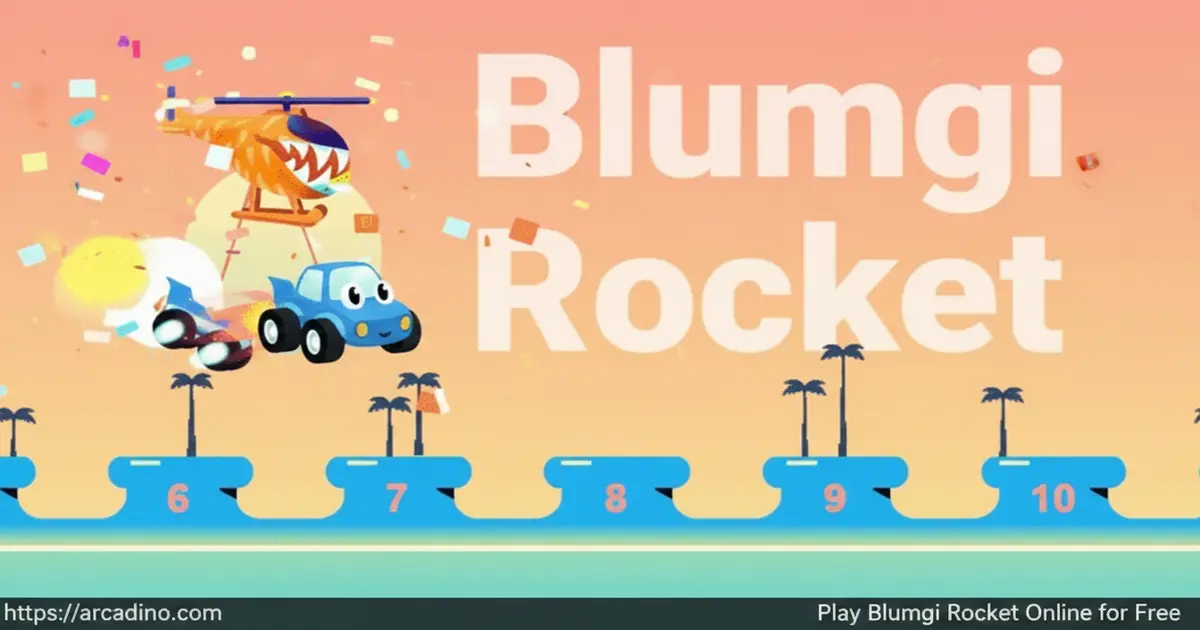
- Rocket-powered car with hold-to-charge boost
- Slow-motion animations every time you fire
- Unlockable vehicle skins earned by finishing levels
- Plays instantly in any modern browser, free
What Is Blumgi Rocket?
Blumgi Rocket is a 2D physics platform racer made by the studio Blumgi. You drive a tiny rocket-strapped car through bright, twisty levels filled with hills, slopes, tunnels, and mountains. The goal in every stage is simple: reach the finish flag. Getting there cleanly is where the challenge hides.
What makes this title stand out is the boost mechanic. Hold the rocket button longer and you launch harder, so timing is everything. Playing it in Chrome, I noticed load times are near-instant and the slow-mo kick-in feels buttery smooth. The controls respond with almost zero input lag, which matters a lot when one wasted boost can cost you a whole run.
Release Year and Developer Background
Blumgi Rocket launched in 2023 as one of the studio’s breakout hits on Poki, a popular browser game portal. Blumgi is a small indie team known for clean, cartoon-style physics games that load fast and feel polished. Before Rocket, they made titles like Blumgi Slime and Blumgi Ball, each sharing that same bouncy, forgiving physics feel. Their Poki debut helped the game reach millions of players within its first year. That backing also means the game is hosted on a safe, ad-supported platform trusted by schools and parents.
Blumgi Rocket Gameplay
The core loop is drive, jump, boost, land, repeat. You roll your car forward using the arrow keys, then tap space mid-air to rocket-jump across gaps. Hold the button down longer and the thrust grows stronger, sending you flying over ramps and cliffs.
Each stage is a short, puzzle-like course. You’ll face steep climbs that need a full-power launch and tight tunnels that demand short, careful taps. Between jumps, the action snaps into slow motion so you can line up your next move. It’s a rhythm of chill planning and sudden speed that keeps you hooked.
Levels and Progression in Blumgi Rocket
The game moves through a long list of levels that slowly ramp up in tricky layouts. Early stages teach you the basics, like hopping a hill or clearing a small gap. Later ones throw taller walls, longer tunnels, and bigger mountains at you.
Finishing every level is the main goal, but speed matters too. Quicker times feel extra rewarding because the slow-mo shots make each run look like a highlight reel. Every completed stage also pushes you closer to the next unlockable.
Customization and Vehicle Skins
As you progress, the game unlocks fresh vehicle skins and colorful car designs. These are cosmetic only, so no skin is faster or stronger than another. That’s great news because it means your ranking comes from skill, not grinding.
Collecting skins gives you a reason to replay levels you’ve already cleared. Some players chase every color, while others just stick with their favorite ride. Either way, the unlock loop adds a nice pull beyond the finish flag.
Stunts and Slow-Motion Moments
Mid-air tricks are a big deal here. Stunts auto-trigger when your car rotates fully while airborne, so you don’t press a trick button. Each completed flip or spin shaves a small time bonus off your level clock, which is how stunts “help you finish faster.” The slow-mo animation kicks in each time you fire a rocket, giving every stunt a cinematic feel.
The slow-down isn’t just for show. It lets you judge your arc and decide when to release the boost. Good players chain multiple flips from one big launch to stack time bonuses and post faster records.
First 5 Levels Walkthrough with Boost Timing
Stuck on the early stages? Here’s a level-by-level guide with exact boost-hold times so you can clear them cleanly.
- Level 1 (First Hill): Roll forward, then hold space for about 0.5 seconds at the peak. A short tap is plenty to clear the gap.
- Level 2 (Double Bump): Tap space twice, roughly 0.3 seconds each, to skim across both humps without overshooting.
- Level 3 (Tunnel): Approach slowly, then hold space for about 1 second right as you exit the tunnel to clear the ramp above.
- Level 4 (Steep Climb): Charge a full 1.5-second hold at the base of the hill. Release just before you stall out.
- Level 5 (Mountain Gap): Build speed downhill with no boost, then unleash a 1.2-second blast at the bottom for a compound launch across the gap.
Practice these timings a few times and the muscle memory clicks fast.
How to Play Blumgi Rocket
Getting started is quick. Open the game page in your browser, wait a couple of seconds, and you’ll land on the first stage. A short tutorial shows the basic moves, and then you’re off.
Your only real job is to reach the finish line using the driving keys and the rocket boost. Don’t rush the first few stages. Learning how hold-length changes launch power will save you tons of restarts later.
Controls
- Drive: W/S or Up/Down arrow keys
- Rocket boost: Spacebar (hold for more power)
- Alternative drive: A key
- Alternative rocket: D key
- Mobile: Tap the on-screen buttons to drive and fire rockets
Tips and Tricks for Blumgi Rocket
- Save full-power boosts for big gaps and steep climbs. Spamming max-hold rockets burns you out before the finish line.
- On downhill slopes, let gravity do the work. Fire a full boost right at the bottom for a huge compound launch.
- Use short taps for small bumps. Tiny obstacles don’t need a massive rocket blast.
- Watch the slow-mo window closely. It’s your best chance to fix your angle mid-air.
- Focus on finishing a level first, then replay it hunting for stunts and faster times.
Advanced Technique: Wall-Bounce Redirection
Once the basics feel easy, try the wall-bounce trick. Instead of firing the rocket to gain height, aim it sideways at a wall mid-air. The boost pushes your car into the surface, and the bounce redirects your momentum in a new direction. This lets you curve around obstacles instead of flying straight over them. It’s super handy in tight tunnel levels where vertical space is blocked. Time the boost for the split-second your car touches the wall for the cleanest redirect.
Key Features of Blumgi Rocket
- Hold-to-charge rocket boost that rewards careful timing over button mashing
- Cinematic slow-motion animations triggered by every rocket firing
- Mixed terrain including hills, slopes, tunnels, and mountain peaks
- Mid-air stunt system that shaves time off your level records
- Progressive vehicle skin unlocks tied to level completion
Where to Play Blumgi Rocket
The easiest place to play Blumgi Rocket is right in your web browser. It runs on Chrome, Firefox, Edge, and Safari without any plugins or installs. Load times are short, and the game works on desktops, laptops, and tablets.
Mobile play works too, thanks to touch-friendly controls. There’s no official app store listing, so stick with browser play for safety. Avoid random APK downloads claiming to be the game, since unofficial files can carry malware.
Accessibility and School-Friendly Play
Blumgi Rocket is a great fit for classroom Chromebooks, which are common in schools. It runs smoothly in ChromeOS Chrome without any installs or special permissions. Because the game uses only keyboard keys (WASD, arrows, and space), you can play it fully without a mouse or trackpad. That’s helpful for kids using assistive tech or playing on a docked laptop. The bright cartoon art uses clear shape contrast, so colorblind players can still read the terrain, although no dedicated colorblind mode is built in. School IT admins can allow the Poki domain without worrying about chat, logins, or data collection. Short 1-2 minute levels also fit neatly into indoor recess or reward time.
The Blumgi Studio Catalog Compared
If you like Blumgi Rocket, the studio has a few other short browser games worth trying. Here’s how the main titles compare by mechanic:
- Blumgi Rocket – Hold-to-charge boost and slow-motion air control. Teaches timing and momentum.
- Blumgi Slime – Bouncy jump physics where a slime hops to a goal. Teaches angle and ricochet.
- Blumgi Ball – Basketball-style arc shooting against a rival. Teaches aim and trajectory.
- Blumgi Castle – Knock-em-down siege puzzles with physics toppling. Teaches structure and force.
Each game is short, polished, and shares that same cheerful Blumgi art style. Try them in order if you want to see how the studio’s physics ideas grew.
Blumgi Rocket for Parents
Blumgi Rocket works well for roughly ages 7 to 12, based on its simple reading level, two-button controls, and cartoon visuals. There’s no violence, no chat function, and no in-app purchases during browser play. The cartoon car and bright levels stay cheerful, even when the physics get tough. Younger kids may need help reading level numbers, while older players will enjoy chasing faster times.
The game also builds handy skills, like timing, spatial reasoning, and a bit of basic momentum thinking. Short levels make it easy to set play-time limits, and 20 to 30 minute sessions feel about right for most kids.
Similar Games to Blumgi Rocket
If you love the rocket-boost physics and fast restarts of this one, try these other browser hits:
- Blumgi Slime – Another Blumgi title where a bouncy slime hops through platform puzzles with the same playful vibe.
- Tomb of the Mask – A speedy vertical arcade run full of walls to climb and hazards to dodge.
- Fireboy and Watergirl – A co-op platform puzzler with switches, traps, and clever level design.
- Racing
FAQs About Blumgi Rocket
Is Blumgi Rocket free to play?
Yes, Blumgi Rocket is completely free in your web browser. There are no hidden fees, no premium unlocks, and no paywalls blocking later levels. Every skin and stage is earned through play.
Do I need to download Blumgi Rocket?
No, Blumgi Rocket runs entirely in the browser. Just open the game page and it loads in seconds. You don’t need plugins, accounts, or installs.
Who made Blumgi Rocket?
Blumgi Rocket was made by indie developer Blumgi. The studio focuses on small, polished browser titles with clean physics and friendly visuals.
How do I unlock new skins in Blumgi Rocket?
You unlock new skins by completing levels and progressing through the game. Each finished stage pushes you closer to the next colorful vehicle design. The unlocks are cosmetic only.
Can I play Blumgi Rocket on mobile?
Yes, the game works on phones and tablets through the browser. On-screen touch controls let you drive and fire rockets. No app install is needed.
What’s the goal of Blumgi Rocket?
The goal is to reach the finish flag in every level. Along the way, you boost over hills, through tunnels, and across gaps. Faster times and stunts earn extra bragging rights.
Why does my car keep losing momentum?
Usually it’s because you’re boosting at the wrong moments. Try coasting down slopes without the rocket, then boosting at the bottom. Saving fuel for big gaps also keeps your speed up.
Ready to Fire Up Blumgi Rocket?
Between the hold-to-charge boost, the slow-mo stunt reels, and the steady drip of new skins, Blumgi Rocket turns a simple idea into dozens of fun runs. It’s short enough for a quick break and deep enough to keep chasing better times. Pick your control scheme, aim for that first flag, and see how stylish your finish line can get.
