




























Watch one short ad and play ad-free for 30 minutes.
Capybara Clicker Pro
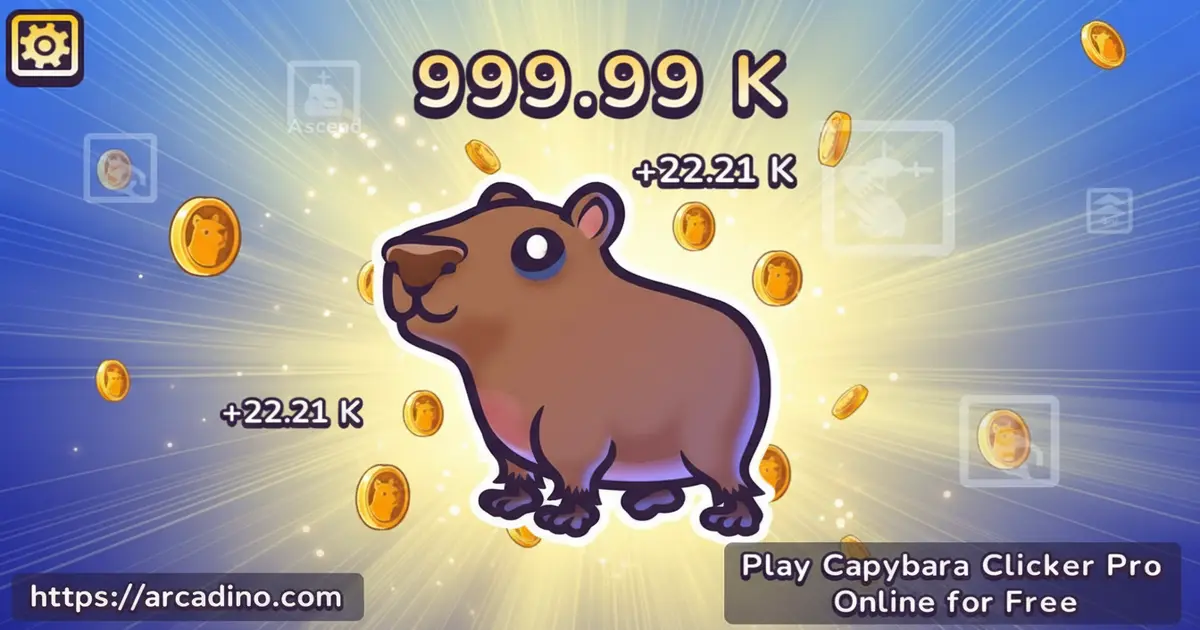
R.G.B. FreezeNovaIf you’ve ever wanted to build an entire empire of fluffy rodents with just your finger, Capybara Clicker Pro is your happy place. This free idle clicker lives right in your browser, so you can tap the chubby capybara and watch coins rain down in seconds. It’s the upgraded version of the original Capybara Clicker, packed with new skins, weather effects, and boosters that push your numbers into the billions. 🐾
You don’t need an account or a download to start. Just load the page, click the capybara, and let the cozy chaos begin.
- Free idle clicker you can play instantly online
- Unlock skins like Capycorn, Kapybaru, and Cosmic Capybara
- Boosters including Professional Clicker, Robot, and Factory
- Fill the pink bar to double your coin earnings
What Is Capybara Clicker Pro?
Capybara Clicker Pro is an idle clicker game where you tap a cute capybara to earn Capybara coins. It was made by Unblocked Games FreezeNova, and it’s the sequel to the classic Capybara Clicker. The goal is simple: click, stack coins, buy boosters, and unlock a closet full of wild capybara outfits.
What surprised me most is how snappy it feels. The capybara reacts to every click without lag, and the tap animation gives a satisfying little bounce. It loads in a couple of seconds on Chrome and runs just as smoothly on mobile browsers. For a game built around mashing one button, it’s weirdly hard to put down.
The original Capybara Clicker launched in November 2022 and quickly turned into a viral school-browser hit. Capybara Clicker Pro arrived as the official sequel, keeping the same studio and upgrading nearly every system. You’re playing the newer, beefier version with more skins, more boosters, and smoother animations. It’s nice to know the series has real history behind it, not just a random one-off click game.
Gameplay in Capybara Clicker Pro
The core loop is all about the click. Every tap earns you coins, and those coins buy upgrades that earn you even more coins, even when you’re idle. It’s the classic “numbers go up” feeling that makes clicker games so addictive.
As your population explodes, you unlock new characters and weather backdrops. You can even ascend to reset your progress and gain a permanent buff, kind of like a prestige mode. That loop of clicking, upgrading, and ascending keeps every session feeling fresh.
Somewhere along the way, your capybara count blasts past millions and hits a full-blown “population crisis” at the billions mark. That’s the moment the game stops feeling small and cozy and starts feeling wonderfully out of control. Hitting billions is a bragging-rights milestone that unlocks the wildest skins and makes ascending a smart move. It’s the defining progression moment every clicker fan chases.
Boosters and Upgrades
On the right side of the screen, you’ll find a stack of boosters you can buy with your coins. These do most of the heavy lifting once your fingers get tired. Spending wisely here is the whole strategy.
The ladder starts cheap before it gets silly. Extra Click is the first booster you can afford and adds +1 capybara per click. Automated comes next, giving you +1 capybara per second without touching the screen. Grabbing several of these early builds a small but steady income stream that funds the bigger toys below.
- Extra Click – adds +1 capybara per click (your first purchase)
- Automated – earns +1 capybara per second while idle
- Professional Clicker – adds +100 capybaras per click
- Robot – earns +200 capybaras every second
- Glitch Clicker – gives +1,000 capybaras per click
- Factory – pumps out +5,000 idle coins per second
Mix active clicking with idle boosters and your coin counter starts climbing fast. The jump from Robot to Factory is where the game really opens up.
When Should You Actually Ascend?
Ascending sounds scary because you lose all your coins, but the math is pretty friendly once you know the rule. A good trigger is when your next important upgrade costs more than 10 minutes of your current idle income. If your Factory earns 5,000 per second, that means waiting on any upgrade over 3 million coins probably isn’t worth it. Check your coins-per-second number and divide the upgrade price by it – if you get more than 600 seconds, ascend instead.
Another easy signal is when clicking for a full minute barely moves your total. That usually means your active income has fallen way behind your idle income. Ascend, grab the permanent buff, and your next run will blow past your old progress in a fraction of the time. Most players ascend two or three times before seriously chasing the rarest skins.
Cute Characters and Skins
Tap the t-shirt icon at the top of the screen to open the capybara closet. Inside, you’ll find a whole lineup of skins to unlock as you hit population milestones. Each one has its own personality, and swapping them is half the fun.
- Capycorn – a magical unicorn capybara
- Kapybaru – an adorable classic redesign
- Capybored – the grumpy one with attitude
- Camobara – dressed for stealth missions
- Cosmic Capybara – straight from outer space
- Capybarista, Winged Capy, Cool Capy, Baby Capybara, and Capyzebra too
Weather and the Pink Bonus Bar
Click the cloud icon near the top to change your backdrop. You can unlock rainy, snowy, sunny, and even starry skies as you progress. It doesn’t change the math, but it makes the screen feel totally different.
Keep an eye on the lower left corner too. When you click fast enough, a pink bar starts filling up. Fill it completely and you’ll earn double coins for a short burst, which is the perfect time to spam clicks like your life depends on it.
How to Play Capybara Clicker Pro
Getting started takes about three seconds. Open the game in your browser, wait for the capybara to pop up, then start tapping. Your first coins buy your first booster, and from there it’s all about stacking upgrades.
Once you’ve got a few boosters rolling, check the t-shirt and cloud icons to unlock new looks. Don’t forget to watch that pink bar for double-coin windows.
Controls
On desktop, use the left mouse button to click the capybara and the UI buttons. On mobile or touchscreen laptops, just tap the capybara with your finger. That’s the entire control scheme – one button, endless capybaras.
Saving, Syncing, and Losing Progress
Capybara Clicker Pro saves your progress in your browser’s local storage, which is basically a little notebook tied to that exact browser. That means if you clear your cache, cookies, or site data, your capybara empire wipes out for good. Incognito or private windows don’t save at all – close the tab and it’s gone. Sticking to the same regular browser is the safest plan.
Your browser save also does not transfer to the Google Play or App Store versions. The mobile apps keep their own separate progress on your phone. If you want one big save file across devices, pick either browser or app and stay there. Back up a screenshot of your stats now and then, just in case.
Playing on School Chromebooks
The developer is literally called Unblocked Games FreezeNova, and that’s not just branding. Capybara Clicker Pro is built in HTML5, uses no Flash, and needs no logins, plugins, or installs. School Chromebooks usually block downloads, Flash, and outside accounts, but a plain HTML5 webpage slips through those filters. That’s why this game runs when a lot of flashier titles refuse to load.
It also uses very little bandwidth after loading, so spotty school Wi-Fi handles it fine. Teachers and parents should still check their school’s acceptable use policy before recess clicking marathons. If the district blocks game-category sites directly, even a clean HTML5 game may be off-limits.
Tips and Tricks for Capybara Clicker Pro
- Buy Extra Click and Automated first for cheap, steady early income.
- Upgrade to the Professional Clicker booster next – it boosts your per-click income fast.
- Stack idle boosters like Robot and Factory so you earn coins while AFK.
- Watch the pink bar and mash clicks the moment it fills for double coins.
- Don’t dump all your coins on one upgrade – balance active and idle boosters.
- Use the ascend button once progress slows to grab a permanent buff.
Play Smart: Wrists, Breaks, and Auto-Clickers
Rapid tapping is fun, but your wrists and fingers need love too. Take a 2-3 minute break every 20 minutes of active clicking, and stretch your hands out. Try switching between mouse clicks and touchscreen taps to share the work between muscles. If your hand starts to ache or tingle, stop – that’s your body warning you about repetitive strain.
A lot of kids ask about auto-clickers. The honest answer is that third-party auto-clicker apps take the fun out of the game and can sometimes trigger weird save glitches. The browser version has no cheat detection, so you won’t get “banned,” but you also won’t feel proud of your numbers. Let the idle boosters do the grinding for you – that’s literally what Robot and Factory are for.
Key Features of Capybara Clicker Pro
- One-button idle gameplay that works with mouse or touch
- Over a dozen unlockable capybara skins in the closet menu
- Multiple weather scenarios including rain, snow, sun, and stars
- Six-plus boosters from Extra Click all the way up to Factory
- Ascend system that rewards restarts with permanent buffs
Where to Play Capybara Clicker Pro
You can play Capybara Clicker Pro right here in your browser for free – no download, no sign-up. It runs well on Chrome, Safari, Edge, and Firefox, and works on Chromebooks, PCs, and phones. Performance stays smooth even after your coin count gets silly big.
Want it on your phone as a standalone app? Grab the official version from Google Play or the App Store. Stick to those official stores – random APK downloads from other sites can hide malware.
For Parents
Capybara Clicker Pro is a great fit for kids ages 8 and up. The gameplay is non-violent, there’s no chat feature, and the whole game revolves around tapping a friendly rodent. The browser version is free, so there’s no pressure around in-app purchases during play.
There’s real learning value tucked inside the silliness. Kids around ages 8-10 get to practice reading large numbers as the counter climbs from thousands to millions. Once the total crosses into the billions, the game switches to scientific notation like 1.25e9 on the main coin display, which is a gentle intro to the notation used in middle-school math. Planning which booster to buy next also teaches simple cost-versus-reward thinking – a useful skill dressed up as a capybara game. Thirty minutes is a sensible session length before taking a break for the wrists and eyes.
Similar Games to Capybara Clicker Pro
If you love tapping your way to tiny empires, these clicker games will feel right at home.
- Capybara Clicker – the original version with 16 classic skins to unlock.
- Brainrot Clicker – a goofy meme-filled clicker with fast upgrades.
- Italian Brainrot Clicker 2 – the sequel to the viral meme clicker with even more chaotic upgrades.
- Tralalero Tralala Clicker – a catchy, musical tap game packed with silly character unlocks.
Browse more tap-and-earn adventures in our Clicker games collection.
FAQs About Capybara Clicker Pro
Is Capybara Clicker Pro free to play?
Yes, Capybara Clicker Pro is completely free to play in your browser. You don’t need an account or a credit card. Mobile apps on Google Play and the App Store are also free to download.
Who made Capybara Clicker Pro?
Capybara Clicker Pro was developed by Unblocked Games FreezeNova. They specialize in browser-based casual games, including the original Capybara Clicker. The mobile versions are published under R.G.B. FreezeNova.
How do I unlock new capybara skins?
You unlock skins by hitting population milestones and tapping the t-shirt icon. Each milestone drops a new character into your closet, from Capycorn to Cosmic Capybara. Keep clicking and the collection grows automatically.
What is the pink bar in Capybara Clicker Pro?
The pink bar doubles your coin earnings when you fill it up. It sits in the lower left corner and fills as you click rapidly. Time your fast clicking to trigger it during expensive upgrades.
Can I play Capybara Clicker Pro on mobile?
Yes, you can play it on any mobile browser or through the official apps. Touch controls work the same as mouse clicks – just tap the capybara. Progress stays with the device you’re playing on.
What does the ascend button do?
Ascending resets your progress in exchange for a permanent buff. It’s worth using once your upgrades start costing more than they earn. The buff makes your next run noticeably faster.
Do I need to download anything to play?
No, the browser version needs zero downloads or installs. Just open the page and start clicking. Downloads are only needed if you want the standalone mobile app.
Ready to Build Your Capybara Empire?
Between the Factory booster’s ridiculous coin rate, the pink bar double-ups, and that closet full of goofy skins, Capybara Clicker Pro has more depth than a one-button game has any right to. It’s cozy, it’s funny, and it’s the kind of game you’ll keep open in a background tab. Fire it up, pick your first booster, and see how many capybaras you can squeeze onto one screen.
Gameplay Video


