

























Grow A Garden
BMWLux / DoBig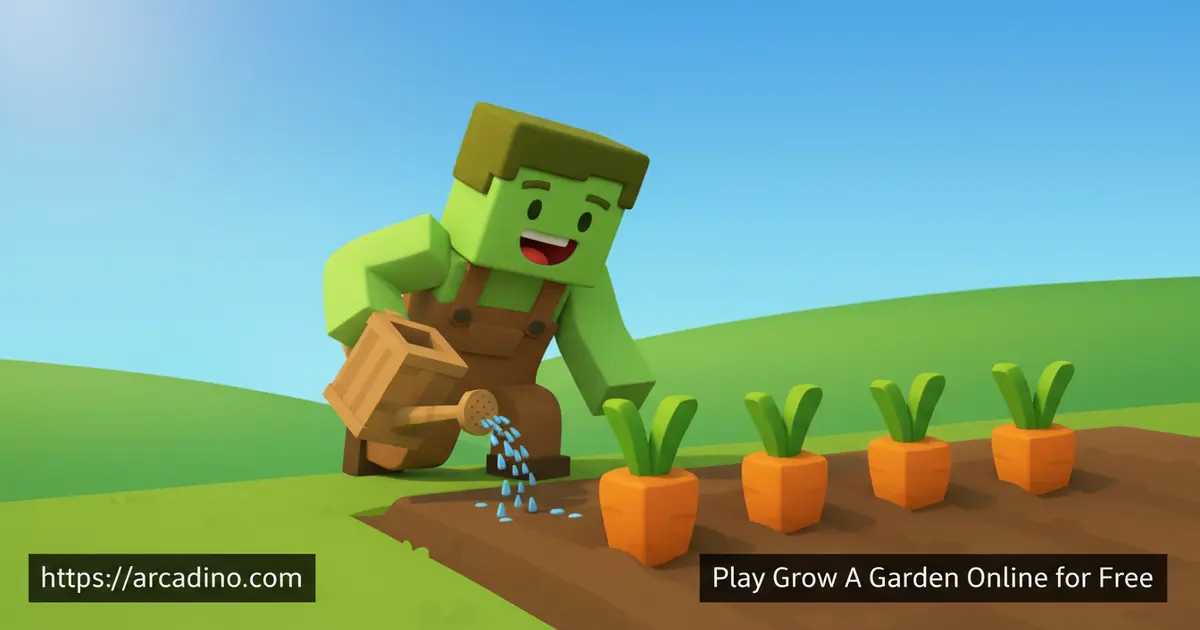
What if a 16-year-old’s weekend project became one of the hottest farming games online? Grow A Garden — also known as Growden.io — is a free browser farming simulator you can jump into right now. It mixes relaxed gardening with surprisingly deep strategy, rare crop mutations, and a lively multiplayer community. Many players who start with a handful of carrot seeds end up chasing the legendary moon blossom weeks later.
- Free to play instantly in your browser — no download needed
- Grow dozens of crops, from basic carrots to ultra-rare blossoms
- Discover Silver, Golden, Rainbow, and BIG crop mutations during weather events
- Hatch eggs to earn pets and farm alongside friends in private rooms
What Is Grow A Garden?
Grow A Garden is a casual multiplayer farming simulation released on March 26, 2025. It was built by an anonymous 16-year-old known online as BMWLux — which makes it even more impressive. Splitting Point Studios, led by developer Jandel, and Do Big Studios both bought a share of the game in April 2025 when it already had around 1,000 concurrent players. The game sits in a sweet spot between a relaxing idle sim and a competitive farming experience.
Grow A Garden originally launched as a Roblox indie game, and that’s still where the native version lives. You can also play it through browser embeds on gaming portals like arcadino.com without needing a Roblox account at all.
Roblox or Browser — Which Version Should You Play?
Grow A Garden started life on Roblox, so the Roblox version is always the most up-to-date. New updates, seasonal events, and community features usually land there first. Browser-embedded versions on gaming portals are a great way to try the game instantly — no account needed, no download, just click and play. The core farming loop, seed shop, mutations, and multiplayer rooms all work in the browser embed. If you want the very latest features or you already have a Roblox account, jumping into the Roblox version is worth it. For casual or first-time players, the browser version is the easiest starting point. Either way, you’re growing the same crops and chasing the same moon blossom.
The game runs smoothly right in your browser without any installation. Controls respond quickly, and the colorful garden visuals stay crisp even on smaller laptop screens. The community rooms load fast and fill up with players from all around the world. It genuinely feels polished for a game that started as one teenager’s idea.
Gameplay — Seeds, Harvests, and the Farming Loop
Every run in Grow A Garden starts at the seed shop, where you pick from five categories of seeds. You begin with $10 carrot seeds, then work your way up through strawberries ($50), blueberries ($100), and increasingly exotic plants. The mid-tier seed ladder includes eggplant, bamboo, pepper, beanstalk, pumpkin, cacao, cauliflower, cactus, watermelon, dragonfruit, and mango — each one more valuable than the last. After those come the ultra-rare candy blossom and cherry blossom, and finally the legendary moon blossom at the very top. Each seed goes into an empty garden plot, and you watch your crops grow from tiny sprouts into harvestable produce. 🌱
Once your plants are ready, speed matters. Other farmers in the same room can swipe your harvest if you’re not quick enough. Your backpack holds up to 100 items, so after a big haul you’ll need to visit the market to sell. You can sell individual items at custom prices or dump your whole inventory at once — both strategies have their moments.
When to Upgrade Your Seeds — A Simple ROI Guide
Knowing when to move up the seed ladder makes a huge difference to how fast you grow. Carrots are great for learning the game, but you should upgrade to strawberries as soon as you have around $200 saved — that’s enough for a few plots. Strawberries take a bit longer to grow but sell for noticeably more per harvest. Once you’re sitting on roughly $1,000, blueberries become your new best friend and start generating coins much faster per minute. Mid-tier seeds like pumpkin, watermelon, and dragonfruit are where earnings really jump — community players report earning several times more per session compared to blueberries. A good rule of thumb is to always keep enough coins to replant your whole garden before spending on upgrades. Rushing to the most expensive seed you can afford is tempting, but steady reinvestment beats big single purchases almost every time.
Crop Mutations and Weather Events
This is where Grow A Garden gets seriously exciting. Weather events trigger mutations on your growing plants, turning ordinary crops into something far more valuable. The four mutation types are Silver, Golden, Rainbow, and BIG — and BIG mutations make your plants grow to an enormous size.
A mutated crop can be worth dramatically more than a standard harvest. Chasing the right weather event at the right time adds a layer of strategy that keeps sessions unpredictable. Once you unlock a candy blossom or cherry blossom, your earnings can start hitting six or seven figures fast. The moon blossom, the rarest seed of all, costs tens of millions — and reaching it is the ultimate farming goal.
Understanding Weather Events and Mutation Odds
Weather events don’t happen all the time — they pop up in short windows, so you need to be actively playing to catch them. A typical weather event lasts just a few minutes, which means going idle right when one starts can cost you big. Silver mutations are the most common and give your crops a modest value boost. Golden mutations are rarer and noticeably more profitable. Rainbow mutations are significantly harder to land — players can go many sessions without seeing one — but they offer some of the highest value multipliers in the game. BIG mutations are their own special category, turning your plant into a giant version that’s visually unmistakable. Checking in every few minutes during a weather event and having your best crops in the ground gives you the best shot at a rare mutation.
Multiplayer and Leaderboards
Grow A Garden is built around community play from the ground up. Public rooms fill with players from around the world, all tending their plots side by side. If you want a more private session, you can create your own room and invite specific friends to join.
A garden leaderboard tracks who’s farming hardest, adding a competitive edge to the otherwise chill experience. Watching your name climb the ranks as your harvests grow bigger is genuinely satisfying. Competing with friends to see who can reach the rarest seeds first keeps the game fresh long after the tutorial ends.
Pets, Customization, and the Item Shop
The egg shop lets you hatch pets, and each garden can hold up to five of them. Pets actively help you harvest crops, which makes them more than just cosmetic companions. The more pets you collect, the smoother your farming operation runs.
Beyond pets, the item shop is packed with hats, back accessories, and other ways to dress up your gardener. The Growden Pass is a seasonal progression system that unlocks exclusive cosmetics, bonus seeds, and extra spins as you earn pass XP through normal play. Various spins add a luck element to what you can earn — you might land rare seeds or special items you couldn’t buy outright. It’s a surprisingly deep collection of extras for a free browser title.
Seasonal Events, Quests, and Daily Rewards
Logging in regularly pays off in Grow A Garden. Daily login gifts reward you just for showing up, and both daily and weekly quests give you clear goals to work toward each session. Seasonal events — like the Easter 2026 update and the Community Garden update — rotate in fresh content and limited-time challenges.
The King of the Hill update introduced a competitive mode where standing on a hill the longest earns special rewards. Quests and events mean there’s almost always something new to chase beyond the main farming loop. This keeps the game feeling alive rather than static.
How to Play Grow A Garden
When you first load up Grow A Garden, a short tutorial walks you through the basics of gardening. Head to the seed shop, buy some carrot seeds to start, and plant them in any empty garden plot you find. Once your crops grow, harvest them quickly before other players in the room get there first.
Sell your goods at the market to earn coins, then reinvest in better seeds. The more valuable your seed selection, the faster your earnings grow. Keep an eye on weather events — those are your best chances to trigger crop mutations that multiply your profits dramatically.
Grow A Garden Controls
The game uses standard browser controls that most players will pick up immediately. Move your character around the garden using the arrow keys or WASD. Click or interact with plots, the seed shop, and the market using your mouse.
If you want to remove a plant from a plot, use the in-game shovel tool. On mobile devices, the game supports touch controls so you can tap to move and interact. The control scheme is simple enough that new players can start farming within the first minute.
Tips and Tricks for Grow A Garden
- Reinvest early profits into better seeds: Don’t hold onto coins too long. Upgrading from carrots to strawberries and then blueberries significantly speeds up your earning potential.
- Watch the weather closely: Mutations only happen during weather events. When the weather changes, check your crops immediately — a Golden or Rainbow mutation can be worth many times a normal harvest.
- Sell before your backpack fills up: Your backpack caps at 100 items. Selling regularly keeps room for bigger harvests and stops you from losing crops you can’t carry.
- Use the shovel strategically: If a low-value crop is taking up a prime plot, remove it with the shovel and replant something more profitable. Don’t let carrot patches crowd out your expensive seeds.
- Complete daily and weekly quests first: Quests often reward seeds, gear, or bonus currency. Finishing them before free-farming means you’re always making progress toward bigger unlocks.
Key Features of Grow A Garden
- Rare crop progression system: A wide range of seeds — from $10 carrots all the way to the legendary moon blossom — gives players a clear, long-term goal to work toward.
- Live crop mutations: Silver, Golden, Rainbow, and BIG mutations triggered by weather events make every growing session unpredictable and exciting.
- Pet hatching system: Earn and hatch eggs to collect up to five pets per garden. Pets actively assist with harvesting, giving you a real gameplay advantage.
- Community multiplayer rooms: Jump into public rooms with global players or set up a private room for friends. Real-time competition for harvests adds genuine tension to the farming loop.
- Seasonal events and regular updates: Rotating seasonal events, limited-time challenges, and updates like King of the Hill keep the experience fresh for returning players.
Where to Play Grow A Garden
You can play Grow A Garden for free directly in your web browser at arcadino.com. There’s nothing to install — the game runs instantly on any modern browser, whether you’re on a laptop, desktop, or Chromebook. School or network restrictions won’t block your farming session here.
Prefer gaming on the go? The game is available on mobile too. Grab it on Android via the Google Play Store or on iPhone and iPad through the Apple App Store. If you ever see an APK file for this game on a random website, skip it — only download from the official Play Store to keep your device safe.
For Parents
Grow A Garden is a great fit for kids aged 8 and up. The farming theme is completely peaceful — there’s no violence, and the gameplay is focused on planting, growing, and selling crops. It teaches basic resource management and planning in a low-pressure environment that encourages experimentation rather than stress.
The game does include multiplayer public rooms where players can interact, so it’s worth checking in on younger children’s sessions. There’s an in-game item shop and a Growden Pass, which are worth reviewing with your child before they play. A 30-to-45-minute session is plenty of time to make meaningful progress without the game becoming all-consuming.
Platform Accounts, Purchases, and Spending Controls
If your child plays through the browser embed on arcadino.com, no account is needed to start — just click and farm. The browser version’s in-game shop uses coins earned through gameplay, not real money, for most features. The Growden Pass, if available in the browser version, may involve a one-time purchase separate from Roblox. If your child plays the native Roblox version, a free Roblox account is required, and children under 13 go through Roblox’s own parental consent flow during sign-up. Any premium purchases inside the Roblox version use Robux, Roblox’s virtual currency — not a separate payment system. You can set monthly Robux spending limits and enable parental PIN controls directly inside your Roblox account settings at roblox.com/parents. Reviewing these settings before your child plays is a quick step that gives you full visibility over any spending.
Similar Games to Grow A Garden
If you love the farming and crop-growing loop in this simulation title, these browser games scratch a very similar itch.
- Cookie Clicker — A classic idle progression game where every click builds toward bigger and bigger rewards, much like reinvesting your harvest earnings.
- Plants vs Zombies — A beloved strategy game that puts plants at the center of the action, perfect for fans of quirky garden-themed gameplay.
- Farm Merge Valley — A merge-and-grow farming puzzle where you combine animals and items to expand your farm, blending the satisfaction of upgrading with a cozy agricultural theme.
- Bloxd.io — A multiplayer block-building .io game with resource gathering and crafting, recommended by CrazyGames alongside Grow a Garden for fans of community-based gameplay.
- Little Farm Clicker — A farm-themed clicker where every tap grows your harvest, combining the clicking satisfaction of Cookie Clicker with a cozy agricultural setting.
Browse more titles in the Simulation category to find your next favorite farming adventure.
FAQs About Grow A Garden
Did a 16-year-old really make Grow A Garden?
Yes, the game was created by an anonymous 16-year-old known as BMWLux. Splitting Point Studios and Do Big Studios later bought a share of the project in April 2025, when the game already had roughly 1,000 concurrent players online. It’s one of the most impressive solo dev success stories in recent browser gaming history.
Is Grow A Garden free to play?
Yes, Grow A Garden is completely free to play in your browser. You don’t need an account to start farming. There is an in-game item shop and a Growden Pass for players who want extra content, but neither is required to enjoy the core game.
What is the rarest seed in Grow A Garden?
The moon blossom is the most expensive and rarest seed in the game. It costs tens of millions of in-game coins, making it the ultimate farming goal. Working your way through candy blossoms and cherry blossoms first is the best path toward affording it.
What are crop mutations in Grow A Garden?
Crop mutations happen when weather events occur while your plants are growing. The four types are Silver, Golden, Rainbow, and BIG — with BIG mutations making your plants grow to a massive size. Mutated crops sell for significantly more than standard harvests.
Can you play Grow A Garden with friends?
Yes, you can create a private room and invite your friends to farm together. Public rooms are also available and fill up with players from all around the world. Competing with friends to reach rarer seeds or top the leaderboard is one of the game’s most fun features.
Is Grow A Garden available on mobile?
Yes, the game is available on both Android and iOS. Download it from the Google Play Store or the Apple App Store for free. The mobile version supports touch controls, making it easy to plant and harvest on a phone or tablet.
What is the Growden Pass?
The Growden Pass is an optional seasonal progression system inside the game. As you play and complete quests, you earn pass XP that unlocks exclusive cosmetics, bonus seeds, extra spins, and other rewards across a tiered track. It’s not required to reach the best crops or enjoy multiplayer, but dedicated farmers will find plenty of extra goals to chase through it.
Conclusion
Grow A Garden packs a surprising amount of depth into a free browser farming game. The mutation system keeps every harvest genuinely unpredictable, the multiplayer community adds real stakes to your gardening, and the seed progression — from a humble carrot all the way to the mythical moon blossom — gives you a long-term goal worth chasing.
The fact that this all came from a 16-year-old’s passion project makes it even more remarkable. Head to arcadino.com, plant your first seeds, and find out just how far your garden can grow.

