
























Watch one short ad and play ad-free for 30 minutes.
Motherload
XGen Studios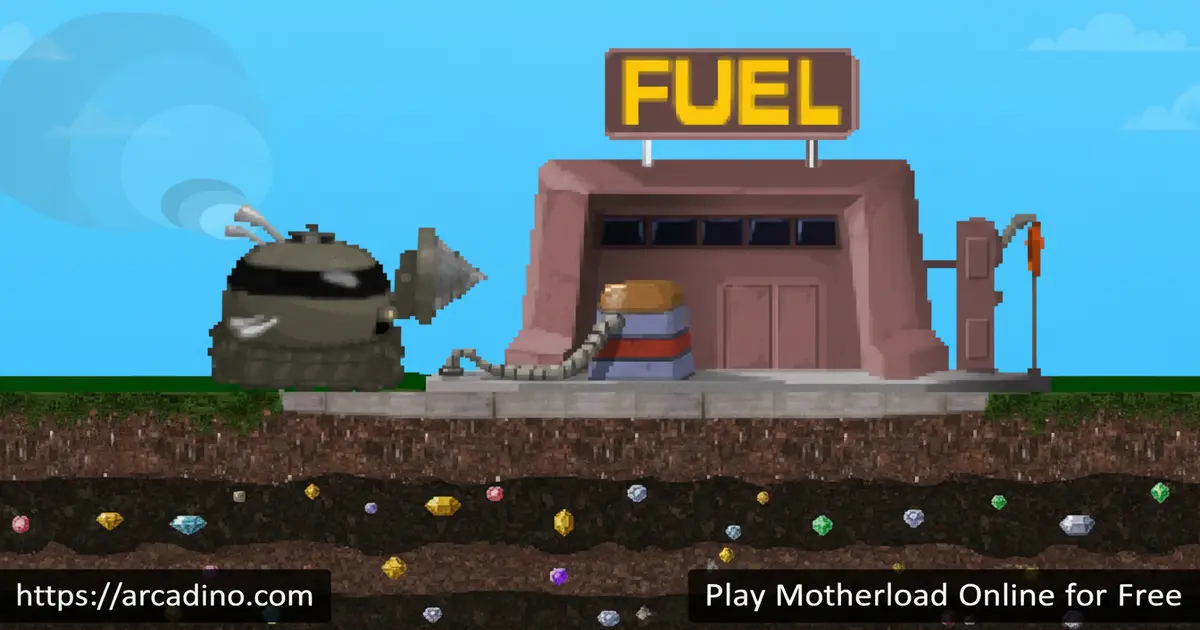
What if digging straight down into Martian soil was the most addictive thing you did today? Motherload is a free browser mining game that lets you do exactly that. This 2004 cult classic by XGen Studios still hooks players with its loop of dig, sell, upgrade, repeat. You can jump in right now on Arcadino — no download needed.
- Deep progression system: Upgrade your drill, engine, hull, fuel tank, cargo, and radiator as you go deeper.
- Real underground hazards: Hidden gas pockets and earthquakes make every descent feel risky.
- Ancient Scroll secrets: Rare items found thousands of feet down unlock the highest-tier upgrades automatically.
- Classic Flash game reborn: Originally built in Flash, now fully playable in modern browsers.
What Is Motherload?
Motherload is a 2D mining-platformer made by XGen Studios and originally released in 2004. You pilot a Mining Pod across the surface of Mars, then drill downward to collect raw materials and sell them for cash. It draws clear inspiration from arcade classics like Dig Dug and Boulder Dash, but builds a much deeper upgrade loop on top of that foundation.
The game runs cleanly in the browser with sharp, readable visuals even on smaller screens — the pixel-style art holds up surprisingly well after two decades. What makes this title stand out is how quickly a quick five-minute session turns into thirty minutes underground. The sense of reward every time you resurface with a full cargo hold is genuinely satisfying.
If you’ve searched for Motherload Goldium Edition, here’s what that means. Goldium Edition is an enhanced version of the original 2004 game that XGen Studios later bundled with the Steam release of Super Motherload. It includes a refined upgrades list and some extra polish over the very first Flash build. The free browser version you can play on Arcadino is based on the classic original, so it’s the same core experience most fans remember and love.
Motherload Gameplay — The Mining Loop That Keeps Pulling You Back
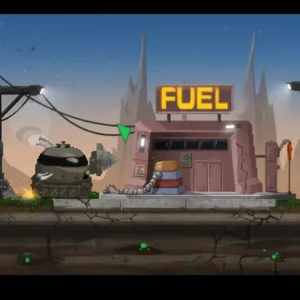
The core loop is simple but deeply compelling. You drill down into the Martian soil, fill your cargo hold with minerals, then fly back up to the Mineral Processor 3000 on the surface to sell them. The cash you earn goes straight into upgrades at the junk shop, which let you go deeper on the next run. 🚀
Early runs are short because your fuel tank drains fast and your cargo hold fills up quickly. As you invest in better equipment, those same underground zones become much more profitable. The game rewards patience — pushing too deep before upgrading your hull is a fast way to lose your pod entirely.
Levels and Progression in Motherload
There are no traditional levels in Motherload — progression is measured purely in depth. Around the -1,000 ft mark, you start finding more valuable minerals like platinum and emeralds. Miscellaneous valuables, which give cash immediately on contact rather than filling cargo space, only appear at depths beyond 950 feet.
The real late-game begins far below the surface. Ancient Scrolls are hidden between -3,700 ft and -7,300 ft, and finding one automatically applies the highest-tier upgrade for that stat. These scrolls make the deepest zones feel like a treasure hunt layered on top of the mining sim. Every new game starts fresh, so finding them never gets old.
Minerals and Resources by Depth
Knowing what minerals appear at each depth tier makes your runs way more efficient. Here’s a general breakdown of what to expect as you dig deeper into Mars:
- Surface to -300 ft: Iron and coal are the most common finds. They sell for low amounts, but they’re easy to fill your cargo hold with early on.
- -300 ft to -600 ft: Silver starts appearing here alongside more iron. Values pick up a little, making this a good zone for early-game grinding.
- -600 ft to -1,000 ft: Gold becomes available and starts appearing regularly. This is where your earnings per trip noticeably improve.
- -1,000 ft to -2,000 ft: Platinum and emeralds show up, and the value jumps again. This is mid-game territory and worth farming once your hull and radiator are upgraded.
- -2,000 ft and below: Rarer gems and high-value minerals dominate. Miscellaneous valuables that give instant cash also appear from -950 ft onward — always grab these since they don’t use cargo space.
- -3,700 ft to -7,300 ft: Ancient Scrolls are hidden in this deep zone. Finding one auto-applies the best upgrade for that stat — the ultimate reward for pushing this far.
The deeper you go, the hotter and more dangerous it gets. Make sure your radiator and hull are strong before chasing the deepest minerals — it’s not worth losing your pod over one extra cargo run.
Customization and Upgrades
The upgrade system is the backbone of everything in this mining game. At the junk shop on the surface, you can improve six core systems: your fuel tank, cargo capacity, drill speed, engine power, hull strength, and radiator. Each upgrade directly changes how your Mining Pod handles in the field — a better engine lets you climb back to the surface faster even with a heavy load.
The Motherload upgrade tree also includes one-of-a-kind items like the MultiDrill, which is the only tool that can break through solid rock formations. The Hyper-Drive is another game-changer — it gives you unlimited free teleports back to the surface by pressing M. These special items shift the whole strategy once you have them in hand.
Game Modes and Challenges
The base browser version is a solo survival run: dig as deep as you can before your hull fails or you run out of fuel. Underground hazards like hidden gas pockets and random earthquakes add unpredictable danger to every descent. The supply shop beside the junk shop also offers additional consumables — like extra fuel canisters and hull repair kits — to help you stay alive longer on deep runs.
A separate high-score table lets you compare your depth and earnings against other players. XGen Studios later expanded the concept into Super Motherload, a 1-to-4-player couch co-op title available on Steam. The browser version of this classic keeps things focused and lean — which is exactly what makes it so replayable.
In-Game Challenges
Beyond the main survival loop, Motherload includes a set of structured in-game challenges that give you extra goals to chase. These are optional objectives that push you to reach specific depths, collect certain minerals, or complete a run under tough conditions. Completing a challenge usually rewards you with bonus cash or a head-start on upgrades for your next run. They’re a great way to keep things fresh once you’ve got the basic mining loop down. If you feel like the normal dig-and-sell routine is getting too easy, try tackling a challenge run — it adds a whole new layer of pressure and fun to every descent.
How Motherload Runs in Modern Browsers Without Flash
Flash Player was officially shut down in December 2020, and a lot of classic browser games vanished with it. Motherload was originally built entirely in Adobe Flash, so you might wonder how it still runs today. The answer is an open-source emulator called Ruffle, which recreates the Flash runtime directly inside your browser using modern web technology. Ruffle runs silently in the background — you don’t need to install anything, and you’ll never see a Flash warning. The emulation is very accurate for games like Motherload, meaning the gameplay, sounds, and visuals all behave just like the original 2004 version. On rare occasions, very old Flash games can have minor graphical quirks through Ruffle, but Motherload runs cleanly with no issues worth worrying about. It’s genuinely impressive that a 20-year-old Flash game plays this smoothly in a modern browser tab.
How to Play Motherload
Start by drilling straight down from the landing pad on the Martian surface. Collect any minerals your pod passes through and watch your cargo meter fill up. When your fuel gets low or your hold is full, head back to the surface to refuel and sell at the Mineral Processor 3000. Spend every coin wisely at the junk shop before your next run.
Early on, stay shallow and prioritize upgrading your fuel tank and cargo capacity first. Those two upgrades give you more time underground and more profit per trip. Once your hull and engine are stronger, you can start pushing past the -1,000 ft mark where the real valuables live.
Controls for Motherload
Use the arrow keys to steer your Mining Pod in all four directions. Drilling happens automatically as you push into the soil — just hold a direction against the ground. Once you unlock the Hyper-Drive, press M to teleport instantly back to the surface from anywhere underground. On mobile, tap the screen to interact and use on-screen controls to navigate.
Tips and Tricks for Motherload
- Upgrade fuel first: Running out of fuel deep underground is the most common way to lose your pod early on.
- Don’t ignore the radiator: Deeper layers get hotter, and an underpowered radiator will damage your hull before any rock does.
- Grab miscellaneous valuables on sight: Items below 950 ft that give instant cash don’t take up cargo space — always pick them up.
- Save up for the MultiDrill: Solid rock formations block entire paths; the MultiDrill is the only way through and opens up new dig routes.
- Hunt for Ancient Scrolls late-game: Between -3,700 ft and -7,300 ft, Ancient Scrolls auto-apply the highest-level stat upgrades — they’re worth exploring for.
Smart Upgrade Order: A Depth-by-Depth Priority Guide
Spending your coins in the right order makes a massive difference in how far you can go. In your first few runs, from the surface down to around -500 ft, focus entirely on the fuel tank and cargo hold. More fuel means longer trips, and more cargo space means more cash per surface run — those two upgrades pay for themselves fastest. Once you’re regularly reaching -500 ft to -1,000 ft, shift your spending to the engine and drill speed. A faster drill clears ground quicker, and a stronger engine pulls your loaded pod back to the surface without burning extra fuel. When you start pushing past -1,000 ft toward the platinum and emerald zones, the hull becomes your top priority — one unlucky earthquake or gas pocket at that depth can destroy an underpowered pod instantly. Below -2,000 ft, the radiator moves to the top of the list, because heat damage is a silent killer that chips away at your hull even when nothing else goes wrong. Save special one-off purchases like the MultiDrill and Hyper-Drive for when you have cash to spare — they’re game-changers, but upgrading your core stats first gives you a much more stable foundation to work from.
Key Features of Motherload
- Six upgradeable systems: Fuel tank, cargo, drill, engine, hull, and radiator each change how your Mining Pod performs underground.
- Ancient Scroll progression: Hidden scrolls in the deepest zones automatically unlock the top-tier upgrades for each stat.
- Martian hazard system: Gas pockets and earthquakes create real tension during long underground runs.
- Hyper-Drive fast travel: Press M to teleport to the surface instantly — a huge quality-of-life tool in the late game.
- High-score leaderboard: Compare your mining haul and depth against other players to see how your runs stack up.
Where to Play Motherload
You can play Motherload free in your browser right now at Arcadino. The game loads quickly and runs without any account or download required. It’s accessible without restrictions, so you can jump in from school, home, or anywhere with a browser.
The browser version is the best way to play the classic game for free. There is no verified official mobile port of the original XGen Studios mining game on app stores at this time, so we recommend sticking to the browser version on Arcadino for the most reliable and safe experience. Always be cautious of APK files from third-party sites — they can carry security risks and should be avoided.
Motherload’s Cultural Legacy: From Mars to Minecraft
Motherload’s impact on gaming goes way beyond its own sequels. When it launched in 2004, it proved that a browser-based mining game with a deep upgrade loop could be genuinely addictive — and that idea spread fast. The game is widely credited as one of the inspirations behind Infiniminer, a 2009 indie title that let players dig and build in a blocky underground world. That might sound familiar, because Infiniminer directly inspired Markus “Notch” Persson when he created Minecraft in 2009. So in a very real sense, Motherload sits near the roots of a family tree that eventually produced one of the best-selling games of all time. Not bad for a free Flash game about a little pod drilling into Mars. XGen Studios expanded the concept further with Super Motherload on Steam, but the original browser game deserves recognition as a genuine milestone in the dig-and-explore genre.
For Parents
Motherload is a non-violent resource-management game with no blood, no combat, and no chat system. The core challenge is strategic — managing fuel, upgrading equipment, and deciding when to resurface — which builds basic planning skills in a fun context. It’s well-suited for kids aged 8 and up who enjoy problem-solving games.
There are no in-app purchases in the free browser version, so there’s nothing to accidentally spend money on. The game is self-contained and doesn’t connect to social features or outside platforms. A session of 20–30 minutes is enough for a satisfying run, making it easy to manage screen time without arguments.
Similar Games to Motherload
If you love the dig-and-upgrade loop in this mining game, these titles share the same satisfying underground energy.
- Dig Dug — A classic arcade tunneling game that directly inspired Motherload’s underground digging style.
- Boulder Dash — Another pioneering dig-em-up where you collect gems while avoiding falling rocks, a clear ancestor of this title.
- Papa’s Pizzeria — A popular Flash-era management game that shares the same nostalgic browser-game charm.
Explore more games like these in the Arcade category.
FAQs About Motherload
Who made Motherload?
Motherload was made by XGen Studios. The original game launched in 2004 as a Flash browser title. XGen Studios later developed Super Motherload, an expanded co-op version released on Steam.
Is Motherload free to play?
Yes, Motherload is completely free to play in the browser. No account or download is required to start a run on Arcadino. There are no paywalls blocking upgrades or progression in the browser version.
What minerals can I find in Motherload?
You’ll find iron and coal near the surface, then silver and gold in the mid-depths, and platinum and emeralds around -1,000 ft and below. Rarer gems appear in the deepest zones, and miscellaneous valuables that pay out instant cash also appear below 950 feet. These don’t use cargo space, so always grab them when you see them.
How deep can you dig in Motherload?
Ancient Scrolls appear as deep as -7,300 ft, suggesting the map extends well beyond that point. Reaching those depths requires fully upgraded equipment, especially a strong hull and radiator. The deeper you go, the more the underground hazards escalate.
What does the Hyper-Drive do in Motherload?
The Hyper-Drive gives you unlimited free teleports back to the surface. Press M to activate it from anywhere underground. It’s one of the most valuable late-game tools because it eliminates the risky climb back up after a long deep run.
What is the MultiDrill in Motherload?
The MultiDrill is the only upgrade that lets you drill through solid rock. Regular drills can’t break rock formations at all, so the MultiDrill opens up blocked paths underground. It’s a key purchase if you want to reach the deepest zones without detours.
What is Motherload Goldium Edition?
Motherload Goldium Edition is an enhanced version of the original 2004 game that XGen Studios bundled with the Steam release of Super Motherload. It features a refined upgrades list and some extra polish compared to the original Flash browser build. If you’re playing the free browser version on Arcadino, you’re playing the classic original that most fans grew up with.
Can I play Motherload on mobile?
The browser version on Arcadino works on mobile devices and is the safest way to play on your phone or tablet. There is currently no verified official mobile port of the original XGen Studios mining game on app stores, so we recommend using the browser version for the best and most secure experience.
Start Your Descent in Motherload
Motherload holds up as one of the sharpest mining games ever made for the browser. The six-system upgrade loop, the Ancient Scroll hunts, and the ever-present threat of gas pockets and earthquakes give it a depth that few games from 2004 can match. Every run teaches you something new about managing your pod smarter.
Fire up your Mining Pod, point the drill downward, and see how far into the Martian crust you can push. The leaderboard is waiting — and those Ancient Scrolls aren’t going to find themselves.
Gameplay Video


