



























Watch one short ad and play ad-free for 30 minutes.
Papa’s Freezeria
Flipline Studios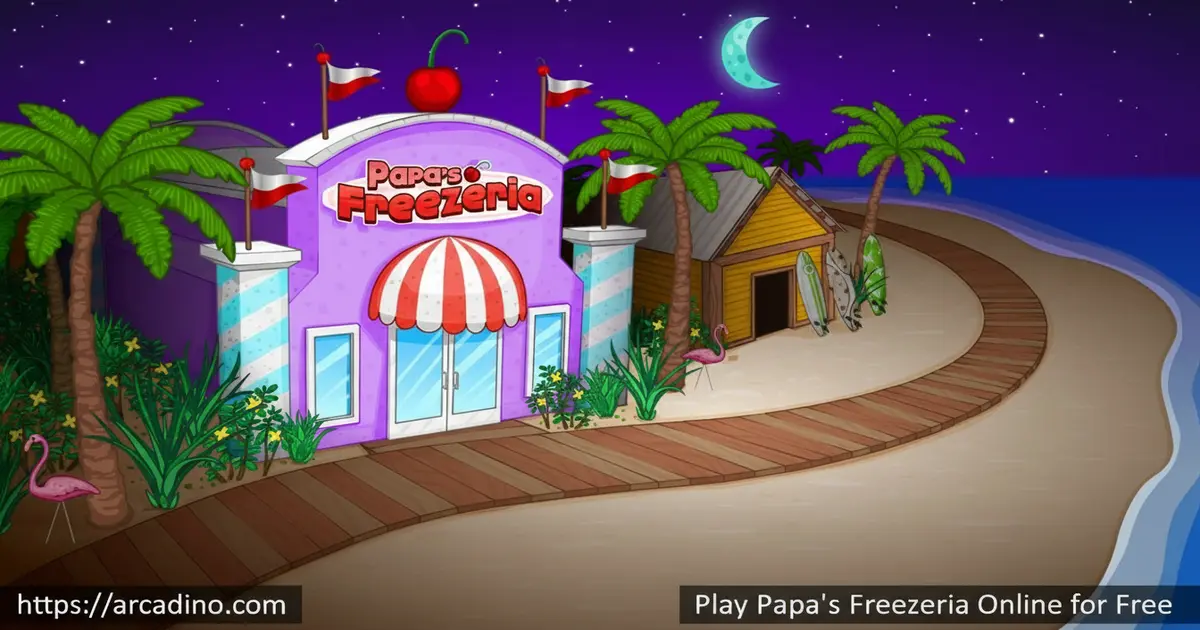
Imagine running a beachside ice cream shop where every sundae order is a fun puzzle to solve. Papa’s Freezeria is free to play online, and it puts you in charge of a busy dessert shop on the tropical Calypso Island. You’ll juggle four different work stations, deal with impatient customers, and unlock new toppings as you level up. It’s a satisfying loop that gets surprisingly intense once the orders start stacking up.
- Run a full sundae shop across four distinct work stations
- Unlock dozens of syrups, toppings, and mix-ins as you progress
- Spend tips on real shop upgrades that change how you play
- Choose to play as Alberto or Penny on Calypso Island
What Is Papa’s Freezeria?
Papa’s Freezeria is the fourth web game in the Papa Louie restaurant time-management series, developed by Flipline Studios. It originally launched in 2011, and the HTML5 version has been fully playable without Adobe Flash Player since December 2022. The game puts you in control of an oceanfront ice cream shop while Papa Louie heads off on holiday — leaving you to handle everything alone.
What separates this title from a typical cooking game is how many layers are packed into one ice cream order. Building a sundae involves pouring the base, mixing it to a precise blend level, and then topping it exactly to spec — it’s more detailed than it sounds. The HTML5 version performs well on most modern browsers, and the mouse controls feel natural and easy to pick up, making the station-switching feel smooth even when orders pile up. This is one of the deeper entries in the Papa Louie franchise.
Gameplay — How the Sundae Shop Works
The core loop in Papa’s Freezeria is built around managing four stations efficiently. At the Order Station, you take a customer’s request. Then you move to the Build Station to pour the right ice cream base, the Mix Station to blend it to the customer’s preferred level, and finally the Top Station to add whipped cream, syrups, and toppings before serving.
At the Build Station, cup size is a separate part of every order — customers don’t just ask for a flavor, they also specify a Small, Medium, or Large cup. Choosing the wrong size lowers your build accuracy score, so always check the order ticket before you pour. It’s one of those small details that catches new players off guard when tips start coming in lower than expected.
The challenge ramps up fast. Early on, you might have one or two customers at a time. But as the days pass and your level climbs, more customers arrive and their orders get more specific. 😤 Frustrated customers leave smaller tips, so keeping the line moving is always the priority. Every sundae you serve is scored on your topping accuracy, your build quality, your mix precision, and how long the customer waited — and those scores add up to your final tip.
Levels and Progression in Papa’s Freezeria
Progression in this game feels genuinely rewarding. As your level rises, new toppings and syrups unlock in the shop, giving you more ingredients to work with. New customers also start visiting the Freezeria, each with their own topping preferences and patience levels. The variety keeps growing the longer you play.
Papa’s Freezeria also tracks your performance across four scoring categories — build, mix, topping, and wait time. Maximizing all four is tough but satisfying. High scores mean bigger tips, and bigger tips mean more money to spend on the shop. The progression system gives you a constant reason to come back for one more day.
Papa’s Freezeria also has a full achievements system with 100 separate goals to unlock. Achievements are tied to specific in-game tasks — things like serving a customer with every topping on the menu, nailing a perfect Build Station bonus, or hitting a certain blend level streak. They give long-term players something extra to chase beyond just leveling up, and they’re a great way to keep the game feeling fresh even after you’ve seen most of the customers and ingredients.
Customization and Upgrades
Tips in Papa’s Freezeria aren’t just pocket money — they’re your main tool for improving the shop. You can buy practical upgrades like blender boosters, blend level alarms, and auto ice cream dispensers. These upgrades are essential when the shop gets busy and you’re managing multiple orders at once.
Beyond upgrades, the game features over 100 lobby decorations you can purchase from the Furniture Shop. Wallpaper, flooring, furniture — you can arrange everything however you like, and certain items actually affect your in-game scores. Each decorative item that qualifies provides a small flat bonus to your customer rating score for that workday, so filling out the lobby isn’t just about looks — it quietly adds up over time. There’s also clothing to buy for your worker character, adding a fun layer of personalization that goes beyond just being cosmetic.
How to Play Papa’s Freezeria
When you first launch the game, you’ll pick your worker — either Alberto or Penny. A tutorial walks you through the basics of each station before the real customers arrive. The training is quick and helpful, and it gets you comfortable with the station flow before things get hectic.
Your main job is to move between the four stations in the right order for each customer. Take the order, build the sundae, mix it to the right level, add the correct toppings, and serve it fast. The faster and more accurately you work, the bigger your tip at the end of the day.
Controls for Papa’s Freezeria
Papa’s Freezeria uses simple mouse-only controls. Use the left mouse button to select, drag, and place ingredients at each station. You’ll click to pour, drag to place toppings, and interact with the blender using the same button. Everything is designed to feel intuitive, so you can focus on speed and accuracy rather than memorizing complicated inputs.
Saving Your Progress in Papa’s Freezeria
Your progress in the browser version is saved automatically using your browser’s local storage. That means your level, tips, upgrades, and lobby decorations are all kept between sessions — as long as you don’t clear your browser’s site data or cookies. If you ever clear your browsing data, that save file will be wiped, so it’s worth knowing before you tidy up your browser history. To keep your save safe, avoid clearing site data for arcadino.com, and don’t use private or incognito browsing mode, since those sessions don’t save anything once the window closes. The AwayFL emulation layer that powers the HTML5 version stores all game data the same way the original Flash version did — it’s a faithful recreation, not a rebuild, so your save behaves just like you’d expect from the classic game.
Tips and Tricks for Papa’s Freezeria
- Prioritize the Mix Station early: Blending takes the longest, so always start a new mix while you’re topping a different customer’s sundae to save time.
- Buy the Blend Alarm upgrade ASAP: It tells you exactly when the blender hits the right level, so you never over-mix or under-mix an order again.
- Watch the Build Station Bonus Meter: Pouring the ice cream base at precisely the right moment earns bonus points — practice the timing and it becomes second nature.
- Invest tips in shop upgrades before lobby decorations: Practical upgrades like the blender booster make a real difference to your scores; furniture can wait until you’re comfortable with the pace.
- Keep an eye on wait time scores: Even a perfect sundae loses points if the customer waited too long. Learn to rotate between stations constantly rather than finishing one order fully before starting the next.
The Best Station Rotation Strategy When the Shop Gets Busy
Once the Freezeria gets crowded, juggling multiple orders at once is the real skill test — and a simple rotation pattern makes it much easier to handle. The key insight is that blending is the only fully passive step in the whole workflow: once you start the blender, it runs by itself while you’re free to work elsewhere. That means the Mix Station should almost always be running in the background while you focus your attention on the Top Station, where every placement needs your direct input. The optimal two-order rotation works like this: take Order 1 to the Build Station, pour and confirm the cup size, then send it to the Mix Station and start the blend. While Order 1 is blending, switch to the Top Station and finish off a completed Order 2 that’s already been blended — place every topping carefully, then serve it. Now you have time to check back on Order 1’s blend level, stop it at the right point, and move it to the Top Station. Repeat this loop and you’ll almost never have a customer waiting at the counter with nothing happening on their order. It takes a couple of days to get the rhythm down, but once it clicks, your wait time scores will jump noticeably and your tips will follow.
Key Features of Papa’s Freezeria
- Four-station sundae workflow: Order, Build, Mix, and Top stations create a detailed and satisfying production line unique to this entry in the series.
- Unlockable ingredients tied to your level: Dozens of syrups, candies, and toppings unlock as you play, keeping the menu fresh throughout the game.
- Practical shop upgrades that change gameplay: Blender alarms and auto ice cream dispensers aren’t just cosmetic — they directly affect how you manage busy shifts.
- Over 100 lobby decorations with score effects: The Furniture Shop lets you customize the Freezeria, and certain items actually boost your in-game performance ratings.
- HTML5 browser compatibility: Fully playable without Adobe Flash Player, so you can jump in on any modern browser without installing anything.
Where to Play Papa’s Freezeria
You can play Papa’s Freezeria free in your browser right here on arcadino.com — no download, no account required. The HTML5 version runs on all modern browsers and is accessible without any restrictions on the site. It works smoothly on both desktop and laptop screens.
If you want to take the ice cream shop with you, the mobile versions are available on both major app stores. The Papa’s Freezeria To Go edition is designed specifically for phones, with controls reimagined for touchscreens. Always download from official stores — avoid any third-party APK sites, as unofficial files can carry security risks.
Which Version of Papa’s Freezeria Is Right for You?
There are four different versions of Papa’s Freezeria, and they’re not all the same game. Knowing which one fits your setup saves a lot of confusion. Classic is the original 2011 browser game — it’s free, runs on any desktop or laptop via arcadino.com, and has the full original content with no installation needed; this is the best starting point for most players. Papa’s Freezeria HD is a tablet-optimized paid app that doubles the number of unlockable ingredients, adds a custom character creator, and includes post-shift mini-games not found in the original; it’s worth it if you play mostly on an iPad or Android tablet. Papa’s Freezeria To Go is the iPhone and iPod version, also paid, with thumb-friendly controls rebuilt for small screens and a handful of exclusive ingredients you won’t find anywhere else. Papa’s Freezeria Deluxe is the PC version available on Steam, and it’s the most content-rich of all — it adds seasonal holiday themes, a food truck mode, and year-round unlockable content that gives the game a much longer playtime than any other version. If you’re just getting started, the free Classic browser version on arcadino.com is the obvious choice; if you already love the game and want more, Deluxe is the biggest upgrade.
For Parents
Papa’s Freezeria is a great fit for kids aged 8 and up. The gameplay builds real skills — time management, multitasking, and following multi-step instructions are all central to succeeding at the sundae shop. There’s no in-app chat, no online multiplayer, and no social features, so it’s a self-contained experience parents can feel comfortable with.
On a deeper level, Papa’s Freezeria trains some specific cognitive skills that researchers link to academic readiness. Task-switching — the ability to shift focus between different jobs without losing track of what’s already in progress — is at the heart of every busy shift, and it’s a core component of executive function. Players also practice sequential multi-step instruction following, since every order requires a precise chain of actions across four stations in the correct order. Perhaps most importantly, working memory gets a real workout: at peak busyness, a player must hold two or three incomplete orders in mind simultaneously while physically executing steps at a different station for each one. Unlike many mobile games, Papa’s Freezeria has no ads, no randomized reward mechanics, and no chat features — which means the cognitive engagement is clean and focused rather than designed to create compulsive behavior.
The browser version on arcadino.com is free and contains no in-app purchases. The mobile To Go version is a paid app. Suggested play sessions of 20–30 minutes work well, since each in-game workday has a natural stopping point that makes it easy to take a break without losing progress.
Similar Games to Papa’s Freezeria
If you love the time-pressure rush of building perfect sundaes, these other cooking and restaurant games are worth trying next.
- Papa’s Pizzeria — The original Papa Louie restaurant game where you build and bake pizzas to order; great for fans of the same station-based workflow.
- Papa’s Burgeria — Another entry in the Flipline Studios series, this time flipping and stacking burgers with the same satisfying time-management loop.
- Papa Louie: When Pizzas Attack — A platformer spin-off set in the same universe, perfect if you want a break from the restaurant counter.
Browse more games like this in the Cooking category.
FAQs About Papa’s Freezeria
Is Papa’s Freezeria free to play?
Yes, Papa’s Freezeria is completely free to play in your browser. You can access the full game on arcadino.com without creating an account or downloading anything. The mobile To Go version is available as a paid app on the App Store and Google Play.
Who created Papa’s Freezeria?
Flipline Studios created Papa’s Freezeria, releasing it in 2011. The original browser version ran on Adobe Flash, but it was later emulated in HTML5 by AwayFL. AwayFL is an open-source ActionScript-to-WebAssembly runtime that faithfully replicates the original Flash behavior rather than rebuilding the game from scratch — which is why it plays so closely to the classic version. Save data is stored in your browser’s local storage, so clearing your site data will erase your progress. That means you can play it on any modern browser today without any plugins, but it’s worth keeping your browser data intact if you want to protect your save file.
What are the four stations in Papa’s Freezeria?
The four stations are the Order Station, Build Station, Mix Station, and Top Station. You take orders at the first, pour the ice cream base at the second, blend it to the right level at the third, and add toppings at the fourth. Moving efficiently between all four is the core challenge of the game.
Can I play Papa’s Freezeria without Flash?
Yes, Papa’s Freezeria works without Adobe Flash Player. As of December 2022, the game was fully converted to HTML5 and runs in any modern browser. You don’t need to install any plugins or extra software to play.
What’s the difference between Papa’s Freezeria and Papa’s Freezeria HD?
Papa’s Freezeria HD is a tablet-optimized version with more content. It doubles the number of unlockable ingredients found in the original and adds dozens of new customers not in the classic version. HD also includes mini-games like Saucy Shot and Mitch’s Mess that you can play after each workday. One of the biggest differences is character creation: instead of choosing between Alberto and Penny, HD lets you build a fully custom worker with your own choice of hairstyle, hair color, skin tone, and facial features — a level of personalization the classic browser version doesn’t offer.
How do tips work in Papa’s Freezeria?
Tips are earned based on how well you serve each customer. Your score is calculated across four areas — build accuracy, blend level, topping placement, and wait time. Bigger tips mean more money to spend on shop upgrades and lobby decorations between workdays.
What can I upgrade in Papa’s Freezeria?
You can buy upgrades like the blender booster and blend level alarm to make the Mix Station easier to manage. Auto ice cream dispensers help at the Build Station during busy shifts. You can also spend tips on furniture, wallpaper, and flooring for the lobby, some of which actually improves your scores.
Conclusion
Papa’s Freezeria stands out in the Papa Louie series because the four-station sundae workflow is genuinely more complex and rewarding than it looks. The blend of precision tasks, time pressure, and meaningful upgrades gives this ice cream management game real staying power. Watching your Freezeria transform from a quiet beach shack into a buzzing, fully customized shop is deeply satisfying.
Head to arcadino.com, pick Alberto or Penny, and find out how long you can keep the customers on Calypso Island smiling. The Order Station is open — it’s your turn behind the counter.
Gameplay Video


