


























Watch one short ad and play ad-free for 30 minutes.
Papa’s Hot Doggeria
Flipline Studios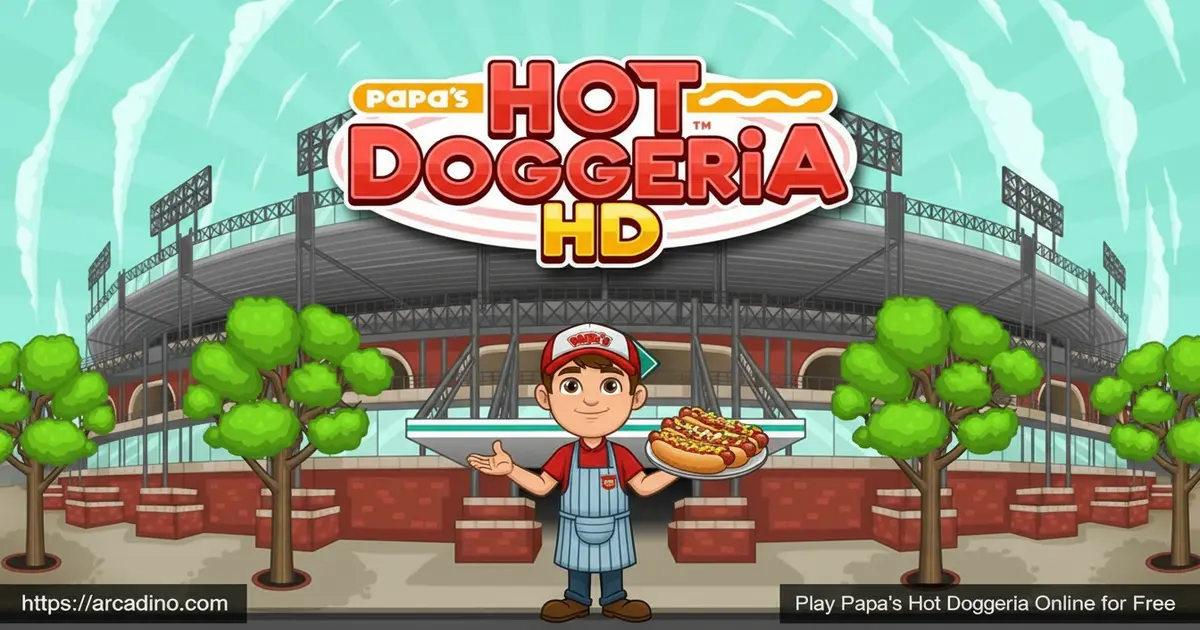
Season tickets sold out? No worries — Papa’s Hot Doggeria gives you the best seat in the house. Play it free, right in your browser, with zero downloads required. This Flipline Studios classic puts you behind a sizzling hot dog stand inside Griller Stadium. You’ll juggle grilling, topping, pouring sodas, and popping popcorn for a stadium full of hungry fans. 🌭
- Packed with 46 ingredients — sausages, buns, toppings, sauces, sodas, and popcorn flavors
- Four-station gameplay — Order, Grill, Build, and Pop Station keep you constantly moving
- Seasonal holidays — new ingredients and decorations unlock as the in-game seasons change
- Special Recipes and Mini-Games — extra challenges keep every shift feeling fresh
What Is Papa’s Hot Doggeria?
Papa’s Hot Doggeria is a restaurant time-management game developed by Flipline Studios. It’s the seventh web game in the beloved Papa Louie series, and it trades burger joints and pizza parlors for a baseball stadium hot dog stand. The setting — Griller Stadium in Tastyville — gives this entry a unique, crowd-roaring energy that other games in the series don’t have.
What makes this title stand out from earlier Papa Louie games is the sheer number of things you’re handling at once. Grilling sausages, building loaded dogs, and then rushing to the pop station for sodas and popcorn creates a genuinely hectic loop. On desktop, the mouse controls feel snappy and precise — clicking between stations is quick enough that experienced players can juggle multiple orders without things falling apart. That satisfying rhythm of grill-build-pour is exactly what keeps players coming back shift after shift.
Gameplay — The Four-Station Hot Dog Rush
Every customer who walks into Papa’s Hot Doggeria places a specific order you need to nail perfectly. You start at the Order Station to read exactly what they want, then head to the Grill Station to cook their sausage. Different sausages have different cooking times, so keeping an eye on the grill is crucial.
Once the sausage is ready, you move to the Build Station to place it in the correct bun and pile on toppings and sauces. Get the toppings wrong and your tip takes a hit. Then it’s off to the Pop Station, where you pour the right soda size and pop fresh popcorn to complete the order. Nailing all four steps earns you a bigger tip and a better score.
Keep an eye out for Closers — these are special customers who show up near the very end of each shift. Closers are the last folks you’ll serve before the day wraps up, and their orders can really change your final score. Getting a Closer’s order perfect is super important because a big tip from them can push your daily earnings way higher. Don’t rush their order just because the shift is almost over — take your time and nail every step.
Customization and Upgrades
After a solid shift, you can spend your earned tip money on upgrades for the stand. One of the most useful early purchases is the bell that rings whenever a new customer walks in — it stops you from missing arrivals while you’re busy at the grill. Decorations for the lobby are also worth investing in, since baseball fans waiting for their food are more patient when the place looks great.
Another handy feature is the coupon mechanic run by a mailman character named Vincent. If a regular customer stops showing up at the stand, you can send them a coupon through Vincent to bring them back. It’s a great way to keep your favorite tippers returning — and it helps you finish off those tricky Sticker sets for customers who’ve gone missing.
You can also customize your worker character. Pick Taylor or Peggy, or build your own custom character from scratch using a detailed character creator. Choose a gender preset, type in a username, and tweak face options, hair, and outfits. New clothing unlocks as you play, letting you dress your worker in seasonal and holiday gear throughout the year.
Seasonal Events and Special Recipes
As you reach new ranks in Papa’s Hot Doggeria, the in-game seasons change at Griller Stadium. Each new season brings holiday-themed buns, sauces, toppings, and decorations that completely refresh the menu. Holiday ingredients even include some items that aren’t available in other versions of the game, which gives regular players something genuinely new to discover.
Customers will occasionally hand you a Special Recipe — a unique hot dog creation you can feature as the Daily Special at the stand. Each Special Recipe comes with a bonus you can earn by serving a prime example of it. Master enough recipes and they all get collected in your Cookbook, giving you a growing record of every custom creation the stadium crowd has brought your way.
Mini-Games and Stickers
Between shifts, you can spend Mini-Game tickets on Foodini’s classic challenges. Papa’s Hot Doggeria actually has seven different Foodini mini-games to unlock and play. The full roster includes Strike-Out, Home Run Derby, Cool Shot, Hallway Hunt, Mitch’s Mess, Customer Cravings, and Burgerzilla. The baseball-themed ones fit the stadium setting perfectly, but variety picks like Burgerzilla and Hallway Hunt keep things from ever feeling stale. Winning any of these earns you new furniture for your lobby and fresh clothing for your worker.
The game also features a full Stickers system tied to individual customers. Each customer has three favorite Stickers, and earning all three for a single customer unlocks a special reward. It’s a clever way to encourage you to serve every customer well, not just your favorites.
How to Play Papa’s Hot Doggeria
When you first load in, pick one of three save slots to get started. Choose your character — Taylor, Peggy, or a custom worker you design yourself. A short cutscene sets the scene at Griller Stadium before your first shift begins. From there, customers start arriving and the orders start rolling in.
Each workday follows a clear rhythm: take orders, grill sausages without burning them, build the hot dog exactly as requested, then finish with the right drink and popcorn combo. Tips from happy customers are your main currency for upgrades. The game rewards accuracy and speed equally, so rushing a sloppy build will cost you just as much as being too slow.
Controls for Papa’s Hot Doggeria
On desktop, use the left mouse button to interact with everything in the game — clicking stations, selecting ingredients, and serving customers. On mobile, tap the screen to perform the same actions. Station navigation buttons are color-coded, making it easy to jump between Grill, Build, and Pop without getting lost.
How to Handle Multiple Orders at Once
When three or more customers are waiting at the same time, things can get chaotic fast — but there’s a smart way to handle it. First, check every pending order at the Order Station before you start grilling anything, so you know exactly what sausages you need. Then load the grill in sequence — put the longest-cooking sausage on first, then add quicker ones after so they all finish close together instead of burning one while you wait on another. While the sausages cook, jump to the Build Station and prep any toppings you can line up in advance. If you’re seriously swamped, it’s okay to let a low-tip customer wait a little longer while you protect a perfect score on a more complex, higher-value order — a small wait penalty hurts less than a messy build. Coming back to the Pop Station in batches, once you’ve got multiple dogs built, also saves you clicks and keeps the line moving. The key is always thinking one step ahead rather than reacting to whatever’s loudest.
Save Slots and Keeping Your Progress Safe
Papa’s Hot Doggeria gives you three separate save slots, so different players in your household can each have their own game going. In the browser version on arcadino.com, your progress is stored in your browser’s local storage — that means if you clear your browser cookies or site data, your save could disappear. To keep your progress safe in the browser, avoid clearing site data for arcadino.com and try to play on the same browser and device each time. The Papa’s Hot Doggeria To Go mobile app saves your progress directly to your device (and to your app store account if you have backups enabled), making it much harder to accidentally lose your game. If you’re planning to play seriously and rack up a lot of ranks, the mobile app is the safer long-term choice for your save file.
Tips and Tricks for Papa’s Hot Doggeria
- Watch the grill closely. Different sausages cook at different rates — leaving one on too long tanks your score before you even reach the Build Station.
- Buy the customer bell early. Missing a new arrival while you’re busy grilling can spiral into a long wait queue. The bell upgrade pays for itself fast.
- Decorate the lobby. Hungry fans waiting in a well-decorated stand tip better and complain less about wait times — it’s free score padding.
- Nail Special Recipes. Serving a prime example of a Daily Special earns bonus points on top of your regular tip. These add up quickly over a full workday.
- Chase all three Stickers per customer. Earning a full Sticker set for each regular unlocks rewards and pushes your overall rank higher faster than tips alone.
Key Features of Papa’s Hot Doggeria
- 46 ingredients across all stations — sausage varieties, buns, toppings, sauces, soda flavors, sizes, and popcorn types keep the menu deep
- Four distinct work stations — the Order, Grill, Build, and Pop stations create a multi-step workflow unlike simpler cooking games
- Seasonal holiday content — new ingredients, themed decorations, and holiday outfits rotate in as you reach higher ranks
- Seven Foodini mini-games — Strike-Out, Home Run Derby, Cool Shot, Hallway Hunt, Mitch’s Mess, Customer Cravings, and Burgerzilla give you tons of ways to earn furniture and clothing between shifts
- Full character creator and wardrobe — design your own worker and expand their wardrobe with seasonal clothing unlocked through gameplay
Where to Play Papa’s Hot Doggeria
You can play Papa’s Hot Doggeria free in your browser at arcadino.com — no account needed and no installation required. The game was originally built in Adobe Flash and now runs through the Ruffle emulator, which lets it work in modern browsers without any plugins. The game is accessible without restrictions, making it a solid option if you’re looking for Papa’s Hot Doggeria unblocked on a school or shared network.
Flipline Studios also released mobile versions for both iOS and Android. Download Papa’s Hot Doggeria To Go — the version designed for smaller phone screens — using the links below. Stick to the official stores for safety; APK files from random websites can carry malware, so always download from Google Play or the App Store only.
Browser Version vs. Papa’s Hot Doggeria To Go — Which Should You Play?
The browser version at arcadino.com and the Papa’s Hot Doggeria To Go mobile app are both great ways to play, but they’re actually pretty different under the hood. The browser version is the original Flash game running through the Ruffle emulator — it’s free and instant, but Ruffle can sometimes cause minor lag, slightly off animations, or occasional input hiccups that the original Flash version didn’t have. If the game ever feels sluggish or a click doesn’t register, that’s usually a Ruffle quirk and not a problem with your internet connection. Papa’s Hot Doggeria To Go, on the other hand, was completely rebuilt from scratch for phone and tablet screens — it’s not just the Flash game squeezed onto a smaller display. The touch controls in To Go are smoother and more responsive than tapping through a browser window, and the visuals are crisp at any screen size. To Go does include in-app purchases, while the browser version is totally free with no paywalls. For quick sessions at school or on a computer, the browser version is perfect; for the best long-term experience and the most reliable save file, To Go is worth the download.
For Parents
Papa’s Hot Doggeria is a great fit for kids aged 8 and up. The gameplay builds real skills — reading multi-step orders, managing time across four stations, and making decisions under pressure all sharpen focus and planning ability. There’s no chat system, no violence, and the content is entirely food-themed and stadium-safe.
The mobile version (Papa’s Hot Doggeria To Go) does include in-app purchases for unlocking content faster, so parents may want to check purchase settings before handing a device over. The browser version on arcadino.com is free with no paywalls. A typical play session runs 15–30 minutes per shift, making it easy to set natural stopping points between workdays.
Similar Games to Papa’s Hot Doggeria
If you love the chaotic, order-juggling rush of Griller Stadium, these other cooking and restaurant games are worth a try:
- Papa’s Bakeria — Another Flipline Studios classic where you bake and decorate layered pies for a long line of demanding customers.
- Papa’s Bakeria To Go — The mobile-optimized version of Papa’s Bakeria, rebuilt for phone screens with touch-friendly controls for fans who prefer playing on the go.
- Papa’s Hot Doggeria HD — The tablet-optimized version of this same game, redesigned with larger visuals and touch controls built for bigger screens.
- Papa’s Hot Doggeria Deluxe — An expanded take on the original with additional content for fans who’ve already mastered the stadium stand.
Explore more titles in the Cooking category for even more restaurant and food-management fun.
FAQs About Papa’s Hot Doggeria
Who made Papa’s Hot Doggeria?
Flipline Studios developed Papa’s Hot Doggeria. It’s the seventh game in their Papa Louie restaurant time-management series. Flipline has built a large catalog of similar cooking games, all set in the Papa Louie universe across different food-themed locations.
How many ingredients are in Papa’s Hot Doggeria?
The game features 46 ingredients in total. These are spread across sausage types, bun varieties, toppings, sauces, soda flavors, soda sizes, and popcorn options. Seasonal holidays unlock additional ingredients that rotate in as you reach new ranks.
Can I play Papa’s Hot Doggeria on mobile?
Yes, Papa’s Hot Doggeria is available on both iOS and Android. The mobile release is called Papa’s Hot Doggeria To Go, and it’s designed specifically for smaller phone screens with thumb-friendly controls. You can also play the browser version on a mobile device through arcadino.com.
What are the mini-games in Papa’s Hot Doggeria?
The game includes seven Foodini mini-games: Strike-Out, Home Run Derby, Cool Shot, Hallway Hunt, Mitch’s Mess, Customer Cravings, and Burgerzilla. You earn Mini-Game tickets by serving customers during your shifts. Spending those tickets lets you win new lobby furniture and clothing for your worker character.
What is the Daily Special in Papa’s Hot Doggeria?
The Daily Special is a Special Recipe given to you by a customer. You feature it as the highlighted item for that workday at Griller Stadium. Serving a perfect example of the Special earns a bonus on top of your normal score, and all your Special Recipes collect in the Cookbook.
Is Papa’s Hot Doggeria unblocked to play at school?
Yes, you can play it unblocked at arcadino.com without needing any downloads or installations. The game runs in the browser via the Ruffle emulator, which means it works on most school and library networks where app downloads aren’t allowed.
How do ranks work in Papa’s Hot Doggeria?
Your rank increases as you earn tips and complete orders well across multiple workdays. Reaching new ranks unlocks new customers, seasonal content, and fresh ingredients at the stand. Higher ranks also trigger holiday seasons at Griller Stadium, introducing new themed buns and toppings. The game has a large number of ranks to climb through, with new customers joining your roster at regular intervals and full holiday seasons — like Christmas and Halloween — unlocking at key milestones along the way.
Why is Papa’s Hot Doggeria not loading or lagging?
The browser version of Papa’s Hot Doggeria was originally built in Adobe Flash, which modern browsers no longer support. It now runs through the Ruffle emulator, which recreates Flash in the browser — but Ruffle can sometimes cause lag, slow loading, or minor animation glitches. If the game feels sluggish, try refreshing the page, closing other browser tabs to free up memory, or switching to a desktop browser like Chrome or Firefox for the smoothest experience. If issues keep happening, the Papa’s Hot Doggeria To Go app on iOS or Android will give you a much smoother, bug-free experience since it was built natively for mobile devices.
Conclusion
Papa’s Hot Doggeria nails what makes this series so fun — the constant juggle of four stations, the growing roster of picky customers, and a steady drip of new ingredients and seasonal surprises. The Griller Stadium setting gives it a personality all its own inside the Papa Louie lineup. With 46 ingredients, a full character creator, seven Foodini mini-games, and baseball-themed challenges built right into the shifts, there’s always a new reason to fire up another workday.
Head to arcadino.com, step behind the counter at Griller Stadium, and find out if you’ve got what it takes to keep the whole crowd fed. The sausages won’t grill themselves.
Gameplay Video


