

















Watch one short ad and play ad-free for 30 minutes.
Duck Duck Clicker 3D
Hamdy Elzanqali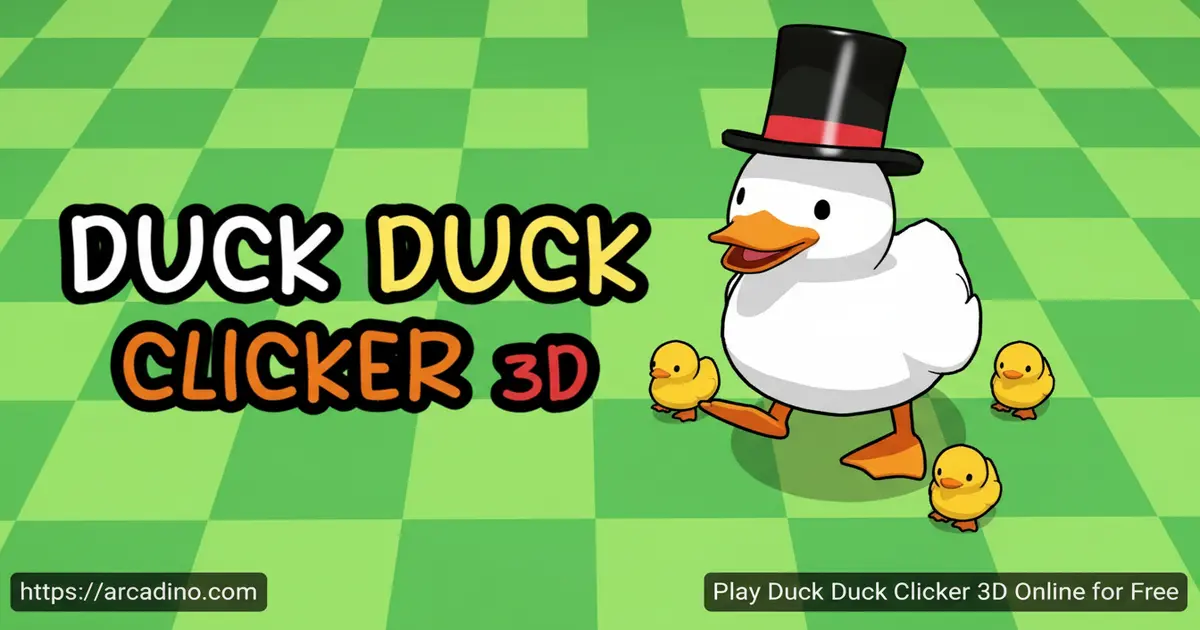
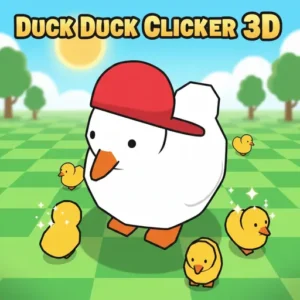
A cute 3D duck is waiting for your clicks — and it’s completely free to play online right now. Duck Duck Clicker 3D takes the classic tap-to-earn formula and wraps it in charming three-dimensional visuals that make every click feel surprisingly satisfying. You earn Ducket$, spend them on upgrades, and dress your duck in increasingly ridiculous outfits. It’s the kind of idle fun that pulls you in for “just one more upgrade” over and over. 🦆
- Earn Ducket$ by tapping a fully 3D animated duck
- Buy upgrades from a scrollable right-side menu to automate income
- Customize your duck with hats, glasses, shoes, and more
- Catch floating yellow ducks on screen for instant bonus rewards
What Is Duck Duck Clicker 3D?
Duck Duck Clicker 3D is a browser-based clicker game created by developer Hamdy Elzanqali. It’s the follow-up to the original Duck Duck Clicker and belongs firmly in the idle clicker genre. The goal is to tap a big, lovable duck to rack up Ducket$ and spend those earnings on upgrades and cosmetics.
What sets this title apart from its predecessor is a complete visual overhaul to full 3D, more upgrades to unlock, and a much bigger wardrobe for your duck. The controls respond instantly to clicks and taps — on a desktop browser, there’s no noticeable lag between clicking the duck and seeing your Ducket$ counter tick up. Hamdy Elzanqali has also made other games like Katkoot and Banana Duck, so the polish here feels deliberate.
Duck Duck Clicker 3D Gameplay — The Core Loop
You start by clicking the duck in the center of the screen to earn Ducket$. Each click adds to your total, which you can see displayed in the top left corner. Beneath that figure, you’ll also see two additional values showing your earning rates and progress toward the next milestone.
As you pile up Ducket$, you unlock auto tools from the right-side upgrade column. These tools generate baby ducks automatically every second, meaning your income keeps growing even when you step away. The upgrade list shows grayed-out items when you can’t yet afford them and switches to a white background the moment you have enough Ducket$ to buy. That visual feedback makes it really easy to know exactly what to save for next.
Your manual clicks don’t stay weak forever, though. As you progress, you can purchase upgrades that increase the value of each individual click, so every tap produces more baby ducks than before. This means clicking the duck is always worth doing, even after your auto tools are running — your tap value scales up alongside your passive income.
Customization and Upgrades in Duck Duck Clicker 3D
The bottom-left corner of the screen holds the real fun: a wardrobe system with four clothing categories. You can tap the hat icon to crown your duck, the glasses button to add accessories, the shoes button to complete the look, and a fourth body or shirt slot to dress your duck from beak to tail. There are plenty of unlockable outfits, and browsing through them is genuinely entertaining.
On top of cosmetics, the upgrade column on the right is where your strategy lives. This version has more upgrades than the 2D original, giving you more meaningful choices about how to grow your Ducket$ per second. Scrolling through the list and spotting a newly affordable upgrade with a white background delivers a little rush every time.
Achievements and Rewards
Duck Duck Clicker 3D includes an achievement system with a clear end goal: unlock the Duck Universe. That gives you something concrete to chase beyond simply watching numbers climb. Achievements reward dedicated players who explore every mechanic the game has to offer.
There’s also a hidden bonus mechanic worth knowing about. A yellow duck will occasionally float across your screen — clicking it immediately grants a bonus payout. Miss it and the opportunity is gone, so keeping one eye on the background pays off. These surprise bonuses keep the experience from ever feeling fully automatic.
The 2x Multiplier Mechanic
Next to the upgrade menu, there’s a duck outline icon. Click rapidly to fill it up, and once it’s completely full, you’ll earn twice as much money for a short burst. This rewards active clicking even after you’ve invested heavily in auto tools.
You can also watch an in-game ad to double your progression for two full minutes. It’s a straightforward trade — a short interruption for a meaningful speed boost. Combining both multiplier sources at the right moment can seriously accelerate your upgrade timeline.
How to Play Duck Duck Clicker 3D
Jump into Duck Duck Clicker 3D on your browser and you’ll see the big duck front and center — click it immediately to start earning. Your Ducket$ total appears at the top left, and the right-side column shows your available upgrades. Start buying upgrades as soon as you can afford them to grow your passive income.
Once you’ve got some auto tools running, shift your attention to filling the duck outline icon for a 2x earning burst. Keep watching the screen for floating yellow ducks that grant bonus Ducket$ when clicked. Meanwhile, check the bottom-left wardrobe whenever you hit a new milestone to see what new duck drip you’ve unlocked.
Duck Duck Clicker 3D Controls
On desktop, use the left mouse button to click the duck and interact with all menus, upgrades, and clothing icons. On mobile and tablet, tap the screen to perform the same actions. The touch controls are just as responsive as the mouse version, making this idle hit equally fun on a phone.
Does Duck Duck Clicker 3D Save Your Progress?
This is one of the most important questions for any idle game. Duck Duck Clicker 3D displays your current progress and achievements during gameplay, but the browser version does not appear to include a persistent cloud save that automatically carries over between separate sessions. That means closing the tab or restarting your browser may reset your Ducket$ and unlocks. To protect your progress, try leaving the game tab open rather than closing it between play sessions. If you want progress that genuinely persists, downloading the dedicated mobile app from the Google Play Store or Apple App Store is your best bet, since apps typically save locally to your device.
Browser Performance and Background Tab Behavior
Duck Duck Clicker 3D runs smoothly in all major modern browsers, but not every browser treats background tabs the same way. Chrome tends to throttle JavaScript timers in inactive tabs, which can slow down or pause your passive Ducket$ income when you switch to another tab. Firefox and Edge behave similarly. Safari on iOS applies aggressive background tab limits, so your auto tools may pause almost immediately when you leave the tab. For the best idle experience, keep the game tab active and visible while you grind — or use the mobile app, which can stay active more reliably. If you want to maximize passive earnings in a browser session, simply leave the Duck Duck Clicker 3D tab as your frontmost open tab rather than burying it behind other windows.
Strategic Upgrade Order for Fast Progress
Knowing what to buy first can save you a lot of waiting. In the very early game, spend your first few hundred Ducket$ on manual-click upgrades so each tap earns noticeably more before you invest in auto tools. Once your click value feels solid — usually after two or three click upgrades — switch your focus to the cheapest auto tool available and keep buying new tiers as you unlock them. From that point, alternate between click upgrades and auto tools roughly every other purchase to keep both income streams growing together. Save the ad-watch 2x multiplier for moments when you’re just a few hundred Ducket$ short of an expensive upgrade — activating it right before a big milestone is far more valuable than using it randomly. Pair the ad boost with a fully filled duck outline multiplier for the single biggest earning burst the game offers, and you can leap multiple upgrade tiers in one short window.
Tips and Tricks for Duck Duck Clicker 3D
- Prioritize auto tools early. Buying upgrades that generate baby ducks automatically means your Ducket$ keep growing even when you’re not actively clicking.
- Never miss a yellow duck. Those floating bonus ducks disappear quickly — they can hand you a big chunk of Ducket$ that shortens your wait for the next upgrade.
- Fill the duck outline before a big purchase. Activate the 2x clicking multiplier right before you hit your savings target to reach it faster.
- Stack the ad boost with the duck multiplier. Watching the ad for 2 minutes of doubled progression while also filling the duck outline icon gives you a powerful combined earning window.
- Check the upgrade column constantly. As your passive income grows, previously grayed-out upgrades unlock faster than you’d expect — a quick scroll every minute or so reveals new options.
Key Features of Duck Duck Clicker 3D
- Full 3D graphics: Unlike most clicker games that stick to flat 2D sprites, this title renders ducks, items, and environments in three dimensions.
- Ducket$ economy with visible upgrade tiers: The white/gray upgrade system makes financial decisions clear and satisfying without any guesswork.
- Duck wardrobe with hats, glasses, and shoes: More outfit options than the original game, letting you build a genuinely unique-looking duck.
- Floating yellow duck bonuses: A live, random event mechanic that rewards players who stay alert rather than just leaving the tab open.
- Achievement system with the Duck Universe goal: A concrete long-term objective that gives the endless clicker format a real sense of progression.
Where to Play Duck Duck Clicker 3D
Duck Duck Clicker 3D is playable for free directly in your browser at arcadino.com — no download, no account, no waiting. The game loads quickly and runs smoothly on both desktop and mobile browsers. It’s fully accessible without restrictions on arcadino.com, making it easy to jump in from school or home.
If you’d rather play on a dedicated app, the game is available on both major mobile platforms. Grab it on Android via the Google Play Store or on iOS through the Apple App Store. If you search for an APK file elsewhere online, stick to the official Play Store link — unofficial APKs can carry security risks not worth taking.
For Parents
Duck Duck Clicker 3D is a gentle, cartoon-style idle game well suited for kids aged 8 and up. There’s no violence, no scary content, and no chat system — just a cheerful duck and a lot of clicking. The upgrade and budgeting mechanics can actually reinforce basic money-management thinking in a low-stakes, playful way.
The game does include an optional ad-watch feature that doubles progression for two minutes, so younger players might ask about it. The browser version of the game is free to play with no paywalled content — the only in-game option beyond clicking is watching a voluntary ad for a temporary earnings boost. Setting a natural stopping point — like reaching a new outfit or filling the achievement list — is an easy way to keep sessions at a reasonable length.
Duck Duck Clicker 3D vs. Cookie Clicker — Which Should You Play?
Both games share the same core loop of clicking to earn currency and spending it on upgrades, but they suit very different players. Duck Duck Clicker 3D is the friendlier pick for kids and beginners — sessions can be as short as five minutes, the interface is immediately clear, and the 3D duck visuals keep things fun and silly without any reading-heavy menus. Cookie Clicker, on the other hand, has been expanded by its developer for over a decade and now features dozens of building types, a prestige reset system, and deep upgrade trees that can feel overwhelming if you’re new to idle games. On mobile friendliness, Duck Duck Clicker 3D edges ahead thanks to its dedicated app and tap-optimized layout, while Cookie Clicker’s browser version was designed primarily for desktop mouse use. If you want a casual, pick-up-and-play clicker with a charming theme, start with Duck Duck Clicker 3D. If you’ve already finished that and want a much bigger, more complex challenge, Cookie Clicker is ready and waiting.
Similar Games You’ll Enjoy
If you love the satisfying tap-and-upgrade loop of this clicker title, these browser games deliver a similar rush with their own twists.
- Cookie Clicker — The classic idle game that started it all; more complex upgrade trees make it a great next step if you want a bigger challenge.
- Duck Duck Clicker — The original 2D version from the same developer, Hamdy Elzanqali, perfect for seeing how far the series has come.
- Candy Clicker — A sugary clicker with a similar casual format and satisfying unlock progression.
- Candy Clicker 2 — The sequel ups the sweetness with even more upgrades in the same easy-to-love style.
- Spacebar Clicker — A simple, fast-paced clicker where you hammer the spacebar to rack up points, perfect for players who love pure clicking action.
- Room Clicker — A 2D idle clicker where you click your way to upgrading an entire room, great for fans of casual tap-and-earn games.
Explore more games like these in the Clicker category.
FAQs About Duck Duck Clicker 3D
What is Duck Duck Clicker 3D about?
You click a cute 3D duck to earn Ducket$ and buy upgrades. The game also lets you dress your duck in hats, glasses, and shoes, hunt for floating yellow duck bonuses, and work toward unlocking the Duck Universe through achievements.
Who created Duck Duck Clicker 3D?
Hamdy Elzanqali made Duck Duck Clicker 3D. The same developer also built the original Duck Duck Clicker, Katkoot, and Banana Duck, all of which you can find on browser game platforms.
How is Duck Duck Clicker 3D different from Duck Duck Clicker 2D?
The 3D version has full three-dimensional graphics instead of flat 2D art. It also features more upgrades to purchase and a larger selection of outfits and accessories for your duck compared to the original game.
Can I play Duck Duck Clicker 3D on my phone?
Yes, it plays on mobile browsers and is available as a dedicated app. Download it from the Google Play Store for Android or the Apple App Store for iOS.
What does the floating yellow duck do in Duck Duck Clicker 3D?
Clicking it gives you an instant Ducket$ bonus. Yellow ducks drift across the screen randomly and disappear if you don’t tap them in time, so it pays to keep an eye out.
Is Duck Duck Clicker 3D free to play?
Yes, it’s completely free in the browser at arcadino.com. You can optionally watch an ad in-game to double your earnings for two minutes, but there’s no paywall blocking any core content.
Does Duck Duck Clicker 3D save my progress?
The browser version shows your progress while you’re playing, but closing the tab may reset your Ducket$ and achievements since browser sessions don’t always persist automatically. For more reliable progress saving, use the dedicated mobile app on Android or iOS, which saves your game locally to your device between sessions.
What is the Duck Universe in Duck Duck Clicker 3D?
The Duck Universe is the ultimate long-term goal in the game — the final milestone that marks true completion for dedicated players. Working toward it means exploring every upgrade, collecting every achievement, and getting the most out of every mechanic the game offers.
Start Clicking Your Way to the Duck Universe
Duck Duck Clicker 3D nails three things: charming 3D visuals that make a simple clicker feel fresh, a clear upgrade system that always shows you exactly what to aim for, and a duck wardrobe deep enough to keep you experimenting. The floating yellow duck bonuses and the dual multiplier mechanics add just enough active decision-making to prevent this idle hit from ever feeling brainless.
Whether you’re chasing that final achievement to unlock the Duck Universe or just building the most stylishly dressed duck on the internet, there’s always one more reason to keep tapping. Head to arcadino.com and give that duck the attention it deserves.
Gameplay Video


