



























Watch one short ad and play ad-free for 30 minutes.
Papa’s Cupcakeria
Flipline Studios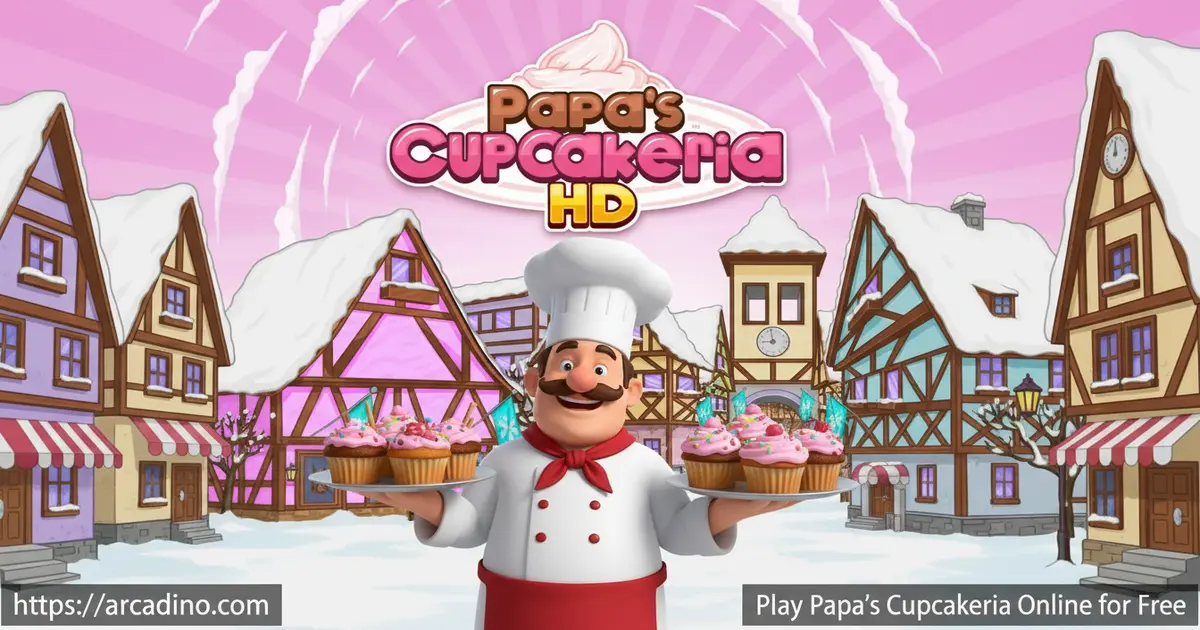
Forget simple cooking games — Papa’s Cupcakeria makes you earn every cupcake. You’ll pour batter, time the bake, pipe frosting, and stack toppings, all for customers who notice every mistake. The best part? It’s completely free and playable right in your browser. This cupcake sim is the eighth game in Flipline Studios’ legendary Papa Louie series, and it’s one of the most satisfying entries yet.
- Run a full cupcake shop across 4 distinct work stations
- Unlock holiday-themed ingredients as the seasons change in Frostfield
- Earn tickets and play 7 different mini-games after every shift
- Customize your character, lobby furniture, and restaurant decorations
What Is Papa’s Cupcakeria?
Papa’s Cupcakeria is a restaurant time-management game developed by Flipline Studios. You play as James, Willow, or a fully custom worker, running Papa Louie’s cupcake shop in the charming town of Frostfield. The game blends careful precision with fast multitasking in a way that feels genuinely rewarding. It stands out from other cooking games because every single step — liner, batter, bake, frosting, toppings — is hands-on and scored separately.
The story kicks off with a fun intro cutscene. Papa Louie and his pal Roy are driving down the road when they suddenly brake-check your character’s car — on purpose! After the bumper-bender, Papa Louie talks you into running his cupcake shop in Frostfield while he’s away. It’s a silly, memorable moment that sets the lighthearted tone for the whole game.
The controls snap responsively to mouse clicks, and the game loads quickly in modern browsers without any Flash converter needed. That smooth performance makes it easy to jump between stations without losing your rhythm. Among all the Papa Louie titles, this one is often praised for being approachable — there are fewer steps at the baking station compared to later entries in the series. That said, it still demands real focus once the customer queue starts piling up.
Papa’s Cupcakeria Gameplay — Four Stations, One Sweet Rush
The game is split into four work stations, and you’ll bounce between all of them during a busy shift. At the Order Station, you take a customer’s ticket and read exactly what they want. Then you head to the Batter Station to choose the right pan liner and pour the correct batter flavor. Get that wrong and you’re already losing points before the cupcake even hits the oven.
The Bake Station asks you to pull the cupcakes out at just the right moment — not too early, not too late. Finally, the Build Station is where the real artistry happens. You’ll layer on frosting types, then carefully add toppings like sprinkles, sauces, and cherries exactly as ordered. Each customer scores every component separately, so sloppy toppings will cost you even if the bake was perfect. 🧁
Levels and Progression in Papa’s Cupcakeria
Progress in this cupcake sim is tied to your customer satisfaction scores. As you level up, new customers start visiting Frostfield and new toppings get unlocked in the shop. The game also follows a full holiday calendar — as you reach new ranks, the seasons shift automatically, bringing fresh holiday-themed ingredients and decorations into the mix.
Every holiday period introduces new liner designs, topping sets, and lobby furniture themes to collect. This keeps the game feeling fresh long after you’ve mastered the basic cupcake routine. Keeping your regulars happy also builds a loyal fan base, which means steadier tips and faster progression through the holiday lineup.
Watch out for Closers — a special group of customers who show up right at the end of the day, just before your shift wraps up. They arrive late, so you don’t get much time to serve them. Missing a Closer’s order means a missed tip and a hit to your daily score. The trick is to keep at least one cupcake in the oven pipeline when the end of day is near so you’re never caught totally off guard.
Mini-Games and Rewards After Every Shift
After each workday, Papa’s Cupcakeria rewards you with tickets to spend on mini-games. There are 7 mini-games in total, including Pizza Pachinko, Saucy Shot, Strike Out, Hallway Hunt, Spin N’ Sauce, Blender Ball, and Mitch’s Mess. Each one is a standalone challenge that has nothing to do with cupcakes — they exist purely to reward you with prizes.
Those prizes aren’t just cosmetic filler. You can use them to decorate your lobby and dress up your worker character. Complete all the levels in a single mini-game and you’ll unlock a special Rare Prize with extra value. It’s a clever system that gives you something to look forward to at the end of every shift, even on a rough day at the counter.
One heads-up about Blender Ball: there’s a known bug where the ball can get completely stuck on the screen and won’t move. If that happens, don’t panic — just refresh the page to fix it. You won’t lose your main game progress, but you may need to replay that mini-game round. It’s a rare glitch, but good to know before it catches you off guard.
Scoring Breakdown — Which Stations Matter Most?
Understanding how your score is calculated can seriously boost your tips. Each order is graded across multiple components, and some mistakes cost you more than others. The Build Station is where most points are won or lost — frosting type, frosting coverage, and topping placement are all graded separately, so a messy build can wipe out a great bake score fast. The Bake Station is the next most critical: pulling cupcakes out too early or too late knocks off a chunk of points that no amount of perfect toppings can recover. The Batter Station matters for getting the liner and flavor right — a wrong liner is an automatic deduction before the cupcake even hits the oven. The Order Station itself doesn’t have its own score, but misreading the ticket poisons every station that follows. The practical takeaway: slow down at the Build Station and never rush the bake timer, even when the queue is long.
How Lobby Furniture Affects Customer Patience
Decorating your dining room isn’t just for looks — it directly changes how long customers will wait before getting angry and leaving. Holiday-themed furniture sets tend to give the biggest patience boosts because they score across multiple decoration slots at once. Standard tables and chairs provide a modest bump, while themed posters and wall décor add a medium layer on top. The biggest gains come from completing a full matching holiday set — mixing and matching random pieces gives smaller benefits than a coordinated theme. Early in the game, prioritize buying at least one furniture item per holiday so you’re always adding patience time to the queue. Even a small wait-time boost can be the difference between serving a Closer and watching them walk out the door. Think of lobby upgrades as a silent timer extension that runs every single workday.
Papa’s Difficulty Ladder — Where Does Cupcakeria Fit?
If you’re new to the Papa Louie series, it helps to know where Cupcakeria sits on the difficulty scale before you dive in. It’s genuinely one of the more approachable entries — the Bake Station has just one main timing step, unlike later games like Papa’s Donuteria (which adds fry time and glaze steps) or Papa’s Scooperia (which layers cookie baking on top of ice cream building). Papa’s Freezeria is probably the easiest starting point for brand-new players since blending and mixing are forgiving, but Cupcakeria is the perfect second step up. Papa’s Pizzeria — the original — sits around the same difficulty as Cupcakeria but with a different rhythm, making it a great horizontal move rather than a step up. Games like Papa’s Pastaria and Papa’s Cheeseria are noticeably harder because they introduce cooking timers across multiple items simultaneously. Start with Freezeria, move to Cupcakeria, then try Pizzeria before jumping into the harder titles — that path gives you the smoothest learning curve through the series.
Customization and Upgrades — Your Shop, Your Style
The Cupcakeria’s dining room is fully yours to decorate. Tables, posters, and holiday-themed furniture all affect how long customers are willing to wait, which directly impacts your scores. You can also hire James or Willow as a Server to help manage the dining room while you focus on the kitchen.
Your character’s wardrobe is just as customizable. Visit the in-game Shop to browse clothing and accessories purchased with in-game currency or won through mini-games. If you created a custom worker, you start with 2 gender presets and 8 categories of options — including hair styles, hair color, and skin tone — plus 6 detail sliders. As you progress, you can unlock and swap in entirely new outfits.
How to Play Papa’s Cupcakeria
Start by clicking one of the three save slots on the welcome screen. You’ll pick between James, Willow, or create your own custom worker, and then a short cutscene sets up the story. After that, it’s straight to your first customer order. Tap or click Take Order above the customer at the counter to get the ticket started.
Move between stations using the colored buttons at the bottom of the screen. Read the order ticket carefully at each station — the liner, batter flavor, bake time, frosting type, and toppings all need to match. If you ever need to check a previous save file, just select an occupied slot from the main screen instead of starting fresh.
Papa’s Cupcakeria Controls
Use the left mouse button to interact with everything in the game. Click to take orders, select liners, pour batter, open the oven, apply frosting, and place toppings. On the mobile version, all of this maps to taps and drags on the touchscreen instead. The browser version is best experienced with a mouse for precision at the Build Station.
Tips and Tricks for Papa’s Cupcakeria
- Never leave a station idle. The moment a new day starts, have a cupcake in every station simultaneously — idle ovens mean slower tips and unhappy customers piling up at the counter.
- Master the bake timer first. Even a great frosting job can’t save an over-baked cupcake. Watch the timer bar closely and pull your trays out at the sweet spot every time.
- Decorate the dining room early. Buying lobby furniture and holiday decorations increases how long customers are willing to wait, which gives you more breathing room on busy days.
- Save mini-game tickets for your worst days. The prizes from mini-games can upgrade your lobby and wardrobe, so spending them strategically helps you build a better shop faster.
- Use the order hook wisely. Drag completed order tickets to the line hook as soon as you take them so you can reference any ticket without losing your place in the bake or build routine.
Key Features of Papa’s Cupcakeria
- Four-station cupcake pipeline: Every order moves through Order, Batter, Bake, and Build stations — each scored individually for total precision.
- Full holiday calendar: The game cycles through real holidays, swapping in themed ingredients, liners, and lobby décor as your rank climbs in Frostfield.
- Seven post-shift mini-games: From Pizza Pachinko to Blender Ball, each mini-game is its own complete challenge with unique Rare Prize rewards.
- Deep character and shop customization: Build a custom worker from scratch, outfit them with unlockable clothes, and redesign the dining room with seasonal furniture themes.
- Hireable server character: Bring in James or Willow to manage the dining room so you can stay focused on crafting perfect cupcakes in the kitchen.
Where to Play Papa’s Cupcakeria
You can play Papa’s Cupcakeria free in your browser right now at Arcadino.com — no download, no account, and no Flash plugin required. The game runs directly in your browser using HTML5 technology. It’s also accessible without restrictions on the site, so it works great from home or anywhere else you’ve got a browser open.
If you’d rather play on your phone or tablet, the official mobile versions are available on both major app stores. Grab the iOS version from the App Store or the Android version from the Play Store. Stick to official store downloads — APK files from unofficial sites can carry security risks and aren’t worth it.
Saving and Backing Up Your Progress
The browser version of Papa’s Cupcakeria saves your progress automatically to your browser’s local storage — that means your save is tied to the specific browser and device you’re playing on. If you clear your browser’s cookies or cache, your save file could be wiped, so avoid doing that when you’ve got a well-built shop. Switching to a different browser or a new device will also start you fresh, since there’s no cloud-sync in the browser version. The safest habit is to always play on the same browser on the same device, and think twice before clearing site data. If you want to move your progress to a new computer, check whether your browser supports exporting local storage data — some third-party tools can help transfer it, but there’s no official built-in method for the HTML5 version.
For Parents
Papa’s Cupcakeria is a great fit for kids aged 8 and up. The cupcake-making theme is completely kid-friendly, and there’s no violence, inappropriate content, or in-game chat of any kind. The game genuinely exercises planning and multitasking skills — managing four stations at once requires real focus and short-term memory.
There are no in-app purchases in the browser version, so there’s nothing to spend real money on. The game saves progress automatically across sessions, so kids can put it down and come back without losing their shop. A single in-game workday typically takes around 5 to 10 minutes to complete, making it easy to fit a session or two into a natural break without needing to rush or stop mid-task.
Similar Games to Papa’s Cupcakeria
If the cupcake rush has you hooked on Flipline’s restaurant style, these other cooking and time-management games are worth trying next.
- Papa’s Pizzeria — The original Papa Louie restaurant game where you build pizzas to order; once you’ve mastered Cupcakeria, Pizzeria is a great next step up in complexity.
- Papa’s Freezeria — Swap cupcakes for ice cream sundaes in this fan-favorite entry, with the same satisfying multi-step order system.
- Papa’s Donuteria — Another Flipline Studios title where you fry, glaze, and top donuts for a growing crowd of demanding customers.
- Papa’s Scooperia — Build towering cookie-and-ice-cream sundaes in this later entry that adds even more topping variety to the mix.
- Cooking Mama — A classic casual cooking game with mini-game-style recipe steps and a friendly vibe that fans of Cupcakeria will feel right at home with.
Want more? Browse the full Cooking category for more games like these.
FAQs About Papa’s Cupcakeria
Is Papa’s Cupcakeria free to play online?
Yes, Papa’s Cupcakeria is completely free to play in your browser. You don’t need to create an account or install anything to get started. Just head to Arcadino.com, load the game, and pick a save slot.
Who made Papa’s Cupcakeria?
Flipline Studios developed Papa’s Cupcakeria. They’re the team behind the entire Papa Louie restaurant sim series, including Papa’s Pizzeria, Papa’s Freezeria, Papa’s Donuteria, and Papa’s Scooperia. The Cupcakeria is the eighth game in that long-running lineup.
Is Papa’s Cupcakeria hard to learn?
Papa’s Cupcakeria is one of the easier games in the Papa Louie series. The baking station has fewer steps than many other entries, which makes it more approachable for new players. That said, juggling multiple customers at once will seriously test your multitasking skills once the queue grows.
Can I play Papa’s Cupcakeria on mobile?
Yes, official mobile versions are available on both iOS and Android. Download Papa’s Cupcakeria HD from the App Store, or grab Papa’s Cupcakeria To Go from the Play Store. Both are made by Flipline Studios and feature controls redesigned specifically for touchscreens.
Do I need Adobe Flash Player to play Papa’s Cupcakeria?
No, you don’t need Flash Player anymore. The game is now playable without any Flash plugin or converter. Modern browsers like Chrome, Firefox, and Edge can all run it without any extra setup required.
What are the mini-games in Papa’s Cupcakeria?
There are 7 mini-games: Pizza Pachinko, Saucy Shot, Strike Out, Hallway Hunt, Spin N’ Sauce, Blender Ball, and Mitch’s Mess. You earn tickets each workday to spend on them. Completing all levels in a mini-game unlocks a special Rare Prize for your shop or wardrobe.
How does the holiday system work in Papa’s Cupcakeria?
Holidays unlock automatically as you reach new ranks in the game. Each holiday period brings themed ingredients, liner designs, and lobby furniture into the shop. The seasons cycle through a full year’s worth of holidays, so there’s always something new to look forward to as you level up.
Will I lose my save file if I clear my browser cache?
Yes — clearing your browser’s cookies or cache can delete your local save file in the browser version. Always play on the same browser and device to keep your progress safe. Avoid clearing site data for Arcadino.com unless you’re okay with starting over from scratch.
Start Baking at the Cupcakeria
Papa’s Cupcakeria delivers something rare in browser cooking games — a system where every single step actually matters. The four-station pipeline, the holiday-driven progression, and the seven post-shift mini-games all work together to create a loop that’s easy to start and genuinely hard to put down.
Whether you’re chasing a perfect score on a complex custom order or grinding mini-game tickets for a rare lobby piece, there’s always a clear goal pulling you forward. Head to Arcadino.com and open your first save slot — Frostfield’s hungry customers aren’t going to wait forever.
Gameplay Video


