




















Watch one short ad and play ad-free for 30 minutes.
Candy Clicker 2
Coltroc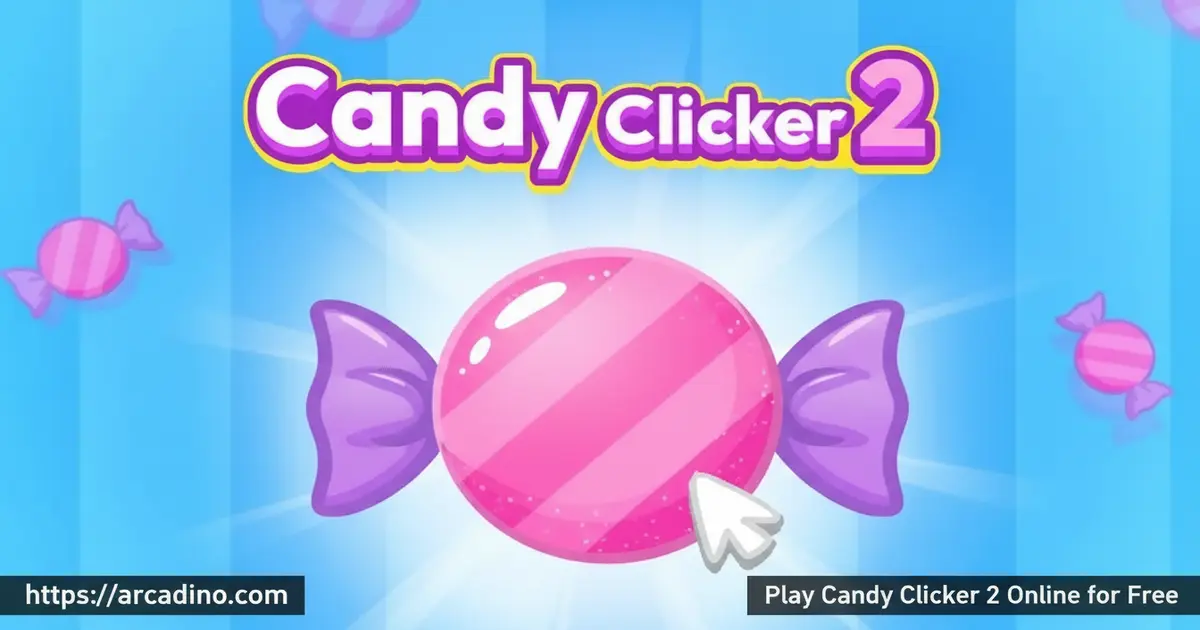
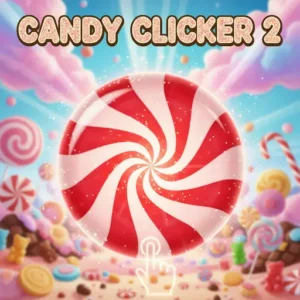
What if clicking a single candy could build a whole sugar empire? Candy Clicker 2 is a free browser game that takes that wild idea and runs with it. This incremental clicker is playable online right now — no download needed. It adds golden candy events, sugar cube upgrades, and a real achievement system on top of the simple formula you already love. 🍬
- Tap the candy to build your production from zero
- Fill the golden bar to trigger a candy shower bonus round
- Spend sugar cubes on powerful, game-changing upgrades
- Unlock achievements and collect custom skins as you grow
What Is Candy Clicker 2?
Candy Clicker 2 is an incremental clicker game where your one job is making as much candy as possible. You start by tapping a candy in the middle of the screen. Every tap earns you candy, which you then spend on upgrades that make future taps — and automatic production — much more powerful. The game was originally built in Scratch by a creator called Coltroc, who drew direct inspiration from the legendary browser idle game Cookie Clicker. Just like Cookie Clicker turned cookies into an empire-building mechanic, Candy Clicker 2 swaps baked goods for sweets and streamlines the formula into something faster and more approachable for new players.
This version includes several modifications, like a custom loading experience and streamlined controls. It’s noticeably deeper than its predecessor, Candy Clicker 1, thanks to the sugar cube system and golden candy events. The controls respond instantly to mouse clicks, and the game loads fast even on older school computers — there’s no lag during the golden candy rush, which matters when timing your taps.
Candy Clicker 2 Gameplay Loop
The loop in Candy Clicker 2 is satisfying because it keeps layering new goals on top of the basic click-and-upgrade cycle. You tap the central candy, your count climbs, and you reinvest those points into upgrades right away. Some upgrades boost how much each click earns. Others set up automatic candy production that ticks away even when you’re not actively tapping.
The real tension comes from choosing when to spend. Blowing your candy stash too early can slow your growth, but hoarding it means missing upgrades that compound over time. Every few minutes, the yellow progress bar at the top fills up. When it hits full, golden candies rain across the screen — tap them fast for a massive candy bonus that can spike your total in seconds. It’s worth knowing that the yellow bar fills up through both your clicks and your upgrades working together — the more auto-production you’ve bought, the faster that bar climbs even when you’re not tapping. That means investing in upgrades early isn’t just good for your candy count; it speeds up how quickly you’ll see golden candy events too.
Levels and Progression in Candy Clicker 2
Progression in this clicker game is built around leveling up. Each time you hit a new level, you unlock the ability to buy permanent buffs that raise your overall candy output. These aren’t one-time boosts — they stack, so an early investment keeps paying off dozens of levels later. The game rewards players who think ahead rather than just clicking nonstop.
The sugar cube is a special progression currency. It appears as a reward when you hit certain milestones during a run — most commonly after filling the golden bar or reaching level thresholds — so you won’t earn one every few minutes, but you’ll see them regularly as you progress. When you get one, you’re given a choice between several powerful upgrades that can seriously supercharge production. Picking the right upgrade at the right moment is the biggest skill check the game offers.
Achievements and Rewards
As you tap and upgrade your way through the game, you’ll gradually unlock achievements. These pop up as milestones during your candy-making journey and give you something to chase beyond just a bigger number at the top of the screen. Trying to collect every achievement adds real replay value to what could otherwise feel like a one-and-done experience.
Custom skins are another reward layer in Candy Clicker 2. You can unlock different visual styles for the game by watching ads. It’s a lightweight cosmetic system, but it gives dedicated players a fun way to personalize their candy empire. The achievement list and skin unlocks together make the game feel more alive than a basic idle clicker.
Graphics and Audio
The visual style leans into a bright, candy-coated aesthetic with colorful sweets filling the screen. The candy graphics are cheerful and clean, making it easy to focus on the action without feeling cluttered. When golden candies pour down during the bonus event, the screen fills with shimmer — it’s genuinely exciting to watch after you’ve been grinding toward that full bar. The animations are snappy and responsive, so every click feels like it counts. Even during the busiest golden candy shower, the visuals stay readable, which helps you tap accurately under pressure.
The audio background keeps the tone light and upbeat, matching the sugary theme. The sound effects for clicks and upgrades give satisfying little feedback pops that make the loop feel rewarding even during quieter stretches. Nothing about the sound design is distracting, which is helpful during longer sessions. The overall presentation is polished for a game built on Scratch, and the modified version smooths out some of the rougher original edges with a cleaner loading experience.
Browser Performance and Lag-Free Play
One thing that sets the version of Candy Clicker 2 on arcadino.com apart is how smoothly it runs. The original Scratch version of the game runs on the Scratch platform’s interpreter, which can slow down on older or lower-powered computers — some players even seek out TurboWarp, a faster Scratch runner, just to get a smoother experience. The browser-embedded version here skips the Scratch platform overhead entirely, which means the game loads quicker and runs without stuttering. That matters a lot during golden candy events, when you need to tap fast and can’t afford lag. If you’re on a school Chromebook or an older laptop, you’ll notice the difference right away. No installations, no plugins, and no performance hiccups — just open the page and play.
How to Play Candy Clicker 2
Getting started is immediate — the candy sits right in the middle of your screen, waiting. Click it repeatedly to rack up your candy count, then head to the upgrade shop to spend what you’ve earned. The smartest early move is grabbing at least one auto-production upgrade so the game keeps generating candy between your clicks.
Keep an eye on the yellow bar at the top of the screen at all times. Once it’s full, you’ll want your mouse ready to tap the golden candies that appear. That burst of bonus candy can jump your total dramatically. When a sugar cube drops, pause and read all the upgrade options before committing — the choice matters more than the speed.
Controls for Candy Clicker 2
On desktop, use your mouse to click the candy and select upgrades from the shop. The entire game runs on mouse clicks — there are no keyboard shortcuts needed. On mobile or tablet, tap the screen anywhere you’d normally click. The touch controls feel responsive on both phones and tablets, and the layout adapts well to smaller screens.
Tips and Tricks for Candy Clicker 2
- Upgrade constantly, not casually: The biggest gains come from steady reinvestment. Every time you can afford an upgrade, buy it — delayed upgrades mean slower auto-production for the rest of your run.
- Split your upgrades between click power and auto-production: Click-strength upgrades help during active play, but auto-production upgrades earn candy while you’re reading upgrade descriptions. Balance both.
- Always be ready for the golden candy event: The yellow bar fills gradually, so glance at it every 30 seconds. When it’s close to full, keep your mouse over the screen so you don’t miss a single golden candy.
- Think carefully before spending a sugar cube: Sugar cube upgrades are rare and powerful. Read every option before choosing — pick the one that fits your current production style, whether that’s click-focused or auto-focused.
- Don’t close the tab mid-session: Candy Clicker 2 doesn’t save your progress. If you shut the tab, your run resets completely. Treat each session as one continuous play and plan your upgrade path from the start.
How to Make the Most of Every Sugar Cube
Sugar cubes are the most powerful decisions you’ll make in any run, and most players waste them by choosing too quickly. Before you pick an upgrade, ask yourself one question: am I clicking a lot right now, or am I letting the game run on its own? If you’re actively tapping and plan to stay engaged, click-focused upgrades will give you the most return — they multiply what each individual tap is worth, and that compounds fast when you’re hammering the candy. If you’re more of a passive player — someone who sets up auto-production and checks back in — then an auto-production sugar cube upgrade will pull ahead over time, since it earns candy around the clock without needing your input. A quick way to judge: if your candy-per-click is already much higher than your candy-per-second, lean toward auto upgrades to close that gap. If your candy-per-second is already strong, a click boost will feel more rewarding during active sessions. Either path works, but matching the upgrade to your playstyle turns a good run into a great one.
Candy Clicker 2 vs. Cookie Clicker: Which One Is Right for You?
If you’ve searched for games like Cookie Clicker and landed here, it’s worth knowing exactly how these two compare before you start. Candy Clicker 2 is built for shorter, more casual sessions — you can go from zero candy to your first golden event in about 10 to 15 minutes, and the upgrade tree is designed to feel rewarding quickly. Cookie Clicker, the genre originator that directly inspired Coltroc to build Candy Clicker 2, is a much longer commitment: it has hundreds of buildings, a prestige system that lets you reset for permanent bonuses, seasonal events, and upgrades that take days of idle play to fully unlock. Candy Clicker 2 wins on accessibility — it’s faster to start, easier to understand, and fits neatly into a single screen-time block. Cookie Clicker wins on depth — if you want a game that grows with you over weeks and has near-infinite progression, nothing in the genre touches it. For most kids and casual players, Candy Clicker 2 is the better starting point. For dedicated idle gamers who want to go all-in, Cookie Clicker is the logical next step.
Key Features of Candy Clicker 2
- Golden Candy Event: A fill-up bar at the top triggers a golden candy shower — a timed bonus round that can multiply your candy count in seconds.
- Sugar Cube Upgrade System: Rare sugar cubes let you choose between several powerful upgrades that dramatically shift your production speed.
- Permanent Level-Up Buffs: Each new level unlocks buyable permanent buffs that stack and compound across the entire run.
- Achievement Tracking: A built-in achievement system gives milestone goals that keep the session interesting beyond the core candy counter.
- Custom Skins: Watch ads to unlock different visual skins, adding a cosmetic layer that long-time players can work toward.
Where to Play Candy Clicker 2
Candy Clicker 2 is free to play directly in your browser at arcadino.com. There’s nothing to install and no account required — just open the game and start clicking. It works well on desktop computers and laptops, and the game is accessible without any restrictions on the site.
You can also take the candy-clicking action to your phone. The Android version is available on the Google Play Store, and iPhone and iPad users can grab it from the App Store. Download links are below. Please note that the mobile apps listed are the closest available candy clicker titles on each store — always check the app details to confirm you’re downloading the version you expect, and avoid any APK files from third-party sites, as unofficial APKs can carry security risks.
Play Candy Clicker 2 Unblocked at School
Candy Clicker 2 is one of those rare games that works on just about any school network. Because it runs entirely in your browser with no downloads and no third-party plugins, it sidesteps the filters that usually block game apps on school Wi-Fi and Chromebooks. The version on arcadino.com loads over a standard secure connection, which means it behaves like any other website rather than a flagged gaming platform. Whether you’re on a lunch break, a free period, or a classroom computer with restricted access, the game is almost always reachable. It doesn’t require Flash, doesn’t need an account, and doesn’t ask for any permissions — just open the page and start clicking. If your school blocks specific gaming domains, ask a parent or teacher about approved sites, but for most students, arcadino.com plays without any issues.
For Parents
Candy Clicker 2 is a straightforward idle clicker with no violence, chat features, or social elements — it’s simply a candy-themed number game. The content is completely appropriate for kids aged 8 and up, and younger children can enjoy it too with minimal supervision. There are no in-app purchases in the browser version, though watching an optional ad unlocks cosmetic skins.
The game does involve some light strategic thinking — deciding which upgrades to buy and when to spend sugar cubes gives kids low-stakes practice with resource management. Since the game doesn’t save progress, each session is self-contained, which makes it easy to set a natural stopping point. A 15–20 minute session is usually enough to experience the full upgrade loop and golden candy event.
How Long Is a Session? A Guide for Parents and Teachers
One of the most useful things to know about Candy Clicker 2 is how predictably it fits into a time block. From the very first click to the first golden candy event typically takes around 5 to 8 minutes of active play — that’s enough to hook a child into the loop without requiring a long setup. Reaching the first sugar cube reward usually happens within 10 to 15 minutes of starting, which means a single classroom free period or a defined screen time window covers one complete, satisfying progression arc. Kids will feel like they’ve genuinely accomplished something within that window rather than feeling cut off mid-game. For teachers, this makes Candy Clicker 2 a low-disruption choice for earned free time — students can start and finish a meaningful session without needing to save or continue later. For parents setting screen time limits, a 20-minute cap lines up naturally with a full run, making it easy to set expectations before play begins.
Similar Games to Candy Clicker 2
If you’re hooked on tapping and upgrading, these clicker games scratch the same itch with their own unique twists:
- Candy Clicker 1 — The original candy-clicking game that started it all; simpler than the sequel but a great place to see where the formula began.
- Cookie Clicker — The legendary idle game that directly inspired Candy Clicker 2’s creator; click cookies and build a massive baked-goods empire with hundreds of upgrades and long-term prestige progression.
- Clicker Heroes — A clicker game with RPG elements where you hire heroes and defeat monsters; great for players who want more depth in their idle adventure.
- Capybara Clicker — Click to multiply capybaras in this charming and surprisingly addictive idle clicker with a cute animal theme.
Explore more titles in the Clicker category for hours of tapping fun.
FAQs About Candy Clicker 2
What is Candy Clicker 2?
Candy Clicker 2 is a free incremental clicker game where you tap candy to build production. You earn candy by clicking, then spend it on upgrades that automate and speed up your factory. It’s a more complex follow-up to Candy Clicker 1, featuring golden candy events, sugar cubes, and an achievement system.
Does Candy Clicker 2 save your progress?
No, Candy Clicker 2 does not save your progress between sessions. If you close the tab, your run resets completely from the beginning. Plan each session as one full run, and avoid closing the browser until you’re done playing.
What are the golden candies in Candy Clicker 2?
Golden candies appear when the yellow bar at the top of the screen fills completely. They rain across the screen and you need to tap them quickly to collect a large candy bonus. This event is the biggest single candy spike in the game, so always stay ready when the bar is nearly full.
What is a sugar cube used for in Candy Clicker 2?
A sugar cube lets you choose one powerful upgrade from several options. These upgrades are stronger than standard shop items and can dramatically boost your candy production. Sugar cubes are earned at key milestones during a run, such as after filling the golden bar or hitting level thresholds — so they’re rare enough to be meaningful but regular enough to look forward to. It’s worth pausing to compare all available options before picking one.
Is Candy Clicker 2 free to play online?
Yes, Candy Clicker 2 is completely free to play in any browser. There are no subscriptions or payments required to access the core game. Optional ad-watching can unlock cosmetic skins, but everything gameplay-related is free.
Can I play Candy Clicker 2 on mobile?
Yes, Candy Clicker 2 works on mobile phones and tablets through the browser. A dedicated mobile app is also available on both Google Play and the App Store for an optimized touch experience. The tap controls feel natural on touchscreens.
Who made Candy Clicker 2?
Candy Clicker 2 was originally created in Scratch by a developer called Coltroc, who cited Cookie Clicker as a key creative inspiration. The version found on browser game sites includes modifications such as the removal of start and stop buttons and a custom loading screen. The core gameplay and candy-clicking mechanics remain true to the original.
Start Clicking Your Candy Empire Today
Candy Clicker 2 packs more strategy into a simple clicker than you’d expect. The golden candy events, sugar cube choices, and stacking permanent buffs keep every session feeling like it’s building toward something. It’s a sweeter and smarter upgrade over the original game, and the achievement list gives you a real reason to keep coming back.
Head over to arcadino.com, pull up Candy Clicker 2, and see how high you can push that candy counter before the session ends. The golden bar is already filling up — don’t miss it.
Gameplay Video


