


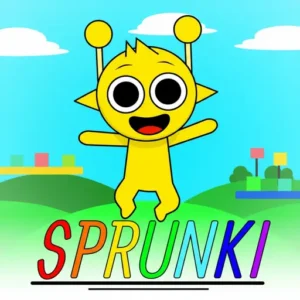













Sprunki
NyankoBfLol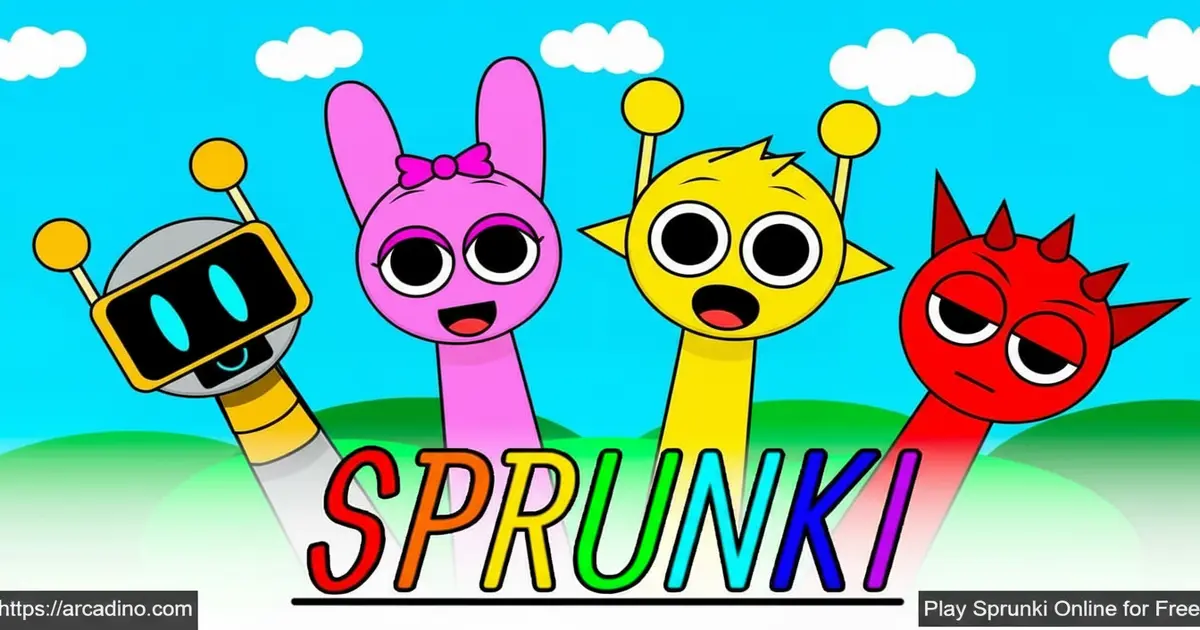
Imagine building your own song by dragging colorful characters onto a stage — that’s exactly what Sprunki lets you do, completely free in your browser. This fan-made music game took the Incredibox formula and exploded it into something bigger, with horror modes, dozens of community phases, and an enormous mod scene. Kids who love experimenting with sound will find this addictive from the very first drag-and-drop. It’s one of the freshest music creation experiences you can play online right now.
- Drag-and-drop music mixing — assign sound icons to characters and build layered tracks instantly
- Horror mode included — drag the black button icon onto a character to flip the whole vibe dark
- Huge mod library — phases, crossovers, meme mods, and horror variants created by the community
- Record and share — save your best mixes and send them to friends or post on social media
What Is Sprunki?
Sprunki is a fan-made music creation game built as a mod of the popular Incredibox game. Players mix beats, melodies, effects, and vocals by dragging sound icons onto animated characters. It lives in the Casual genre, but it has a genuinely creative depth that sets it apart from typical browser games. The game started life on the Scratch platform and grew into a massive community-driven universe.
Sprunki was created by a modder known as Harryaltered, who originally published the project on Scratch as a creative reimagining of Incredibox. The project quickly attracted a huge audience and inspired dozens of follow-up phases and mods built by other community creators. Harryaltered’s original vision — colorful characters, layered sound mixing, and a hidden horror mode — became the blueprint that the entire Sprunki universe is built on. Knowing who started it all adds a cool bit of history to every mix you make.
It’s worth knowing that Sprunki was eventually removed from the Scratch platform due to its sensitive horror content, which Scratch’s community guidelines don’t allow for younger audiences. After the removal, the game found a new home on dedicated fan sites and browser platforms, where it’s continued to grow without restriction. That move actually helped it reach a much wider audience than Scratch alone could have supported.
What really makes this title special is how it bridges fun and artistry. You’re not just clicking buttons — you’re layering real musical components across multiple characters to build something that sounds genuinely good. The interface loads snappily in a browser tab, and the drag-and-drop controls respond immediately with no noticeable input lag, which makes the music feel live and responsive. A passionate community of modders, artists, and music creators keeps adding new content, so the game never feels stale.
Sprunki Gameplay — The Core Music Loop
The stage shows seven characters lined up and ready. Below them sits a collection of sound icons, each representing a different musical element — beats, effects, melodies, or vocals. You drag an icon onto a character, and that character immediately starts performing its assigned sound in rhythm. Combine several characters with different sounds and you’ve got a full layered track playing live.
Clicking a character already on stage removes them, so experimenting is completely risk-free. You can also click the icons beneath a character to mute them, solo them, or strip them from the stage entirely. This gives you real mixing control, not just chaotic randomness. The game rewards curiosity — there’s no wrong combination, and every new arrangement reveals a different musical texture. 🎵
Horror Mode and Sprunki Phases
One of the most talked-about features is the built-in horror transformation. Drag the black button icon onto any character and the entire game shifts — characters turn dark and eerie, and the music becomes genuinely creepy. It’s a dramatic tonal switch that surprises new players every single time. This isn’t a separate game mode you unlock; it’s baked right into the standard experience.
Beyond the base game, Sprunki has an entire phase system. Phases are expanded versions of the game with new characters, new sound libraries, and different visual styles. Phase 3, for example, drops players into a Halloween-style atmosphere with characters like Oren — a dark figure with a jagged, thorn-like face — and Raddy, a skeletal character with a haunting backstory. Each phase feels like a distinct musical world built on the same core drag-and-drop foundation.
Sprunki Phases — A Complete Breakdown
There are many numbered phases to explore, each with its own vibe and sound set. Here’s a quick guide to the major ones so you know what to expect before you dive in.
- Phase 1 — The original starting point. Bright, simple characters and clean upbeat sounds make this the perfect introduction to the mixing system.
- Phase 2 — Builds on Phase 1 with slightly more complex layering and a richer sound palette, keeping the cheerful energy but adding more depth.
- Phase 3 — A Halloween-inspired phase with darker characters like Oren and Raddy. The atmosphere shifts spooky and the audio gets moodier and more atmospheric.
- Phase 4 — Introduces a glitchy, digital aesthetic with distorted beats and electronic sound effects that feel fresh and experimental.
- Phase 5 — A fan favourite with a strong melodic focus. The sound layers here feel particularly musical and easy to combine into something that sounds polished.
- Phase 6 — Goes darker again with heavier bass tones and more intense visual character designs. Great for players who love the horror side of Sprunki.
- Phase 7 — Features a dreamy, lo-fi inspired sound set that’s softer and more ambient than earlier phases. Perfect for chill, low-key mixing sessions.
- Phase 8 — Ramps the energy back up with punchy beats and vibrant character animations. One of the most lively and energetic phases in the series.
- Phase 9 — A deep, cinematic phase with orchestral-leaning sound elements layered over the classic beat structure. Feels epic in scale.
- Phase 10 — Often considered a milestone phase, it combines elements from earlier phases into a rich, layered sound experience with striking visuals.
- Phase 20 and community phases — Community creators have pushed the phase numbering far beyond the base series. Phase 20 introduces entirely custom characters and lore, while later community phases explore crossover themes and experimental sounds.
- Meme phases (Phase 69, Phase 999) — Joke phases built by the community for laughs. They feature absurd sound choices, meme-inspired character designs, and chaotic energy — not for serious mixing, but guaranteed fun.
Sprunki Mods — A Universe of Fan Creativity
The mod scene around this game is enormous. Community creators have built original-style mods, horror mods, crossover mods, meme mods, gender-swap reskins, and complex advanced variations. These aren’t low-effort tweaks — many mods introduce entirely new character designs, custom soundtracks, and thematic visual overhauls. Sprunki Retake, for instance, is a full horror spin-off with haunting tracks and mysterious character lore.
New mods surface constantly, fueled by a fan community that shares mixes on YouTube and TikTok. This keeps the experience feeling alive long after you’ve explored the base game. If you ever finish one phase, there’s always another mod waiting with a fresh set of sounds to experiment with. The sheer variety means two players can have completely different experiences with the same game.
Graphics and Audio in Sprunki
The visual style is quirky and expressive — characters have distinct, memorable designs that animate in sync with their assigned sounds. Normal mode uses bright, energetic visuals that feel fun and welcoming. Switch to horror mode and the same characters transform into something darker, which is genuinely impressive given it’s all running in a browser tab.
The audio quality is a real highlight. Sound layers blend naturally rather than clashing, so even random combinations tend to produce something that feels musical. Beats, ambient loops, vocal riffs, and glitch effects all sit in the same mix without muddying each other. This is what keeps players experimenting for hours instead of minutes.
What Musical Concepts Does Sprunki Actually Teach?
Sprunki is sneakily educational, and parents and teachers should know exactly what’s happening under the hood. When a player drops a beat layer first, they’re practising tempo locking — understanding that every other sound needs to sit in rhythm against a fixed pulse. Adding a melody on top of that bass introduces call-and-response arrangement, a real compositional technique where one musical phrase answers another. Using the solo button to isolate a single character teaches dynamic contrast — the same skill a DJ uses when they drop a track down to one element to build tension before a drop. Layering beats, effects, vocals, and ambient loops simultaneously is pure texture composition, the same concept music producers use in professional DAW software. Kids are doing all of this instinctively without any music theory knowledge required, which is what makes Sprunki such a powerful creative tool. For educators, it’s a genuine entry point into music production concepts that would otherwise require expensive software and formal instruction.
Sprunki vs. Incredibox — Which Should You Play First?
Both games use the same drag-and-drop music concept, but they’re different in some important ways. Incredibox is the official, professionally developed original — it has a polished finish, a curated set of albums, and a clean mobile app experience that’s been refined over years. Sprunki is fan-made, which means it’s rougher around the edges but vastly bigger in terms of content — dozens of phases, hundreds of community mods, and a built-in horror mode you won’t find in Incredibox at all. If you want a tight, quality-controlled introduction to music mixing, start with Incredibox. If you want endless variety, horror themes, meme phases, and a living community that keeps adding new content every week, Sprunki is the better pick. Mod availability is another key difference: Incredibox has a fixed content library while Sprunki’s community mod ecosystem means the game genuinely never ends. For most kids aged 8 and up, Sprunki’s sheer volume of content makes it the more exciting long-term choice.
Sprunki Unblocked — Does It Work at School?
Yes, and here’s why it works when so many other game sites don’t. Sprunki runs entirely in your browser using standard HTML5 and WebGL technology — there’s no executable file to download, no Flash plugin required, and no special software your school’s IT department would need to approve. Because it loads like a regular webpage, it typically passes through school network content filters that block dedicated gaming platforms. It also runs smoothly on low-spec Chromebooks, which are the most common devices in school environments — you don’t need a powerful graphics card or fast processor to get a lag-free mixing experience. Arcadino.com is accessible on school networks in most regions, making it one of the more reliable ways to play Sprunki unblocked during free periods or lunch breaks.
How to Play Sprunki
Head to arcadino.com and open Sprunki — no account, no download, no waiting. The game loads directly in your browser and the stage appears immediately. You’ll see your seven characters at the top and the sound icon library below them. Pick any icon and drag it onto a character to assign that sound.
Keep dragging different icons onto different characters to build your track layer by layer. When your mix sounds great, hit the record button to save your creation. You can then share it with friends or the broader Sprunki community on social platforms. If you want to explore horror mode, just drag the black button icon onto any character on stage.
Sprunki Controls
- Drag and drop — use your mouse to drag sound icons from the menu onto characters on stage
- Click a character — removes that character and their sound from the active mix
- Icons below a character — click to mute, solo, or fully remove that sound layer
- Black button icon — drag onto a character to activate horror mode and transform the whole stage
- On mobile — tap and drag using your finger; the touch controls mirror the mouse experience
Tips and Tricks for Sprunki
- Start with a beat, then add melody. Place a rhythm-based icon first so every layer you add afterward has something to lock onto rhythmically.
- Use the solo function strategically. Clicking the solo icon under a character silences everything else, helping you hear exactly what that one sound contributes to the mix.
- Don’t ignore the horror mode. The black button transformation changes not just the look but the entire sound palette — some of the best musical textures are hidden in the dark theme.
- Record before you change anything. Mixes can disappear if you accidentally remove the wrong character — hit record the moment you hit a combination you love.
- Explore the phases in order. Starting from Phase 1 and working forward helps you understand how the sound design evolves, making later phases feel even more rewarding.
Key Features of Sprunki
- Drag-and-drop music engine — assign beats, melodies, effects, and vocals to seven animated stage characters
- Built-in horror transformation — one black button icon flips the game into a dark, eerie mode with completely different audio
- Community-built phase system — dozens of phases with unique characters, storylines, and sound libraries beyond the base game
- Record and share your mixes — save creations and export them to share with friends or post on social channels
- Massive mod variety — original, horror, crossover, meme, and advanced mods keep the game fresh with constantly expanding content
Where to Play Sprunki
Sprunki is playable for free right in your browser at arcadino.com — no installation required and no account needed to start mixing. The game runs on any device with a modern browser, including school Chromebooks, home laptops, and tablets. Arcadino.com offers unrestricted access, so you can jump in whenever you have a few minutes to experiment.
If you prefer playing on the go, community-published mobile apps are available for both Android and iOS. Grab the Android version from the Google Play Store or download the iOS version from the Apple App Store. Keep in mind these are third-party uploads by community developers, not official releases — their availability and update frequency are not guaranteed, so check ratings and reviews before downloading. As always, avoid unofficial APK files from random websites, as they can carry security risks.
For Parents
Sprunki is a creative music game best suited for kids aged 8 and up. The base game is colorful, fun, and focused entirely on music creation, which makes it a genuinely educational activity — kids experiment with rhythm, layering, and sound design without realizing they’re learning. Beyond basic fun, Sprunki introduces real musical concepts: children naturally practise tempo awareness by locking sounds to a beat, explore arrangement by stacking melodies over bass lines, and develop listening skills through the solo and mute functions. However, parents should know that horror mode and certain community mods feature dark character designs and eerie audio, so younger or more sensitive children may find those elements unsettling.
The game doesn’t appear to have built-in live chat, but kids can share their mixes on social platforms, so the usual parental guidance around social sharing applies. There’s no evidence of in-app purchases in the browser version, making it budget-friendly for families. A session of 20–30 minutes is plenty to explore a few combinations and record a creation, though the mod variety makes it easy to keep going longer.
Similar Games to Sprunki
If you love mixing music and experimenting with creative sound combinations, these browser games share that same satisfying drag-and-drop energy.
- Incredibox — the original music mixing game that inspired Sprunki, featuring animated beatboxers you build into full musical layers
- Sprunki 2 — the direct sequel that keeps the core music creation gameplay and introduces a whole new cast of characters with fresh sounds
- Sprunki Retake — a dedicated horror mod with haunting tracks, eerie character designs, and a dark atmosphere that goes even further than the base horror mode
- Sprunki Phase 3 — a Halloween-themed expansion with unique characters like Oren and Raddy, plus a darker and more atmospheric sound library
- Sprunki Pyramixed — a community-created mod that puts a fresh spin on the classic Sprunki mixing formula with new visual and audio themes
- Sprunked — a well-known community mod that reimagines the Sprunki character roster with brand-new designs and a distinct sound set that fans of the mod ecosystem love
Browse more games like these in the Casual category on arcadino.com.
FAQs About Sprunki
What is Sprunki?
Sprunki is a fan-made music creation game based on the original Incredibox, created by a modder known as Harryaltered. Players drag sound icons onto animated characters to build layered tracks with beats, melodies, effects, and vocals. It started on the Scratch platform and grew into a massive community-driven game with dozens of mods and phases.
Is Sprunki free to play?
Yes, Sprunki is completely free to play in your browser. No account or download is required to start making music. Community-published mobile apps are also available on the Play Store and App Store at no cost, though these are third-party releases rather than official products.
What is Sprunki Incredibox?
Sprunki Incredibox refers to Sprunki as a fan-made mod of the Incredibox game. It uses the same core drag-and-drop music concept but adds new characters, horror modes, and an entirely separate community of mods and phases. The two are related but Sprunki is not an official Incredibox update.
How do I activate horror mode in Sprunki?
Drag the black button icon onto any character on stage to activate horror mode. The characters immediately transform into dark, eerie versions, and the music shifts to a creepy, unsettling atmosphere. You can switch back by removing the black button icon from the character.
What are Sprunki Phases?
Sprunki Phases are expanded versions of the game built by the community with new characters, sounds, and storylines. Each phase has a distinct visual style and audio palette — Phase 3 is Halloween-themed, Phase 7 goes lo-fi and ambient, and Phase 10 combines elements from across the series into a milestone experience. The numbered phases run from Phase 1 through at least Phase 10 in the main series, with community-created phases extending far beyond that, including meme phases like Phase 69 and Phase 999.
What is Sprunki Retake?
Sprunki Retake is a horror-focused community mod of the base Sprunki game. It features haunting tracks, unsettling character redesigns, and a darker visual tone throughout. It was originally created by community members including Coolskull212 and others on cocrea.world.
Can I save and share my Sprunki mixes?
Yes, Sprunki includes a record feature that saves your music creation. Once recorded, you can share your mix with friends, family, or the wider community on social platforms like YouTube and TikTok. This sharing culture is a big part of what keeps the Sprunki community so active.
Conclusion
Sprunki stands out in the browser game space because it treats music creation as the actual game — not a side feature. The combination of an instantly accessible drag-and-drop interface, a built-in horror transformation, and a massive library of community-built phases means there’s always something new to discover. Whether you’re building a funky upbeat track or flipping into creepy territory with the black button, every session produces something uniquely yours.
The game’s fan-driven mod ecosystem is what gives it real staying power. New phases and mods keep arriving thanks to a passionate community, so this title grows over time rather than feeling finished. Fire up Sprunki at arcadino.com today and see what kind of track you can build in your first five minutes — you might surprise yourself.
Gameplay Video

