



























Watch one short ad and play ad-free for 30 minutes.
Fruit Merge
Brave HK LimitedDrop a cherry, watch it bump into another cherry, and boom – they fuse into a strawberry. That’s the simple magic of Fruit Merge, a free browser puzzle where every fruit you drop pushes you closer to the legendary watermelon. It’s a Suika-style match game you can play online instantly, no download required. Because so many kids search “games unblocked” hoping to find this title at school, it’s worth knowing Fruit Merge runs straight in any modern browser tab. 🍉
The hook is the physics. Fruits roll, settle, and stack inside a glass container, so where you drop matters as much as what you drop. Fans of the game often quote the stat that only about 1% of players ever craft a full watermelon, which is why every successful run feels like a real trophy.
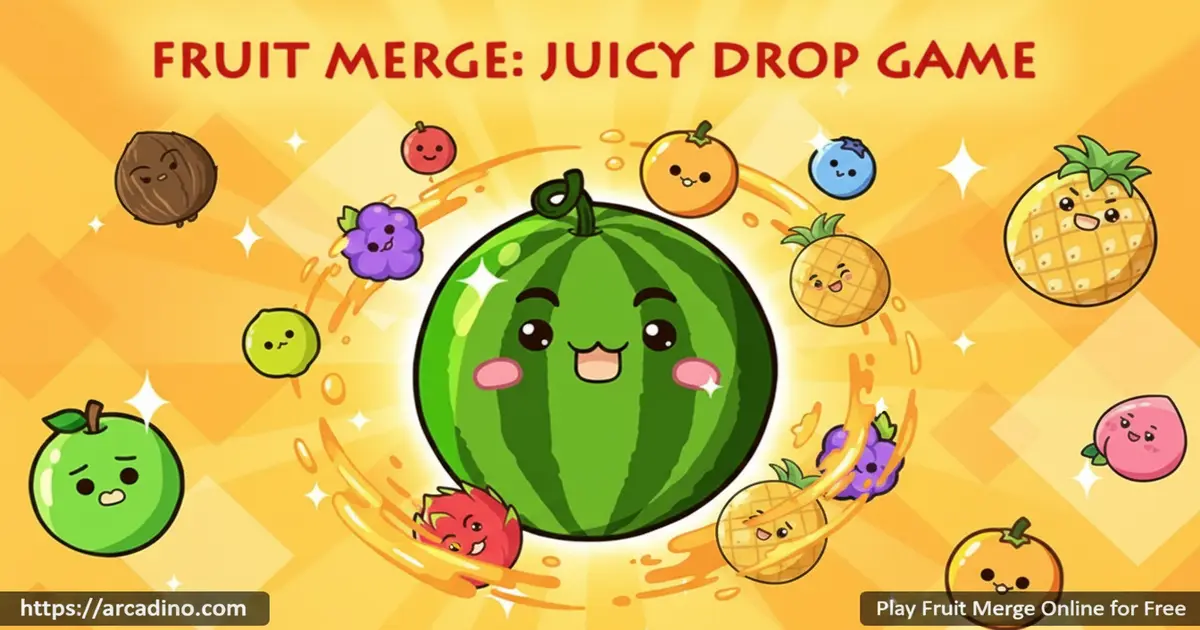
- Merge two identical fruits to create the next-level fruit
- Aim for the giant watermelon – only about 1% of players ever make one
- Strategic drop placement using left/right movement
- Free to play in your browser on desktop, tablet, or phone
What Is Fruit Merge?
Fruit Merge is a casual puzzle game in the watermelon-drop genre, inspired by the popular Suika game from Japan. You drop fruits one at a time into a container, and when two of the same kind touch, they merge into a bigger fruit. Keep merging and you’ll climb the chain from cherries up toward the prized watermelon. The catch? If your pile spills over the top line, the run ends.
Loading is quick on a typical school Chromebook or home laptop, and the fruit physics feel bouncy without being floaty. I noticed the controls respond instantly when you slide a fruit left or right before letting it drop. That tiny detail makes the difference between a clean merge and a chaotic stack.
Fruit Merge Gameplay
The core loop is short, satisfying, and a little addictive. A fruit appears at the top of the screen, you choose where to drop it, gravity does the rest. When it lands next to a twin, the pair pops and a bigger fruit replaces them, scoring you points along the way. The game shows you which fruit is coming next, which lets you plan two moves ahead.
As your pile grows, free space shrinks fast. You start juggling questions like: do I drop this cherry on top of the heap or tuck it down the side? Every choice feels meaningful because a single bad drop can block a perfect merge underneath.
How Scoring Works in Fruit Merge
Points scale up with the size of the fruit you create. A cherry-to-strawberry merge might score just a few points, while a peach or pineapple merge can drop a chunky bonus into your total. Crafting a watermelon usually awards the biggest single payout in the run. The real score boost, though, comes from chain reactions – when one merge causes another, then another, the game multiplies your points down the chain. Skilled players plan their drops so a single cherry can trigger four or five linked merges at once.
Levels and Progression in Fruit Merge
There aren’t traditional levels here. Progression is measured by how high up the fruit chain you can climb in a single run. You’ll see small fruits like cherries and grapes early, then unlock new shapes as your merges get bigger. Reaching the watermelon is the unofficial finish line, and players love chasing personal bests.
The Full Fruit Evolution Chain
Knowing the order helps you plan ahead when the “next fruit” preview pops up. The standard Fruit Merge chain runs through 11 stages, and most versions follow this path:
- Cherry 🍒
- Strawberry 🍓
- Grape 🍇
- Dekopon (small orange)
- Orange 🍊
- Apple 🍎
- Pear 🍐
- Peach 🍑
- Pineapple 🍍
- Melon 🍈
- Watermelon 🍉
Each fruit is roughly twice as big as the one before it, so two pineapples take up serious real estate. Memorize the order and you’ll always know how much space your next merge needs.
The Staircase Method: A Drop-Placement Strategy
Here’s a layout trick most guides skip. Picture your container as a staircase: the biggest fruit you’ve made sits in one bottom corner, the next-biggest leans against it, then the next, and so on – climbing diagonally toward the opposite top corner. Tiny fruits like cherries and strawberries live at the high end of the staircase, where they have room to roll and find partners. When a small fruit merges, the new bigger fruit naturally rolls down the slope and meets its twin near the bottom. This keeps your container organized instead of chaotic, and it dramatically lowers the chance of trapping a small fruit under big ones. Pick a side – left or right – and stick with it for the whole run. Once the staircase clicks, watermelon runs become way more common.
Graphics and Audio
The art style is bright and chunky – exactly what you want in a relaxing puzzle. Each fruit has its own clear silhouette, so it’s easy to spot a match even when the container gets crowded. Soft pop sounds reward every merge, and the overall vibe is more cozy than chaotic. It’s the kind of game you can play with the volume low while music plays in the background.
How to Play Fruit Merge
Getting started takes about five seconds. Open the page, wait for the loader, and a fruit will appear at the top of the playing field. Move it side to side, drop it, and try to land it next to a matching fruit. Repeat – and try not to let the stack reach the top line.
Fruit Merge Controls
On desktop, move your mouse left or right to position the next fruit, then click to drop it. On a phone or tablet, tap and slide along the top of the screen, then release to release the fruit. Controls are limited to aiming and dropping – once a fruit lands, you can’t nudge it, so every drop counts.
Playing on a School Chromebook
Fruit Merge is built for low-spec school devices. The HTML5 build typically loads in under five seconds on a basic Chromebook and uses very little RAM, so it won’t slow down your browser tabs. Frame rates stay smooth even with a full container of bouncing fruit. Once the game has loaded, it can keep running for a short while if your Wi-Fi drops, though refreshing the page needs a connection. Because there’s no plugin or install, most school filters that block downloads won’t bother it – if the site itself loads, the game works.
Tips and Tricks for Fruit Merge
- Build your big fruits along the bottom edges, not in the middle – it leaves more room for small ones to roll into matches
- Always peek at the “next fruit” indicator before dropping, so you don’t waste space
- Keep cherries and other tiny fruits near the top of the pile where they can roll into pairs easily
- Don’t panic-drop when the container fills up – one calm merge can clear a huge chunk of the stack
- Aim to chain merges: dropping a grape that triggers a grape merge, which then triggers an orange merge, scores way more points
Key Features of Fruit Merge
- Suika-style physics where fruits roll and settle realistically inside the container
- A clear progression chain from tiny cherries up to the legendary watermelon
- “Next fruit” preview that rewards forward planning
- Endless replay value – every run feels different because of how fruits land
- Instant browser play with no account or install required
Where to Play Fruit Merge
The fastest way to play Fruit Merge is right here in your browser – free, instant, and with no sign-up. It runs smoothly on desktop, tablet, and mobile, so you can pick it up during a study break or on the bus home. Because the game is HTML5, it works in Chrome, Firefox, Safari, and Edge without any plugins.
If you want it on your phone, there are official mobile versions too. Grab it on Google Play for Android, or on the App Store for iPhone and iPad. Stick to those official stores – random APK downloads from unknown sites can carry malware.
Fruit Merge vs Suika Game vs Watermelon Drop
All three games share the same core idea, but they don’t feel identical. Here’s how they stack up so you can pick the one that fits your mood:
- Fruit Merge – Free in your browser, 11-fruit chain, bouncy and forgiving physics, works great on Chromebooks and phones, no account needed.
- Suika Game – The Japanese original, paid on Nintendo Switch and PC, slightly stricter physics, same 11-fruit chain ending in watermelon, no free browser version officially.
- Watermelon Drop – Free browser clone, focuses on combo scoring with a visible multiplier meter, fruits feel a bit heavier, mobile support is hit or miss depending on the host site.
If you want the authentic console experience, Suika Game is worth the price. If you want instant free play with the friendliest physics, Fruit Merge wins. If you’re chasing high-score combos, Watermelon Drop is the spicy pick.
Fruit Merge for Parents
Fruit Merge is a great fit for kids ages 6 and up. The mechanics are simple to learn but the strategy rewards planning, spatial reasoning, and patience – useful brain skills wrapped in a friendly puzzle. There’s no chat feature, no violence, and the browser version on this site doesn’t push in-app purchases at players.
Short rounds make it easy to set time limits. A 15 to 20 minute session is plenty before suggesting a break. 🍓
Similar Games to Fruit Merge
If you enjoy the drop-and-merge puzzle style, these titles will scratch the same itch.
- Suika Game – The Japanese original that started the whole watermelon-merging craze
- Watermelon Drop – Another Suika-style merger with a focus on combo scoring
- 2048 – Number-merging puzzle that uses the same “combine to climb” idea
- Watermelon Game – A direct Suika clone with the same fruit chain and a focus on chasing the golden watermelon trophy
- Browse more in Puzzle Games
FAQs About Fruit Merge
How do you play Fruit Merge?
Drop fruits into the container and merge identical ones to make bigger fruits. Move your mouse or finger to choose the drop position, then click or tap. Keep building bigger fruits without letting the pile spill over the top line.
How do you win Fruit Merge?
There’s no final “win” – the goal is to make the giant watermelon. Players who chain merges and reach a watermelon are considered top-tier. After that, you keep going for high score until the container overflows.
What comes after watermelon in Fruit Merge?
In the version hosted on this site, the watermelon is the final fruit in the chain. Once you make one, it stays in the container as a trophy you keep playing around. Two watermelons merging will clear them both and award a big point bonus, but no fruit beyond watermelon exists in this build.
What happens when you merge two watermelons in Fruit Merge?
In the browser version on this site, merging two watermelons clears them both from the container and awards a hefty score bonus. It’s a rare event because fitting two full watermelons takes near-perfect play. Other versions may handle it differently, but on this site it’s a clear-and-bonus event.
Is Fruit Merge free to play?
Yes, Fruit Merge is completely free in your browser. You don’t need an account, a credit card, or a download. Just open the page and start dropping fruit.
Is Fruit Merge the same as Suika Game?
Fruit Merge is inspired by Suika Game but isn’t the exact same title. Both share the drop-and-merge mechanic and the watermelon goal. Fruit Merge is a free browser version that captures the same feel without needing a console.
Can I play Fruit Merge unblocked at school?
Yes, Fruit Merge runs in any modern browser with no plugin needed. As long as your school network allows the site, it loads in seconds. It’s a popular pick among kids searching for unblocked free games during breaks.
Is Fruit Merge good for kids?
Yes, Fruit Merge is friendly, non-violent, and a solid pick for ages 6 and up. The puzzle style builds planning and spatial-thinking skills. Short rounds also make it easy to manage screen time.
Ready to Chase the Watermelon?
Fruit Merge takes one tiny rule – same fruits combine – and turns it into hours of “just one more drop” puzzling. Between the bouncy physics, the next-fruit preview, and the dream of crowning a watermelon, every run feels fresh. Pick a quiet spot, line up that first cherry, and see how far up the chain you can climb today.
Gameplay Video


