

















Watch one short ad and play ad-free for 30 minutes.
Battleship
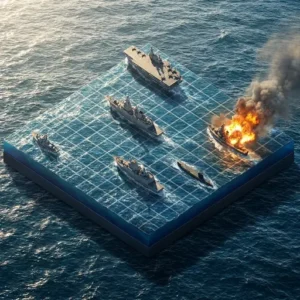
Marmalade Game StudioFew games feel as satisfying as calling out “B-7” and hearing your opponent groan. Battleship is the classic pencil-and-paper naval duel, and you can play it free online right in your browser. Two grids, a hidden fleet, and a battle of guesses make every match tense. It’s quick to learn, tricky to master, and perfect for a rainy afternoon. 🚢
This version of Battleship keeps things simple. You arrange your ships, wait for an opponent, and start firing coordinates. No installs, no clutter, just the strategy duel that started back in World War II.
- Free 2-player Battleship game playable in any browser
- Drag-and-drop ship placement with a randomise button
- Play a random opponent or share a link with a friend
- Built-in chat with desktop notifications and sound options
What Is Battleship?
Battleship is a turn-based strategy board game where two players hide fleets on a 10×10 grid. Each grid uses letters A-J across the top and numbers 1-10 down the side. You take turns guessing squares, trying to sink every enemy ship before yours go down. The online version brings that same classic feel to your browser.
The game originated as a pencil-and-paper pastime around World War II. Today’s digital Battleship keeps the rules pure but adds quality-of-life features like auto-placement and live chat. When I loaded it up, the grid drew instantly and the drag-to-place controls felt snappy. There’s no loading screen drama, which is exactly what a classic like this needs.
Gameplay in Battleship
The loop is beautifully simple. First, you drag your ships onto your grid and click to rotate them. Then you connect to a random opponent or a friend, and the match begins. Each turn, you click a square on the enemy grid to fire.
A miss leaves an empty mark. A hit lights up, and sinking a full ship gives you that little rush every Battleship player knows. The first captain to sink the entire enemy fleet wins. Because ships hide on the grid, every match becomes a puzzle of probability and patience.
Game Modes in Battleship
You can pick between two opponent types: random matchmaking or a private game with a friend via a shareable link. There’s also a fleet selection, with options like classic and Russian rules. Classic uses the standard ship sizes most players know. The Russian variant changes the fleet make-up, so matches feel a little different.
The settings panel lets you tweak the feel of each game. You can mark verified empty cells, use compact chat, or enable desktop notifications. There’s also an option to match with opponents who speak the same language, which keeps the chat friendly.
Fleet Sizes: Classic vs Russian Variant
Here’s the breakdown so you know exactly what you’re hiding. The Classic fleet has five ships: one Carrier (5 cells), one Battleship (4 cells), two Cruisers (3 cells), and one Destroyer (2 cells). That’s 17 hit points total spread across the 100-square board.
The Russian variant uses ten ships instead of five. You get one 4-cell ship, two 3-cell ships, three 2-cell ships, and four single-cell ships. Those tiny one-square ships are sneaky and very hard to find. Total hit points climb to 20, and ships can’t touch each other, even diagonally.
Why Players Love Battleship
Battleship hits a sweet spot between luck and strategy. Early shots feel random, but once you land a hit, deduction kicks in. You start hunting along rows and columns, narrowing down where the rest of the ship sits.
The online format also makes matches fast. No setup, no paper, no peeking. Just two grids and a quiet duel of wits against another human somewhere in the world.
How to Play Battleship
Getting started takes about thirty seconds. Open the game, drag each ship onto your grid, and click any ship to rotate it. If you’d rather skip placement, hit the randomise button and the game scatters your fleet for you. Then choose random opponent or invite a friend with the share link.
Once matched, the game tells you whose turn it is. You click squares on the enemy grid to fire. The chat window stays open the whole match, so you can trash-talk politely between shots.
What Happens If Someone Disconnects
Sometimes the internet hiccups or an opponent rage-quits after a bad turn. If your match drops, the game shows a message like “Your opponent has left the game” and ends the round. You won’t lose your ranking unfairly, and you can jump back into matchmaking right away. If you see “Server is unavailable,” wait a few seconds and refresh the page. Your ship placements aren’t saved mid-match, so finishing each game in one sitting is the safest plan.
Controls for Battleship
Battleship is mouse-first. Drag ships with the left mouse button and click to rotate them during setup. During the match, click a square on the opponent’s grid to fire a shot. On mobile, tap and hold to drag ships, then tap a grid square to fire. The randomise and archive buttons sit near your grid for quick access.
Tips and Tricks for Battleship
- Spread your ships out. Clustering them together means one lucky guess can chain into multiple hits.
- Avoid placing ships along the edges every time. Smart opponents know edges are common hiding spots.
- Once you land a hit, fire at the four neighbouring squares to find the ship’s direction.
- Use the “mark verified empty cells” setting to keep track of squares you’ve ruled out.
- Save your randomise button for when you’re stuck. A random layout often surprises experienced opponents.
The Checkerboard Hunting Pattern (Pro Strategy)
Here’s the math trick top Battleship players swear by. Since the smallest Classic ship is 2 cells long, any 2-cell ship must touch at least one square on a checkerboard pattern. So instead of firing randomly, shoot every other square like a diagonal grid: A1, A3, A5, A7, A9, then B2, B4, B6, B8, B10, and so on. That cuts your search in half, around 50 shots instead of 100. Once you score a hit, switch to “target mode” and fire at the four neighbouring squares to chase the ship. For the Russian variant, this trick works less well because of the 1-cell ships. There you’ll need to sweep every square eventually, so save the checkerboard for Classic matches.
Key Features of Battleship
- Real-time 2-player matches against random opponents or invited friends
- Drag-to-place fleet setup with a one-click randomise option
- Two fleet types: classic rules and a Russian variant
- Built-in chat with sound, desktop notifications, and language matching
- An archive feature to look back at past matches and successful combinations
Using the Archive Feature
The archive button stores a history of your finished matches. Click it to see past games, including which ship layouts worked best and which ones got sunk fast. The “successful combinations” list highlights placements that helped you win, so you can reuse the sneaky ones. It’s also handy for spotting your own patterns. If you always hide your Carrier in the same corner, the archive will show it. Treat it like a coach’s whiteboard between rounds.
Accessibility and Performance Tips
Battleship runs on almost any device with a browser, even older laptops. The game uses very little bandwidth because it only sends shot coordinates, so it works fine on slow Wi-Fi. Colourblind players can switch on the “mark verified empty cells” option, which uses shapes alongside colours for hits and misses. If a red-on-green palette is tough to read, try your browser’s high-contrast mode. Keyboard users can tab through cells and press Enter to fire on most browsers. Turning off chat sounds in the settings also helps anyone who finds notifications distracting.
Where to Play Battleship
The easiest way to enjoy Battleship is right here in your browser. It loads instantly, costs nothing, and works on Chrome, Firefox, Safari, and Edge. There’s no download, no account, and no install. Just open the page, place your fleet, and start firing.
If you’d rather play on a phone or tablet, official Battleship apps are available too. Grab the mobile version on Google Play or the App Store. Stick to those official stores instead of random APK sites, which can carry unsafe files.
Battleship for Parents
Battleship is a great pick for kids aged 8 and up. The rules are simple, the matches are quick, and the strategy teaches deduction, probability, and patience. There are no graphic visuals or scary themes, just grids and ships.
The browser version includes chat with random opponents, so younger players should stick to private matches with friends via the share link. There are no in-app purchases in the web version. A typical match runs 5-15 minutes, which makes it easy to set a one or two game limit.
Battleship in the Classroom
Teachers and homeschool parents love Battleship for a sneaky reason: it’s basically math practice in disguise. Kids learn coordinate-plane notation by calling out squares like “D-5” or “H-9,” which mirrors the (x, y) system used later in algebra. Each guess teaches elimination logic, since a miss rules out one square and narrows the field. Tracking hits and misses also introduces basic probability, like working out where a 4-cell ship could still fit. It’s a screen-free skill on paper or a quick browser break between lessons. Pair it with graph paper for a fun coordinate-plane warm-up.
Similar Games to Battleship
If you enjoy the grid-based guessing and strategy of Battleship, these classic board and puzzle games are worth a try.
- Chess – The ultimate two-player strategy duel, also playable online against random opponents.
- Checkers – A quick, classic board game with simple rules and deep tactics.
- Minesweeper – A deduction puzzle where you reveal a hidden grid using number clues.
- Connect 4 – A fast head-to-head grid game about lining up four in a row.
- More Board Games – Browse the full collection of classic board and strategy titles.
FAQs About Battleship
Is Battleship free to play online?
Yes, Battleship is completely free to play in your browser. There are no sign-ups, paywalls, or hidden costs. You just open the page, place your ships, and find an opponent.
How do you play Battleship?
You place ships on a 10×10 grid, then take turns guessing the enemy’s coordinates. Each turn you call out a square like “D-5,” and the game tells you if it’s a hit or miss. The first player to sink the entire enemy fleet wins.
How many ships are in a Battleship game?
A classic Battleship fleet has five ships: a 5-cell Carrier, a 4-cell Battleship, two 3-cell Cruisers, and a 2-cell Destroyer. The Russian variant uses ten ships instead, including four single-cell ships. Total hit points are 17 for Classic and 20 for Russian.
How do you win Battleship?
You win by sinking every ship in your opponent’s fleet before they sink yours. Smart shot placement and tracking misses are the key skills. Spreading your own ships out makes it harder for opponents to chain hits.
Can I play Battleship against a friend?
Yes, you can play Battleship against a friend using the private game option. The game generates a share link, and once your friend opens it, you’re matched together. It’s the easiest way to dodge random opponents.
Does Battleship work on mobile?
Yes, Battleship works on phones and tablets through the browser. You can also download dedicated apps from Google Play and the App Store. Touch controls handle drag-to-place and tap-to-fire smoothly.
Is online Battleship the same as the board game?
Yes, online Battleship uses the same rules as the classic board game. The 10×10 grid, ship placement, and turn-based shooting all carry over. The browser version just adds chat, randomise, and quick matchmaking.
Final Thoughts on Battleship
Battleship still works because the formula is timeless. Hidden fleets, a 10×10 grid, and one shot per turn create tension every classic board game wishes it had. The online version keeps everything simple while adding handy touches like randomise, chat, and easy friend invites.
Set up your grid, pick a fleet style, and see if you can read your opponent’s mind. The next direct hit could be one click away.
Gameplay Video