























Watch one short ad and play ad-free for 30 minutes.
Dumb Ways to Die
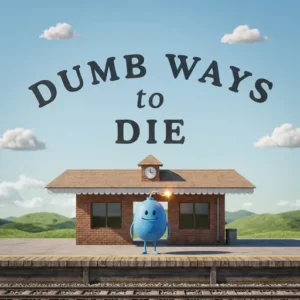
Metro Trains MelbourneEver tried to flick piranhas away from someone’s swimsuit or pull forks out of a toaster before sparks fly? That’s a regular Tuesday in Dumb Ways to Die, the free browser arcade game where you babysit the clumsiest little Beans alive. Based on the viral train-safety song from Metro Trains Melbourne, this title turns dark humor into harmless, lightning-fast fun. You’ll react to one ridiculous danger after another, all from your browser with no download needed. 😅

It’s chaotic, weirdly cute, and impossible to put down once the speed picks up.
- 82 bite-sized mini-games packed into one wild arcade ride
- Help charmingly dumb Beans dodge fires, wasps, snakes, and worse
- Unlock characters like Numpty, Hapless, Pillock, and Dippy
- Finish them all to reveal the original award-winning music video
What Is Dumb Ways to Die?
Dumb Ways to Die is a funny arcade game starring silly bean-shaped characters who keep finding new ways to get themselves into trouble. Your job is simple: keep them alive for a few seconds at a time. Each mini-game flashes an instruction on screen, and you have to react before disaster strikes. The HTML5 version loads quickly in any modern browser, so you can jump in within seconds of clicking play.
What hooked me right away was how snappy the controls feel. A single mouse click or tap is all you need, but the timing window keeps shrinking as you score higher. The cartoon art is bright and cheerful, which makes the goofy demises feel more like a Saturday cartoon than anything scary. That mix of cute visuals and dumb-luck gameplay is what makes this title stick.
Gameplay in Dumb Ways to Die
The core loop is pure arcade chaos. A random mini-game pops up, you get a quick prompt like “RUN!” or “swat the wasps,” and you have maybe two seconds to act. Survive, and the next scenario loads instantly. Mess up, and one of the Beans meets a hilariously unfortunate end.
Levels appear in random order, but the pace ramps up with every success. By the time you clear ten in a row, your brain is barely keeping up with your mouse. Points pile up fast, and those points unlock the full cast of dumb characters. It’s the kind of loop that turns a quick break into a 30-minute session without warning.
Mini-Games and Wacky Scenarios
The variety is honestly the best part. One moment you’re balancing a wobbling glue eater, the next you’re wiping puke off your screen or carefully removing forks from a toaster. Other favorites include keeping Beans back from the platform edge, waiting patiently at level crossings, and definitely not chasing balloons across train tracks.
There are 82 mini-games total, so you’ll keep meeting new dangers for a long time. Some are reaction-based, others ask you to swipe, tap, or flick. The brief railway-safety message sneaks in toward the end, just like in the original song.
Characters and Unlocks in Dumb Ways to Die
Every time you rack up enough points, a new Bean joins your train station collection. The roster includes the famous originals from the music video, like Numpty, Hapless, Pillock, and Dippy. They each have their own quirky look and a knack for getting into trouble.
Finishing the full cast also unlocks the original Webby and Cannes award-winning music video right inside the game. It’s a fun reward that ties the whole experience back to where it all began.
Create Your Own Bean
One of the coolest extras is the built-in character creator. You can mix and match facial features, hairstyles, hats, glasses, and outfits to design your very own Bean. Want a Bean with a wizard hat and a giant mustache? Go for it. Your custom character then shows up in the mini-games, dying in style alongside the originals. It’s a quick way to make the game feel personal, and kids love sharing their weirdest creations with friends.
How the Series Compares: Dumb Ways to Die 1 vs 2 vs 3 vs Draw
Each entry in the series plays a little differently, so it helps to know what you’re picking. Here’s a quick breakdown:
- Dumb Ways to Die (1): Pure reaction mini-games. 82 short challenges, no map, no exploration — just click, swipe, survive.
- Dumb Ways to Die 2: Adds a “Dumbville” world map split into themed zones like the carnival and adventure park. Same fast reactions, but with way more mini-games to unlock.
- Dumb Ways to Die 3: Mixes reaction games with light multiplayer-style challenges and seasonal events. The pace is faster and the scenarios get even sillier.
- Dumb Ways to Draw: Swaps reactions for drawing puzzles. You sketch lines and shapes to guide each Bean to safety, more like a physics puzzle than an arcade game.
If you want classic chaos, start with the first one. If you want variety and exploration, jump to 2 or 3. If you’d rather think than twitch, Draw is the pick.
How to Play Dumb Ways to Die
Getting started couldn’t be easier. Open the game in your browser, hit play, and the first mini-game loads right away. There’s no tutorial wall — you learn by failing, laughing, and trying again. Keep your eyes on the prompt at the top of the screen, because that tells you what to do.
Controls
This title is built around the mouse. You’ll click, drag, swipe, or flick depending on the mini-game. On phones and tablets, the same actions work with simple touch gestures — tap to interact, swipe to swat or flick, drag to balance. That’s the whole control scheme, which is why kids pick it up in seconds.
Chromebook and Low-Spec Performance
Good news for school players: this game runs great on basic Chromebooks. The HTML5 build is tiny, usually loading in under five seconds on standard school Wi-Fi. It uses very little RAM and barely touches the CPU, so it won’t slow down other tabs. Once the page has loaded, the game keeps running smoothly even if your Wi-Fi drops mid-session. It isn’t a true offline app, but cached pages often let you finish a run after the connection wobbles. Older Chromebooks from 2016 and up handle it without lag, which makes it a safe pick for shared classroom devices.
Accessibility and Comfort
The game is built around big, bright prompts that work well for most players. Text instructions appear in large white letters, so you don’t need to rely on color alone to spot what to do. Every mini-game can be played one-handed with a mouse or a single finger, which helps if you’re snacking or holding a tablet. Timing windows aren’t adjustable, sadly, so very young kids may need help during the faster rounds. There are no flashing strobe effects, and the sound can be muted from the menu if you find the music distracting in class.
Tips and Tricks for Dumb Ways to Die
- Read the prompt first, then look at the screen — the text tells you exactly which action to take.
- Keep your mouse near the center so you can reach swipes, flicks, and clicks fast.
- Expect the speed to ramp up after each success and pre-tense your fingers.
- Don’t panic when the puke or hair-on-fire mini-game appears — short, hard swipes work best.
- Aim for long unbroken streaks, since points unlock more Beans and eventually the music video.
Key Features of Dumb Ways to Die
- 82 different mini-games starring the famously clueless Beans
- Random level order that speeds up the longer you survive
- A full cast of unlockable characters from the viral music video
- The original award-winning Dumb Ways to Die song unlocked as a reward
- Quick mouse and touch controls that work on browser, phone, or tablet
Where to Play Dumb Ways to Die
The fastest way in is the free browser version, which runs right here without any download or sign-up. It loads in seconds on Chrome, Firefox, Edge, or Safari, and works just as well on a school Chromebook as on a home laptop. If you’d rather play on the go, the official mobile apps are also free.
Grab the Android version on the Google Play Store or the iOS version on the App Store. Stick to those official listings — random APK downloads can carry malware and aren’t worth the risk. The browser version remains the easiest pick for a quick session between classes or homework breaks.
For Parents
Despite the spooky-sounding title, Dumb Ways to Die is cartoony and harmless. The mobile app is rated 9+ on the Apple App Store and PEGI 12 in Europe, mostly for cartoon violence and mild slapstick humor. Many parents find it fine for kids around 8 and up, but you may want to preview a session first. The “deaths” are slapstick gags with no blood or realism, and the original song was actually made to teach train safety. Sessions are short by design, so it’s easy to set a 15 or 20 minute limit. The browser version has no chat features, which keeps the experience focused on the mini-games themselves.
Similar Games to Dumb Ways to Die
If you love quick-reaction arcade chaos with a sense of humor, these picks fit right in.
- Dumb Ways to Die 2 – The direct sequel with more Beans, more mini-games, and a bigger Dumbville to explore.
- Dumb Ways to Die 3 – Another follow-up packed with fresh wacky scenarios in the same style.
- Dumb Ways to Draw – A drawing puzzle spin-off where you sketch lines to save the Beans.
- 1000 Ways to Die – Another reaction-based survival game with a similar dark-comedy vibe.
- Browse more in our Arcade category.
FAQs About Dumb Ways to Die
How do you play Dumb Ways to Die?
You react to on-screen prompts to save the Beans from silly dangers. Each mini-game lasts a few seconds and asks for a single action like a click, swipe, or flick. The pace speeds up the longer you survive, and successful runs unlock new characters.
Who made Dumb Ways to Die?
The original campaign was created by Metro Trains Melbourne in Australia. They built it as a viral train-safety public service announcement aimed at younger audiences. The browser HTML5 version you can play online was developed separately by studio MarketJS.
When did Dumb Ways to Die come out?
The original iOS app launched on May 6, 2013, with Android following later that year. An HTML5 browser version appeared on web game portals a few years later, making it easy to play without any download. The music video itself went viral back in late 2012.
How many mini-games are in Dumb Ways to Die?
The game features 82 different mini-games in total. They appear in a random order and get faster as your streak grows. Clearing them all is what unlocks the full character roster.
How long does it take to beat Dumb Ways to Die?
Most players unlock every Bean and clear all 82 mini-games in around 3 to 5 hours of total playtime. If you’re going for a perfect no-death streak, expect to spend a lot longer practicing the trickier reaction prompts. Casual players usually finish over a week of short 15-minute sessions.
Is Dumb Ways to Die free to play?
Yes, the browser version is completely free with no sign-up required. The official mobile apps on Google Play and the App Store are also free to download. You can start playing in your browser in just a few seconds.
Was Dumb Ways to Die a PSA?
Yes, it began as a public service announcement about rail safety. Metro Trains Melbourne wanted a fun way to reach younger audiences with a serious message. The catchy song and game series grew from that original campaign.
How many Dumb Ways to Die games are there?
There are several titles in the series, including sequels like Dumb Ways to Die 2 and 3. A spin-off called Dumb Ways to Draw is also available on mobile stores. New entries have continued to roll out over the years.
Final Thoughts on Dumb Ways to Die
Few browser arcade games nail the mix of cute, chaotic, and surprisingly skill-testing as well as this one does. Between the 82 mini-games, the lovable Beans, and the unlockable music video, there’s a real reason to keep coming back. The ramp in speed turns every run into a personal high-score challenge.
Ready to see how long you can keep a bean alive while wasps, snakes, and runaway toasters do their worst? Hit play and find out just how dumb your reflexes really are.
Gameplay Video