























Watch one short ad and play ad-free for 30 minutes.
FreeCell
MicrosoftAlmost every deal you’ll ever get in FreeCell can be won. That’s the wild part about this classic card game, and it’s exactly why so many players keep coming back. FreeCell is a free, browser-based take on the famous Windows solitaire variant, and you can jump in right now without downloading anything. Often confused with regular solitaire, FreeCell uses four open cells that change everything about how you plan moves. 🃏
If you love brain games that reward thinking ahead, you’re in the right spot. Every card sits face-up from the very first move.
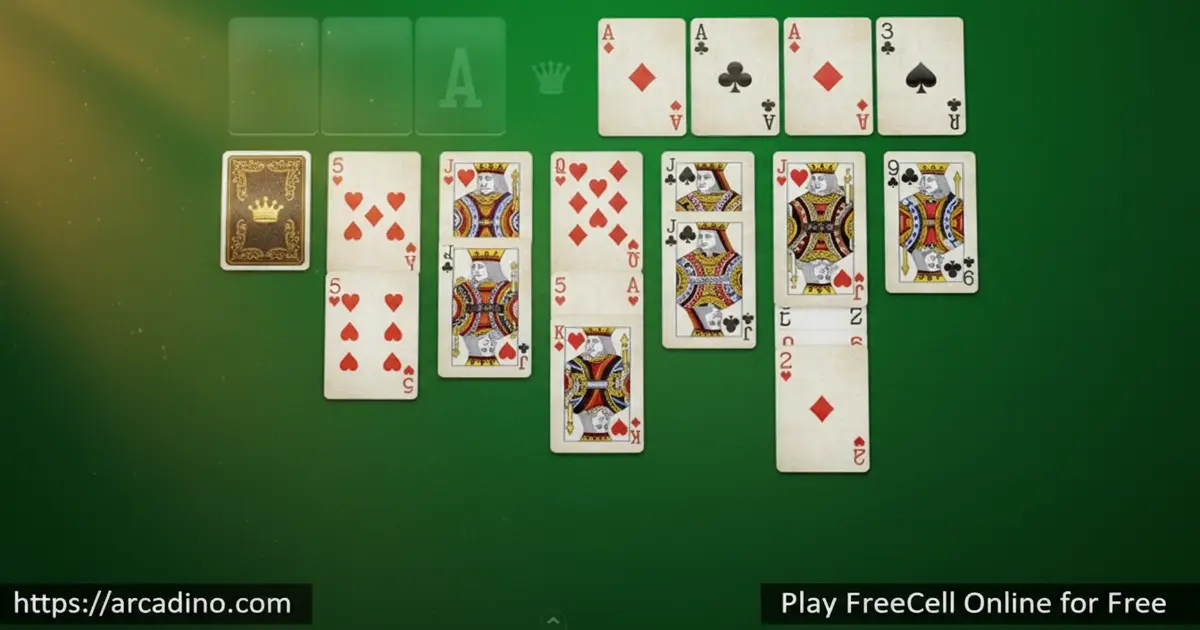
- All 52 cards are visible from the start
- Four free cells act as temporary parking spots
- Nearly every deal is solvable with smart play
- Tracks your moves and time so you can beat your best
What is FreeCell?
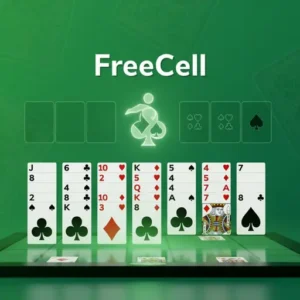
FreeCell is a single-deck solitaire variation where you move all 52 cards into four foundation piles, sorted by suit from Ace to King. Eight tableau columns hold the cards face-up, and four open cells in the corner let you stash any card temporarily. It’s a strategy game first and a luck game a distant second.
Loading FreeCell in a browser is instant. There’s no shuffle animation that drags on, no account screen, and the cards respond to clicks or drag-and-drop without any noticeable lag. The face-up layout means you can study the whole tableau before your first move, which is the secret to winning consistently.
A Quick History of FreeCell
FreeCell wasn’t invented by Microsoft, even though that’s where most people first saw it. Paul Alfille created the modern version in 1978 on the PLATO computer system at the University of Illinois. He coded it for the PLATO IV terminal as a teaching project, and it spread quietly through that early network. The game exploded in popularity in 1991 when it shipped free with Windows, turning a niche puzzle into one of the most-played card games on Earth.
FreeCell Gameplay
The goal sounds simple: build all four foundations from Ace to King by suit. Getting there is the puzzle. You move the bottom card of any tableau column onto another column if it’s one rank lower and the opposite color. A red 6 goes on a black 7, a black Queen goes on a red King, and so on.
The four free cells in the top-left corner are your safety valve. Drop any single card into a free cell to unblock the column underneath. The catch is each cell only holds one card at a time, so you have to plan an exit route before you park anything there.
Aces zip straight to the foundation the moment they’re playable. After that, you build each foundation upward in the same suit: Ace, 2, 3, all the way to King. Empty tableau columns are gold because they multiply how many sequenced cards you can move at once.
Strategy That Wins FreeCell Games
Because every card is visible from the start, FreeCell rewards planning more than reflexes. Look at where the low cards are buried before you make a single move. If three of your Aces are stuck at the bottom of long columns, freeing them is your first job.
Keep free cells empty whenever you can. A card parked in a free cell can be tough to retrieve until you’ve built up the right sequence in the tableau. The number of sequenced cards you can move at once equals empty free cells plus empty columns plus one, so saving space gives you bigger combo moves later.
The Movable Stack Formula With a Worked Example
Here’s the math that decides how many cards you can shift as one group. The basic rule is (empty free cells + 1), but empty columns supercharge it. The full formula is (free cells + 1) × (empty columns + 1), as long as you’re not moving into one of those empty columns. So with 2 empty free cells and 1 empty column open, you can move (2 + 1) × (1 + 1) = 6 cards as a single unit. With 4 free cells and 2 empty columns, that jumps to (4 + 1) × (2 + 1) = 15 cards in one swoop. That’s why pros guard empty columns carefully – one empty column can double your moving power. Try counting your free cells and empty columns before every big move and you’ll start spotting combos you used to miss.
Why Real Players Lose Winnable Games
Here’s a fun gap: about 99.999% of FreeCell deals are theoretically winnable, but real human win rates hover around 42% to 49%. Why the huge difference? The biggest reason is filling all four free cells with no plan to empty them, which traps cards and ends games fast. The second is rushing low cards to the foundation too early – that 2 of hearts looks safe to send up, but you may need it as a parking spot for a 3 of spades later. The third killer is ignoring buried Aces and chasing easy moves first, only to realize the key Ace is still stuck under six cards. Slow down, scan all eight columns, and you’ll close the gap on that 99.999% number.
Levels and Replay Value in FreeCell
FreeCell doesn’t use traditional levels, but the deal numbering system gives it endless variety. There are over 1.75 x 10^64 possible games mathematically, and roughly 99.999% of them are winnable. The famous unsolvable deal is game #11982, a tiny piece of solitaire trivia worth knowing.
Your move count and timer become the real progression. Beating a deal in fewer moves is its own challenge, and some players chase very low move counts on lucky deals – though the absolute minimum depends entirely on which deal you’re playing. Replaying the same deal until you crack it efficiently is half the fun.
How FreeCell Scoring Works
Most browser versions of FreeCell score you on two main things: total moves and total time. Lower is better on both. Some sites add a points system that starts high and ticks down as the clock runs, so quick thinking pays off. Using the undo button often costs points or adds moves to your counter, depending on the version. Auto-complete moves at the end of the game usually don’t count against you. Many sites also save your best time and lowest move count per deal number, so you can chase your own records across thousands of unique hands.
How to Play FreeCell
Getting started in FreeCell takes about ten seconds. The game deals 52 face-up cards into eight columns – the first four columns get 7 cards each, the last four get 6 cards each. The four free cells and four foundations start empty.
Click or tap a card to select it, then click where you want it to go. Most browser versions also support drag-and-drop, and double-clicking usually sends an eligible card straight to the foundation. Use undo when you spot a better path – it’s not cheating, it’s learning.
FreeCell Terms You Should Know
- Tableau – The eight columns of cards in the middle of the board where most of the action happens.
- Foundation – The four piles in the top-right corner where you stack cards Ace to King by suit to win.
- Free Cells – The four single-card storage spots in the top-left corner used to park cards temporarily.
- Sequence – A run of cards in descending order with alternating colors, like red 9, black 8, red 7.
- Deal Number – The unique ID of the shuffle, so you can replay the exact same game or share it with friends.
FreeCell Controls
Use your mouse to click and drag cards between columns, free cells, and foundations. On laptops, a trackpad works just as well. On mobile, tap a card to select it and tap the destination, or drag it directly. Double-tap or double-click usually auto-sends a playable card to its foundation.
Accessibility and Performance in the Browser
FreeCell is one of the lightest games you can run in a browser. The whole thing is just 52 card images and a bit of code, so it loads on slow Wi-Fi and weak Chromebooks without any lag. Many versions support keyboard shortcuts like the spacebar or “H” to auto-move a card to the foundation, “U” or Ctrl+Z for undo, and “N” for a new deal. School networks almost always leave FreeCell unblocked because it has no chat, no video, and no multiplayer traffic. Some browser builds also work with screen readers since the cards are real text elements, not just images. If your school laptop struggles with bigger games, FreeCell will still run smoothly.
Tips and Tricks for FreeCell
- Free your Aces and 2s first – they unlock the foundations and create breathing room across the whole tableau.
- Try to empty a tableau column early. Empty columns are more flexible than empty free cells because they hold long sequences.
- Don’t fill all four free cells unless you can see exactly how to empty them again. Stranded cards lose games.
- Build long alternating-color sequences in the tableau before sending cards to the foundation. You’ll need parking spots for high cards later.
- Use the undo button to test ideas. FreeCell is a thinking puzzle, so exploring moves is part of how you improve.
Key Features of FreeCell
- All 52 cards face-up from the start, so nothing is hidden behind face-down piles
- Four free cells that work as temporary card holders for tricky moves
- Move counter and timer for chasing personal bests on each deal
- Unlimited undo so you can experiment with different strategies
- Auto-complete kicks in once the outcome is locked, finishing the game cleanly
Where to Play FreeCell
The easiest way to play FreeCell is right here in your browser – free, instant, and no signup needed. It runs smoothly in Chrome, Firefox, Safari, and Edge on desktops, laptops, and Chromebooks. School-friendly card game sites usually keep FreeCell unblocked because it’s a logic puzzle, not an action game.
If you want FreeCell on the go, MobilityWare’s official mobile version is available on both major app stores. Get it on Google Play for Android or the App Store for iPhone and iPad. Stick to those official downloads rather than random APK sites, which can bundle unwanted software.
For Parents
FreeCell is one of the safest card games kids can play online. There’s no chat, no multiplayer, and no way for strangers to contact your child. The browser version is free with light ads on some sites, and the mobile apps offer optional subscriptions to remove ads.
The game is genuinely good for developing patience, planning, and sequencing skills – it’s basically a logic puzzle wearing a card-game costume. Kids ages 8 and up can pick up the rules quickly. Sessions of 10 to 20 minutes work well because each deal is a self-contained puzzle.
Similar Games to FreeCell
If FreeCell clicks with you, these solitaire and card puzzles scratch the same itch:
- Klondike Solitaire – The classic Windows solitaire with face-down piles and a draw deck, more luck-based than FreeCell.
- Spider Solitaire – Two decks, ten columns, and same-suit sequencing for a tougher solitaire challenge.
- Pyramid Solitaire – Match cards that add up to 13 to clear a pyramid layout.
- Eight Off – A FreeCell variation with eight free cells and tighter same-suit rules.
- Double FreeCell – A massive two-deck version with 104 cards and more columns for marathon solitaire sessions.
Browse more puzzles in our Card Games category.
FAQs About FreeCell
How do you play FreeCell?
You move all 52 cards to four foundation piles sorted by suit from Ace to King. Build descending alternating-color sequences in the tableau columns, and use the four free cells to park cards temporarily. Every card is face-up from the start.
Is FreeCell the same as solitaire?
FreeCell is a type of solitaire, but not the classic version most people picture. Regular Klondike solitaire has face-down cards and a draw pile. FreeCell shows every card from the beginning and adds four open cells for temporary storage, making it more strategy and less luck.
Are all FreeCell games winnable?
About 99.999% of FreeCell deals are winnable with the right strategy. In the original Microsoft set of 32,000 deals, only game #11982 was proven unsolvable. The rest come down to your planning skills.
How do you set up FreeCell?
Deal all 52 cards face-up into eight columns. The first four columns get 7 cards each, and the last four get 6 cards each. The four free cells and four foundation piles start empty in the top corners.
What is FreeCell?
FreeCell is a single-deck solitaire game built around four open “cells” that store cards temporarily. Paul Alfille created it in 1978 on the PLATO computer system, and Microsoft popularized it in 1991 by bundling it with Windows. The game emphasizes strategy because every card is visible from move one.
Is FreeCell free to play in a browser?
Yes, FreeCell is completely free to play online with no signup or download. You can open the game in any modern browser and start a new deal instantly. Mobile apps are also available if you prefer playing on a phone or tablet.
What is the minimum number of moves to win FreeCell?
The true minimum depends on the deal – some easy deals can be cleared in around 52 moves, but most games need well over 100. Solver analysis of millions of deals shows wide variation in the lowest possible move count. The move counter lets you replay deals and try to beat your previous best.
Is FreeCell good for your brain?
Yes, FreeCell trains planning, pattern recognition, and working memory. Because every card is visible, you have to look several moves ahead and weigh options. It’s a low-pressure way to flex problem-solving skills for a few minutes at a time.
Why FreeCell Is Worth Your Time
FreeCell stands out because skill actually matters – the face-up layout, the four open cells, and the near-perfect solvability turn it into a true puzzle rather than a luck game. Add the move counter, the undo button, and the endless supply of fresh deals, and it’s the kind of card game you can dip into for five minutes or lose an hour to. Deal a fresh hand, study the columns, and see if you can spot the winning path before you make your first move.
Gameplay Video