























Watch one short ad and play ad-free for 30 minutes.
Krunker.io
Yendis Entertainment (Sidney De Vries)If you’ve ever wanted a fast, pixel-styled shooter that loads in seconds, Krunker.io is the one to try. It’s a free browser FPS where you jump into multiplayer matches with real players across PC, Mac, Chromebook, and mobile. The game mixes blocky visuals with serious gunplay, parkour movement, and a giant library of community-made maps. Some players just search “io” or “io games” when they’re looking for it, but the full name is Krunker.io. 🎯
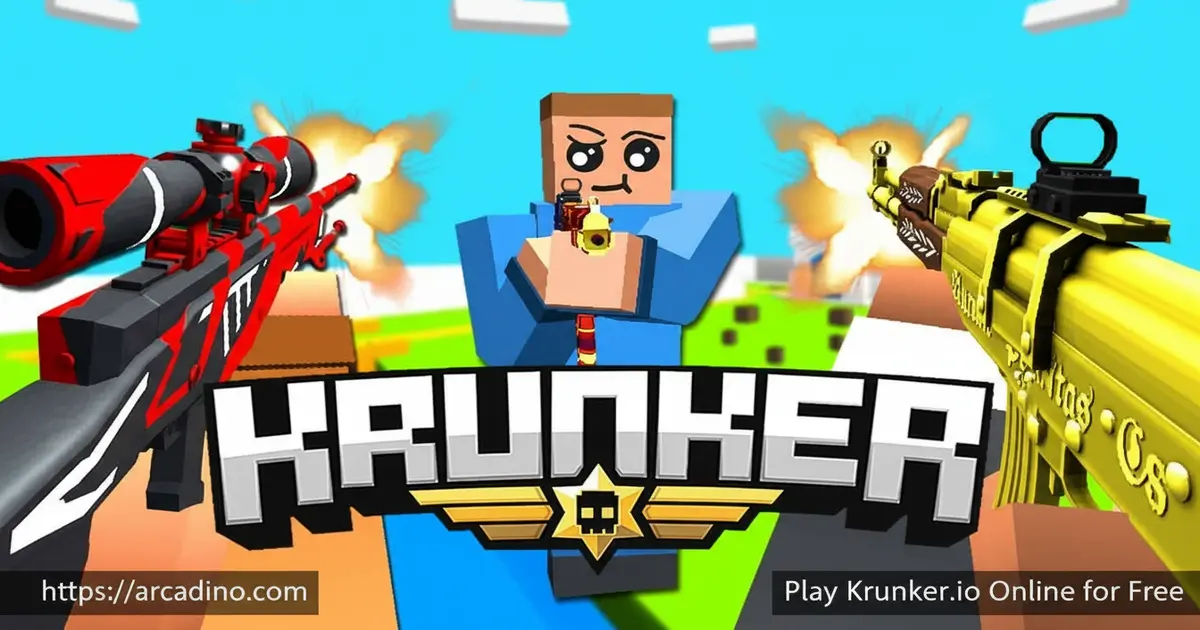
- Free-to-play first person shooter game in your browser
- Cross-platform matches with PC, Mac, Chromebook, Android, and iOS players
- Over 100,000 user-made custom maps to explore
- Multiple modes including Free For All, Infected Zombies, and Parkour
What Is Krunker.io?
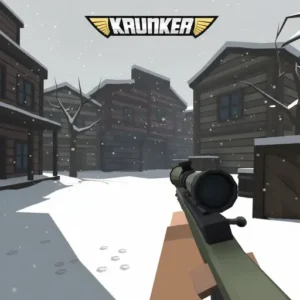
Krunker.io is a multiplayer FPS that runs right inside your browser tab. It uses a chunky, low-poly art style that keeps frame rates high on almost any laptop or Chromebook. The matches are short, fast, and full of jumping, sliding, and quick headshots.
I love how quickly it loads compared to most shooters. You click play, pick a class, and you’re already mid-fight in under a minute. The controls feel snappy in Chrome, and the hit detection is sharper than you’d expect from a free .io game.
Gameplay in Krunker.io
The core loop is simple: pick a class, drop into a server, and rack up kills. Each class has its own weapon and movement style, so a Triggerman plays very differently from a sniper-style class. Movement is a huge part of the fun – you can bunny-hop, slide, and chain jumps to dodge bullets.
Most matches are short bursts of action, which makes the game easy to play between homework breaks. Custom games let you tweak weapon stats like damage, ammo, rate of fire, reload time, and recoil with sliders. That means hosts can build wild rule sets that feel nothing like the default servers.
The Class Lineup at a Glance
New players often freeze at the class menu, so here’s a quick breakdown of the popular picks. Triggerman uses an assault rifle and is the best all-rounder for learning the basics. Hunter is a sniper class built for long sightlines and patient peeking. Run N Gun pairs an SMG with high mobility, perfect for tight, twisty maps. Spray N Pray swaps accuracy for raw bullets, great for chokepoints. Vince uses an akimbo Uzi style, while Detective rewards precise revolver shots. Runner and Deagler only show up when hosts disable every other class, so don’t expect them on public servers.
Maps and Mods
The map list is where this title really shines. There are over 100,000 community maps, sorted by “hot,” “newest,” and “most upvoted.” You can search by keyword if you want a specific theme, like parkour courses or sniper arenas.
Mod packs add another layer of variety. They can swap background music, change gun textures, or layer on visual effects. Hosts can pull mods from external links, so the creative pool keeps growing.
Game Modes and Custom Lobbies
Free For All is the default, but custom lobbies open up modes that don’t always show up on public servers. Infected Zombies turns the match into a survival hunt. Parkour Mode strips away weapons and turns the map into a jumping puzzle.
When hosting, you can decide which classes are allowed. Locking everyone to one class makes for fair duels or themed contests. Player caps depend on your account type – guests get smaller lobbies, while verified accounts can host bigger groups.
Full Server Setup and Player Caps
The Server Setup menu is packed with options most players never touch. The Min Players setting decides how many people must join before the match starts – below that number, the lobby sits in a waiting “lobby mode” where everyone hangs out without scoring. Player caps scale by account type: guests can host up to 6 players, normal accounts get 10, premium accounts hit 16, and verified accounts can run 20-player lobbies. If you want a packed 40-player server, you’ll need to spend 1000 KR per lobby. Hosts can also lock the room with a password, pick the map rotation, and choose whether KR earning is enabled for everyone inside.
Every Weapon Configuration Slider
Custom games hide one of the deepest toolsets in any browser shooter. Hosts can drag 15 different sliders to reshape any weapon from the ground up. Damage ranges from -200 to 200 (negative damage actually heals targets), Ammo goes from 1 to 500, and Rate of fire spans 70 to 1000. You can also tweak Spread, Zoom, Pierce, Range, Damage Drop, Move Speed, reload time, recoil, magazine size, switch speed, and projectile speed. That means a host could make a sniper that fires like a minigun or a shotgun that one-shots across the map. Always peek the slider values before joining a custom server so you know what you’re walking into.
Customization and Progression
Season 5 brought a big content drop: 500+ new weapon skins, 100+ hats, and over 150 other items. There’s a Junkyard where you can dissolve old skins into Junk and craft new ones. Blackmarket adds rare skins and weapon masteries for primary guns.
You can earn KR (the in-game currency) from official custom servers with KR Enabled, or by collecting your free hourly KR through the mobile app. Skins don’t change weapon stats, so they’re purely cosmetic – no pay-to-win worries here.
How to Play Krunker.io
Getting started is quick. Open the game in your browser, pick a username, choose a class, and click play. You’ll spawn into a public match within seconds, no account needed for casual play.
If you want to host friends, click the blue Host Game button in the lower left to open Server Setup. From there you pick maps, modes, classes, and player caps before launching the lobby.
Controls for Krunker.io
On desktop, use WASD to move, mouse to aim, left-click to shoot, and right-click to aim down sights. Spacebar jumps, Shift slides, and R reloads. On mobile, the official app uses a draggable button editor with sliders so you can fine-tune the size and opacity of each on-screen control.
How to Bunny-Hop, Slide-Jump, and Strafe
Movement is the real skill ceiling in Krunker, and it’s learnable in an afternoon. To bunny-hop, hit Spacebar the instant your feet touch the ground – tap it, don’t hold it. Pair each hop with a strafe: hold A while flicking your mouse left, then D while flicking right, in time with your jumps. That’s a strafe chain, and it builds extra speed every hop. To slide-jump, sprint forward, press Shift to slide, and tap Spacebar right before the slide ends to launch into a long, low jump. Chain a bhop straight out of that slide by jumping again the moment you land. Practice on a parkour map first so you can focus on timing without enemies shooting back.
Browser Performance and Low-End Hardware
Because Krunker uses a low-poly art style, it runs on hardware that would choke on a normal FPS. On a basic school Chromebook with integrated graphics, expect a steady 50-60 FPS at medium settings. Older laptops with Intel HD or UHD graphics usually push 60-90 FPS once you drop shadows and particles. Gaming laptops can hit 144 FPS or higher with the resolution slider maxed.
Browser choice matters more than people think. Chrome tends to give the smoothest, most consistent frame rate thanks to its V8 engine. Edge performs nearly identically since it shares the Chromium base. Firefox works fine but can stutter on heavy custom maps. Safari on Mac is playable but usually a step behind Chrome. If your FPS feels low, close extra tabs, turn off shadows, and switch the in-game graphics preset to “Fast” – that single change often doubles frame rates on weak machines.
Tips and Tricks for Krunker.io
- Keep moving – bunny-hopping and sliding make you much harder to hit than standing still.
- Learn one class deeply before switching. Triggerman is great for new players because of its balance.
- In custom games, check the Weapon Configuration sliders before joining – hosts can change damage and recoil drastically.
- Use the map list’s “hot” tab to find maps that are actively being played and upvoted right now.
- Aim for the head. Headshots deal way more damage and end fights instantly with most weapons.
Key Features of Krunker.io
- Cross-platform play between browser, PC, Mac, Chromebook, Android, and iOS
- Over 100,000 community-made maps accessible through the in-game map list
- Deep custom game settings with sliders for damage, ammo, rate, reload, and recoil
- Classes ranging from Triggerman to Hunter, Run N Gun, Spray N Pray, Vince, and Detective
- Season content drops with new skins, hats, raid events, and crafting through the Junkyard
Where to Play Krunker.io
The fastest way is straight in your browser – no install, no sign-up for casual matches. It runs well in Chrome, Firefox, Edge, and Safari, and works fine on Chromebooks, which is why a lot of students find it through school-friendly portals.
For mobile, there’s an official app. Download Krunker on Google Play to get the cross-platform mobile version with the draggable control editor. Avoid sketchy APK sites – stick to the official store to stay safe.
What the Krunker Hub App Adds
The mobile app, sometimes called Krunker Hub, is more than just a touchscreen version of the game. You can browse global leaderboards to track top players and see how you stack up. The market lets you trade skins and check prices without launching a match. Krunker Social works like a built-in friend feed where you can message buddies, check your inbox, and update your profile on the go. The app also drops free hourly KR just for opening it, which adds up fast if you check in a few times a day. It’s a handy way to stay plugged in even when you can’t sit down for a full match.
Krunker.io on School Wi-Fi and Chromebooks
A huge chunk of Krunker players first try the game on a school Chromebook, so it’s worth being honest about how that goes. Many schools block Krunker.io because it’s a multiplayer shooter, even though the visuals are cartoony. Network filters usually flag the domain, the game category, or the live chat traffic. If your school blocks it, don’t try sketchy proxies or VPNs – those can break school rules and get accounts in trouble. The safer move is to play at home, on a phone hotspot (with a parent’s okay), or pick another browser game that’s actually allowed. If you’re a parent or teacher, blocking is usually a network policy, not something a student can fix from their device.
For Parents
Krunker.io is a cartoony, low-detail shooter without blood or gore, which makes it lighter than most FPS games. In our editorial opinion it suits ages 10 and up, but every family is different – ratings sites and parents themselves often land anywhere from 9 to 13 depending on a child’s maturity. The game includes online voice and text chat with strangers, which is the biggest thing to be aware of: kids can be exposed to rough language or unwanted messages from other players. You can mute chat in the settings, and we recommend doing that for younger players. There’s also an in-game market with optional purchases (KR currency, skins, spins), so check device settings if you want to block spending. Short match lengths make it easy to set a 20-30 minute play limit.
Similar Games to Krunker.io
If you enjoy this fast-paced first person shooter, these browser shooters have a similar vibe:
- Deadshot.io – A sniper-focused .io shooter with a similar quick-match feel.
- Shell Shockers – Multiplayer FPS where you play as armed eggs, great for short browser sessions.
- Venge.io – A 3D arena shooter with class-based combat and tight maps.
- Diep.io – Top-down tank shooter from the same .io family, easy to pick up.
- More Shooting Games
FAQs About Krunker.io
How do I play Krunker.io?
Open the game in your browser, pick a class, and click play. You’ll join a public match instantly. Use WASD to move, mouse to aim, and left-click to shoot. New players should start with Triggerman to learn movement and shooting basics.
Who made Krunker.io?
Krunker.io is published and maintained by the Krunker team, with the official mobile app distributed by FRVR. The game grew from a community-driven .io shooter into a full cross-platform title with seasonal updates.
Is Krunker.io the same as “io games”?
No, Krunker.io is one specific game within the broader .io games category. The “.io” suffix just refers to a style of free, browser-based multiplayer games. Krunker is the FPS entry in that genre.
How do I aim better in Krunker.io?
Aim for the head and use right-click to scope in for longer shots. Keep your crosshair at head-height as you move so you don’t have to adjust vertically during fights. Practice movement aim in parkour maps to build muscle memory.
Does Krunker.io have controller support?
Controller support is limited and varies by platform. The browser version is built around mouse and keyboard, while the mobile app uses a touch layout with a draggable button editor. PC players generally get the best experience with mouse and keyboard.
How do I add friends in Krunker.io?
You can add friends through your in-game profile or the official Krunker app. Open the social tab, search for the player’s username, and send a friend request. The app also lets you check messages and inboxes while away from a match.
Is Krunker.io free to play?
Yes, Krunker.io is completely free in your browser. Optional purchases include KR currency, skins, spins, and premium account perks like bigger custom lobbies. None of these change weapon performance, so the gameplay stays fair.
Can I host my own Krunker.io server?
Yes, click the blue Host Game button in the lower left to open Server Setup. From there you choose maps, mods, modes, classes, weapon stats, and player caps. Hosting a 40-player lobby costs 1000 KR.
Final Thoughts on Krunker.io
Krunker.io stands out for three big reasons: the huge map library, the deep custom game sliders, and the genuine cross-platform multiplayer with no bots. It’s one of the few browser FPS games that feels polished enough to play seriously while still being easy to jump into for a quick five-minute match. Grab a class, find a hot map, and see how long you can hold the top of the scoreboard.
Gameplay Video