



























Watch one short ad and play ad-free for 30 minutes.
Tube Jumpers
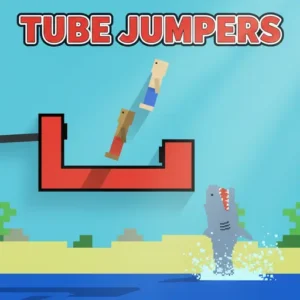
New Eich GamesIf you’ve ever wanted a couch party game where one button decides everything, Tube Jumpers is built for you. It’s a free local multiplayer brawl that runs right in your browser, no installs needed. Up to four friends squeeze around one keyboard, each tapping a single key to bounce on a floating tube. Dodge sharks, rocks, and beach balls until only one player is left standing. The pixel-art chaos is silly, fast, and surprisingly competitive once everyone gets the timing down. It’s also one of the easier multiplayer games to teach, since the controls fit on one finger. 🌊
- Local multiplayer for 2 to 4 players on one device
- One-button controls per player, perfect for quick learning
- Three modes: 1v1, 2v1, and 2v2 tube battles
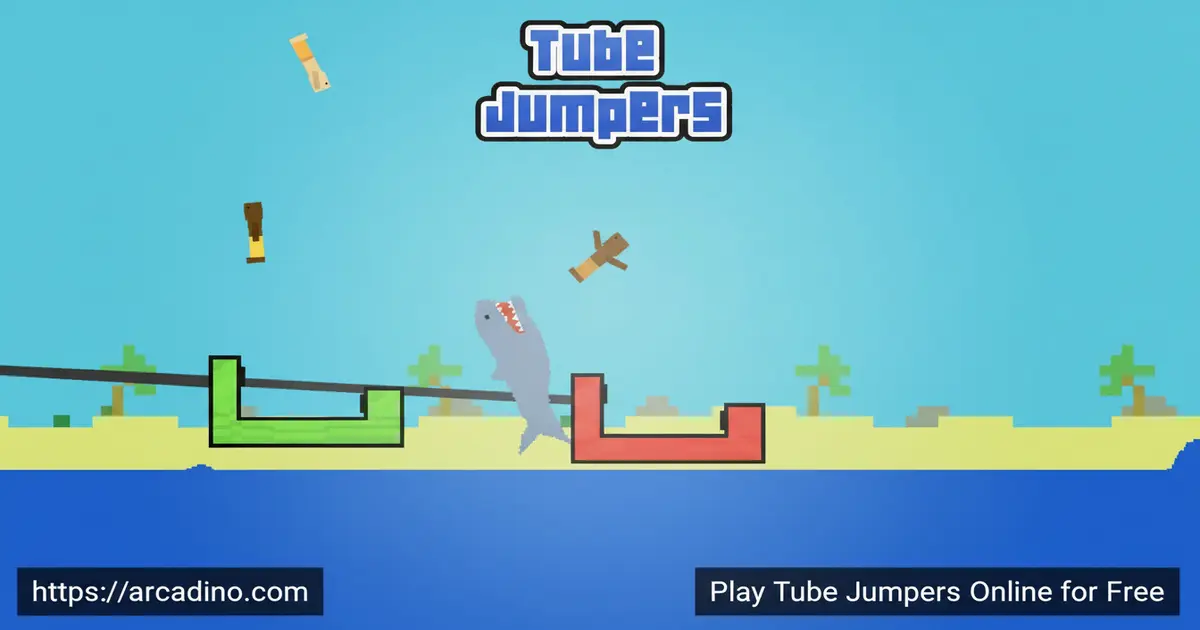
- Sharks, rocks, and balls launch you skyward without warning
What Is Tube Jumpers?
Tube Jumpers is a local multiplayer arcade game built around one wonderfully dumb idea: stay on your tube. Players bob on floating rings while the ocean throws obstacles at them. Get hit, and you’re catapulted into the air. Land back on the tube, and you survive another round.
The game was made by Michael Eichler, the same creator behind Rooftop Snipers, which explains the chaotic ragdoll feel. It first arrived back in May 2016 and has stuck around because the formula just works at parties. The pixel-art style is simple, but it loads almost instantly in any modern browser. In quick keyboard tests, the response feels tight, which matters a lot when four kids are mashing keys at once.
The Story Behind Tube Jumpers
Tube Jumpers came out in 2016, right at the tail end of the Flash game era when one-button party games were having a huge moment. Michael Eichler had already built a fan base with Rooftop Snipers, so he leaned into the same goofy ragdoll style for this one. When Flash shut down in 2020, lots of those classic browser games disappeared, but Tube Jumpers got rebuilt in HTML5 so it still runs today. That’s why you can play it on a Chromebook at school or a laptop at home without any plugins. The iOS port came a bit later, giving the game a second life on tablets. It’s one of those rare titles that survived the big browser shake-up because the gameplay was simply too fun to lose.
Tube Jumpers Gameplay
Each player gets one button. Press it, and your character hops forward on the tube. The trick is that obstacles, rocks, sharks, even bouncing balls, will smack you off and launch you airborne. While you’re in the air, you have to keep tapping at the right moment to land back on the floating tube.
Miss the timing, and you splash into the water and lose the round. The last player still bobbing wins. Rounds are short, sometimes ten seconds, sometimes a wild minute, which is why people keep hitting restart. There’s a real rhythm to it once you stop panicking and start watching the wave patterns.
Reading the Wave Patterns Like a Pro
Once you’ve played a few rounds, you’ll notice the ocean isn’t truly random. Sharks tend to surface after a short calm beat, almost like the game gives you a tiny warning pause. Rocks usually fly in from the edges of the screen, so keeping your eyes on the horizon pays off. Beach balls are the wild card and often follow a shark, catching players who relax too soon. The smartest jumpers learn to count seconds between obstacles instead of just reacting. If you can predict the next splash, you can position your hop so the obstacle hits the empty tube next to you. That single skill is the difference between getting eliminated first and being the last kid laughing.
Game Modes in Tube Jumpers
The game ships with three competitive setups depending on how many friends you’ve gathered. 1v1 is the classic duel, two players, two tubes, and zero mercy. 2v1 lets a pair team up against a single skilled player who needs to outlast both. 2v2 turns the chaos up with full team battles where coordination starts to matter.
There’s also a single-player option against computer opponents, added in a later update. It’s handy when nobody else is around but you still want to practice your jump timing. The CPU is decent enough to teach you the obstacle patterns before you challenge real friends.
Obstacles and Physics in Tube Jumpers
The obstacle list is short but mean. Sharks leap straight out of the water and headbutt you off your tube. Rocks fly across the screen at random heights. Beach balls bounce in unpredictable arcs that look harmless until they yeet you offscreen.
Movement uses physics that feel a bit floaty on purpose. You have to account for momentum when you’re knocked into the air, which is what gives the game its goofy ragdoll charm. No two launches look the same, and that’s exactly why people scream-laugh at it.
Customization in Tube Jumpers
A later update added simple character customization, letting you pick items to dress up your jumper. It’s nothing deep, but it gives each player a way to claim their character at the keyboard. Useful when four people are trying to track who’s who in a crowded round. You can swap hats, glasses, and other small accessories before a match starts. Picking a clear, bright look helps spectators cheer for the right jumper too. Think of it as the digital version of putting your name on a lunchbox.
How to Play Tube Jumpers
Getting started takes about five seconds. Open the game, pick how many players are joining, and choose a mode. The game shows each player which key they’ve been assigned right at the start of the round.
Tube Jumpers Controls
Every player uses one key, and that key only does one thing: move forward. The default layout from the original release uses W for Player 1, I for Player 2, Z for Player 3, and M for Player 4, spread across the keyboard so nobody bumps elbows. Tap your key to hop, hold timing in your head, and try to land back on the tube after each launch. On the iOS version, each player taps their side of the screen instead.
Tips and Tricks for Tube Jumpers
- Don’t spam your key, time each press so you land on the tube, not in the water beside it.
- Watch the horizon. Sharks and rocks telegraph their entry, so you can read them a split second early.
- In 2v2, stay slightly out of sync with your teammate so a single shark can’t wipe you both out.
- Use the first few rounds to learn how high your character flies after each obstacle type.
- Bouncing balls are the trickiest. Hold off on jumping when one is incoming and let it pass before you move.
Hosting a Tube Jumpers Party Night
Tube Jumpers shines when you set it up like a real party game instead of just clicking play. Use a laptop hooked up to a TV if you can, so everyone can see the action without crowding a small screen. A full-size keyboard works way better than a laptop one, since four hands need real elbow room. Run a quick practice round first so newer players learn their key before the score matters. Keep a simple bracket on paper, best of five wins, and rotate players between matches so nobody waits too long. Snacks help, but pick stuff that doesn’t leave fingers greasy on the W and M keys. End the night with a 2v2 grand final, because team battles always produce the loudest laughs.
Key Features of Tube Jumpers
- Local multiplayer for up to four players on one keyboard, no online setup needed
- One-button-per-player controls that anyone can pick up in seconds
- Three party modes plus a single-player option against the computer
- Pixel-art ragdoll physics that turn every wipeout into a highlight reel
- Fullscreen browser play with no downloads, plus an iOS version for tablets
Where to Play Tube Jumpers
The easiest way to jump in is right here in your browser. Tube Jumpers loads on any modern desktop or laptop, works in Chrome, Firefox, Safari, and Edge, and supports fullscreen mode for proper party energy. Because it’s a Tube Jumpers unblocked-friendly title, plenty of school-safe game portals also host it, which is why students often find it through classroom game sites.
If you want it on a phone or tablet, there’s an official iOS version on the App Store from the original developer. Stick to the official store rather than random APK downloads, which can carry malware. PC players don’t need a download at all, the browser version covers everything.
For Parents
Tube Jumpers is a great pick for ages 7 and up. There’s no chat, no real-money purchases in the browser version, and no scary content beyond cartoon sharks bonking pixel characters. The humor is silly slapstick, the rounds are short, and the local-only setup means kids only play with people in the room.
It’s also a good screen-time option because matches naturally end fast, making it easy to set a 20 or 30 minute limit. Sharing one keyboard encourages turn-taking and teasing in a friendly way, which makes it feel more like a board game than a video game. 👨👩👧
Similar Games to Tube Jumpers
If the one-button party chaos clicked for you, these browser games scratch the same itch:
- Rooftop Snipers – Made by the same creator, this two-player duel uses one button to jump and another to shoot, with the same ragdoll humor.
- Basketball Legends 2020 – A two-player sports brawler with simple controls and quick comebacks, perfect for the same audience.
- Tube Fall – A solo arcade twist on tube physics where you drop through obstacles instead of bouncing on top of them.
- Arcade – Browse more pick-up-and-play arcade titles in the same category.
FAQs About Tube Jumpers
How many players can play Tube Jumpers?
Tube Jumpers supports 1 to 4 players on the same device. You can pick 1v1, 2v1, or 2v2 in multiplayer, or play solo against computer opponents. Everyone shares one keyboard, so you’ll need to crowd around the same screen.
Is Tube Jumpers free to play?
Yes, Tube Jumpers is completely free in your browser. There’s no sign-up, no payment, and no download required to start a match. The iOS version on the App Store may have its own pricing set by the store.
How do you play Tube Jumpers?
Each player presses one assigned key to hop forward on the tube. The goal is to dodge incoming obstacles and land back on the tube after every launch. The last player still standing on a tube wins the round.
What are the controls for Tube Jumpers?
The default keys are W, I, Z, and M, one per player. The game shows you each assignment at the start of every match. On iOS, each player taps their corner of the screen instead of pressing a key.
Can I play Tube Jumpers alone?
Yes, a one-player mode lets you face computer-controlled opponents. It was added in a later update for solo practice. It’s a good way to learn obstacle timing before challenging friends.
Can I play Tube Jumpers on mobile?
Yes, an official iOS version is available for iPhone and iPad. The browser version also runs on many tablets that support keyboard input. For the best experience with four players, a desktop keyboard is still the easiest setup.
Why can’t I click Player 2 in Tube Jumpers?
Most likely the game window isn’t focused on your browser tab. Click directly on the game area first, then try pressing Player 2’s key. If keys still don’t respond, refresh the page and confirm no other tab is capturing keyboard input.
Is Tube Jumpers safe for kids?
Yes, the cartoon visuals and slapstick obstacles make it suitable for kids around 7 and up. There’s no chat, no online strangers, and no graphic content. Parents can comfortably leave kids to play short rounds with friends or siblings.
Final Thoughts on Tube Jumpers
Tube Jumpers nails the rare combo of one-button simplicity and four-player chaos. Between the ragdoll physics, the surprise sharks, and the three party modes, every round delivers a different ending. It’s free, loads in seconds, and works on a browser you already have open.
Grab a sibling, a friend, or three, crowd around the keyboard, and see who has the steadiest jump timing under pressure. The first wipeout will probably be yours, but the laughter is the whole point.
Gameplay Video

