


























Watch one short ad and play ad-free for 30 minutes.
QWOP
Bennett FoddyFour keys. One wobbly runner. A 100-meter track that feels ten miles long. QWOP is the legendary free browser game that turns sprinting into one of the hardest challenges online. You can play QWOP right now, no download needed, and most players barely make it past the starting line before collapsing in a heap. 😅
Created by Bennett Foddy, QWOP is part of a family of “foddian games” famous for brutal controls and hilarious failure. It’s simple in setup but wildly tough to master. If you’ve ever searched for a sprinter runner game unblocked, this is the original that started the trend.
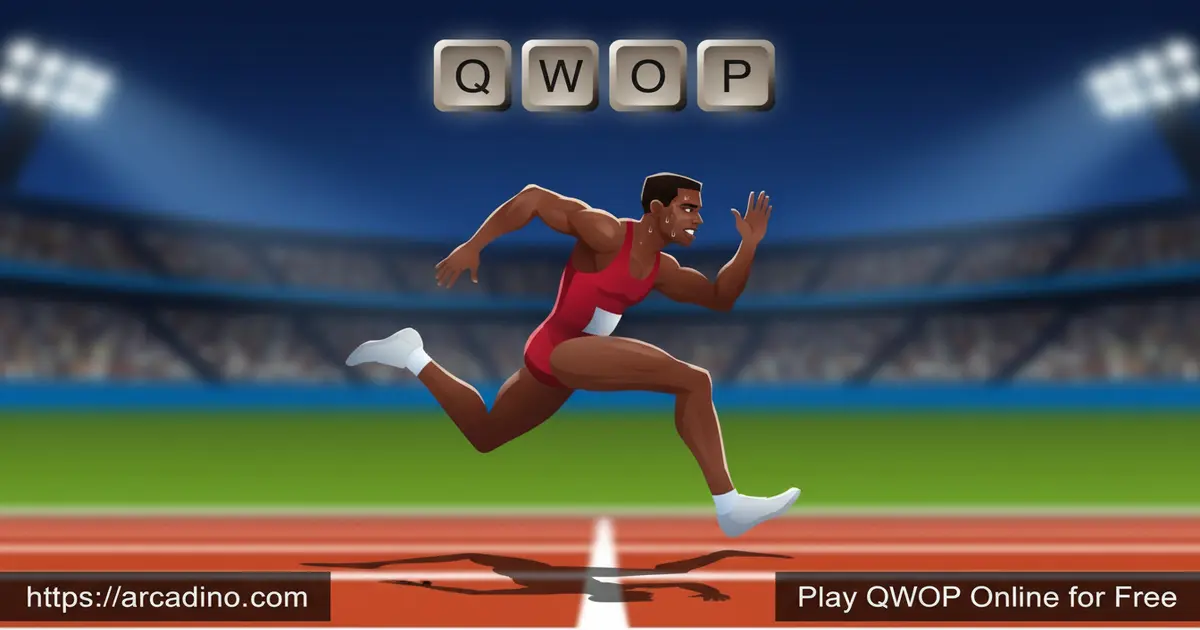
- Physics-based running controlled entirely by Q, W, O, and P
- A single 100-meter track with one brutal hurdle at 50m
- Made by Bennett Foddy, creator of Getting Over It
- Free to play in any browser, no sign-up required
What Is QWOP?
QWOP is a skill-based athletics game where you control a track runner’s legs one muscle at a time. The Q and W keys drive the thighs. The O and P keys drive the calves. That’s it. That’s the whole control scheme, and that’s why the game is infamous.
The goal sounds easy: run 100 meters. The reality is that gravity, inertia, and your own panicked button-mashing will send the athlete tumbling face-first onto the track within seconds. When I first loaded QWOP in Chrome, it started instantly, and my runner did a backflip before I could even read the instructions. That’s the experience in a nutshell.
The Story Behind Your Wobbly Athlete
QWOP has a tiny bit of lore that makes the chaos even funnier. Your runner is a brave sporting hero from the Scandinavian alps. He’s been chosen to represent his country at the championships, even though he never quite finished his training. That’s why his legs flop around like cooked spaghetti! It’s a goofy backstory that fits the game’s silly tone perfectly.
QWOP Gameplay and the Running Loop
The core loop is brutally pure. You press keys, the runner’s limbs respond, and you either shuffle forward or crash. Each joint is affected by resistance, gravity, and the momentum of your last press. Hold a key too long and the leg overextends. Tap too quickly and nothing lines up.
Most players discover the WO / QP cadence after a few tries. Press W and O together to swing the left thigh forward while extending the right calf. Then switch to Q and P to mirror the motion. Get the timing right and the runner actually jogs. Get it wrong and you’re face-planting again.
The 50m Hurdle Challenge
At the halfway mark, QWOP throws a hurdle in your path. You can try to vault it by timing a double-leg extension, or you can shove it along with the knee-hop technique. Both approaches are risky. Miss the jump and your runner cartwheels backward in a way that’s honestly hilarious to watch.
The hurdle is where most runs end. It’s also what gives QWOP its replay value, because clearing it feels like a genuine achievement.
QWOP World Record and Speedrun Scene
Believe it or not, QWOP has a serious speedrun community. The world record for finishing the 100 meters sits under one minute, with top runners clocking times close to 50 seconds. That’s wild when you remember most beginners take 10+ minutes just to reach the hurdle. Speedrunners use a tight, rapid WO/QP rhythm and careful hurdle timing they’ve drilled thousands of times. Watching a record run on YouTube is a great way to see what “mastering” QWOP really looks like.
Graphics and Physics Engine
QWOP keeps its visuals stripped down on purpose. A stick-figure athlete, a green track, a simple scoreboard that tracks your distance. There are no flashy effects to distract you. The star of the show is the physics engine, which reacts to every single keystroke with goofy, rag-doll realism.
The minimalist look is also why QWOP runs smoothly on pretty much any device with a browser. Old laptops, school Chromebooks, basic desktops — they all handle it fine.
How to Play QWOP
Getting started in QWOP takes about ten seconds. Load the page, click to start, and your athlete appears at the starting line. There’s no tutorial, no warm-up, and no mercy. The clock starts ticking the moment you touch a key.
Your first goal shouldn’t be winning — it should be staying upright for five seconds. Once you can balance, start experimenting with one key at a time to learn how each leg responds.
QWOP Controls
- Q — drives the right thigh forward and pulls the left thigh back
- W — drives the left thigh forward and pulls the right thigh back
- O — extends the left calf and bends the right knee (pushes the left foot down)
- P — extends the right calf and bends the left knee (pushes the right foot down)
- Mobile — on the iOS app, move your thumbs in clockwise circles inside the on-screen diamonds. These circles control both the legs and the arms at once. Tilt your device to lean forward or back.
Your First 10 Minutes: A Beginner Roadmap
New to QWOP? Don’t aim for 100 meters on your first try. Here’s a realistic plan that turns flailing into actual progress.
- Session 1 (minutes 1–3): Just stay upright for 5 seconds. Tap O softly to lean, then freeze. Goal distance: 1–2 meters.
- Session 2 (minutes 3–6): Try the knee-hop shuffle. Hold W, tap Q, repeat. Goal distance: 5 meters without falling.
- Session 3 (minutes 6–10): Add the WO/QP rhythm. Go slow and steady. Goal distance: 15 meters and your first “real” jog.
- Stretch goal: If you’re feeling it, push toward 30–40 meters and scout the hurdle.
If you can hit 15 meters in your first ten minutes, you’re doing better than most people ever do. Keep those wins small and the frustration stays fun.
Keyboard, Ergonomics, and One-Handed Play
QWOP’s key layout is sneaky: Q and W sit on the left side of the keyboard, while O and P sit way over on the right. That means you basically have to use both hands, which feels weird compared to most browser games. Laptop and Chromebook keyboards can feel mushy, so presses don’t always register cleanly. Mechanical keyboards tend to feel snappier and give clearer feedback for quick taps. If you want to try one-handed play, a free key remapper (like SharpKeys on Windows) lets you map Q/W/O/P to keys closer together, such as A/S/K/L. Just remember that remapping changes the challenge — purists stick with the original layout for a reason.
Tips and Tricks for QWOP
- Lean forward first. Tap O lightly at the start to shift your weight ahead of your hips. This stops the dreaded backflip fall.
- Find the WO/QP rhythm. Press W+O together, then Q+P together. Treat it like a drumbeat rather than a speed race.
- Never press Q and W at the same time. That cancels thigh movement and kills your momentum instantly.
- Use the knee-hop for safety. Hold W until one leg is forward, tap Q to pull the back leg up, then shuffle. It’s slow but stable.
- For the hurdle, build speed then extend. Keep the WO/QP cadence going, and just before contact, hold W+O a beat longer and tap Q+P to vault over.
Key Features of QWOP
- Independent control of four leg muscles for true physics-based movement
- A single 100-meter track with a mid-course hurdle that most players never clear
- Designed by Bennett Foddy, the mind behind other notorious difficulty games
- Runs instantly in your browser with no install, account, or plugin
- A mobile version on iOS with touch-based thumb controls and five event modes including Hurdles, Long Jump, Steeplechase, and the 50km Walk
What Are Foddian Games?
You’ll see QWOP called a “foddian” game a lot online, so here’s what that actually means. A foddian game is a rage-inducing, physics-based skill game inspired by Bennett Foddy’s designs. These games punish small mistakes by sending you back to an earlier spot, forcing you to learn through repeated failure. The term started with Foddy’s own titles like QWOP, GIRP, and Getting Over It with Bennett Foddy. Later indie hits borrowed the formula: Jump King has you bouncing up a tower where one bad jump drops you to the bottom, and Pogostuck puts you on a pogo stick climbing a mountain. What ties them together is simple: weird controls, brutal setbacks, and that addictive mix of laughter and frustration. If you beat one foddian game, you’re basically signing up for the whole genre.
Where to Play QWOP
The easiest way to play QWOP is right in your browser on arcadino.com. It loads in seconds, works on Chrome, Firefox, Safari, and Edge, and doesn’t ask for any personal info. Because it’s a lightweight HTML5 build of the original, you can jump in on a desktop, laptop, or Chromebook.
If you want QWOP on the go, there’s an official mobile version. You can grab it on iOS here: QWOP for iOS on the App Store. The mobile port swaps keys for thumb-diamond controls and adds five athletic events to try. Avoid random APK downloads from unknown sites — stick with the official store listing to stay safe.
For Parents
QWOP is safe and suitable for kids aged 8 and up. There’s no chat, no in-game purchases in the browser version, and no violent or scary content — just a cartoon athlete falling over in silly ways. The humor comes from ragdoll physics, which most kids find genuinely funny.
The game also builds patience, fine motor timing, and problem-solving. Because runs are short, 10 to 15 minutes is plenty for a session. It’s a great pick for a quick mental break between homework.
Similar Games to QWOP
If you love the awkward-physics challenge of QWOP, these foddian games and skill titles are worth trying next.
- Getting Over It — Bennett Foddy’s other legendary game, where you climb a mountain using only a hammer.
- Short Life — a physics-based runner where you dodge traps and try to survive in one piece.
Browse more in Skill Games.
FAQs About QWOP
Is QWOP free to play?
Yes, QWOP is completely free to play in your browser. There’s no sign-up, no subscription, and no ads blocking the gameplay. The iOS app has a small one-time cost, but the original web version is free forever.
How do you play QWOP?
You play QWOP using only the Q, W, O, and P keys on your keyboard. Q and W control the runner’s thighs, while O and P control the calves. The goal is to coordinate them into a running rhythm and finish the 100-meter track without falling over.
How do you beat QWOP?
Most players beat QWOP using the WO/QP cadence technique. You press W and O together, then Q and P together, in a steady drumbeat rhythm. Lean forward at the start, stay patient, and expect to practice for a while before finishing the 100 meters.
Why is QWOP so hard?
QWOP is hard because it simulates real muscle control instead of a single “run” button. Every key affects one body part, and gravity plus inertia constantly threaten to tip your runner over. Real running is automatic — QWOP forces you to think about every joint.
Who created QWOP?
QWOP was created by Bennett Foddy, a well-known independent game designer. He also made Getting Over It, GIRP, CLOP, Pole Riders, and more recently Baby Steps. Foddy is famous for games that turn frustration into comedy.
Is there a QWOP sequel?
Yes, CLOP is considered the spiritual sequel to QWOP. Instead of a human runner, you control a four-legged unicorn trying to trot over a small hill. The controls are even more chaotic than the original.
What do the Q, W, O, and P keys do in QWOP?
Q drives the right thigh forward and pulls the left thigh back, while W does the opposite. O extends the left calf and bends the right knee, pushing the left foot down. P mirrors that for the other leg — extending the right calf and bending the left knee. Pressing them in rhythm creates a running motion.
What is the QWOP world record?
The QWOP world record for the 100 meters is under one minute, with elite speedrunners finishing near 50 seconds. That’s mind-blowing since average players take many minutes — if they finish at all. You can watch record runs on speedrun.com and YouTube to see the precise rhythm top players use.
Can you play QWOP unblocked at school?
Yes, QWOP works as an unblocked sprinter runner game on most school networks. Because it’s a lightweight browser game with no heavy downloads, it loads quickly on Chromebooks and shared computers. Just check your school’s rules before playing.
Final Thoughts on QWOP
QWOP is one of those rare games that’s more fun to fail at than to win. The four-key control scheme, the merciless physics, and the looming 50-meter hurdle all combine into a challenge that’s as funny as it is frustrating. Whether you finish the 100 meters in two minutes or two hours, every step feels earned.
Ready to embarrass a digital athlete? Fire up QWOP, grab a snack, and see how far your wobbly runner can stagger before hitting the pavement. Your best distance is waiting.
Gameplay Video

