



























Watch one short ad and play ad-free for 30 minutes.
Geometry Dash Lite
RobTop Games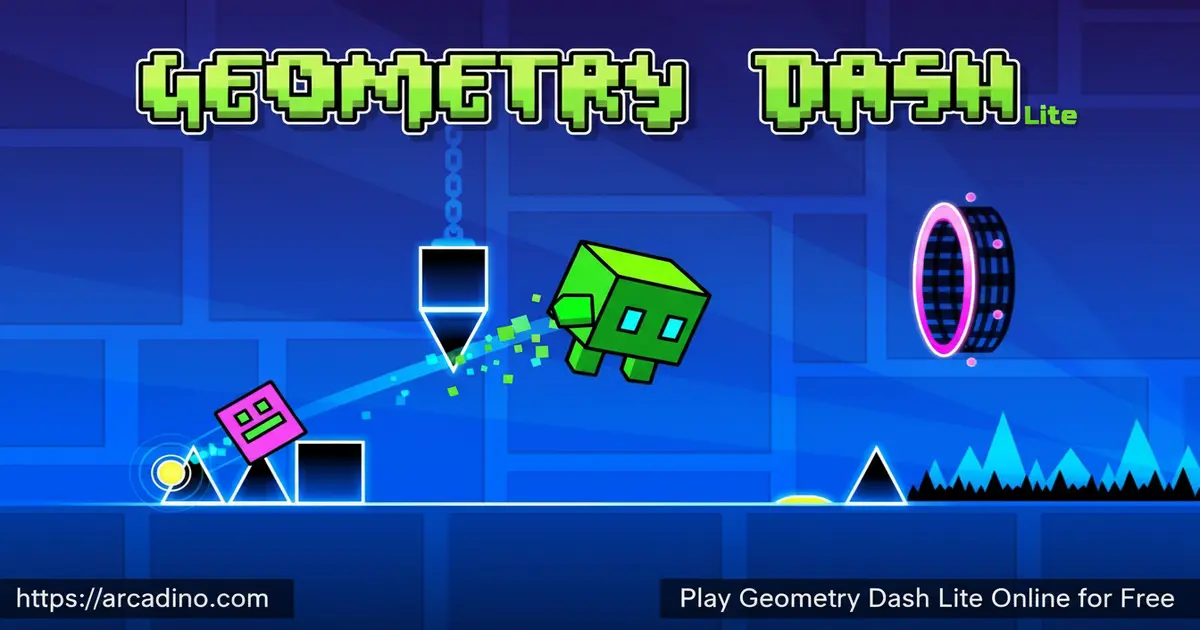
Your cube slams into a spike. The music keeps pumping. You immediately tap again. That’s Geometry Dash Lite in three seconds — a rhythm-based platformer so addictive it’s genuinely hard to walk away from. It’s free to play online right here at arcadino.com, with no installation needed. Every jump and gravity flip syncs to a thumping electronic beat, making the challenge feel totally different from any other platformer. If you’ve ever searched for Geometry Dash Lite gameplay or wondered what all the hype is about, you’re in exactly the right place. 🎵
- Rhythm-synced obstacles: Every spike, saw, and jump gate is timed perfectly to the music.
- One-touch controls: A single tap or click drives all your movement — simple to learn, brutal to master.
- Multiple game modes: Normal Mode and Practice Mode let you grind levels your way.
- Hidden secret coins: Each level hides three coins off the main path, rewarding fearless explorers.
What Is Geometry Dash Lite?
Geometry Dash Lite is the free-to-play version of the massively popular rhythm platformer series created by Robert Topala, a Swedish indie developer who works under the name RobTop Games. The game launched for iOS and Android in August 2013 and has since grown into a global gaming phenomenon with over 240 million mobile downloads across the full franchise. This version serves as the entry point to that world, giving players access to a selection of official levels without any cost.
What sets it apart from standard platformers is how deeply the obstacles are tied to the soundtrack. Missing a beat isn’t just a visual cue — it ends your run instantly. The controls snap with satisfying precision, and the hitboxes feel genuinely fair, which matters a lot when a single pixel can reset all your progress. On an HTML5 browser, the game loads crisply with no noticeable input lag, even during the fastest scroll sections — the one-touch response is noticeably tight compared to many browser platformers.
Geometry Dash Lite Gameplay — What Keeps You Hooked
The core loop of Geometry Dash Lite is deceptively straightforward. You control a cube that auto-scrolls through an obstacle course, and you tap once to jump. But spikes, sawblades, sudden gravity shifts, and narrow passages come at you in patterns perfectly timed to the beat. Miss one, and you restart from the beginning. That restart loop is exactly what creates the obsession — each failed run teaches you one more pattern.
As you advance through levels, portals transform your cube into different forms, changing its size, gravity direction, and movement style. This keeps each level feeling genuinely fresh rather than repetitive. Difficulty spikes sharply in the final 10% of every level, which is where most players restart the most. That wall of challenge is frustrating in the best possible way — conquering it feels like a real achievement.
Vehicle and Portal Types Explained
Those portals don’t just flip gravity — they change what you’re actually controlling. Each vehicle type moves and jumps in its own unique way, so learning the rules for each one is just as important as learning the obstacle patterns. Here’s what you’ll encounter as you progress through the levels:
- Cube: The default form. It jumps when you tap and rolls along the ground. This is the mode you’ll spend the most time in.
- Ship: You hold down the tap to fly upward and release to drop. It moves fast and needs smooth, steady control — not quick taps.
- Ball: Tapping flips gravity instead of jumping. It rolls along surfaces and feels very different from the cube.
- UFO: Each tap gives a short upward boost. It doesn’t fly continuously like the ship, so you need quick repeated taps to stay airborne.
- Wave: You move in a diagonal wave — holding tap goes up-right, releasing goes down-right. It’s one of the trickiest forms to control.
- Robot: Works like the cube but lets you hold the tap for a higher jump. Timing how long you hold is the key skill here.
- Spider: Tapping teleports you instantly to the opposite surface. It’s fast, sudden, and takes real practice to get used to.
When you see a portal coming, don’t panic — just switch your brain to that vehicle’s rules immediately. Recognizing which portal is which gives you a huge head start before the new form even kicks in.
Levels and Progression in Geometry Dash Lite
Geometry Dash Lite gives players access to levels from the main game’s content, covering the full difficulty range from Easy all the way up to Demon tier. As of update 2.2, the Lite version includes access to 21 levels — though earlier versions of the game featured fewer, so the count you see may vary slightly depending on your platform and app version. Levels are sorted by difficulty, so newcomers can ease in with slower-paced, more forgiving early stages before the game starts throwing its hardest patterns. Each level is short but incredibly dense — they function more like precision puzzles than long platforming journeys.
Hidden across each level are three secret coins tucked along alternate paths away from the main route. Grabbing all of them is entirely optional, but it’s a serious test of mastery that goes far beyond just finishing a level. These hidden paths require you to take risks mid-run, which makes collecting coins a whole separate layer of challenge on top of simply surviving.
Official Level Names in Geometry Dash Lite
Knowing the level names helps a lot — especially when you want to look up tips for a specific stage you’re stuck on. Here are the main official levels you’ll find in Geometry Dash Lite, listed roughly in order of difficulty:
- Stereo Madness — The first level. It’s slow and forgiving, perfect for learning the basics.
- Back On Track — Still beginner-friendly, but a little faster than Stereo Madness.
- Polargeist — Things start picking up here. Expect tighter gaps and quicker patterns.
- Dry Out — Introduces more varied obstacle layouts and faster scroll sections.
- Base After Base — A step up in speed and complexity. Good for building rhythm skills.
- Can’t Let Go — Harder Normal-rated level with dense spike patterns.
- Jumper — Fast and punishing. This is where many players hit their first real wall.
- Time Machine — Introduces more ship sections and gravity flips at higher speed.
- Cycles — Complex patterns that require tight rhythm control throughout.
- xStep — A harder level known for its demanding jump sequences.
- Clutterfunk — Fast-paced with lots of tight corridor sections.
- Theory of Everything — One of the hardest non-Demon levels in the game.
- Electroman Adventures — Introduces more wave sections alongside cube gameplay.
- Clubstep — The first Demon-rated level. A serious difficulty spike awaits here.
- Electrodynamix — Hard level with relentless patterns and fast speed.
- Hexagon Force — Known for its dual-mode sections where you control two icons at once.
- Blast Processing — Extremely fast scroll speed. One of the most intense levels.
- Theory of Everything 2 — Another Demon-tier level that pushes precision to the limit.
- Geometrical Dominator — A challenging level with heavy use of gravity portals.
- Deadlocked — One of the hardest levels available in Lite. Very few beginners reach the end.
- Fingerdash — Fast and modern-feeling, added in a later update to the main game.
If you’re just starting out, focus on clearing Stereo Madness and Back On Track clean before moving on. Jumper is usually the first real difficulty wall — don’t be discouraged if it takes many attempts.
Game Modes and Challenges
Every level in Geometry Dash Lite runs in two distinct modes. Normal Mode is the real deal — no checkpoints, no mercy, and one mistake sends you back to the start. Practice Mode lets you place your own checkpoints at any point in a level, which is a lifesaver for learning particularly brutal sections before committing to a full run.
Update 2.2 also added a Platformer Mode to the mix. Instead of the relentless auto-scrolling pace, Platformer Mode gives you full left-right control and adds checkpoints throughout side-scrolling stages. It’s a genuinely different experience that broadens what the game can offer, especially for players who want to explore at their own speed rather than race against the scroll.
The Geometry Dash Community and Level Editor
Geometry Dash has one of the most active fan communities in mobile gaming. Players who love the game often go by the nickname “Dashers,” and there’s a huge world of speedrunners, challenge creators, and content makers all built around the same levels you’re playing right now. Many players start with Lite, get hooked, and eventually move to the full version specifically to access the online level editor — a powerful tool that lets anyone build and share custom levels with the global community. Thousands of player-made levels exist across every difficulty tier, meaning the game’s content is essentially endless once you step into that world. Geometry Dash Lite is your starting point into all of that — clearing the official levels here is how you build the skills that the wider community is built around.
How Geometry Dash Lite Has Evolved — Key Updates
Geometry Dash Lite has changed quite a bit since it first launched in 2013, and understanding those changes helps explain why the game feels so polished today. The early versions of Lite offered only a handful of levels and basic cube gameplay — update 2.0 was a major turning point, introducing new vehicle types like the robot and spider, plus additional portal mechanics that dramatically expanded how levels could be designed. Update 2.1 added more visual effects and refined the hitbox system, which is why the game feels fairer now than older players remember. The biggest recent change came with update 2.2, which introduced Platformer Mode — a completely new way to play that ditches auto-scrolling in favor of free movement with manual checkpoints. For browser players specifically, the 2.2 update also brought improved audio synchronization, which matters enormously in a game where your jumps need to land on the beat. The current level count of 21 in the Lite version reflects the gradual additions made across these updates, not the original launch lineup.
Graphics and Audio — The Beating Heart of the Game
The visual style of Geometry Dash Lite is clean, geometric, and neon-bright. Backgrounds shift color as levels progress, and the flashing effects sync with the music in ways that feel almost cinematic at full speed. It’s not hyper-realistic, but the visual design is intentional — everything you see is a cue for what’s about to happen.
The electronic soundtrack is genuinely one of the game’s biggest strengths. Each level gets its own pulsating track, and the music isn’t just background noise — it’s the roadmap. Players who listen carefully to the beat can actually anticipate obstacles before they appear on screen. That audio-visual lock is rare in browser platformers and it’s a huge part of why this title is so hard to put down.
How to Play Geometry Dash Lite
Getting started with Geometry Dash Lite is instant — pick a level, hit play, and your cube starts rolling. The game immediately pushes you into the action with no lengthy tutorial. Start with the earliest levels since they have a slower scroll speed and fewer obstacles, which gives you time to understand how the rhythm system works before the difficulty ramps up sharply.
Practice Mode is your best friend as a beginner. Use it to plant checkpoints right before the sections that keep killing you, so you can drill those patterns in isolation. Once you can clear a tough section three times in a row in Practice Mode, switch to Normal Mode and feel the difference. The goal isn’t just to finish — it’s to finish clean.
Geometry Dash Lite Controls
- Left mouse click: Makes your cube jump — the most natural control for browser play.
- Spacebar: Another jump input, great if you prefer keyboard over mouse.
- Up arrow key: Also triggers a jump, giving you a third option to suit your style.
- Mobile tap: Tap anywhere on the screen to jump — fully supported on touch devices.
Tips and Tricks for Geometry Dash Lite
- Follow the beat, not your eyes: The music tells you exactly when to tap. Trust your ears over your reflexes alone.
- Use Practice Mode on the last 10%: That final stretch of every level is where difficulty spikes hardest — drill it separately before attempting a full clean run.
- Watch for portal types: Gravity-flip portals and size-change portals completely alter how your cube moves. Recognizing them early gives you an extra half-second to react.
- Don’t chase secret coins on your first run: Learn the main path first. Return for hidden coins once you can finish the level consistently without stress.
- Keep your tap rhythm steady: Mashing the jump button nervously causes accidental double-jumps into ceilings. Deliberate, timed taps beat frantic clicking every time.
How to Actually Hear the Beat and Use It
Listening to the music isn’t just good advice — it’s a real learnable skill that makes a huge difference. In early levels like Stereo Madness, the obstacles are almost all placed on the main downbeat of a standard 4/4 kick pattern, meaning each spike lines up with the thump you feel most strongly in the track. If you tap in time with those strong beats, you’ll clear the first few levels almost instinctively. As levels get harder, obstacles start appearing on off-beats and faster subdivisions of the rhythm — so training your ear on easy levels pays off directly on harder ones. A good trick is to run a level in Practice Mode with your eyes half-closed, just listening to where the music hits. You’ll quickly notice that each jump cue has a matching sound — a synth hit, a bass drop, or a drum accent. Once your body connects that sound to a tap, your reaction time improves without you even trying. Players who come from other rhythm games like Beat Saber or Guitar Hero tend to pick this up very fast, but anyone can develop it with a few focused runs on Stereo Madness before moving on.
Key Features of Geometry Dash Lite
- Rhythm-locked obstacle design: Every hazard in every level is precisely choreographed to the soundtrack, not placed randomly.
- 21 official levels with full difficulty range: From Easy-rated beginner stages to the brutal Demon difficulty — all available in the free version.
- Three hidden secret coins per level: Optional collectibles tucked along dangerous alternate routes that reward the most determined players.
- Two core modes plus Platformer Mode: Normal Mode, Practice Mode with custom checkpoints, and the newer Platformer Mode from update 2.2 give distinct ways to play.
- Icon customization: Change your cube’s color and shape to make your character your own before heading into a run.
Where to Play Geometry Dash Lite
You can play Geometry Dash Lite for free directly in your browser at arcadino.com — no account, no download, and no waiting. The game runs on HTML5, so it works smoothly on Chrome, Edge, and Safari. It’s also accessible without restrictions, making it a solid option even on networks that block certain gaming sites.
For mobile play, the official app is available on both major platforms. Grab it from the Google Play Store for Android devices or from the Apple App Store for iPhone and iPad. Always download from these official stores — avoid any third-party APK files, as unofficial versions can carry serious security risks. The game also runs on Windows PC through Google Play Games if you prefer a bigger screen experience.
Getting the Best Browser Performance for Geometry Dash Lite
Because Geometry Dash Lite syncs your jumps directly to the audio, any lag between what you hear and what appears on screen can cause missed jumps that feel unfair — even when your timing is actually correct. There are a few specific things you can do to make the browser version run as smoothly as possible. First, close any background tabs before you play — this game is more sensitive to audio thread interruptions than most HTML5 games because the beat sync depends on consistent audio output. Second, if you notice frame stuttering in Chrome, try toggling hardware acceleration off in Chrome’s settings under Advanced — for some systems this actually improves frame consistency with WebGL-based games like this one. Edge tends to show slightly lower input lag than Chrome on Windows machines in testing, while Firefox can introduce more audio latency, making it the least ideal choice for this particular game. On mobile browsers, Safari on iOS generally outperforms Chrome for this title due to how iOS handles audio context. If you’re experiencing jumps that feel delayed even after good Practice Mode runs, your browser setup — not your skill — may be the real culprit.
For Parents
Geometry Dash Lite is a great fit for kids aged 8 and up. There’s no violence, no chat system, and no social features — it’s a pure solo skill challenge. The game does include ads in the free version, and the full paid versions are available as separate app purchases, so it’s worth being aware of that before handing over a device.
On the educational side, the rhythm mechanics genuinely train timing, pattern recognition, and persistence. Kids learn to analyze failure instead of giving up, since every run ends with visible progress toward understanding the next obstacle. The level structure makes natural stopping points easy to find, so it’s practical to set a session limit and stick to it.
What to Expect: Difficulty for Kids vs. Adult Beginners
It’s worth setting realistic expectations before your child — or you — dives in. The first level, Stereo Madness, is genuinely beginner-friendly, but even it typically takes a new player somewhere between 10 and 30 attempts to clear cleanly on Normal Mode — that’s completely normal and not a sign of doing anything wrong. Kids aged 8–12 who play mobile games regularly tend to adapt to the one-tap rhythm mechanics faster than adult beginners, largely because they’re used to tapping in short bursts on touchscreens. Adults with no rhythm-game background often overthink the timing at first, trying to react visually instead of listening to the beat. The first real skill wall for almost every player regardless of age is Jumper, which is the 7th level — if your child is stuck there, they’re exactly where most players get stuck. Clubstep, the first Demon-rated level, is a significant leap in difficulty and is genuinely intended for experienced players, not beginners. Framing early failures as learning rather than losing makes a real difference in whether kids stay motivated through the tougher sections.
Similar Games to Geometry Dash Lite
If the rhythm-platformer challenge of Geometry Dash Lite has you hooked, these games hit that same sweet spot of tight timing and fast-paced obstacle dodging.
- Geometry Dash World — A spin-off from RobTop Games featuring daily challenges and a fresh set of levels, perfect if you’ve cleared Lite’s content and want more.
- Geometry Dash Meltdown — Another free spin-off that introduces new music tracks and more advanced obstacle mechanics across its own unique level set.
- Geometry Dash SubZero — A compact, high-energy entry in the series with three exclusive levels and a soundtrack that’s arguably the hardest-hitting in the franchise.
- Geometry Dash — The original full version with a complete level library, an online level editor, and the full achievement system that the Lite version previews.
Browse more fast-paced obstacle challenges in the Platformer category.
FAQs About Geometry Dash Lite
Is Geometry Dash Lite free to play?
Yes, Geometry Dash Lite is completely free on browser and mobile. The browser version at arcadino.com requires no account or download. The free mobile app is also available on both the App Store and Google Play, though it does include ads.
How many levels does Geometry Dash Lite have?
Geometry Dash Lite currently includes 21 levels from the main game as of update 2.2, up from fewer levels in earlier versions. These levels cover the full difficulty range, from beginner-friendly Easy stages to the punishing Demon tier. Additional levels are locked behind the paid full version of the game.
Who made Geometry Dash Lite?
Robert Topala made Geometry Dash Lite under the studio name RobTop Games. He is a Swedish indie developer who built the entire Geometry Dash franchise largely on his own. The game originally launched in August 2013 for iOS and Android.
What is Practice Mode in Geometry Dash Lite?
Practice Mode lets you place custom checkpoints anywhere in a level. Instead of restarting from the very beginning after every death, you respawn at your last checkpoint. It’s the best way to learn difficult sections before attempting a full Normal Mode run.
What’s the difference between Geometry Dash Lite and the full version?
Geometry Dash Lite is a limited free version with 21 main game levels. The full paid version includes more levels, a complete soundtrack library, achievements, and an online level editor. The Lite version is the best way to try the gameplay before committing to a purchase.
How do secret coins work in Geometry Dash Lite?
Each level hides three secret coins along paths that branch off the main route. Collecting them is optional but proves serious mastery of a level. Reaching these coins usually means taking riskier routes mid-run, which adds a whole extra layer of challenge.
Can I play Geometry Dash Lite on PC?
Yes, you can play it on PC through your browser or via Google Play Games for Windows. The browser version at arcadino.com works on Chrome, Edge, and Safari with no installation needed. Google Play Games offers a native PC experience if you prefer that over browser play.
Ready to Test Your Timing?
Geometry Dash Lite packs a serious punch for a free game. The rhythm-locked obstacle design, the addictive restart loop, and the hidden coin challenges make it one of the most replay-worthy platformers in the browser gaming space. Every level is its own puzzle, and the music makes each attempt feel electric rather than tedious.
The real question isn’t whether the game is good — it’s whether you can make it through that final 10% without rage-quitting. Load it up at arcadino.com, pick your first level, and find out exactly where your rhythm breaks down. Your cube is waiting.
Gameplay Video


