






Run 1
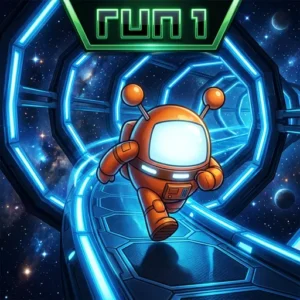
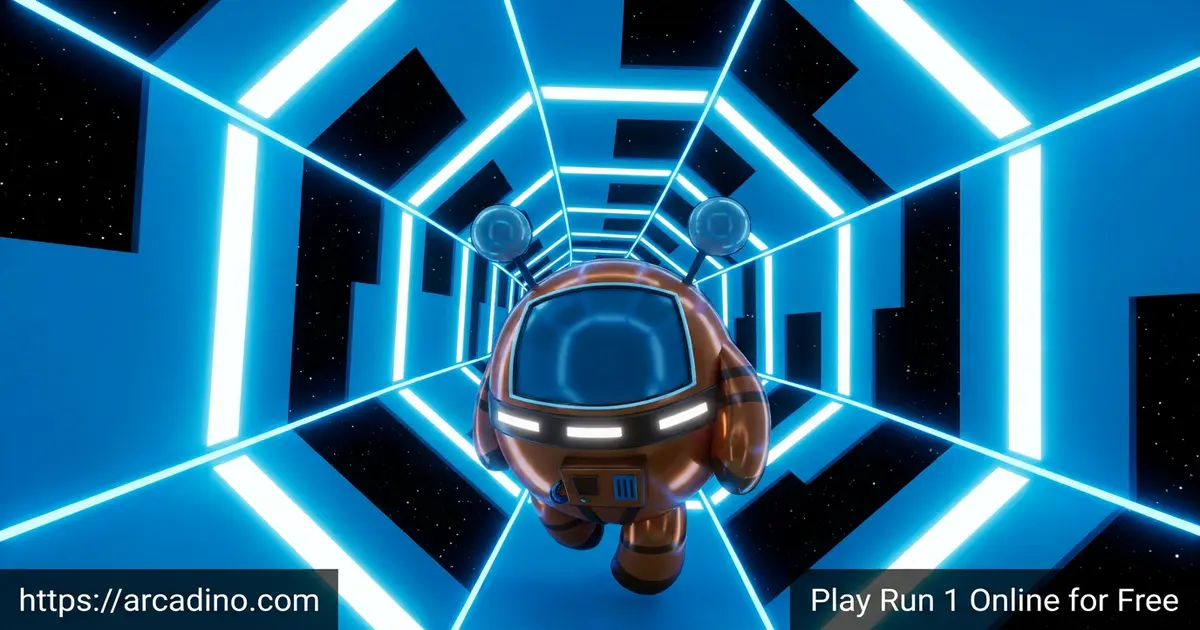
Player 03Picture a little gray alien sprinting through a tunnel floating in deep space. That’s the heart of Run 1, a free platformer you can play right now in your browser. You leap over gaps, dodge holes, and flip gravity by jumping onto the tunnel walls. It’s fast, tricky, and weirdly relaxing once you find your rhythm. Many people just search for “run” and land here, but this is the original first game in the series. 🚀
- Run through a 3D space tunnel as a tiny alien
- Flip gravity by jumping onto the walls
- Beat 50 levels in Explore mode
- Free to play instantly, no download needed
What Is Run 1?
Run 1 is a skill-based platformer where you guide a gray alien through a tunnel in space. Your job sounds simple: reach the end without falling through the gaps. But the tunnel twists, and you can run on any surface by switching gravity. The game first appeared back in 2008 and has stayed popular ever since.
What makes this title special is how it mixes timing with puzzle-style thinking. You’re not just reacting fast – you’re figuring out the safest path. The first thing I noticed is how quickly it loads in the browser. There’s no waiting around, and the controls feel instant the moment you press a key.
Who Made Run 1?
Run 1 was created by Joseph Cloutier, who many players know as player_03. He built it with help from Alex Ostroff. The game first appeared on a site called Albino Blacksheep way back in 2008. It quickly gained a loyal following of fans there. Later it spread to bigger portals like Coolmath and Kongregate, where millions more got to play.
Why the Modern Browser Version Works on Any Device
The original Run 1 was built using Flash. Flash isn’t supported anymore, so those old versions no longer load in your browser. That’s why some links you find online just show a blank screen. The good news is that an HTML5 version exists, which is the modern way games run today. This build doesn’t need Flash at all, so it works on phones, tablets, laptops, and school computers.
Run 1 Gameplay
The core loop is short and addictive. You start running, the tunnel scrolls toward you, and gaps appear in the floor. You move left, right, and jump to avoid falling out. If you slip through a hole, the level restarts and you try again.
The gravity-switching trick is the clever part. Jump onto a wall and that wall becomes your new floor. Suddenly the whole tunnel rotates around you. Most levels need this move, so learning it early helps a lot.
Early levels are gentle and teach you the basics. Then the difficulty climbs steadily, demanding more focus and memorization. By the later stages, you’ll need to plan your route before you even reach it. That slow build is what keeps players coming back.
Levels and Game Modes in Run 1
There’s more than one way to play. Explore mode hands you 50 levels that get tougher as you go. You finish one tunnel section and move straight into the next challenge.
Infinite mode is the endless option. It throws randomly generated tunnels at you that keep getting harder until you reach 99% completion. Once you hit that 99% mark, the difficulty stops climbing for good. After that, the mode becomes truly endless and replayable, so you just keep going as long as your reflexes hold up. There’s also an edit mode where you can build your own tunnels, change tile colors, and share creations with others.
Characters and Costumes in Run 1
The star is the gray alien known as the Runner. As you progress through Explore mode, you can unlock extra character costumes. Most of these are just for looks and don’t change how you play. The Skater is the one big exception. It actually changes how the game feels, so it’s a real gameplay tweak rather than a simple skin.
A few unlock right at the start, while others appear as you clear specific levels. Collecting them gives you a fun reason to keep pushing forward. It’s a nice little reward on top of beating each tunnel.
How to Unlock Every Costume
Each costume has its own unlock point, so you always know what you’re working toward. The Runner, the Student, and the Caveman are all ready from the very start. After that, you unlock new looks by clearing certain levels. Here’s exactly when each one shows up:
- Lizard: unlocks at level 5
- Gentleman: unlocks at level 10
- Zombie: unlocks at level 20
- Angel: unlocks at level 30
- Skater: unlocks at level 50
Speed Settings in Run 1
If normal pace feels too easy, you can crank up the speed. The game gives each setting a clear name and an exact multiplier. Normal is the standard pace where most players start. Fast bumps things up to 1.5x speed, which is great once you know the timing. Intense doubles the action at 2x speed and is meant for true experts. The Intense option unlocks after you finish the main mode.
My advice matches what most fans suggest. Beat the levels at Normal speed first, then turn up the intensity. Rushing into Fast or Intense before you know the timing just leads to lots of restarts.
How to Play Run 1
Getting started takes about five seconds. Open the page, click play, and your alien starts moving forward automatically. You only control side-to-side movement and jumping, so there’s not much to memorize. The hard part is reacting before the next gap arrives.
Run 1 Controls
- Left Arrow: move left
- Right Arrow: move right
- Spacebar: jump
- You can also use WASD to move and jump
- To pause, press ESC or P, where you can also change the speed
Tips and Tricks for Run 1
- Look ahead at the tunnel, not just at your alien. Spotting gaps early gives you time to react.
- Use the walls on purpose. Jumping onto a wall flips gravity and often opens an easier path.
- Stay near the center when speed picks up. Drifting too far to the edge is a quick way to fall out.
- Make small, smooth taps instead of panicked moves. Sharp jerks usually send you flying off the track.
- Learn from every fall. Ask yourself if you jumped too early or picked the wrong route, then adjust.
- Memorize tricky tunnel sections by their shape. Naming a pattern in your head helps you recall the safe route next time.
- Pick one corner of the tunnel and treat it as your “home” lane. Returning to it after each jump keeps your moves steady.
Key Features of Run 1
- A 3D space tunnel that twists and rotates as you run
- Gravity-switching by jumping onto the walls
- 50 hand-built levels in Explore mode plus endless Infinite mode
- An edit mode for building and sharing your own tunnels
- Unlockable character costumes and a catchy space soundtrack
Where to Play Run 1
The easiest spot is right here in your browser. The game is free, loads fast, and needs no sign-up. It works on Chrome, Firefox, Safari, and Edge. Since this site is built to be accessible, many students find they can play Run 1 unblocked on most school networks.
The series also has a mobile version with touch controls for phones and tablets. Look for the official Run app on the Google Play Store or the Apple App Store. Stick to the official stores rather than random APK files, which can be unsafe. Some players also discover the game through math game portals, which is why it’s often searched alongside school-friendly sites.
For Parents
Run 1 is a clean, friendly platformer that suits kids around ages 8 and up. There’s no violence – just a cute alien dodging gaps in space. The browser version asks for no registration and contains no chat with strangers.
The game quietly builds focus, timing, and pattern recognition as players plan their routes. The mobile app does include in-app purchases, so it’s worth checking settings there. Short sessions work well, since each level is quick and easy to pause.
A Note for Teachers
Run 1 fits surprisingly well into a short classroom brain break. Planning a route through the twisting tunnel builds spatial reasoning, since kids picture the path before they run it. Remembering safe lanes from earlier tries exercises working memory in a fun, low-pressure way. The quick levels mean a session can last just three or four minutes between lessons. Because the browser build needs no sign-up and no Flash, it runs on most school devices without a fuss. It’s an easy, screen-friendly reset that still keeps young minds active.
Similar Games to Run 1
If you love the tunnel-dashing, gravity-bending action here, these games scratch the same itch.
- Run 2 – the direct sequel with new tunnels and added running mechanics.
- Run 3 – a bigger space adventure with branching paths and more characters.
- Slope – guide a rolling ball down neon ramps while the speed keeps rising.
- Explore more in the Platformer category for similar skill-based challenges.
FAQs About Run 1
Is Run 1 free to play?
Yes, Run 1 is completely free in your browser. You don’t need to register or download anything to start. The mobile app is free too, though it has optional in-app purchases.
Is Run 1 the same as Run?
Yes, Run 1 and Run are the same game. It’s just called Run 1 to tell it apart from the later games. It’s the original first title in the Run series.
How many levels does Run 1 have?
Run 1 has 50 levels in Explore mode. The levels get harder as you move forward. There’s also an Infinite mode with endless randomly generated tunnels.
Can I play Run 1 unblocked at school?
Yes, Run 1 usually works on school networks. Because this site is built to load easily, it often runs where other games are blocked. You only need a browser to play.
How do you switch gravity in Run 1?
Jump onto a wall of the tunnel to switch gravity. That wall then becomes your floor and you keep running. This trick is needed to clear most levels.
Is there a Run 1 mobile version?
Yes, Run 1 has a mobile version on iOS and Android. It uses touch controls instead of a keyboard. You can find it on the official app stores.
Conclusion
Run 1 takes one simple idea – keep running and don’t fall – and turns it into something you’ll want to master. The twisting tunnels, the gravity flips, and the 50 climbing levels make every attempt feel a little different. Add Infinite mode and the edit tools, and there’s plenty to keep you busy. Fire it up, guide that little alien through space, and see how far your reflexes can carry you.
Gameplay Video