


























Watch one short ad and play ad-free for 30 minutes.
Blumgi Dragon
BlumgiImagine launching a fireball across an arena, then snapping yourself to wherever it lands. That’s the twist that makes Blumgi Dragon stand out from other platformer-arena games you can play online for free. You’re a tiny, colorful dragon trying to rescue captured friends from bomb-tossing baddies. Fans of the studio often just search “blumgi” since the developer makes a whole lineup of these mini hits, but this dragon-themed one has its own personality. 🐉
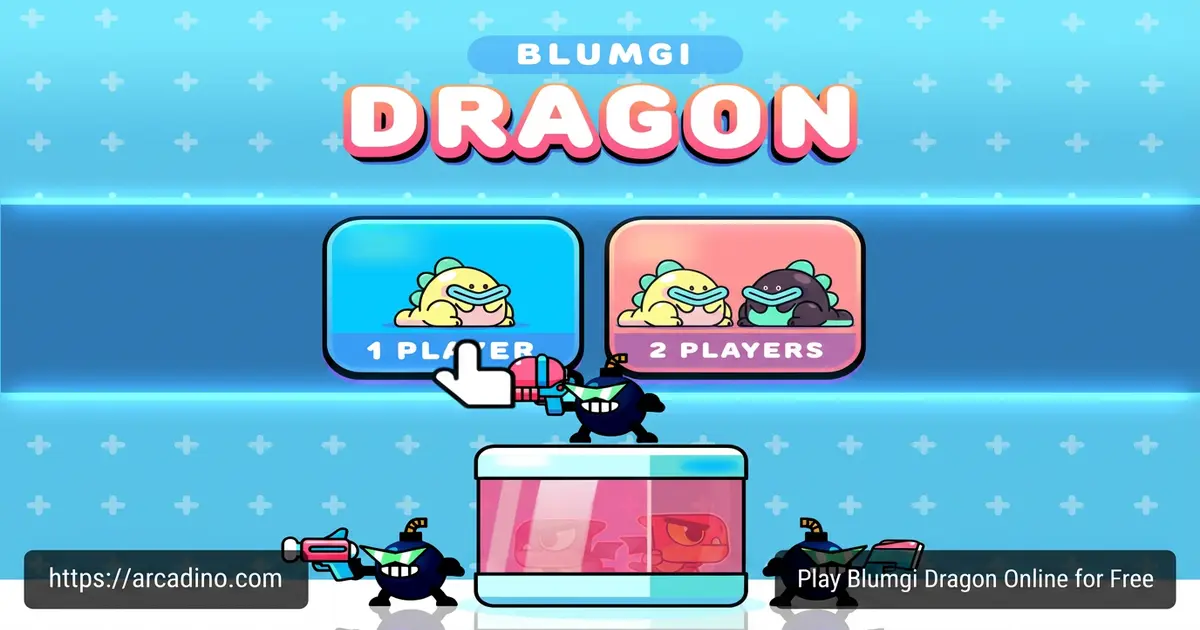
It loads fast, plays in any modern browser, and supports local 2-player co-op on the same keyboard. Here’s what you’re getting into:
- Fire-and-teleport combat with one button
- Arena levels packed with bomb-throwing enemies
- Rescue missions to free trapped dragons
- Single-player or local multiplayer with a friend
What Is Blumgi Dragon?
Blumgi Dragon is a cute action-platformer made by Blumgi, the same studio behind Blumgi Slime, Blumgi Rocket, and Blumgi Ball. You control a small dragon battling explosive enemies across arena stages. The mission stays simple: rescue the dragons that have been kidnapped by the bomb crew. Every level is a quick, snappy fight rather than a long story chapter.
When I tested it in Chrome, the game booted in seconds with no installer and no sign-up. The controls feel instant, which matters a lot when one badly timed teleport drops you onto a bomb. Visuals are bright cartoon shapes with chunky outlines, so it runs smoothly even on lower-end laptops and Chromebooks.
Blumgi Dragon Gameplay
The core loop is built around one clever idea. Click or press space to spit a fireball in the direction you’re aiming. Click again and your dragon teleports straight to where that fireball is flying or has landed. So your attack is also your movement, which means every shot is a decision.
You’ll use this to leap over gaps, dodge incoming bombs, and pop up behind enemies who weren’t expecting company. Some stages add explosive barrels that chain into big blasts when your fire touches them. Stand too close and you’ll feel the boom yourself, so timing matters as much as aim.
Local Co-op in Blumgi Dragon
One of the best parts is the two-player mode on the same computer. A friend grabs the second set of controls and you both clear arenas together. Coordinating fireballs and teleports with another dragon turns simple levels into chaotic, funny team plays. It’s a great pick for siblings or a quick after-school session with a buddy.
Levels, Enemies and Bosses
Stages ramp up from easy intro arenas to tougher fights with more enemies and trickier layouts. You’ll face small bomb-throwing soldiers and bigger boss-type opponents that need a smarter plan. Some enemies have armor, so blasting them head-on doesn’t work. You have to circle around with teleports and hit their weak spots when they open up.
Dragons You Can Play As
Blumgi Dragon also lets you unlock different dragon skins as you progress. You’ll start as the basic green dragon, but new colors and styles pop up as you finish levels. Each one plays the same way, so the change is mostly about looking cool with your friend in co-op. Pick a matching pair or go totally clashing – it’s a fun little reward for sticking with the game.
How to Play Blumgi Dragon
Getting started takes about ten seconds. Open the game page in your browser, wait for it to load, and you’re dropped right into the first arena. There’s no account to make and no tutorial wall to click through. The first stage teaches the fire-and-teleport trick by giving you easy targets.
Controls for Blumgi Dragon
On desktop, click the mouse or tap the spacebar to fire a fireball. Tap again to teleport to its position. On phones and tablets, just tap the screen with one finger to do the same thing. For local co-op, the second player uses a separate key on the same keyboard.
Here’s the practical setup most players use. Player 1 typically handles aiming with the mouse and fires with left-click or spacebar. Player 2 uses the arrow keys to aim and presses Enter (or the right Shift key) to fire and teleport. If your keyboard is older or cheap, pressing too many keys at once can cause “key ghosting” – your inputs just won’t register. A quick fix is to plug in a USB gamepad for one player, or have Player 2 switch to a number-pad key like 0 instead of Enter.
Tips and Tricks for Blumgi Dragon
- Aim where you want to land: Your fireball is also your taxi. Shoot toward safe ground, not into a pile of enemies.
- Bait the bombs: Wait for enemies to throw, then teleport behind them while their hands are empty.
- Chain the barrels: If you see explosive barrels near a group of foes, light one and watch the whole cluster vanish.
- Don’t hug explosions: Teleport away right after a big blast so the splash damage doesn’t catch you.
- Hit armored foes from the side: Direct shots bounce off. Use a teleport to flank them and aim at their weak point.
Advanced Teleport Combos
Once the basics click, you can level up your play in three clear stages. Beginner mistakes usually look like firing straight at an enemy and teleporting right into their bomb – always aim past them, not at them. Intermediate players learn the “bait-and-flank” combo: lure a bomb throw, teleport behind the enemy, then fire point-blank into their back. Advanced players chain teleports through barrels – shoot a fireball at a barrel, warp to it, then immediately fire again at a second barrel near the boss’s weak spot for a double-blast finisher. Another pro move is the “edge skip,” where you fire toward a gap, teleport mid-air, and fire again before landing to cross huge stages in one breath. Practice these in early levels where mistakes are cheap, then bring them to boss fights.
Key Features of Blumgi Dragon
- Fire-and-teleport mechanic: One button handles shooting, dodging, and traveling across the arena.
- Rescue-based missions: Every level has captured dragons waiting to be freed.
- Local 2-player co-op: Share one keyboard or device with a friend.
- Browser-based and free: Runs in Chrome, Edge, Firefox and Safari with no install.
- Bright cartoon art style: Friendly visuals that work for younger players without losing strategic depth.
Where to Play Blumgi Dragon
The fastest way is right here in your browser on desktop, laptop, or Chromebook. No download, no login, no extra software. It also works on phones and tablets through mobile browsers, so you can hop in during a long car ride. Since the file size is small, it’s a popular pick on school-friendly portals and unblocked game lists.
If you ever see an APK floating around for this title, skip it. Stick to the official browser version to stay safe from sketchy downloads. There’s no need for a paid app when the full game is one click away on the web.
Performance and Accessibility Notes
On a basic Chromebook, the game holds a steady 60 frames per second in most arenas, with tiny dips only during big chained barrel explosions. The engine accepts touch and mouse input at the same time, so mixed-device co-op works – one player can tap a tablet screen while the other uses a laptop trackpad nearby on a shared account. The color palette is mostly friendly for colorblind players: fireballs glow bright orange against cool blue and gray arenas, and bombs have a clear round shape with a glowing fuse, so you can spot threats by form even if reds and greens look similar to you. If you need extra contrast, bumping your browser’s zoom to 110% makes the fuse sparks stand out more.
For Parents
Blumgi Dragon is a good fit for kids around 7 and up. The art is cartoony, the “violence” is fireballs versus cartoon bombs, and nobody bleeds or gets gory. There’s no open chat with strangers and no obvious push to spend money. Sessions are short by design, so it’s easy to set a 20-30 minute timer and stop at a clean break.
Similar Games to Blumgi Dragon
If you like this dragon-powered arena action, the same studio and genre have plenty more to explore:
- Blumgi Slime – A jumpy obstacle race with the same cute Blumgi art style and bouncy physics.
- Blumgi Rocket – Launch yourself with rocket boosts across tricky platform stages.
- Blumgi Ball – A goofy sports party game from the same creators, great for two players.
- Blumgi Castle – Toss explosives at castle stacks in a physics-based puzzler.
- Swingo – Swing through stages on a grappling rope, made by the same team.
- Blumgi Bloom – A colorful flower-growing puzzle game from the Blumgi studio with the same cute art style.
Browse more in Platformer Games.
FAQs About Blumgi Dragon
Is Blumgi Dragon free to play?
Yes, Blumgi Dragon is completely free in your browser. There’s no purchase, no subscription, and no paywalled levels. You just open the page and start playing.
Is “blumgi” the same as Blumgi Dragon?
“Blumgi” is the studio name, and Blumgi Dragon is one of its games. The team also makes Blumgi Slime, Blumgi Rocket, Blumgi Ball, Blumgi Castle, and Swingo. People often search just “blumgi” when they want any game in the series.
Can I play Blumgi Dragon on mobile?
Yes, it works on phones and tablets through the browser. Just tap the screen to fire and teleport. No app store download is needed.
Do I need to download Blumgi Dragon?
No download is required. The game runs directly in Chrome, Edge, Firefox, Safari, and most modern browsers. Refresh the page and you’re back where you started.
Can I play Blumgi Dragon with a friend?
Yes, it has local multiplayer for two players on the same device. You share one keyboard or screen and control different dragons together. It’s built for couch co-op rather than online play.
How does the teleport in Blumgi Dragon work?
You shoot a fireball, then press the button again to warp to its position. The fireball doubles as both your weapon and your travel ticket. Mastering this combo is the main skill of the game.
Is Blumgi Dragon safe for kids?
Yes, the game is family-friendly with cartoon visuals and no chat features. Combat is silly fireball action against bomb enemies, not realistic violence. There are no obvious in-app purchases either.
Can I play Blumgi Dragon unblocked at school?
It often appears on school-friendly browser game portals because it’s small and HTML5-based. Whether it loads on your network depends on your school’s filter. If our site is allowed, you can play it here with one click.
Final Thoughts on Blumgi Dragon
Blumgi Dragon takes one weird idea – your attack is also your movement – and squeezes a whole arena game out of it. Add bomb-throwing enemies, captured dragons to rescue, and a chaotic two-player mode, and you’ve got a quick browser hit that’s easy to love. The controls are friendly enough for a younger sibling but deep enough that you’ll keep refining your teleport combos.
Grab a friend, claim a side of the keyboard, and see how many dragons you can rescue before lunch ends.
