


























Classicube
UnknownShadow200Remember the old days of stacking blocks in Minecraft Classic? Classicube brings that exact 2009 vibe back, and you can play it free right in your browser. This sandbox block game lets you place blocks, build whatever you dream up, and hop onto servers with other players. It’s super lightweight, so it loads fast even on older computers. Lots of kids search “minecraft unblocked” looking for this kind of thing, and Classicube is a real, working option. 🧱
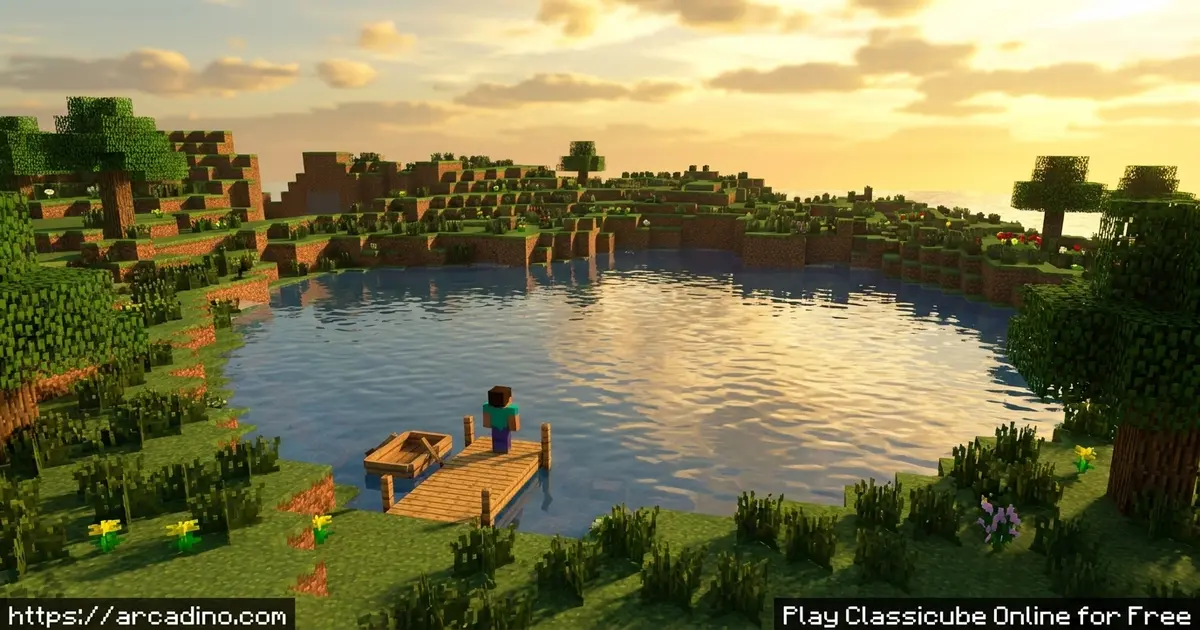
- Build freely with classic-style blocks in singleplayer or multiplayer
- Runs in your browser with tiny memory use and quick loading
- Add custom blocks, texture packs, and plugins to personalize maps
- Connect to community servers and play with friends online
What Is Classicube?
Classicube is a sandbox block game built to recreate the Minecraft Classic experience from 2009. It’s a custom client written from scratch in the C programming language. The core idea is simple: place blocks, break blocks, and build cool stuff with other block people. It’s not survival mode, and it has no health or monsters – just pure creative building.
People often confuse it with “minecraft unblocked” or classic Minecraft, since they look so similar. But this title is its own thing, not affiliated with Mojang or Microsoft. When I opened the in-browser version in Chrome, it loaded fast and used barely any memory. That lightweight feel is a big reason it runs well on school laptops and older machines.
Here’s what Classicube isn’t, so you don’t get confused. It does not connect to Minecraft Java or Bedrock servers at all. It only recreates the 0.30 Classic version, not newer updates or older builds. It won’t work with your Minecraft account, and it will never support modern Minecraft servers. Think of it as its own friendly world, separate from today’s Minecraft.
Classicube Gameplay
The gameplay loop is all about creativity. You pick a block, place it in the world, and slowly shape your own creations. There’s no goal forcing you forward – you build for the fun of building. Some players make duck statues, others lay down railroads through mountains.
Because there’s no survival or combat, you never lose progress to enemies. You just keep stacking, digging, and experimenting. The flat creative space gives you room to plan big projects. That freedom is what keeps builders coming back to this block game again and again.
Classicube Multiplayer and Servers
One of the best parts of this title is its multiplayer side. You can connect to community servers and build alongside other players in real time. To join online servers, you’ll usually need a free account. There are also locally hosted and LAN servers if you want to play with friends nearby.
Servers each have their own maps, rules, and communities. Some folks even run custom server software to host their own worlds. Hopping between servers feels like visiting different block neighborhoods. It turns solo building into a shared adventure. 🌍
Customization and Texture Packs in Classicube
This game gives you real room to make worlds your own. You can import and export maps, swap in texture packs, and add plugins. There’s even a personalization guide floating around the community for exactly this. Editing options through a text file lets advanced players tweak things deeper.
Optional enhancements include custom blocks, custom models, and changeable environment colors. These extras go beyond what the original Classic offered. So if plain blocks get boring, you can totally remix the look. That flexibility makes each builder’s world feel unique.
How to Play Classicube
Getting started is quick. Open the in-browser version on a supported page, and the assets download automatically. If you use the desktop launcher, just click “OK” on the startup dialog. For singleplayer, pick Singleplayer from the main menu and start placing blocks.
To play online, you connect to a server from the multiplayer menu. A free account lets you join the community servers. From there, it’s all about exploring, building, and meeting other players.
Classicube Controls
Use the WASD keys to move around and the mouse to look. Left-click breaks blocks and right-click places them. The number keys or scroll wheel let you pick which block to use. On mobile, you tap the screen to interact and build.
Stuck on OpenGL 1.1? Easy Fixes
Sometimes the desktop launcher shows an “OpenGL 1.1” message or just won’t start. This usually means your graphics drivers are old or missing. The first fix is simple: update your graphics drivers from your computer maker’s website. If that doesn’t help, Classicube has a special build that uses a software renderer called MESA. This version draws the game with your processor, so it runs even without good graphics support. If you still see a black screen or a pixel-format error, try the browser version instead, since it dodges most of these driver headaches.
Why Classicube Runs Great on School Laptops
Java Minecraft can feel heavy because it runs on top of a big software layer. Classicube is written in C, which talks to your computer more directly. That means it loads faster and uses way less memory, often just a small fraction of what Java needs. On a basic Chromebook or an older school laptop, that difference is huge. While Java Minecraft might stutter or refuse to open, Classicube usually starts in seconds. You don’t need a fancy graphics card or tons of RAM to build smoothly. That’s exactly why it’s a smart pick for kids on low-spec hardware. If your machine struggles with bigger games, this one should still feel snappy.
Tips and Tricks for Classicube
- Start in singleplayer to practice placing and breaking blocks before joining busy servers.
- Try a texture pack early – it changes the whole mood of your build.
- Plan big projects on flat ground so you have room to expand outward.
- Use plugins to speed up repetitive building tasks on your maps.
- Make a free account so you can save progress and join online servers.
Key Features of Classicube
- Lightweight client with minimal memory use and strong performance
- Free creative building with no survival, health, or combat
- Multiplayer servers you can join with a free account
- Custom blocks, models, texture packs, and environment color tweaks
- Map import and export plus plugin support for deeper customization
Where to Play Classicube
The easiest way is right in your browser – it’s free and starts fast with no big install. It works in most modern browsers, so a Chromebook or school laptop handles it fine. Since many kids hunt for “minecraft unblocked” or “minecraft online free,” this browser version is a genuine alternative. There’s also a desktop launcher if you want the full client.
Beyond the web, this block game runs on Windows, macOS, Linux, Android, and iOS. It even works on some less common systems and a few consoles in early stages. If you ever look for an APK, only grab it from official sources to stay safe. Sketchy download sites can hide malware, so stick to trusted pages.
Supported Systems and Requirements
Classicube reaches back to some surprisingly old machines. On Windows, it runs all the way down to Windows 95 and newer. Mac users need macOS 10.5 or later, and the browser version even works in Internet Explorer 11. For phones and tablets, you’ll want Android 2.3 or higher, or iOS 8.0 and up. There’s also support for unusual systems like OpenBSD, FreeBSD, Haiku, and Solaris. A few game consoles are supported too, though some are still in early stages. If you want it on Xbox or another console, check the official site for the latest builds. Whatever device you have, grab any APK or installer only from official sources.
For Parents and Teachers
Classicube is a gentle creative game with no violence, no survival stress, and no scary content. The building focus makes it great for ages 8 and up, and it can spark planning and spatial thinking. Multiplayer servers connect kids with other players, so a quick chat about online safety is smart. Some servers may have text chat, so supervision on busier servers is a good idea.
There’s no pressure to spend money to play – the game is free. Optional support through stores like Steam or Itch.io exists, but it’s never required. A play session of 30 to 45 minutes is a healthy chunk for younger builders.
In a classroom, Classicube can be a fun way to teach planning and spatial reasoning. Kids practice mapping out shapes, measuring space, and breaking big ideas into steps. For group projects, stick to a private LAN or locally hosted server so strangers can’t join. Teachers can mute or limit text chat on servers that allow it, keeping things focused. Short, structured sessions of around 30 minutes work best for keeping a class on task.
Similar Games to Classicube
If you love free, blocky building worlds, these creative games are worth a try.
- Minecraft Classic – the original 2009-style block builder that inspired this whole genre.
- Voxiom io – a voxel sandbox with building and battling in the browser.
- Blockcraft – a relaxed crafting and building game with a similar boxy look.
- Paper Minecraft – a 2D take on block survival and creative building.
Explore more in our Adventure category.
FAQs About Classicube
What is Classicube?
Classicube is a free sandbox block game inspired by Minecraft Classic. It’s a custom client written in C that lets you build with blocks. You can play solo or join multiplayer servers in your browser.
Is Classicube based on Minecraft?
Yes, Classicube recreates the 2009 Minecraft Classic experience. It is not affiliated with Mojang, Minecraft, or Microsoft in any way. It’s a separate, community-built client with optional extra features.
Is Classicube the same as “minecraft unblocked”?
Not exactly, but it’s a great free alternative people find that way. Many searchers looking for unblocked Minecraft land on this block game. It runs in the browser, so it works on many school computers.
Does Classicube have multiplayer?
Yes, Classicube has multiplayer servers you can join online. You’ll usually need a free account to connect to community servers. LAN and locally hosted servers are also supported.
Does Classicube have survival mode?
No, Classicube does not have a survival mode. It focuses purely on creative building with no health or combat. The developers have said survival will not be added.
What’s the history of Classicube?
Classicube started out as a project called ClassicalSharp, first written in the C# language. It was later rewritten from scratch in C and renamed Classicube. The community built it so Minecraft Classic fans could keep playing after official services changed. For a time, players could even connect across both the old and new clients. Today it lives on as its own community-run project.
How do you download Classicube?
You can play it instantly in your browser without downloading. There’s also an optional desktop launcher for Windows, macOS, and Linux. Always download from official sources to stay safe.
Conclusion
Classicube nails that nostalgic block-building feeling while staying fast and free. With custom texture packs, community servers, and instant browser play, it gives builders plenty to explore. There’s no survival pressure – just you, your blocks, and your imagination. Jump into a server, stack your first tower, and start shaping a world that’s all yours.
